Home > Help Center

Reachific™ Support

Reachific Help Center

Step by step answers for every part of your Reachific account, with screenshots that show you exactly where to click.

No article on this page matches that yet. Try another word, or submit a ticket.

Newest articles

How do I issue completion certificates?

How do I issue completion certificates?

Sayo Tadashi
Published on: 04/11/2026

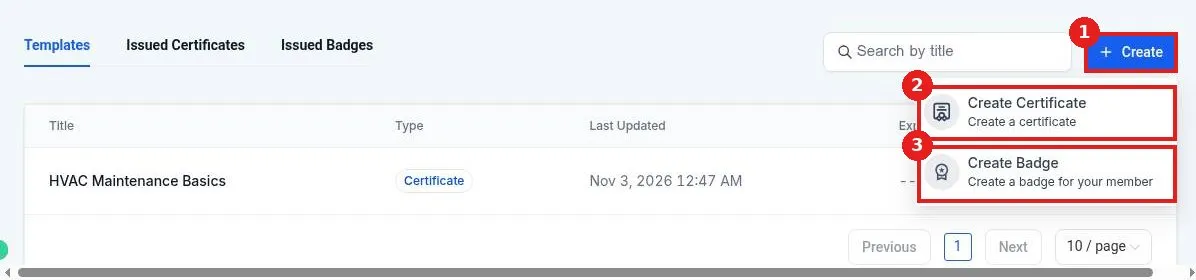
Issue course completion certificates in Reachific: go to Memberships, Credentials, click Create, Create Certificate, design it, then attach it to the course as the Course Completion Credential and publish. Students get it when they finish.

certificatecredentialscourseshelp center
How do I set a course thumbnail?

How do I set a course thumbnail?

Sayo Tadashi
Published on: 04/11/2026

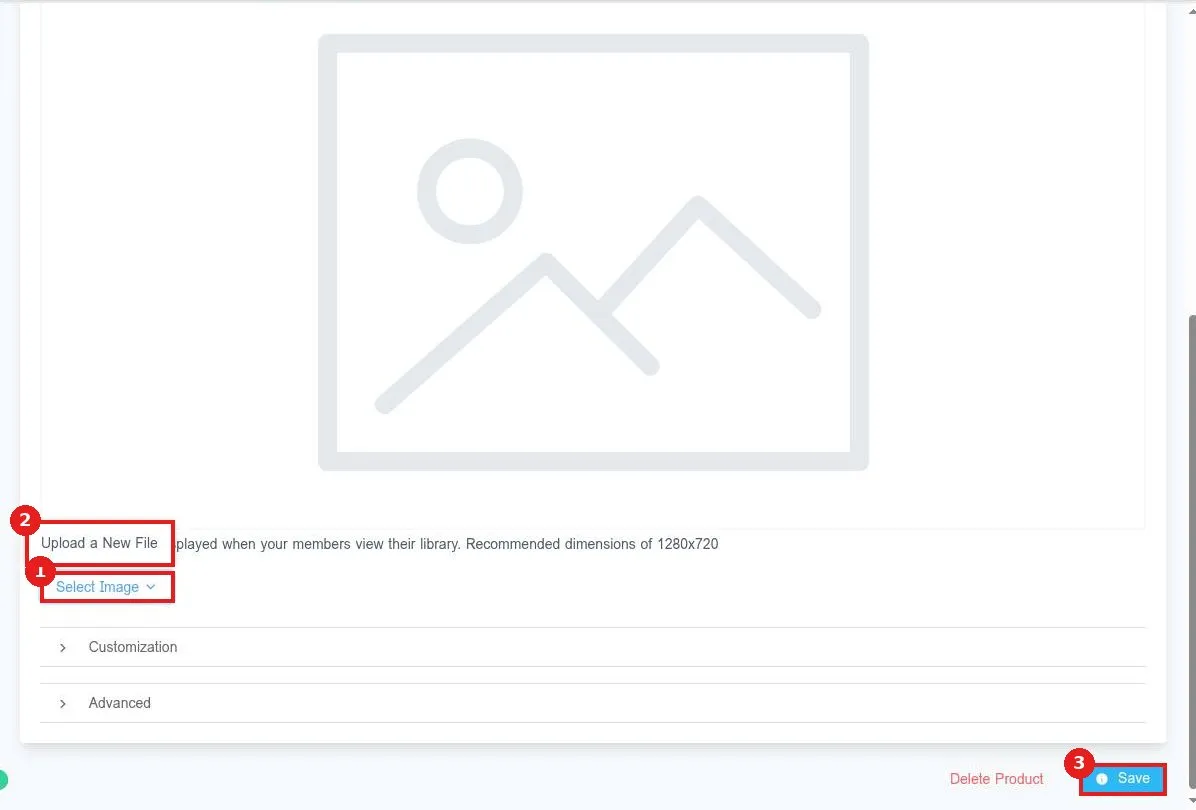
Set a course thumbnail in Reachific: go to Memberships, Courses, Products, open the course, click Details, scroll to Product Thumbnail, click Select Image, upload a 1280 by 720 image, then click Save.

course thumbnailcourse imagecourseshelp center
How do I give a customer access to a course?

How do I give a customer access to a course?

Sayo Tadashi
Published on: 04/11/2026

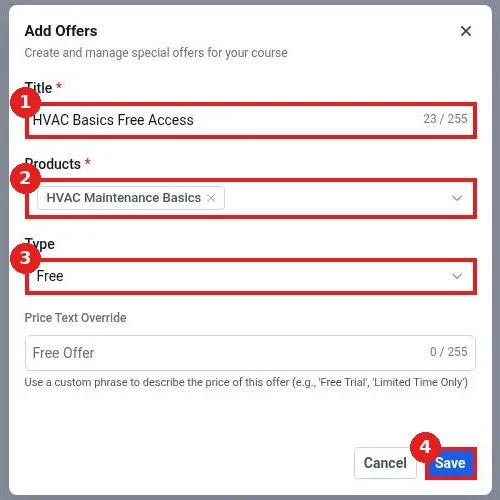
Give a customer access to a Reachific course: go to Memberships, Courses, Offers, click Create Offer, add a title, pick the course, choose Free or a paid type, save, set the offer to Published, then share its link or grant it to a contact.

course accessoffercourseshelp center
How do I create an online course?

How do I create an online course?

Sayo Tadashi
Published on: 03/11/2026

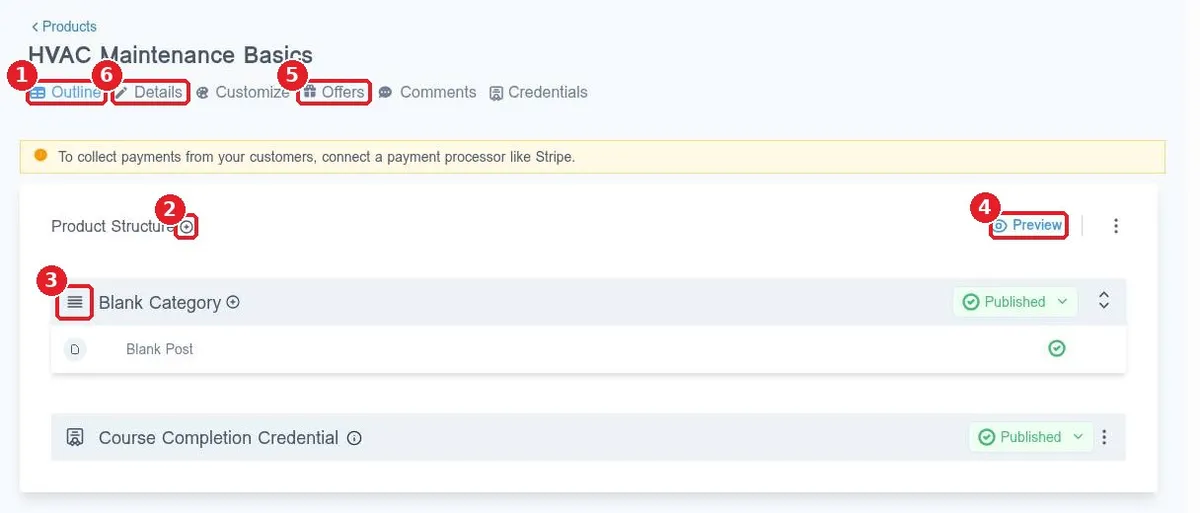
Create an online course in Reachific: open Memberships, Courses, click Create Product, pick a course template, name it, build the outline and add a description and thumbnail on the Details tab.

online coursemembershipscourseshelp center

We are here to help

Still stuck?

Send our support team a ticket and we will walk you through it, or pick a support plan for hands on help.