Home > Help Center

Reachific™ Support

Reachific Help Center

Step by step answers for every part of your Reachific account, with screenshots that show you exactly where to click.

No article on this page matches that yet. Try another word, or submit a ticket.

Newest articles

How do I give my team access to the AI Assistant?

How do I give my team access to the AI Assistant?

Sayo Tadashi
Published on: 03/11/2026

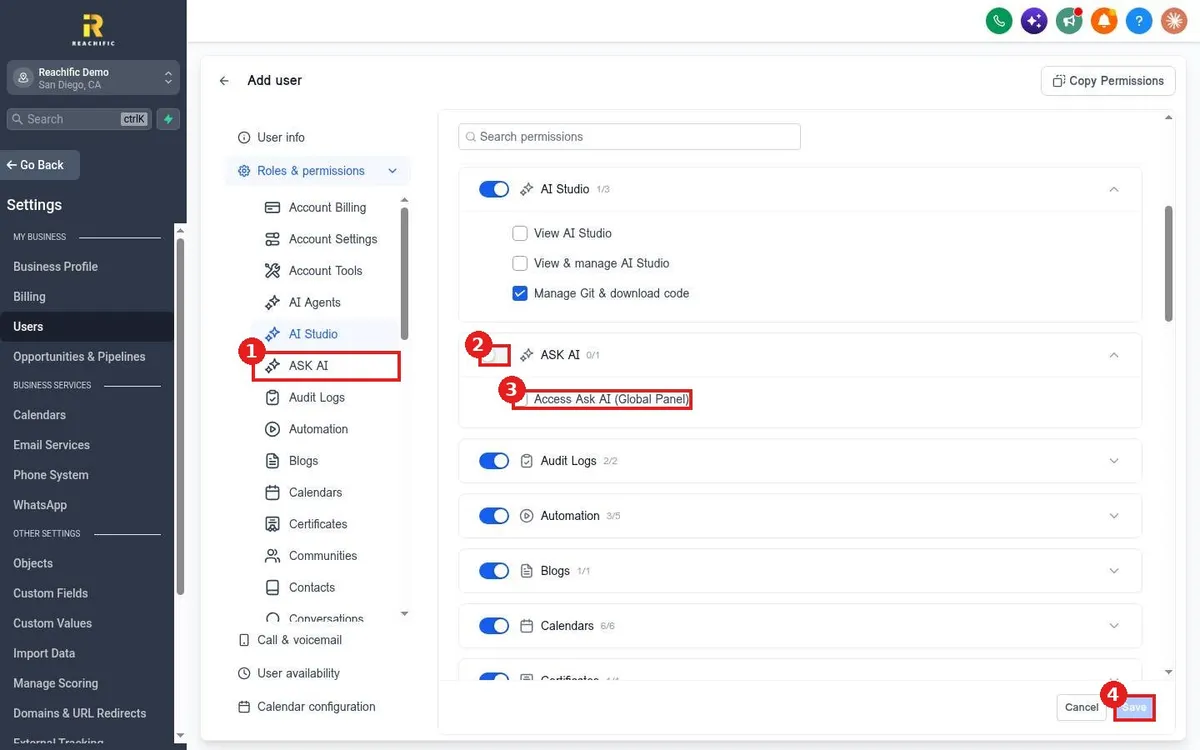
Give a team member access to the Reachific AI Assistant (Ask AI): go to Settings, Users, add or edit the user, open Roles and permissions, switch on ASK AI and tick Access Ask AI (Global Panel), then save.

AI assistant usersteam accessask ai permissionhelp center
How do I train the Reachific AI Assistant on my business?

How do I train the Reachific AI Assistant on my business?

Sayo Tadashi
Published on: 03/11/2026

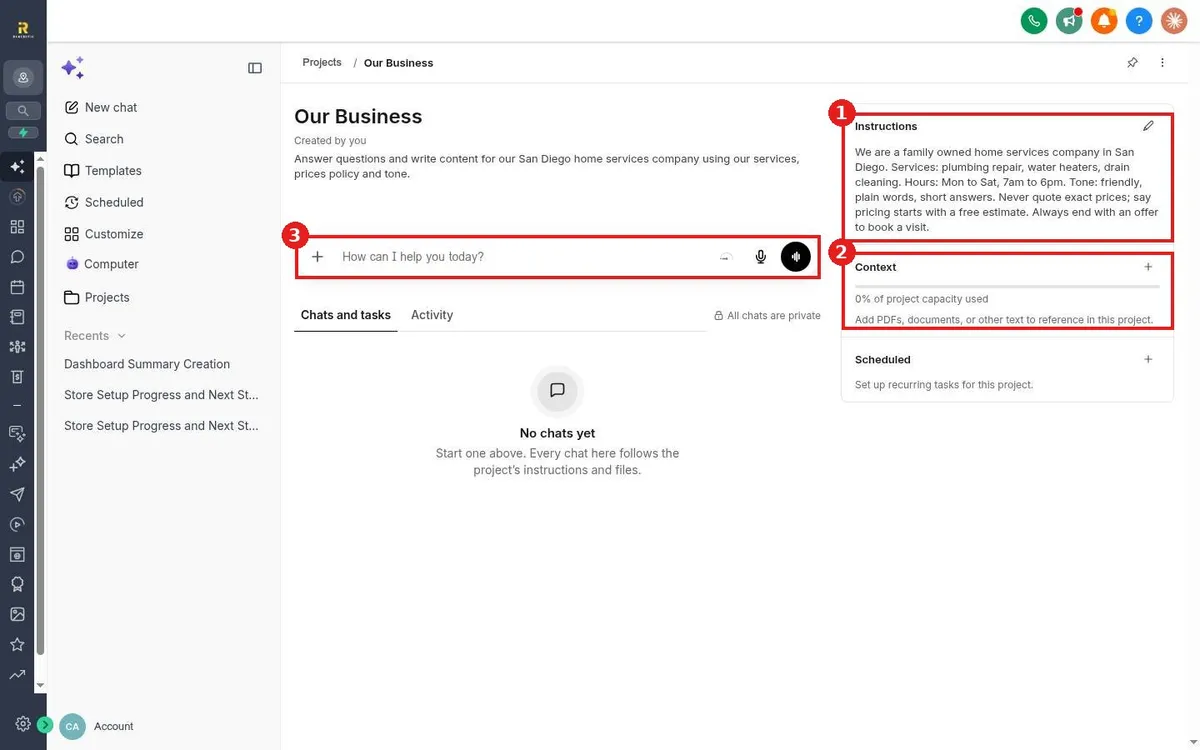
Train the Reachific AI Assistant (Ask AI) on your business: open Ask AI, click Projects, create a project, add instructions with your services, hours, tone and rules, then add files or text under Context. Every chat in the project follows them.

AI assistanttrain AIknowledgeask aihelp center
How do I use Ask AI to build or change something for me?

How do I use Ask AI to build or change something for me?

Sayo Tadashi
Published on: 03/11/2026

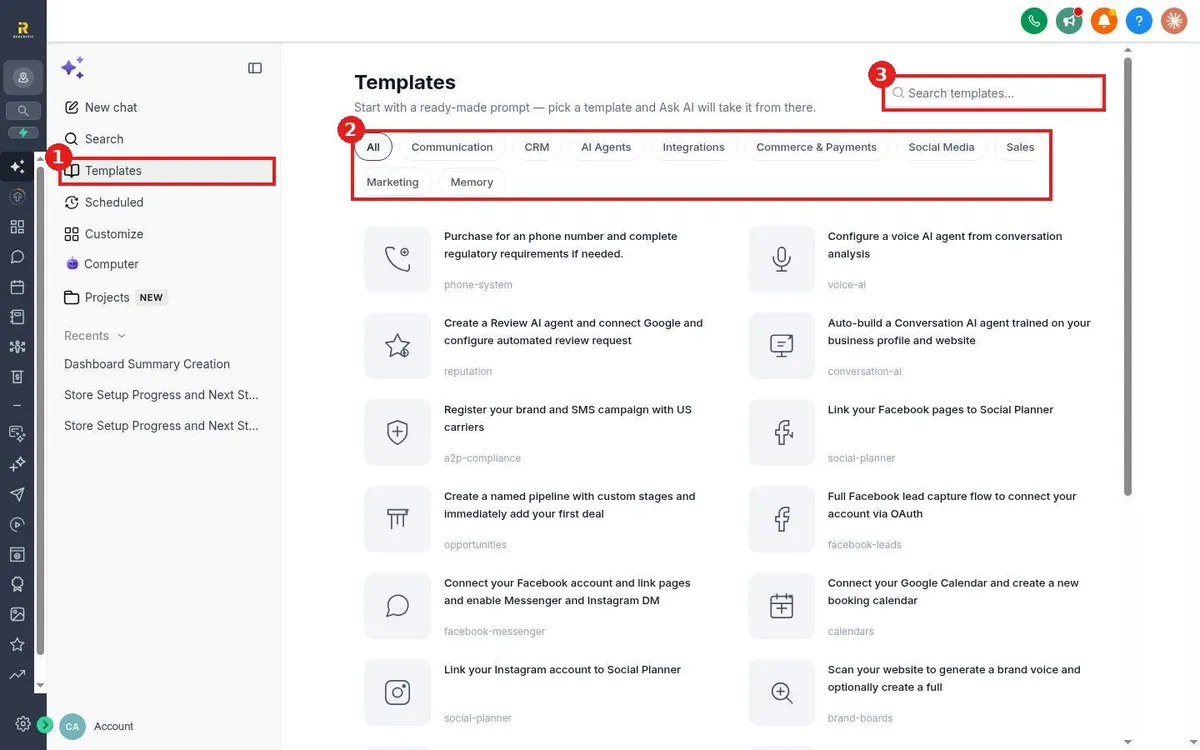
Have Reachific Ask AI do the work: open Ask AI, click Templates, pick a ready made task like setting up a pipeline, a calendar or a review agent, or type your own request, then review what it changes.

ask ai actionsai buildhelp center
How do I use Ask AI to get answers inside my account?

How do I use Ask AI to get answers inside my account?

Sayo Tadashi
Published on: 03/11/2026

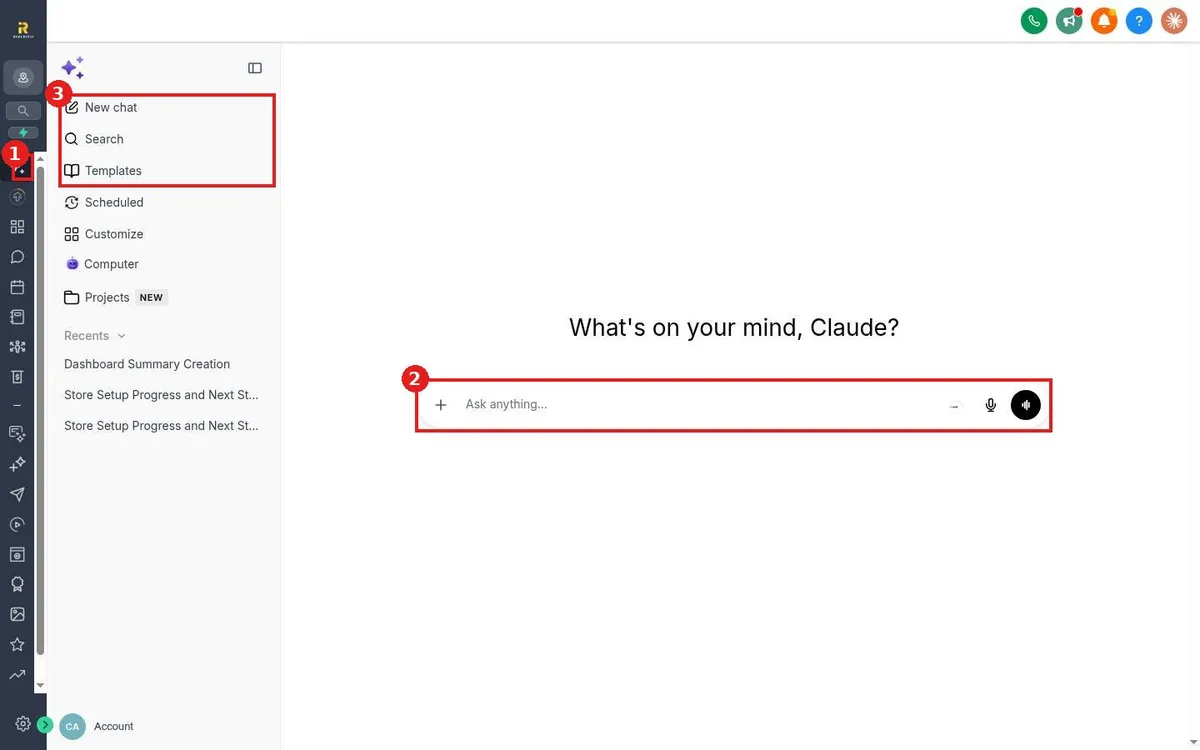
Use Reachific Ask AI: click Ask AI at the top of the left menu, type a question about your account in Ask anything, and read the answer. Recent chats stay in the side panel.

ask aiai helpassistanthelp center

We are here to help

Still stuck?

Send our support team a ticket and we will walk you through it, or pick a support plan for hands on help.