
How do I use Ask AI to build or change something for me?
Quick answer: Open Ask AI and click Templates. Pick a ready made task, such as creating a pipeline, connecting your Google Calendar or building a review agent, and Ask AI takes it from there. Or type your own request in a new chat. Review each change it makes.
Before you start
- Be specific about names, stages, times and who should be involved.
- Some tasks need a login, such as Google or Facebook, which you approve yourself.
Step 1: Open Templates
- Click Ask AI in the left menu.
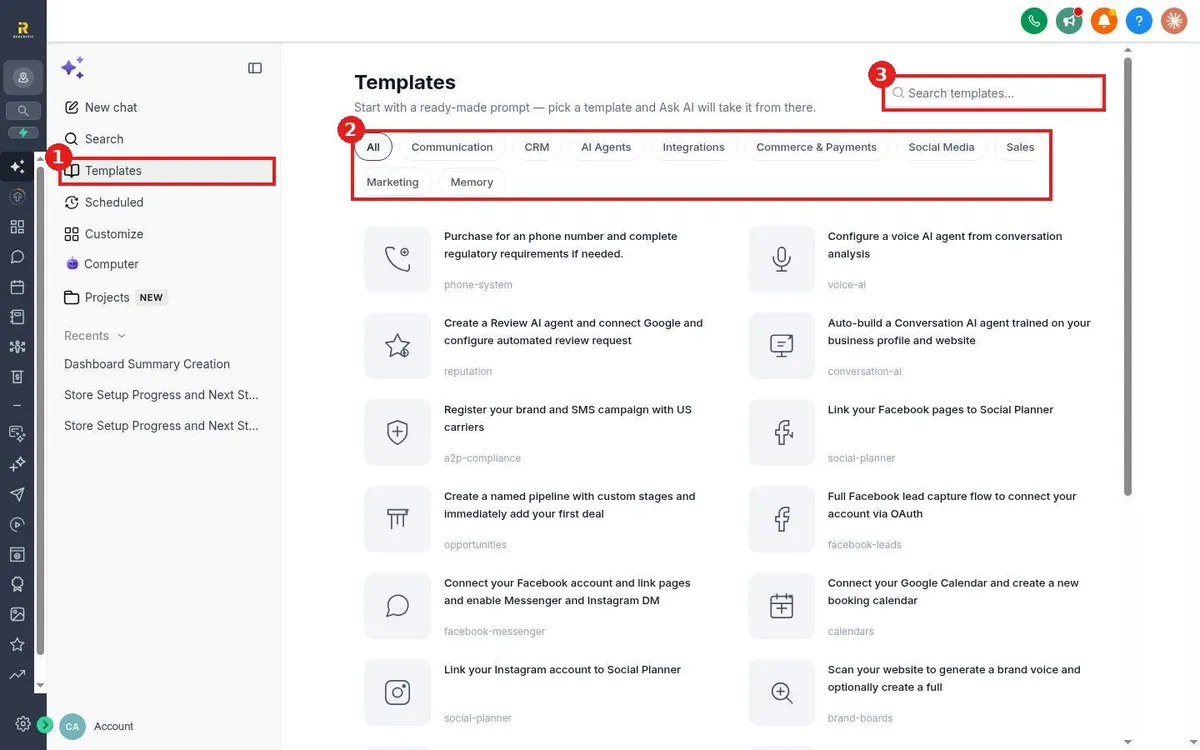
- Click Templates (1).
- Filter by category (2): Communication, CRM, AI Agents, Integrations, Commerce & Payments, Social Media, Sales, Marketing or Memory. Or use Search templates (3).
Step 2: Run a task
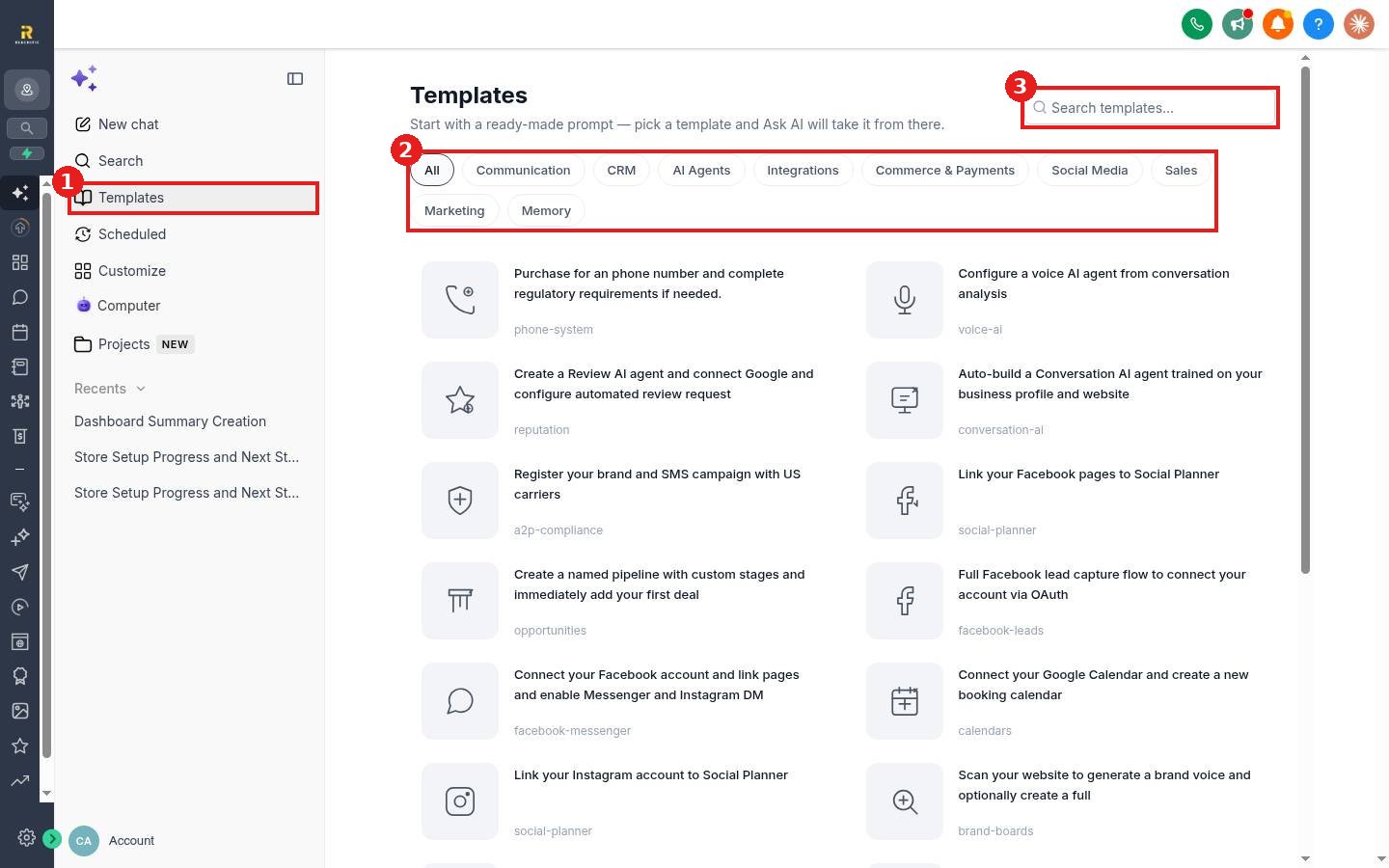
Click a template, for example Create a named pipeline with custom stages and add your first deal. Answer Ask AI's follow up questions, then check the result in that part of your account.
Examples of what it can do
- Buy a phone number and start texting registration.
- Create a review AI agent and set up automatic review requests.
- Link Facebook and Instagram to Social Planner.
- Connect Google Calendar and create a booking calendar.
- Scan your website to build a brand voice.
FAQ
Can I undo what Ask AI changed?
Changes are made in your account like any other edit. Review them and adjust or delete anything you do not want.
Can I schedule Ask AI tasks?
The side panel has a Scheduled section for tasks that run on a schedule.
Want us to handle it? Our team can build your pipelines, calendars and automations for you. Book a free strategy call and get a free quote.
Related articles
- How do I use Ask AI to get answers inside my account?
- How do I create a sales pipeline with stages?
- How do I create a booking calendar?
Still stuck? Submit a ticket and our team will help. Need faster answers? See our support plans.
