
How do I use Ask AI to get answers inside my account?
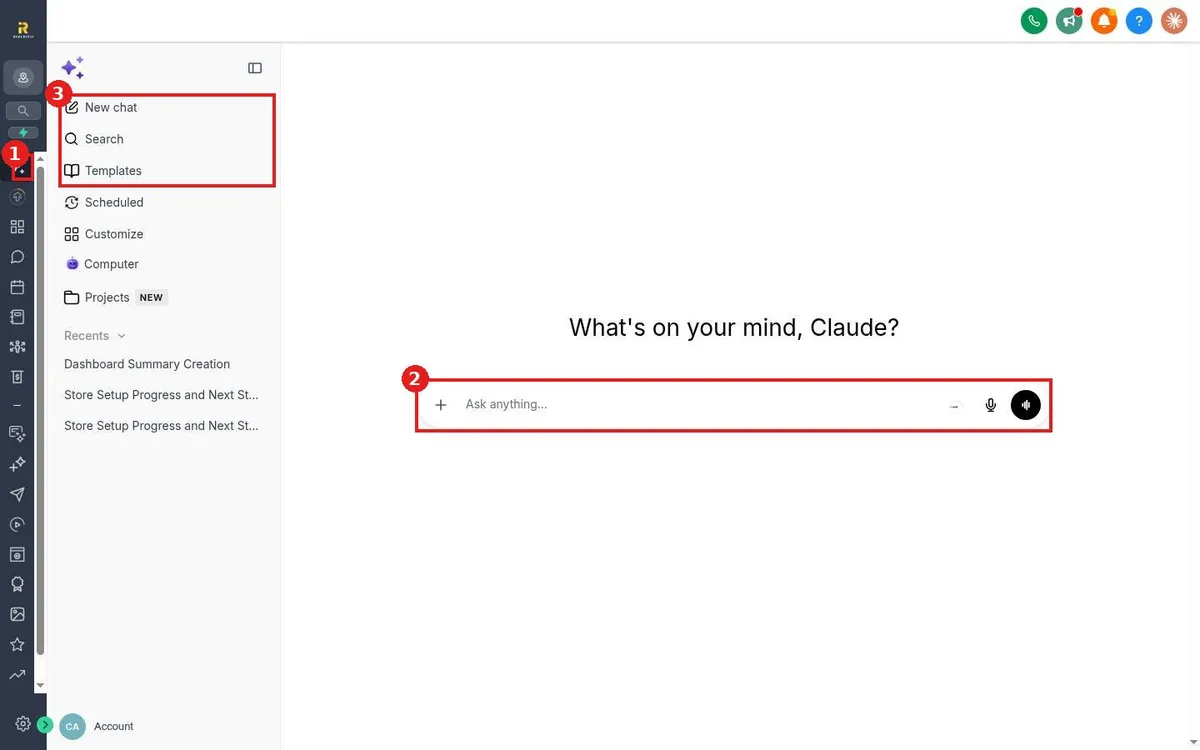
Quick answer: Click Ask AI at the top of the left menu. Type your question in the Ask anything box, for example How many new leads did I get this week, and press Enter. Your past chats stay under Recents.
Before you start
- Ask AI uses the data in your account, so answers are only as complete as your contacts, calendars and pipelines.
- AI usage is billed from your wallet.
Step 1: Open Ask AI
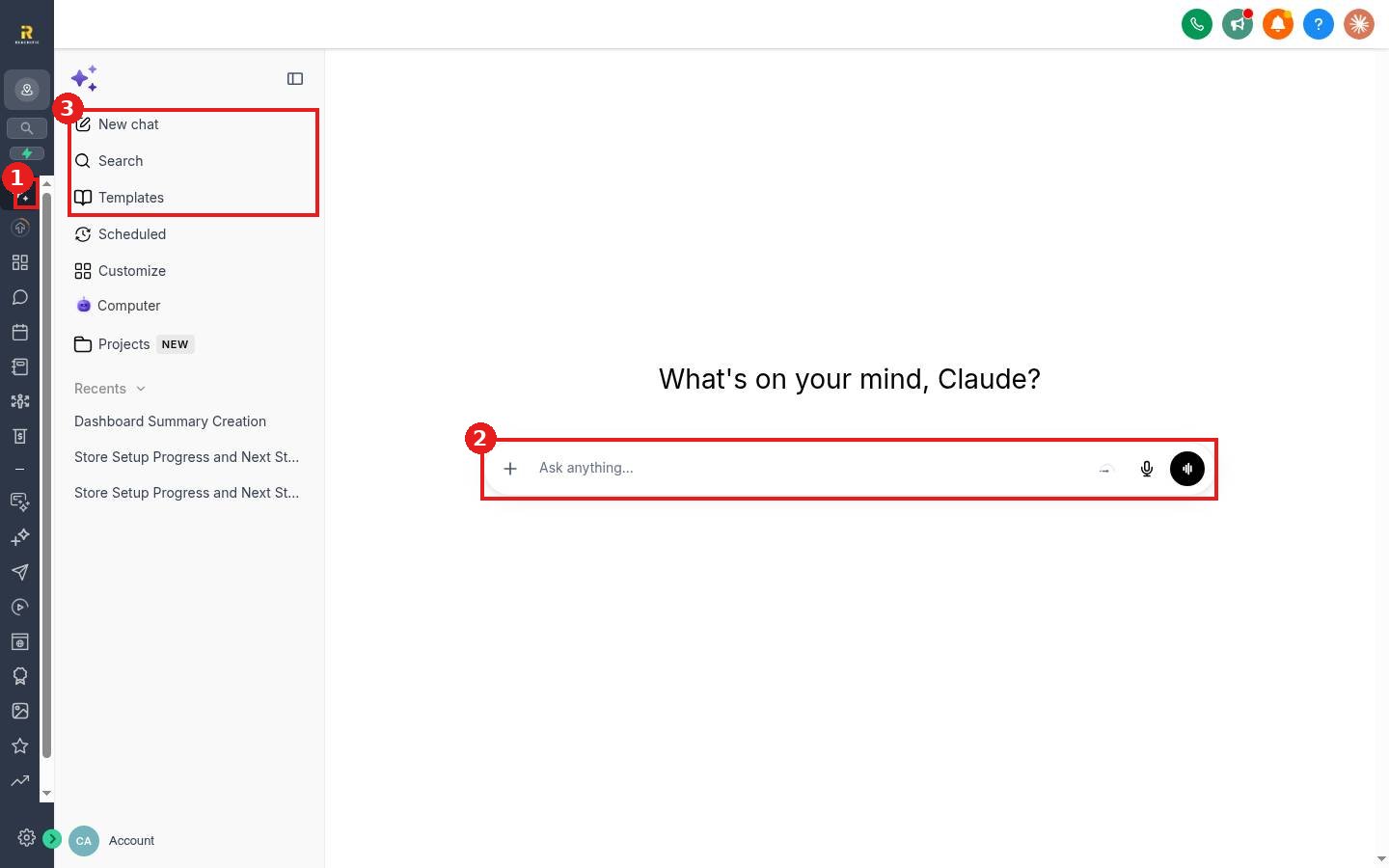
Click Ask AI (1) in the left menu. The side panel (3) has New chat, Search and Templates, plus your recent chats.
Step 2: Ask a question
- Type in the Ask anything box (2). You can also click the microphone to speak.
- Press Enter and read the answer.
- Ask follow up questions in the same chat to dig deeper.
Good questions to try
- Summarize my dashboard for this week.
- Which opportunities have not moved in 14 days?
- Who booked appointments for tomorrow?
FAQ
Can Ask AI make changes for me?
Yes, for some tasks. See How do I use Ask AI to build or change something for me?
Is Ask AI always right?
Treat answers as a fast starting point and double check anything important before acting on it.
Want us to handle it? Our team can set up your account so Ask AI has clean data to work with. Book a free strategy call and get a free quote.
Related articles
- How do I use Ask AI to build or change something for me?
- How do I read my Reachific dashboard?
- How do I find anything fast with the search bar?
Still stuck? Submit a ticket and our team will help. Need faster answers? See our support plans.
