
How do I give my team access to the AI Assistant?
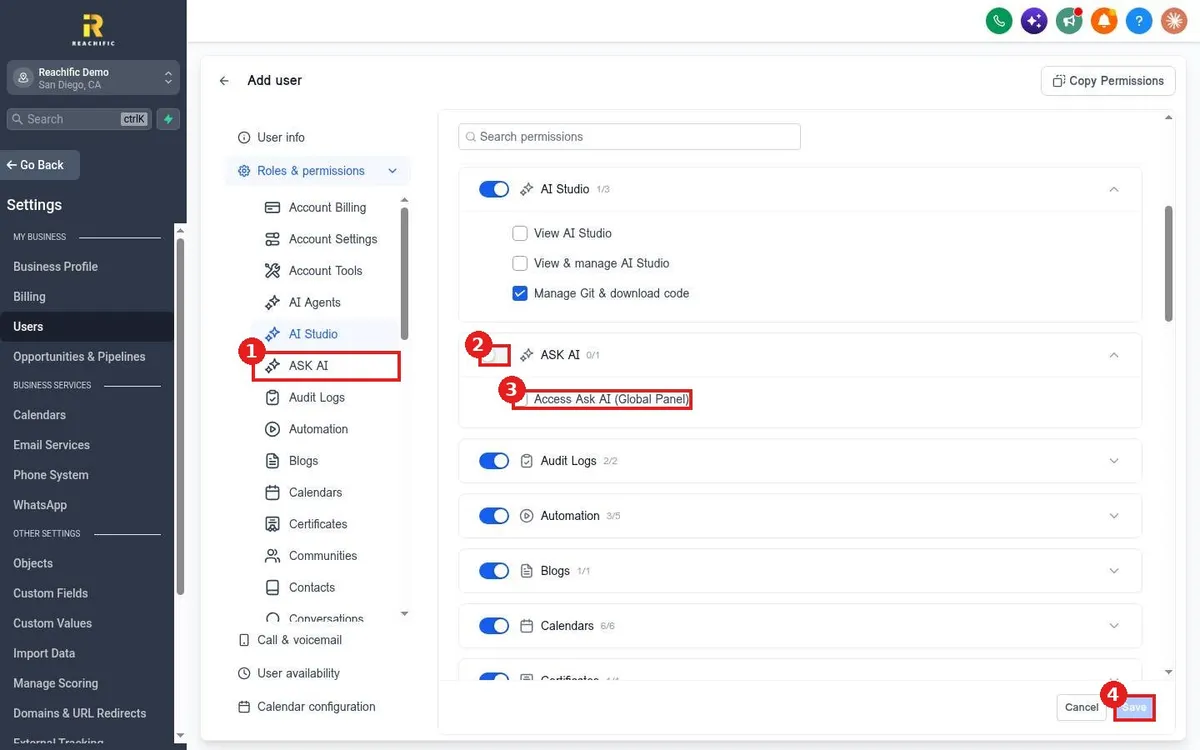
Quick answer: Go to Settings > Users. Click Add user for a new team member, or edit an existing one. Open Roles & permissions, find ASK AI, switch it on and tick Access Ask AI (Global Panel). Click Save. They now see Ask AI at the top of their left menu.
Before you start
- You need to be an admin to change user permissions.
- Ask AI can read and change things in your account, so give it to the people who should have that reach.
Step 1: Open Users
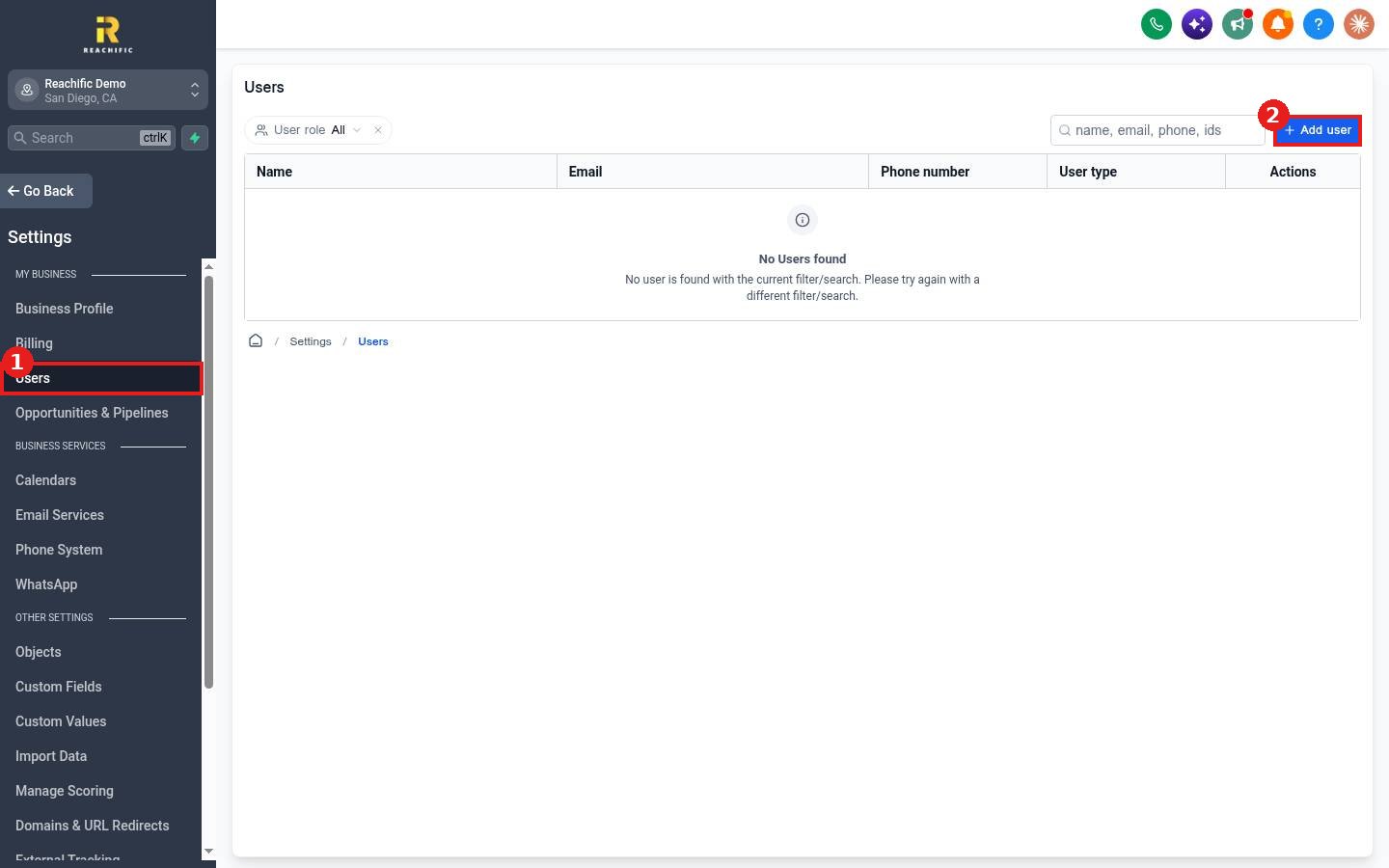
Click Settings, then Users (1). Click Add user (2) for a new person, or click the edit action on an existing user row.
Step 2: Fill in user info
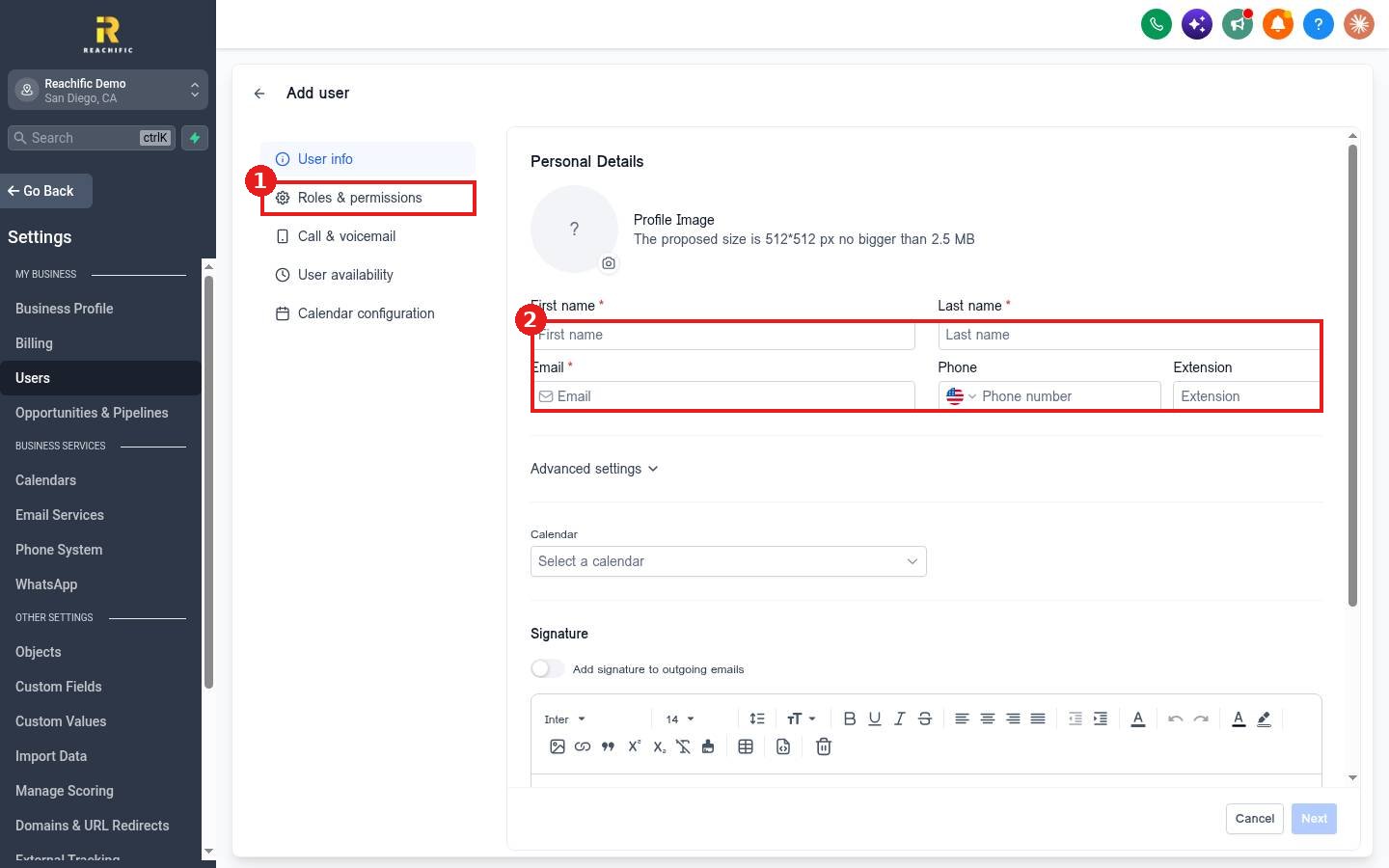
For a new user, fill in the name and email under User info (2), then go to Roles & permissions (1).
Step 3: Turn on Ask AI
In the permissions list, click ASK AI (1), or search for it. Switch the toggle on (2) and tick Access Ask AI (Global Panel) (3). Click Save (4).
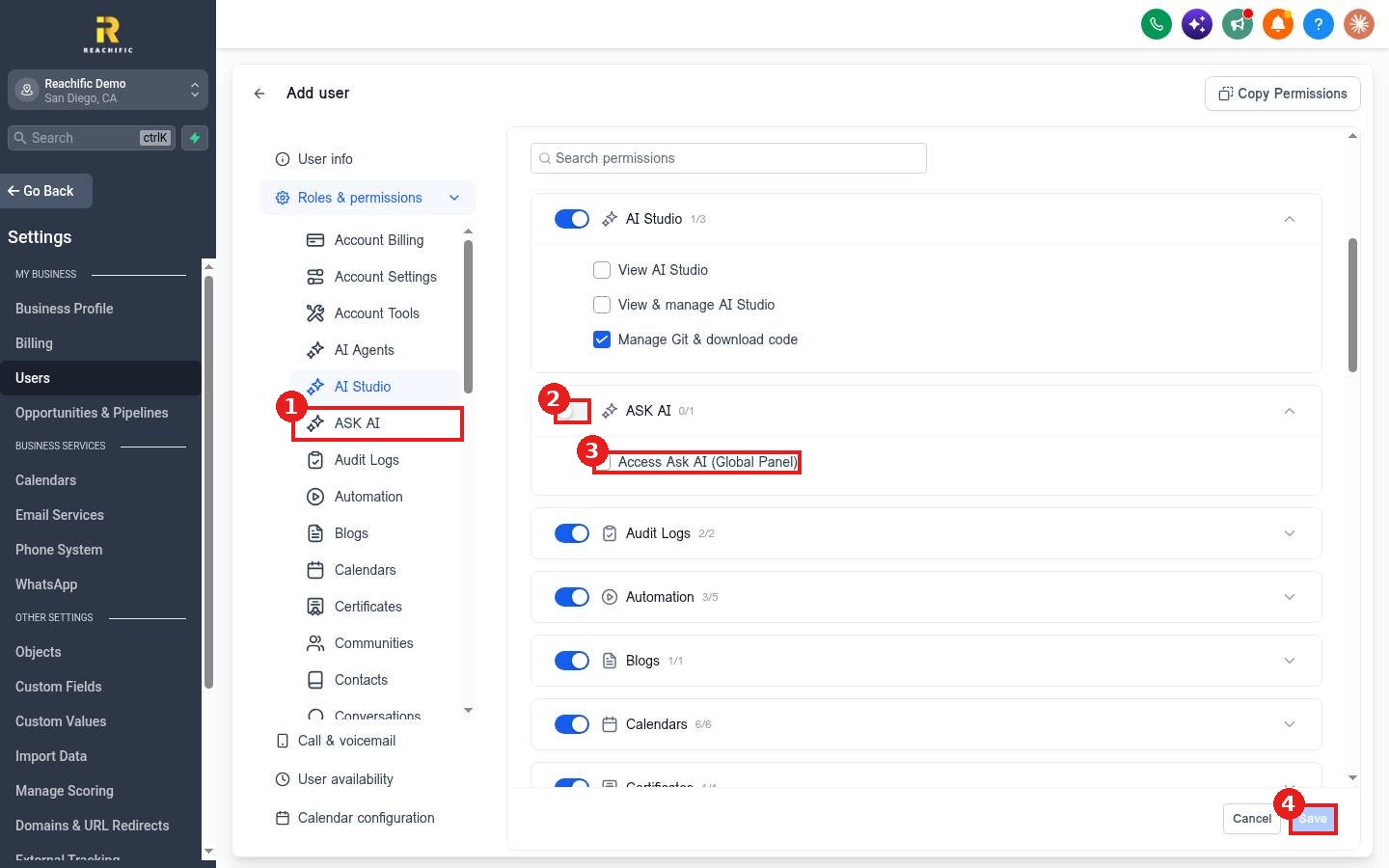
Want to match another person exactly? Use Copy Permissions at the top of the page to copy permissions from an existing user.
Step 4: Share your business knowledge
Each user works in their own Ask AI. To give them the same business context, have them set up a project with your instructions and files, as shown in How do I train the Reachific AI Assistant on my business?
FAQ
Why does a team member not see Ask AI?
Check that the ASK AI permission is on and Access Ask AI (Global Panel) is ticked for their user, then have them refresh.
Can I remove access later?
Yes. Edit the user, switch ASK AI off under Roles and permissions, and save.
Do permissions for other areas still apply?
Yes. Turn on only the areas each person needs, like Contacts or Conversations.
Want us to handle it? Our team sets up the AI Assistant with your services, policies and brand voice so your whole team gets accurate answers from day one. Book a free strategy call and get a free quote.
Related articles
- How do I train the Reachific AI Assistant on my business?
- How do I use Ask AI to get answers inside my account?
- How do I use Ask AI to build or change something for me?
Still stuck? Submit a ticket and our team will help. Need faster answers? See our support plans.
