How do I schedule a blog post?
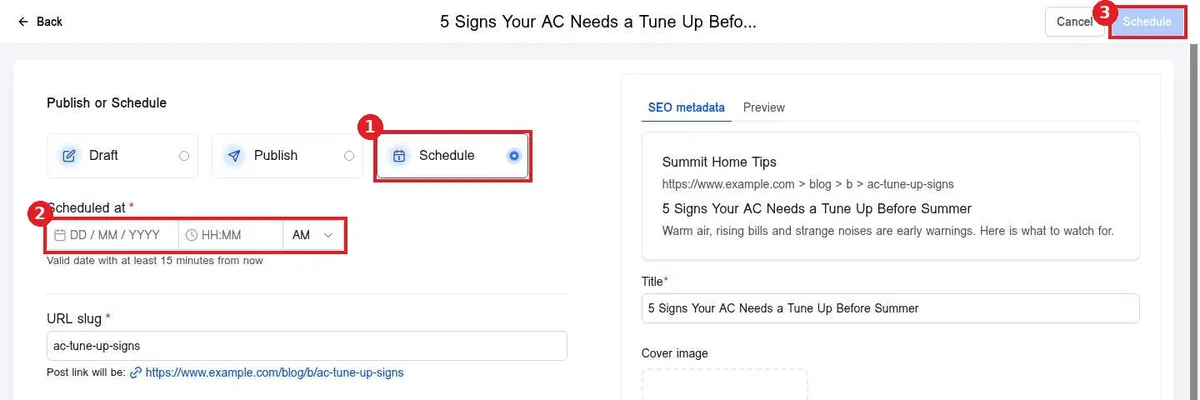
Schedule a blog post in Reachific: open the post, click Continue, choose Schedule under Publish or Schedule, pick a date and time at least 15 minutes ahead, check the settings and click Schedule.
Reachific™ Support
Step by step answers for every part of your Reachific account, with screenshots that show you exactly where to click.
No article on this page matches that yet. Try another word, or submit a ticket.

Schedule a blog post in Reachific: open the post, click Continue, choose Schedule under Publish or Schedule, pick a date and time at least 15 minutes ahead, check the settings and click Schedule.

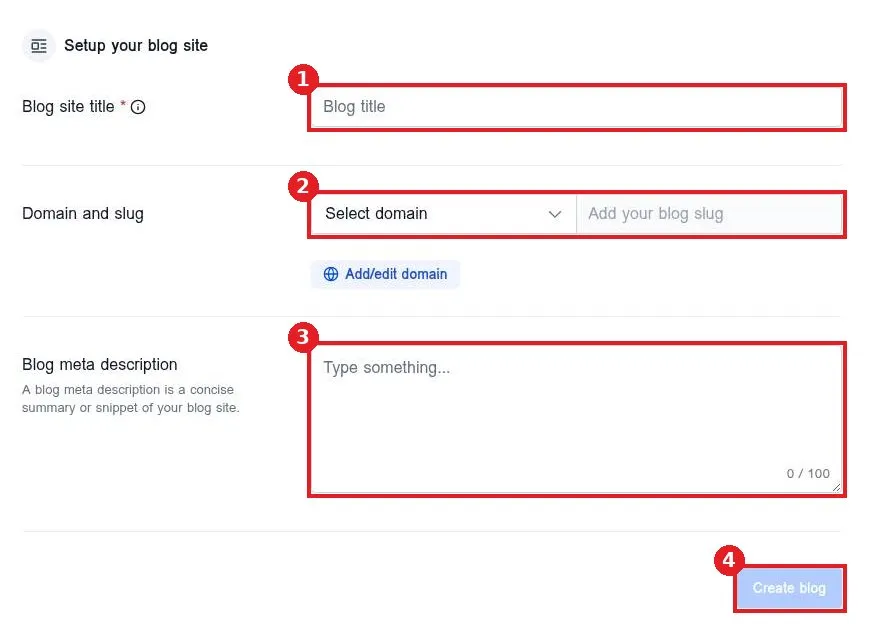
Create a blog in Reachific: go to Sites, Blogs, click Create blog, enter a blog site title, pick your domain and a blog slug, add a short meta description, and click Create blog. Then add posts with New post.

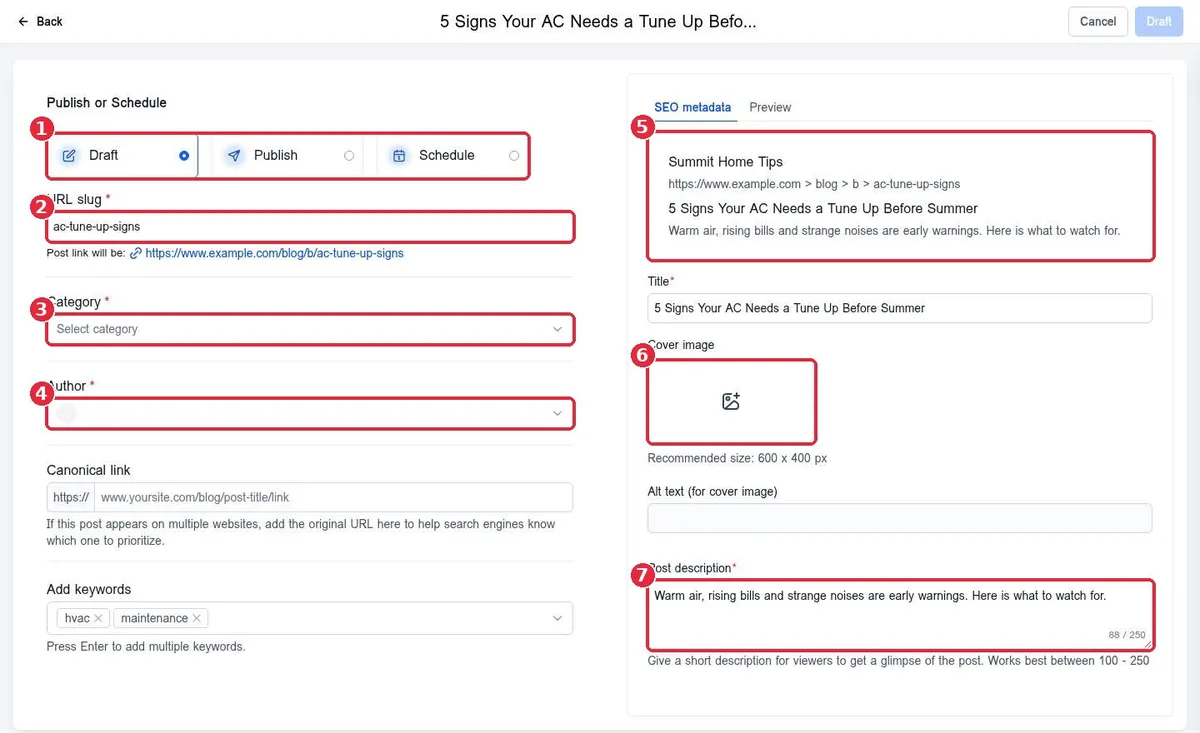
Write and publish a blog post in Reachific: open Sites, Blogs, pick your blog, click New post, write in the editor, click Continue, fill in the slug, category, author and SEO details, then choose Publish.
We are here to help
Send our support team a ticket and we will walk you through it, or pick a support plan for hands on help.