
How do I create a blog?
Quick answer: Go to Sites > Blogs and click Create blog. Enter a Blog site title, pick your domain and type a blog slug, add a short meta description and click Create blog. Then click New post to write your first article.
Before you start
Connect your domain first so the blog has a live address, for example yourdomain.com/blog.
Have a short one line summary of what the blog is about for the meta description.
Step 1: Open Blogs
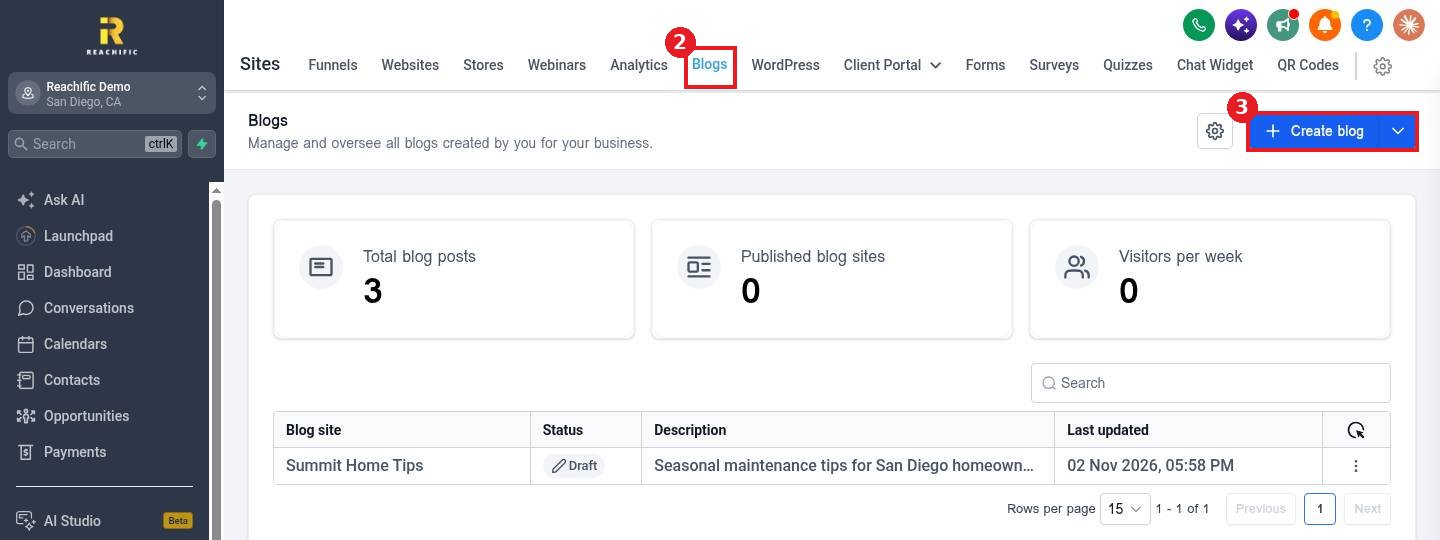
Click Sites (1) in the left menu, open the Blogs tab (2) and click Create blog (3).
Step 2: Set up the blog site
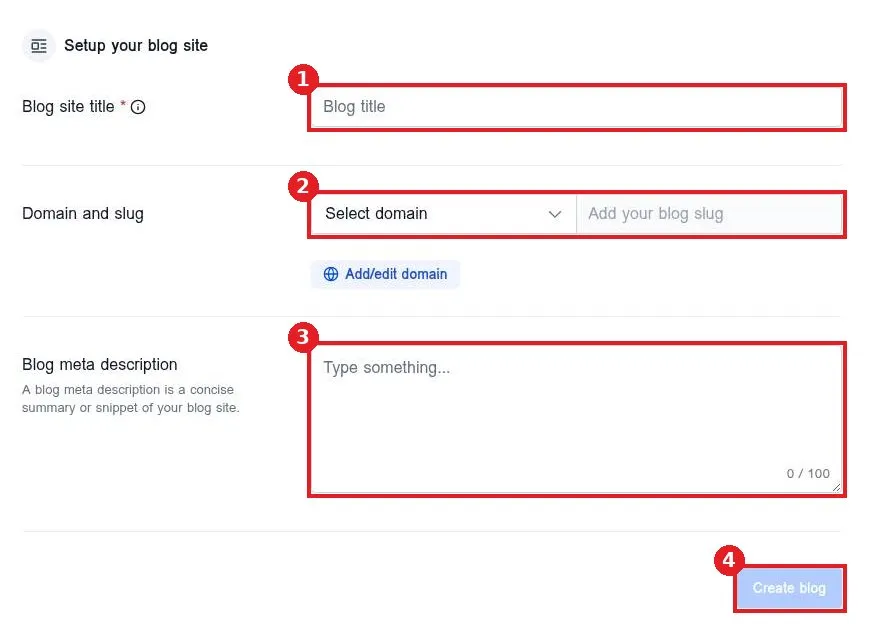
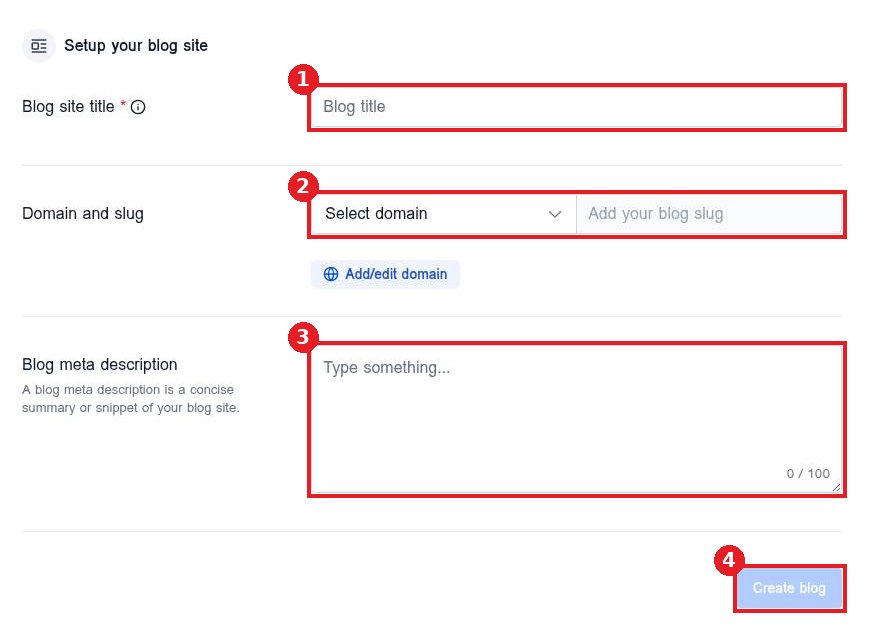
Type the Blog site title (1). Under Domain and slug (2) pick your domain and type a slug such as blog. Add a Blog meta description (3) of up to 100 characters. Click Create blog (4).
Step 3: Add your first post
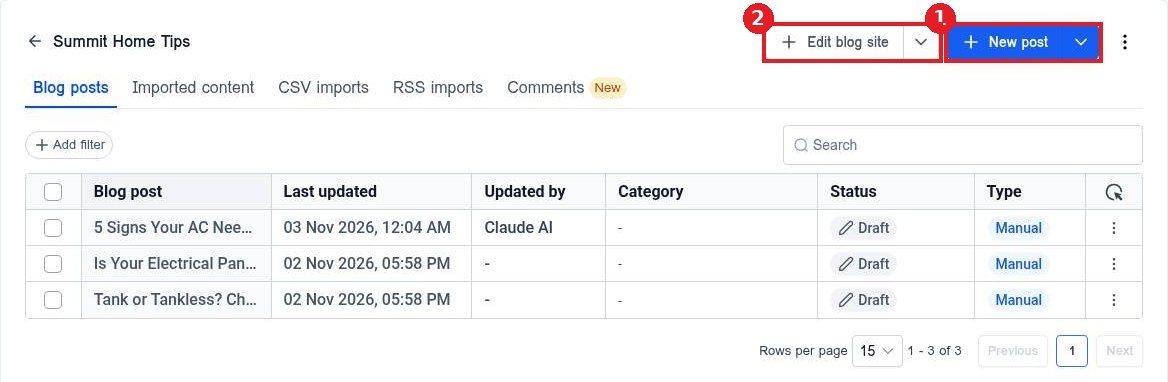
Open the blog. Click New post (1) to write an article. Use Edit blog site (2) to open the blog layout pages.
FAQ
Can I have more than one blog?
Yes. Each blog has its own title, domain and slug, and its own posts.
Why does my blog not show online?
The blog needs a domain and at least one published post. Check the domain under the blog settings.
Can I change the blog slug later?
Yes, in the blog settings. Old post links will change, so set up redirects if the blog was already live.
Want us to handle it? Our team plans and writes search friendly blog content that brings in leads, then publishes it for you on a steady schedule. Book a free strategy call and get a free quote.
Related articles
Still stuck? Submit a ticket and our team will help. Need faster answers? See our support plans.
