
How do I schedule a blog post?
Quick answer: Open the post in the editor and click Continue. Under Publish or Schedule choose Schedule, pick the date and time in Scheduled at and click Schedule. The post goes live on its own at that time.
Before you start
- The time must be at least 15 minutes from now.
- Fill in the category, author and post description first. They are required to schedule.
Step 1: Open the post settings
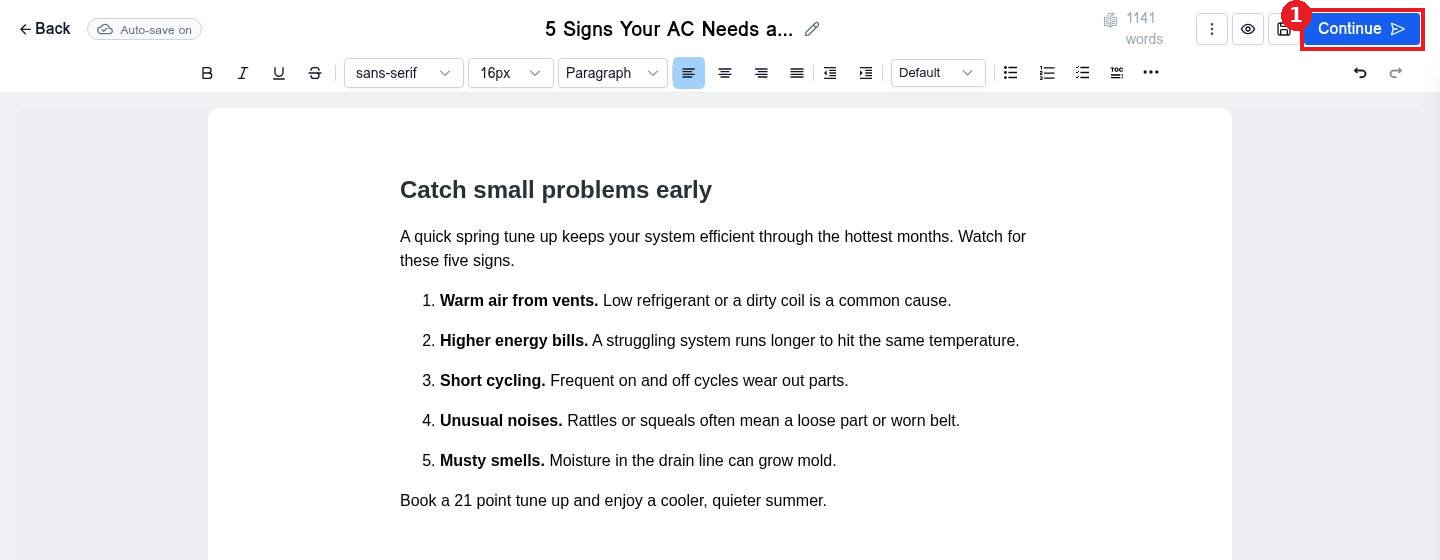
Write or open your post in Sites > Blogs. Click Continue (1) at the top right.
Step 2: Choose Schedule and set the time
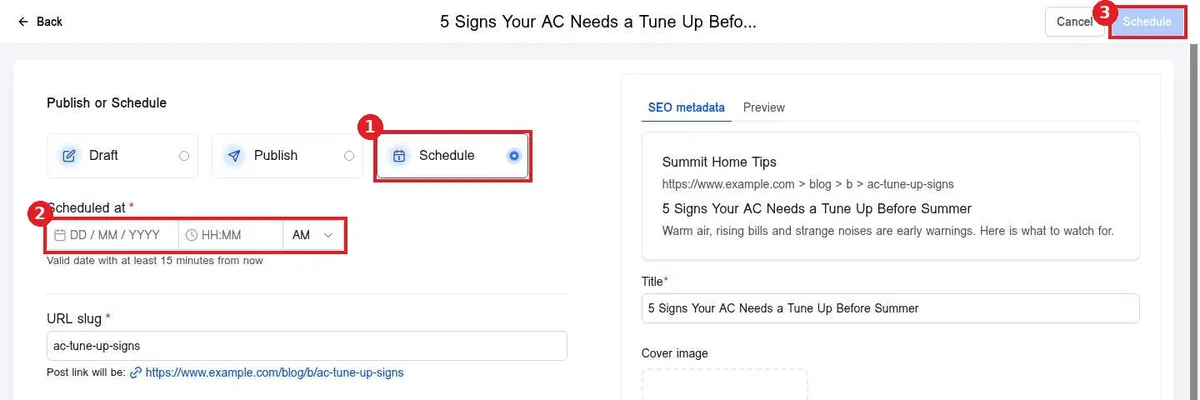
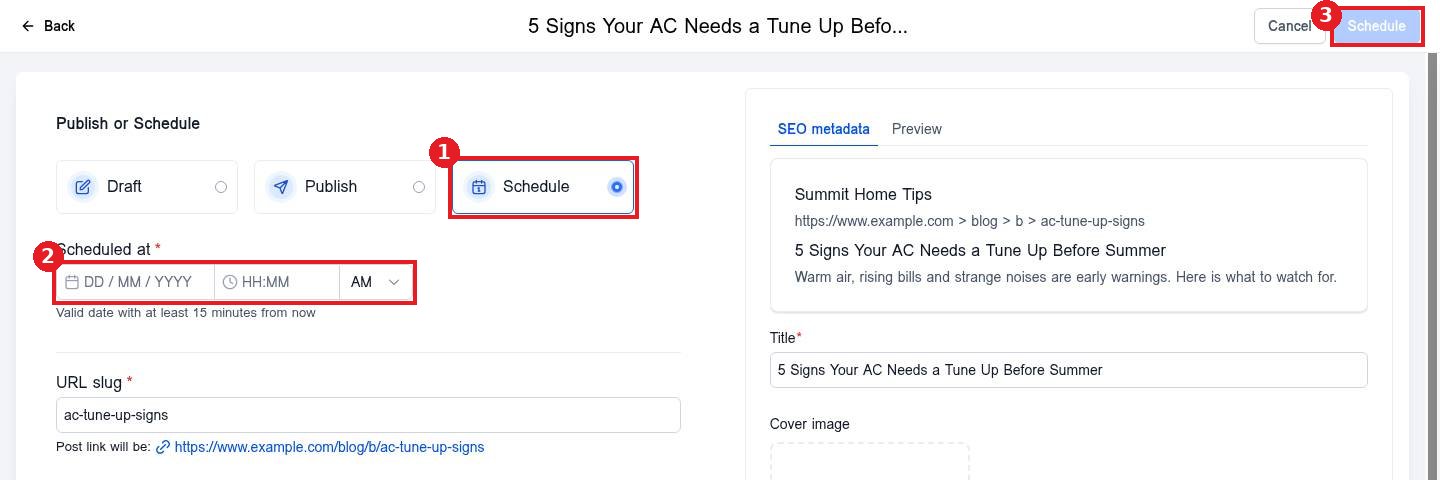
Select Schedule (1). Enter the date and time in Scheduled at (2) and pick AM or PM. Click Schedule (3).
Step 3: Check the post settings
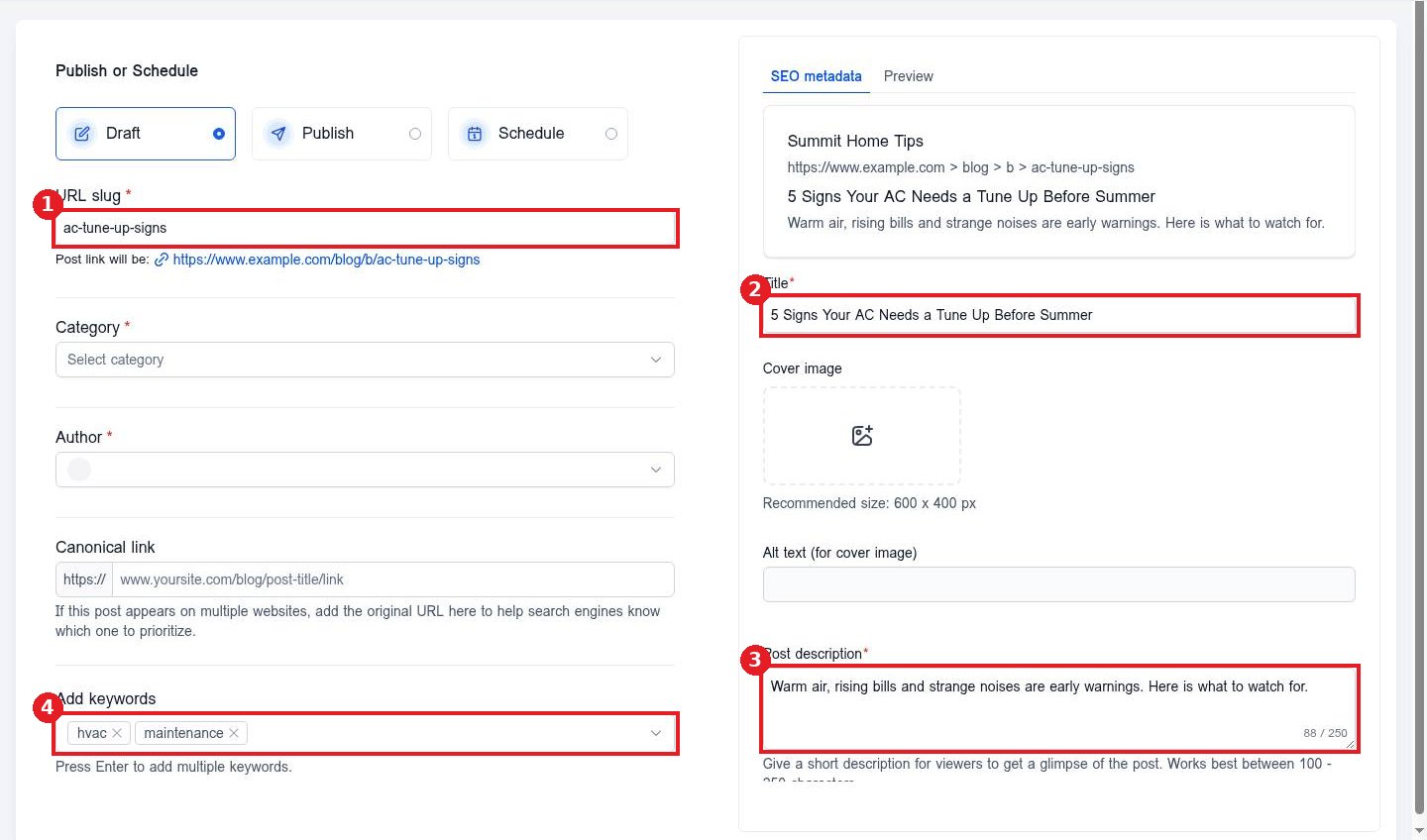
Before you schedule, make sure the URL slug (1), Title (2), Post description (3) and keywords (4) are filled in. These shape how the post shows in search.
FAQ
Can I change a scheduled time?
Yes. Open the post, click Continue, change the Scheduled at time and save again.
What time zone is used?
The time zone set for your account in Settings, Business Profile.
Can I publish a scheduled post right away?
Yes. Open its settings and choose Publish instead of Schedule.
Want us to handle it? Our team plans and writes search friendly blog content that brings in leads, then publishes it for you on a steady schedule. Book a free strategy call and get a free quote.
Related articles
Still stuck? Submit a ticket and our team will help. Need faster answers? See our support plans.
