Home > Help Center

Reachific™ Support

Reachific Help Center

Step by step answers for every part of your Reachific account, with screenshots that show you exactly where to click.

No article on this page matches that yet. Try another word, or submit a ticket.

Newest articles

What are the Reachific support plans and response times?

What are the Reachific support plans and response times?

Sayo Tadashi
Published on: 04/11/2026

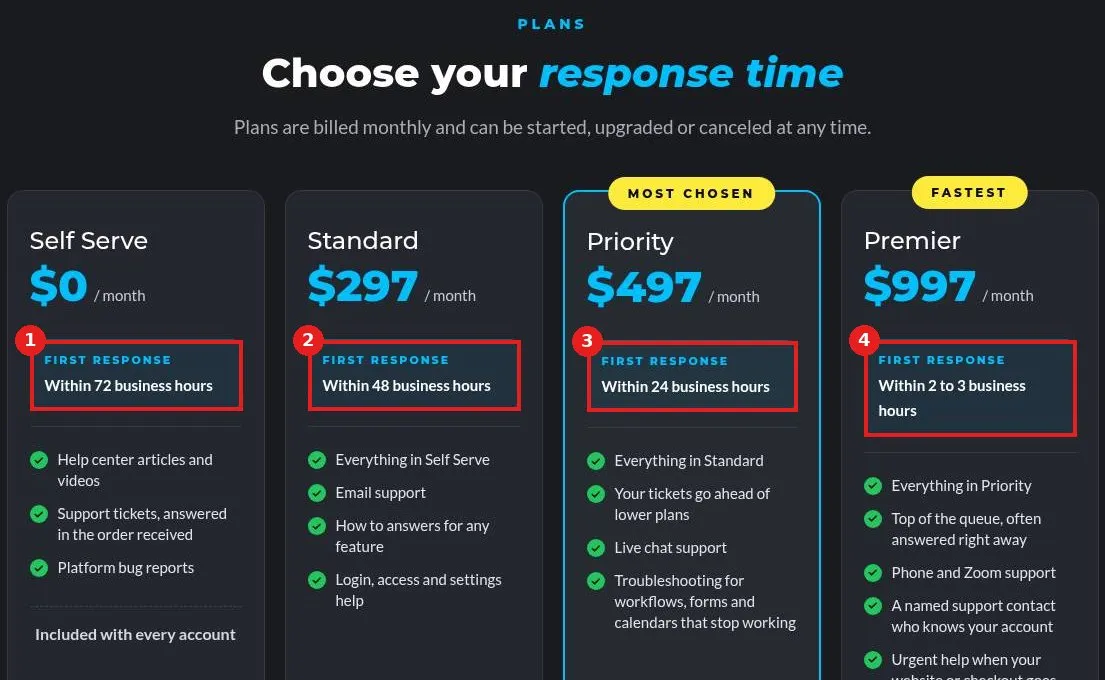
Reachific support plans set how fast a person first replies: Self Serve is included with every account (72 business hours), Standard 48, Priority 24 and Premier 2 to 3 business hours. Paid plans are starting at $297 a month and can be changed any time.

support plansresponse timeSLAcustomer supporthelp center
How do I request a feature?

How do I request a feature?

Sayo Tadashi
Published on: 04/11/2026

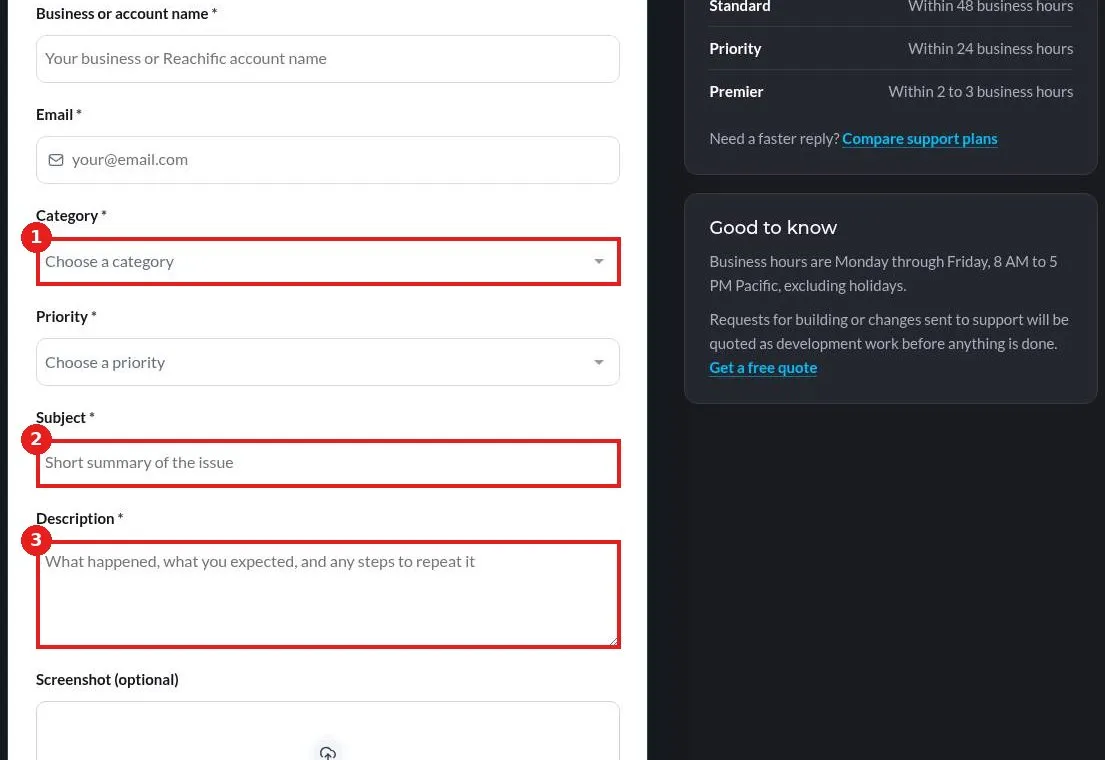
Request a Reachific feature: open the Submit a Support Ticket page, choose Category Other, write a short subject that starts with Feature request, describe what you want and why it helps your business, and click Submit ticket.

feature requestideaproduct feedbacksuggestionhelp center
How do I hire Reachific to build it for me?

How do I hire Reachific to build it for me?

Sayo Tadashi
Published on: 04/11/2026

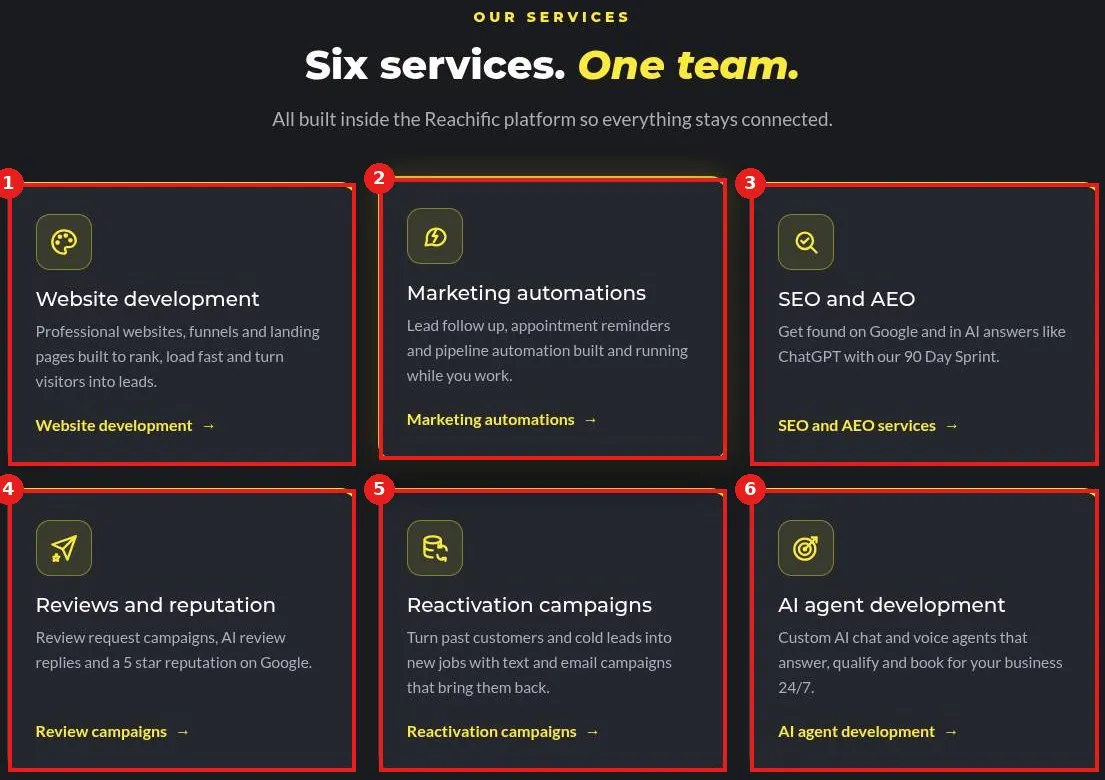
Hire Reachific to build it for you: open reachific.com/services, pick the service you need, such as websites, automations, SEO and AEO, reviews, reactivation or AI agents, and click Book a free strategy call for a free quote.

agency servicesdone for youhire Reachificwebsite developmenthelp center
How do I book a strategy call with the Reachific team?

How do I book a strategy call with the Reachific team?

Sayo Tadashi
Published on: 04/11/2026

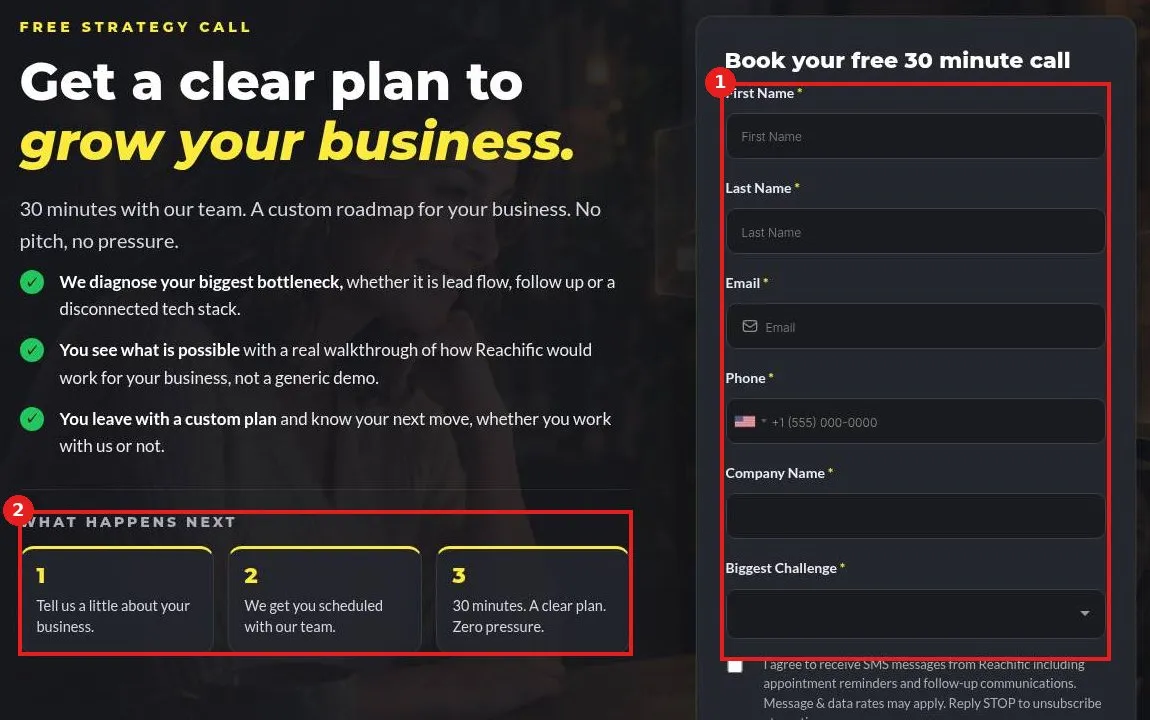
Book a free 30 minute strategy call with the Reachific team: open reachific.com/strategy-call, fill in your name, email, phone, company and biggest challenge, and click Reserve My Free Strategy Call. We reply within 24 hours to schedule it.

strategy callbook a callfree consultationdone for youhelp center
How do I submit a support ticket?

How do I submit a support ticket?

Sayo Tadashi
Published on: 03/11/2026

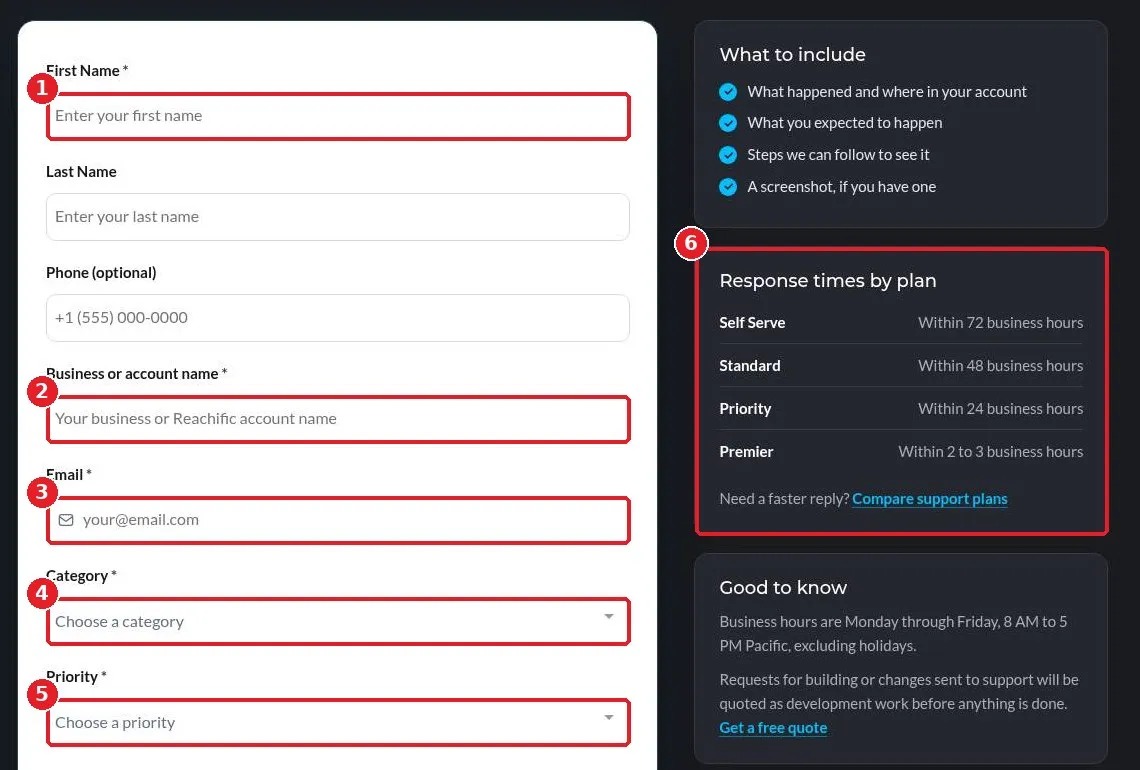
Submit a Reachific support ticket: open reachific.com/platform/support/ticket, enter your name, business and email, pick a category and priority, describe the issue, add a screenshot and click Submit ticket.

support ticketcontact supporthelphelp center

We are here to help

Still stuck?

Send our support team a ticket and we will walk you through it, or pick a support plan for hands on help.