
How do I submit a support ticket?
Quick answer: Go to the Submit a Support Ticket page. Enter your name, your business or account name and your email. Choose a Category and Priority, write a short Subject and a clear Description, add a screenshot if you have one, and click Submit ticket. Our team replies at the email you entered.
Before you start
- Check the Help Center first. Many how to questions already have a step by step answer.
- Note what happened, where in your account it happened, and what you expected instead.
- Take a screenshot of the screen or error. It is the fastest way for us to see the problem.
Step 1: Fill in your details
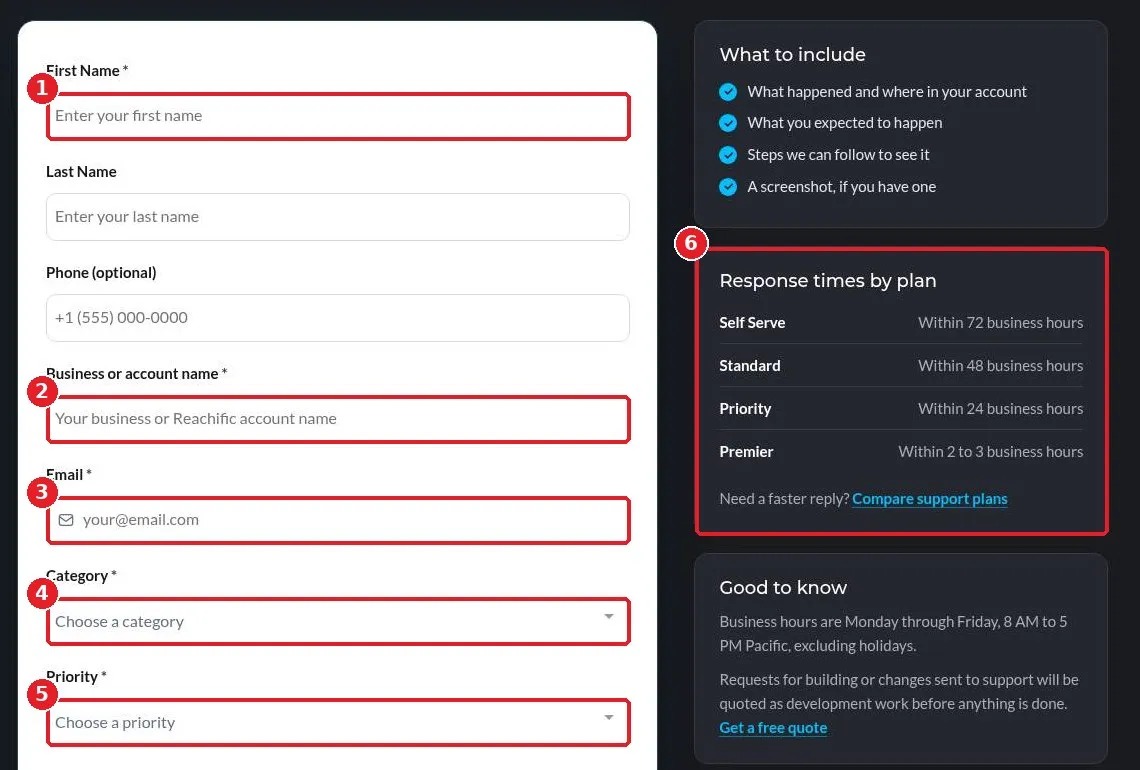
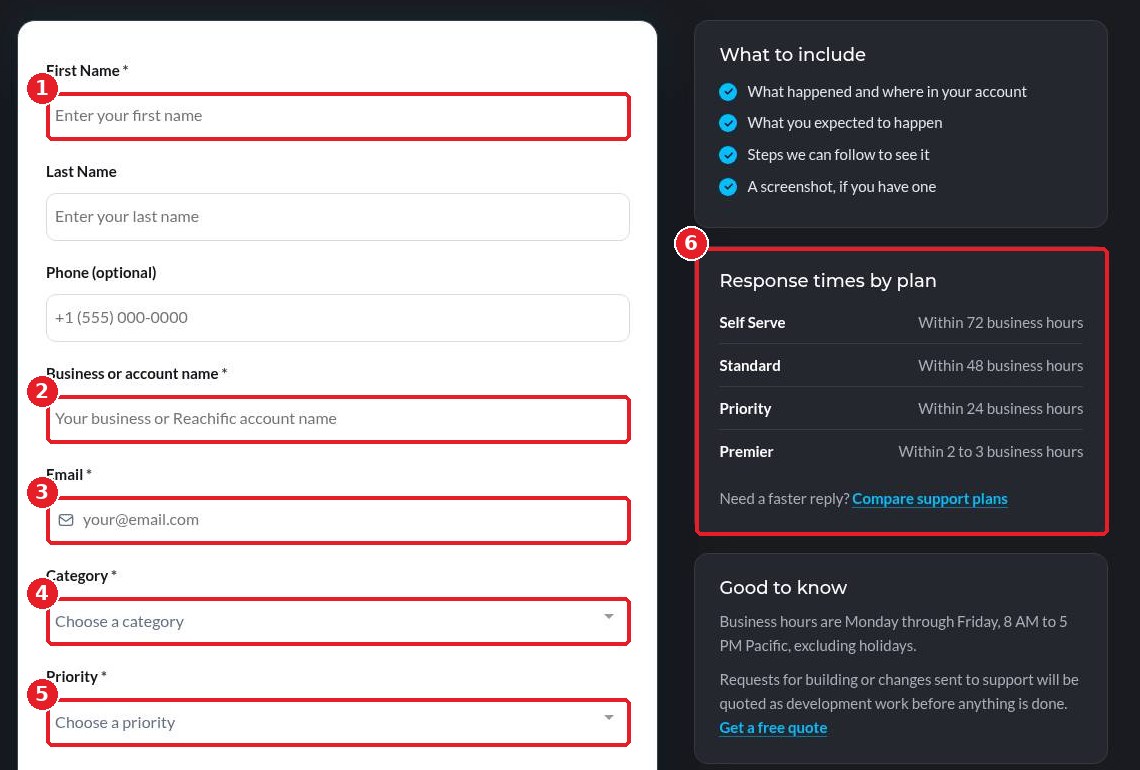
Open the ticket page. You can also find it in the website footer under Support > Submit a Support Ticket. Enter your First Name and last name (1), your Business or account name (2) so we can find your account, and your Email (3). Pick the Category (4) that fits your issue and set a Priority (5). The Response times by plan box (6) shows how fast you can expect a first reply.
Step 2: Describe the issue and submit
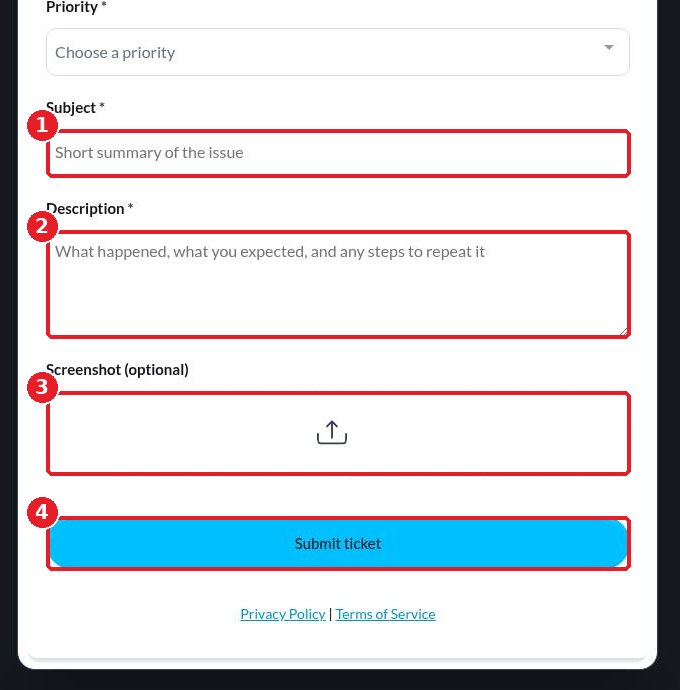
Write a short Subject (1), such as Booking calendar not showing on my website. In Description (2), explain what happened, what you expected, and the steps we can follow to see it. Click the upload box under Screenshot (3) to attach an image. Click Submit ticket (4).
FAQ
How fast will I hear back?
Every account includes Self Serve support, with a first response within 72 business hours. Support plans offer faster replies: Standard within 48, Priority within 24, and Premier within 2 to 3 business hours. See support plans.
What are your support hours?
Business hours are Monday through Friday, 8 AM to 5 PM Pacific, excluding holidays.
Can support build something for me?
Requests to build or change things are quoted as development work before anything is done. Get a free quote instead of opening a ticket.
Should I open more than one ticket for the same issue?
No. One detailed ticket per issue helps us reply faster. Reply to our email if you have more to add.
Want us to handle it? Our team can set up and manage your Reachific account for you, so you spend less time troubleshooting and more time with customers. Book a free strategy call and get a free quote.
Related articles
- How do I start my 14 day Reachific free trial?
- How do I add a team member?
- How do I get a business phone number?
Still stuck? Submit a ticket and our team will help. Need faster answers? See our support plans.
