
How do I request a feature?
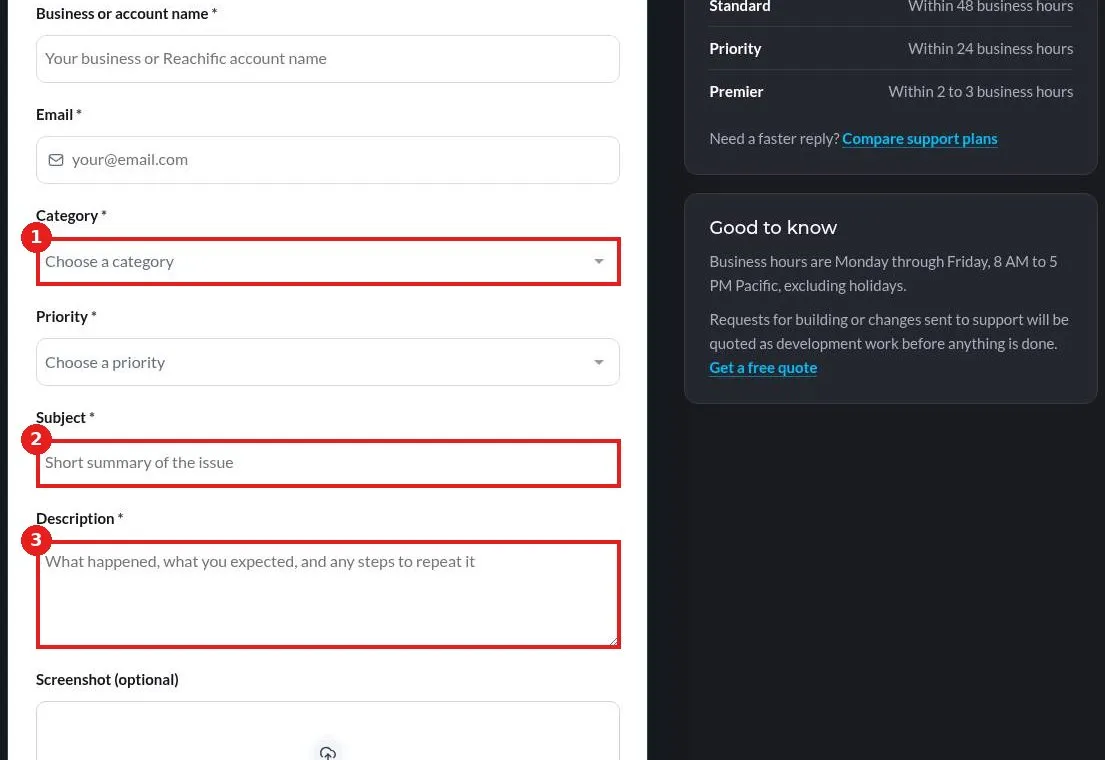
Quick answer: Open the Submit a Support Ticket page. Fill in your details, set Category to Other, start the Subject with Feature request, and explain in Description what you want the feature to do and how it would help. Click Submit ticket.
Before you start
- Search the Help Center first. The feature may already exist under another name.
- Check Labs in Settings for beta features you can turn on today.
Step 1: Choose the Other category
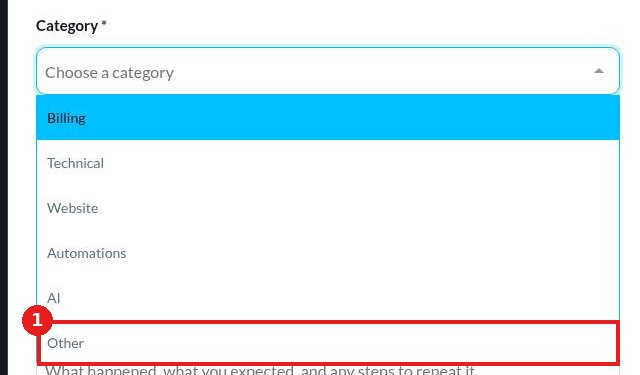
Open the ticket form. Enter your name, business or account name and email. Click Category and pick Other (1).
Step 2: Describe the feature and submit
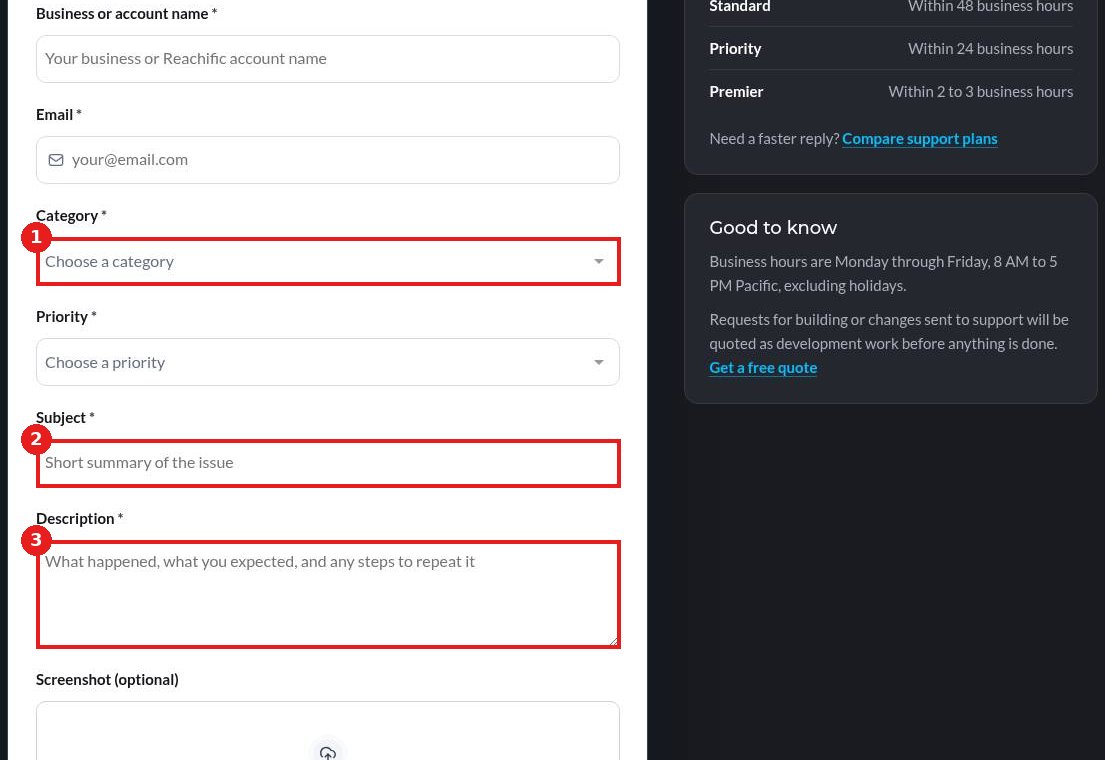
Set Subject (1) to a short line such as Feature request: show calendar on contact record. In Description (2), describe what you want, how you do it today and why it matters. Attach a screenshot or sketch if it helps, then click Submit ticket.
FAQ
Will my feature be built?
We review every request and share the strongest ideas with the product team. We cannot promise a date, but clear requests with real examples move faster.
Should I file one request per idea?
Yes. One idea per ticket makes each one easier to track.
I need it now. Can you build it for me?
Often yes, with custom work inside your account. Book a strategy call and we quote it free.
Want us to handle it? Our team builds and manages your websites, automations and campaigns inside Reachific, so you can focus on customers. Book a free strategy call and get a free quote.
Related articles
- How do I submit a support ticket?
- How do I try beta features in Labs?
- What are the Reachific support plans and response times?
Still stuck? Submit a ticket and our team will help. Need faster answers? See our support plans.
