
How do I book a strategy call with the Reachific team?
Quick answer: Go to the strategy call page, or click Book a call at the top of any Reachific page. Fill in the form with your name, email, phone, company and biggest challenge, then click Reserve My Free Strategy Call. Our team replies within 24 hours to set a time. The call is free, 30 minutes and has no commitment.
Before you start
- Think about your biggest bottleneck, such as lead flow, follow up or tools that do not talk to each other.
- Have your website address handy so we can look before the call.
Step 1: Open the booking form
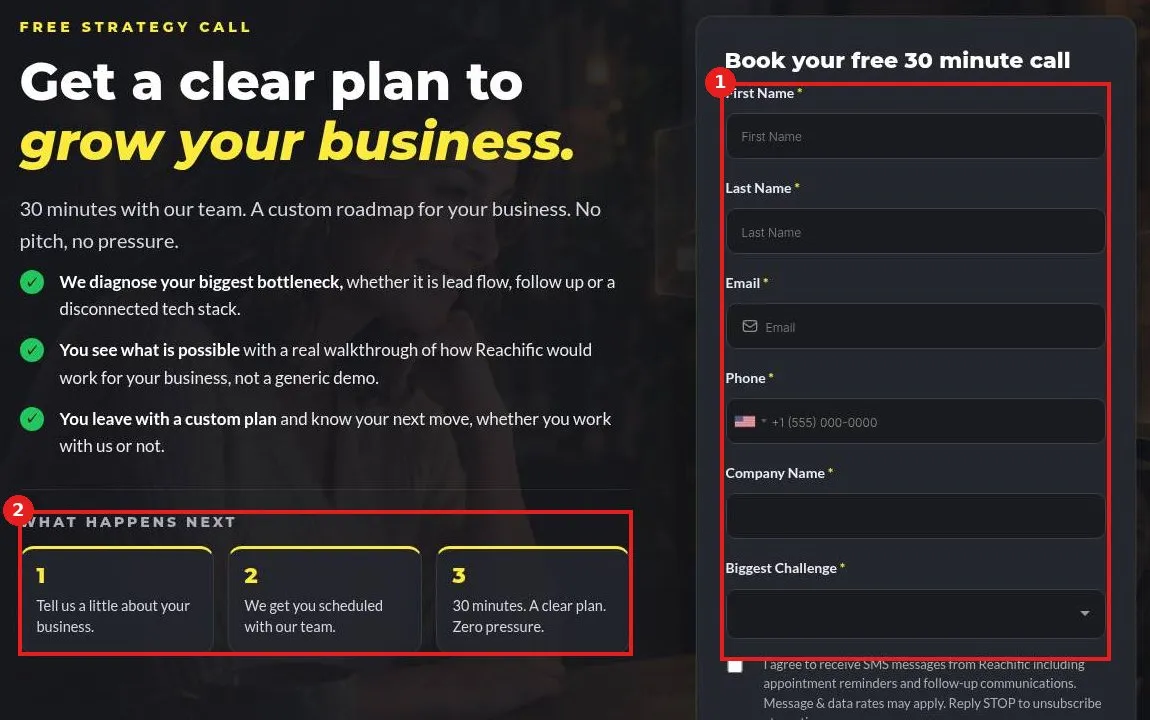
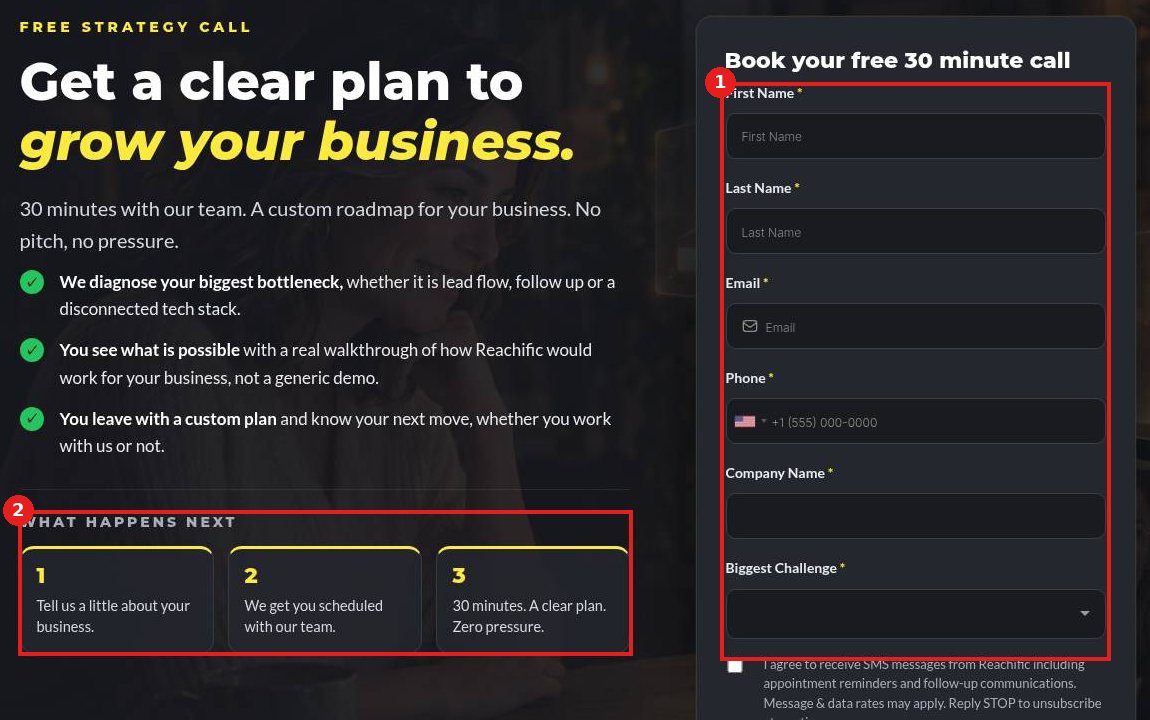
Open reachific.com/strategy-call. The form (1) is on the right. What happens next (2) shows the three steps: tell us about your business, we schedule you, then a 30 minute call with a clear plan.
Step 2: Fill in the form and submit
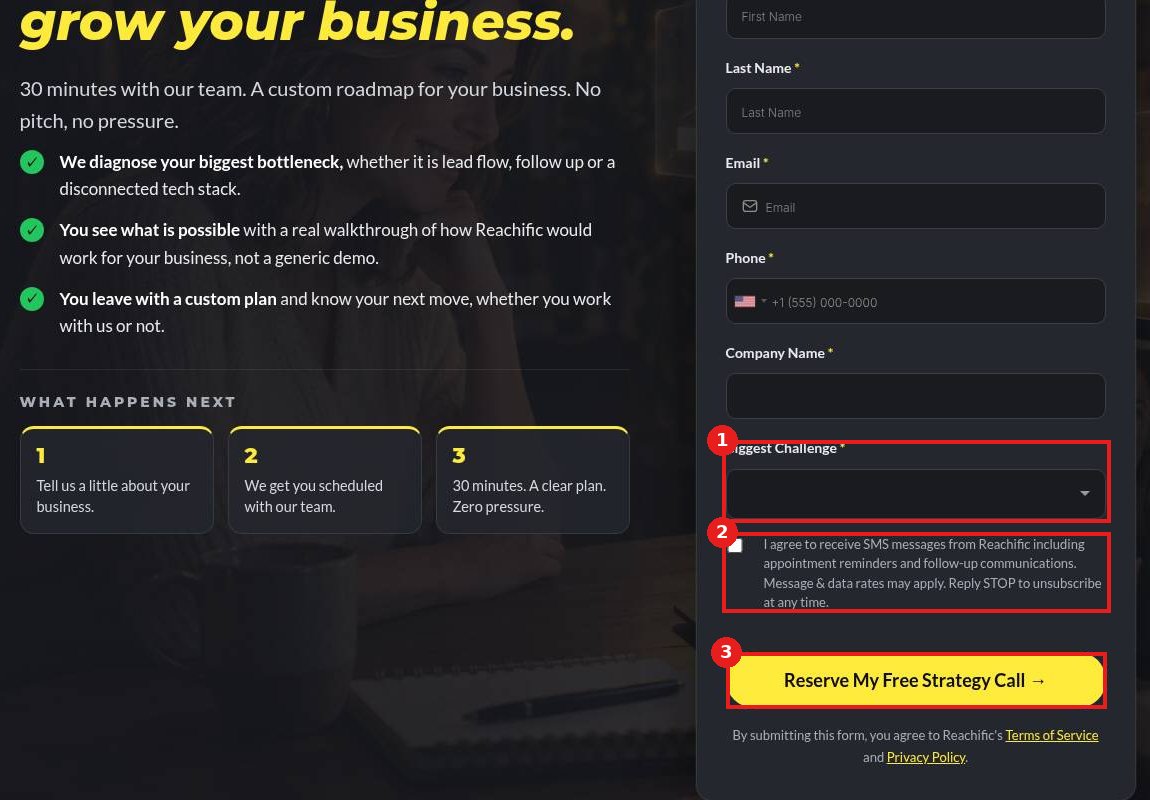
Enter your details, then pick your Biggest Challenge (1). Check the SMS box (2) if you want text reminders about your call. Click Reserve My Free Strategy Call (3).
FAQ
Is the strategy call really free?
Yes. It is a free 30 minute call with no commitment.
Is a strategy call the same as support?
No. For help using a feature or fixing a problem, submit a support ticket. A strategy call is for planning growth and scoping work we can build for you.
What happens after the call?
You leave with a clear plan. If you want our team to do the work, we send a scope and free quote before anything starts.
Want us to handle it? Our team builds and manages your websites, automations and campaigns inside Reachific, so you can focus on customers. Book a free strategy call and get a free quote.
Related articles
- How do I hire Reachific to build it for me?
- What are the Reachific support plans and response times?
- How do I submit a support ticket?
Still stuck? Submit a ticket and our team will help. Need faster answers? See our support plans.
