How do I manage tags in settings?
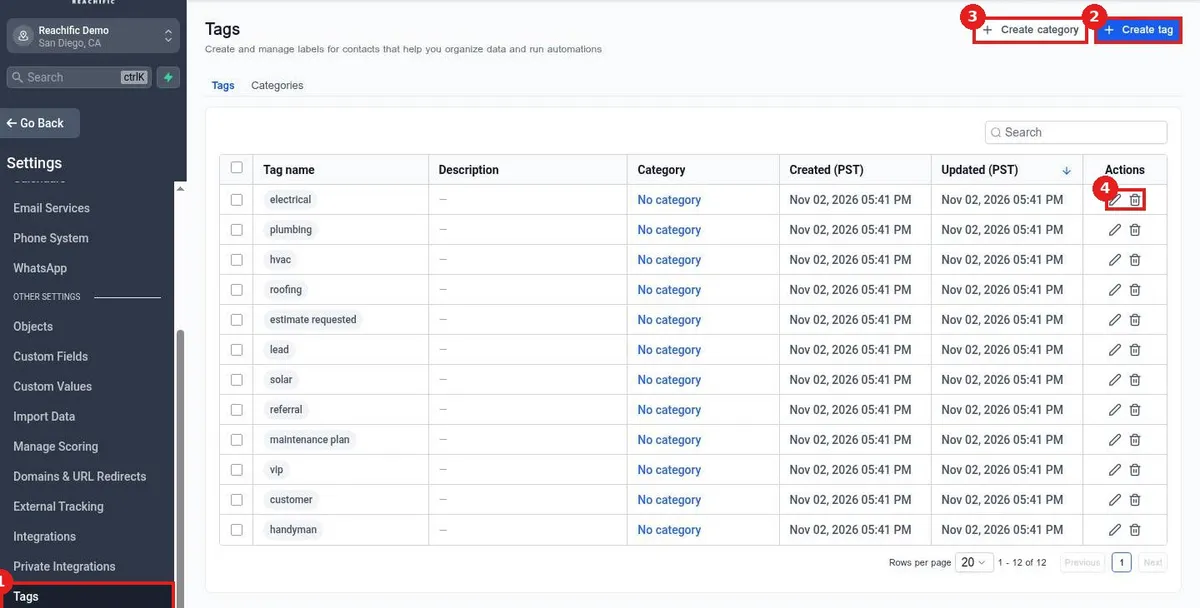
Manage tags in Reachific settings: go to Settings, Tags to see every tag, click Create tag to add one with a category, description and color, or use the pencil and trash icons to edit or delete tags.
Reachific™ Support
Step by step answers for every part of your Reachific account, with screenshots that show you exactly where to click.
No article on this page matches that yet. Try another word, or submit a ticket.

Manage tags in Reachific settings: go to Settings, Tags to see every tag, click Create tag to add one with a category, description and color, or use the pencil and trash icons to edit or delete tags.

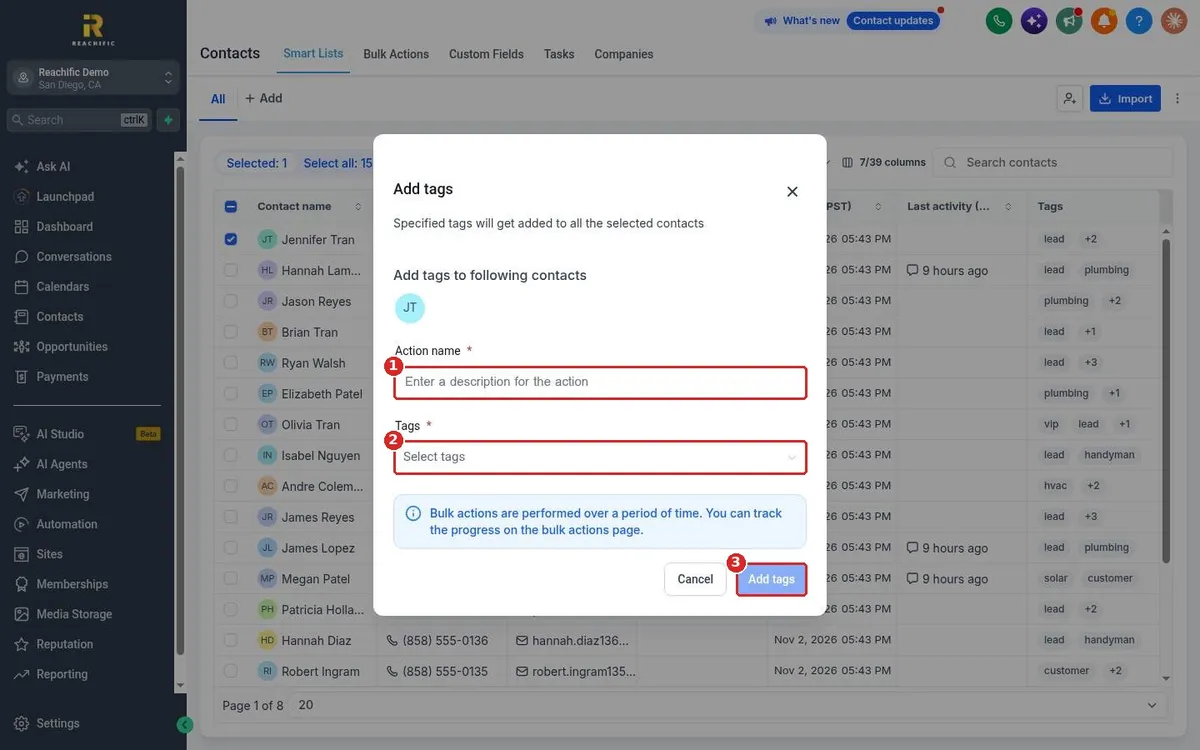
Tag contacts in Reachific: on a contact record click the plus next to Tags to add one or the x on a tag to remove it. To tag many at once, select contacts in the list, click Add tags, name the action, pick tags and confirm.
We are here to help
Send our support team a ticket and we will walk you through it, or pick a support plan for hands on help.