Home > Help Center

Reachific™ Support

Reachific Help Center

Step by step answers for every part of your Reachific account, with screenshots that show you exactly where to click.

No article on this page matches that yet. Try another word, or submit a ticket.

Newest articles

How do I give sub-account users access to AI Studio?

How do I give sub-account users access to AI Studio?

Sayo Tadashi
Published on: 04/11/2026

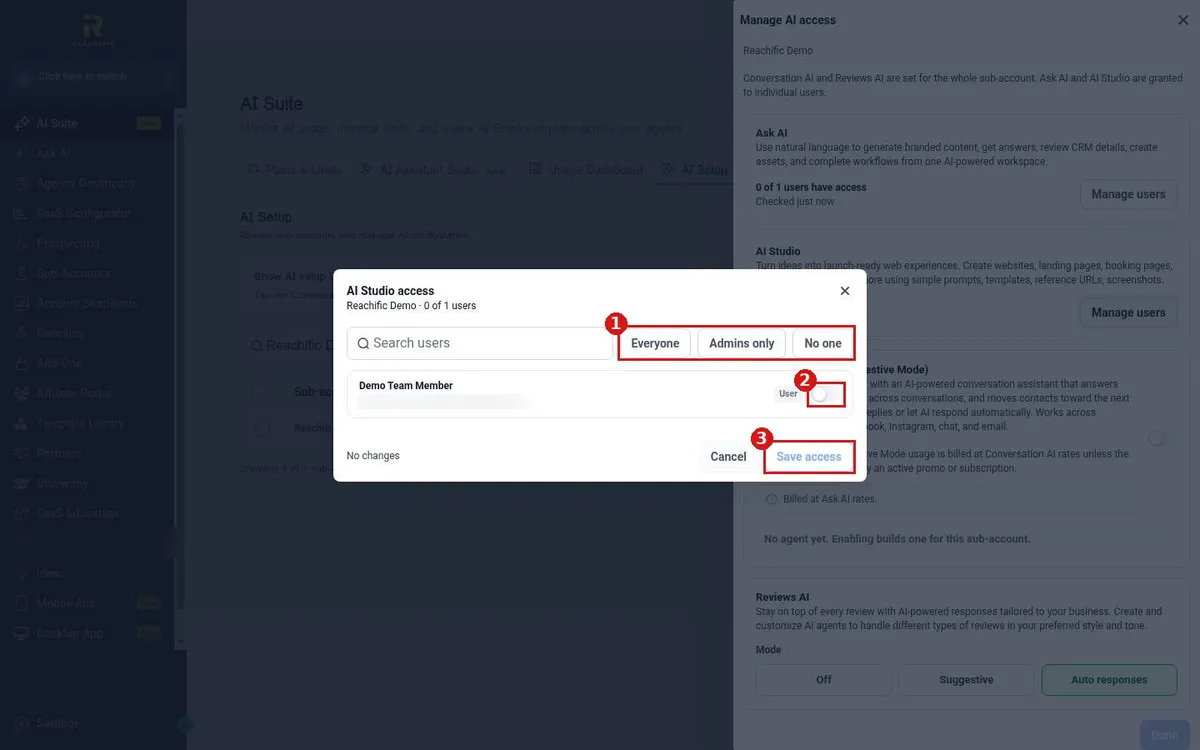
AI Studio access in Reachific is granted per user. Our team can turn it on for everyone, admins only, no one, or chosen users. Submit a ticket with the users who need it and we switch it on for you.

AI Studio accessAI Studio userspermissionsAsk AI accesshelp center
How do I build a page from an AI Studio template?

How do I build a page from an AI Studio template?

Sayo Tadashi
Published on: 04/11/2026

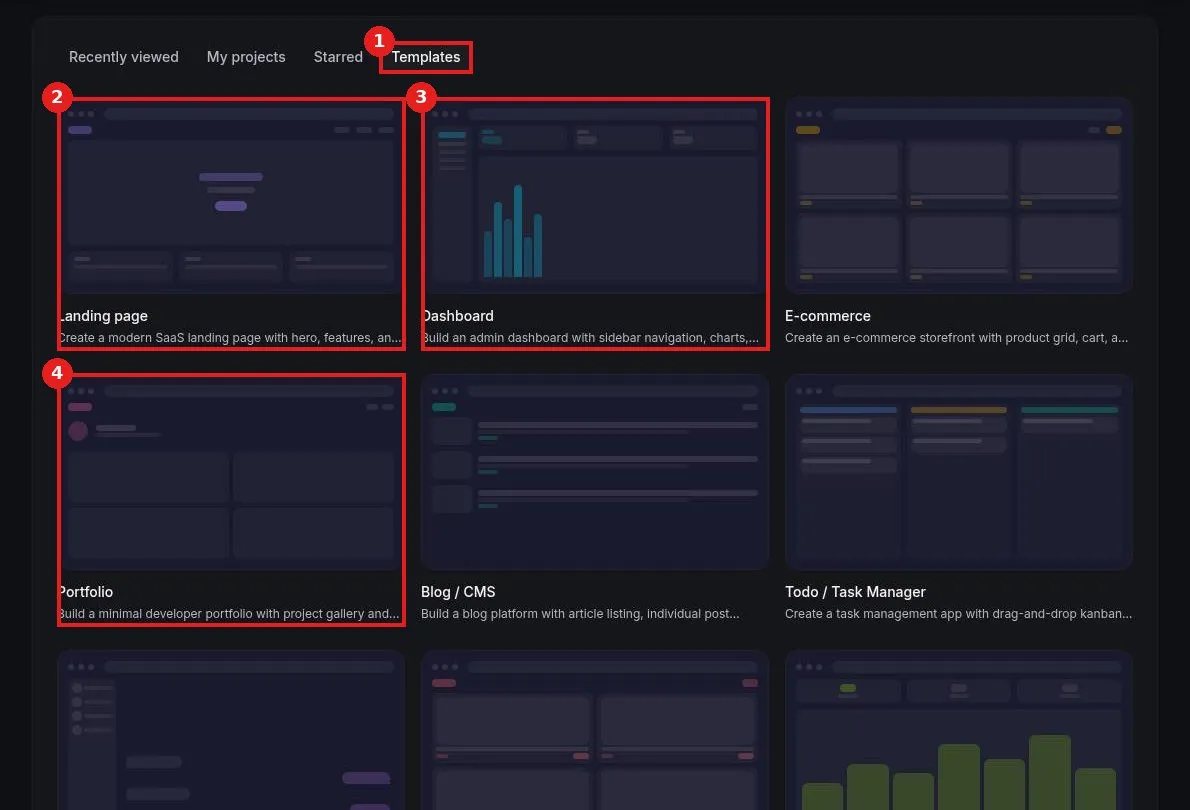
Build a page from an AI Studio template in Reachific: open AI Studio, click the Templates tab, pick a template such as Landing page, and AI builds a starter project you can edit in chat, preview and publish.

AI Studio templatelanding pageAI builderhelp center
How do I start a project in AI Studio?

How do I start a project in AI Studio?

Sayo Tadashi
Published on: 04/11/2026

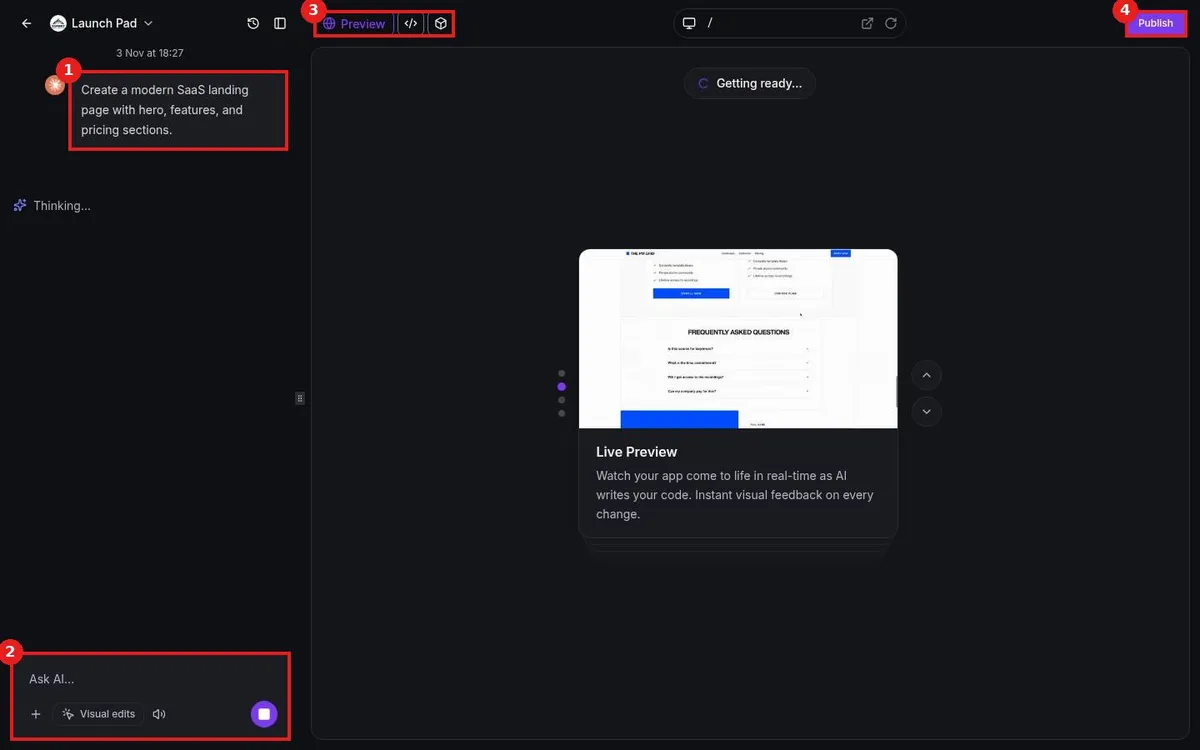
Start an AI Studio project in Reachific: click AI Studio in the left menu, describe what you want to build in the prompt box and press the arrow. AI writes the app, you refine it in chat, preview it and click Publish when ready.

AI Studiobuild with AIvibe codingAI app builderhelp center

We are here to help

Still stuck?

Send our support team a ticket and we will walk you through it, or pick a support plan for hands on help.