
How do I build a page from an AI Studio template?
Quick answer: Open AI Studio and scroll to the Templates tab. Click a template such as Landing page. AI builds a starter project from it. Tell Ask AI what to change, such as your business name, colors and sections, then Publish.
Before you start
- Pick the template closest to your goal so there is less to change.
- Have your business name, offer and photos ready to swap in.
Step 1: Pick a template
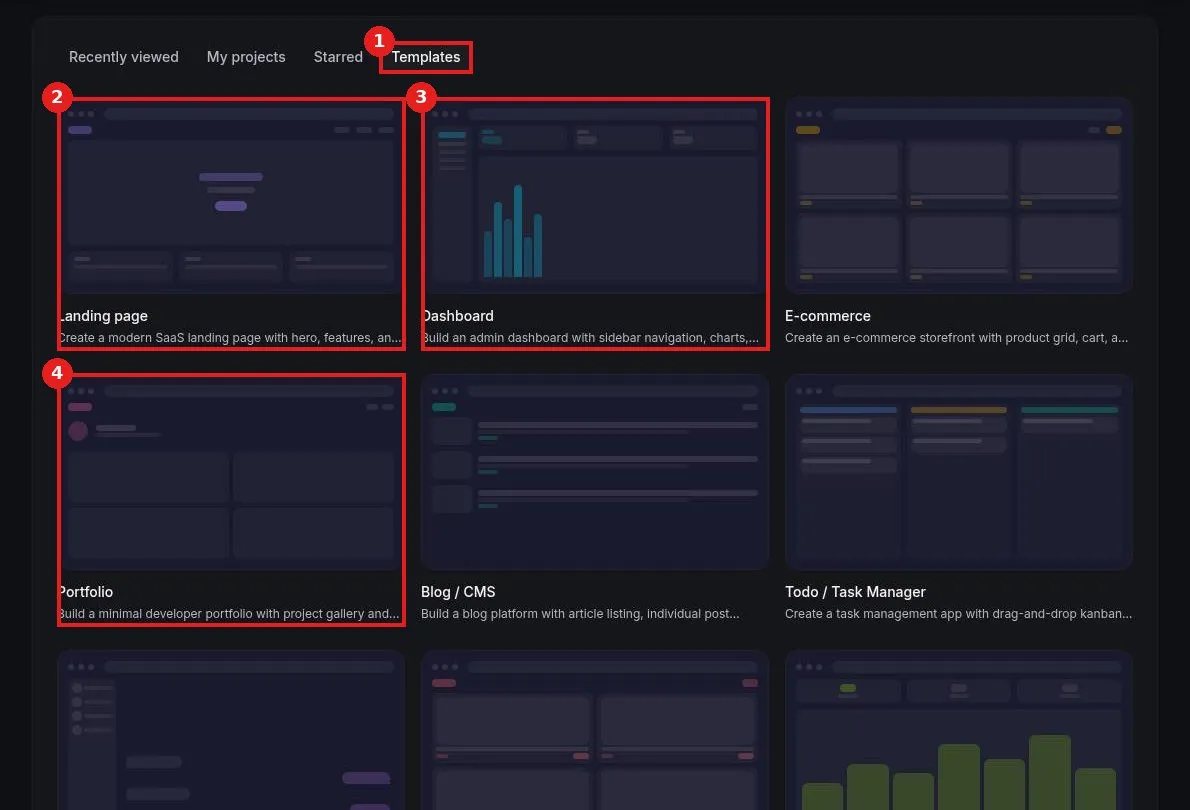
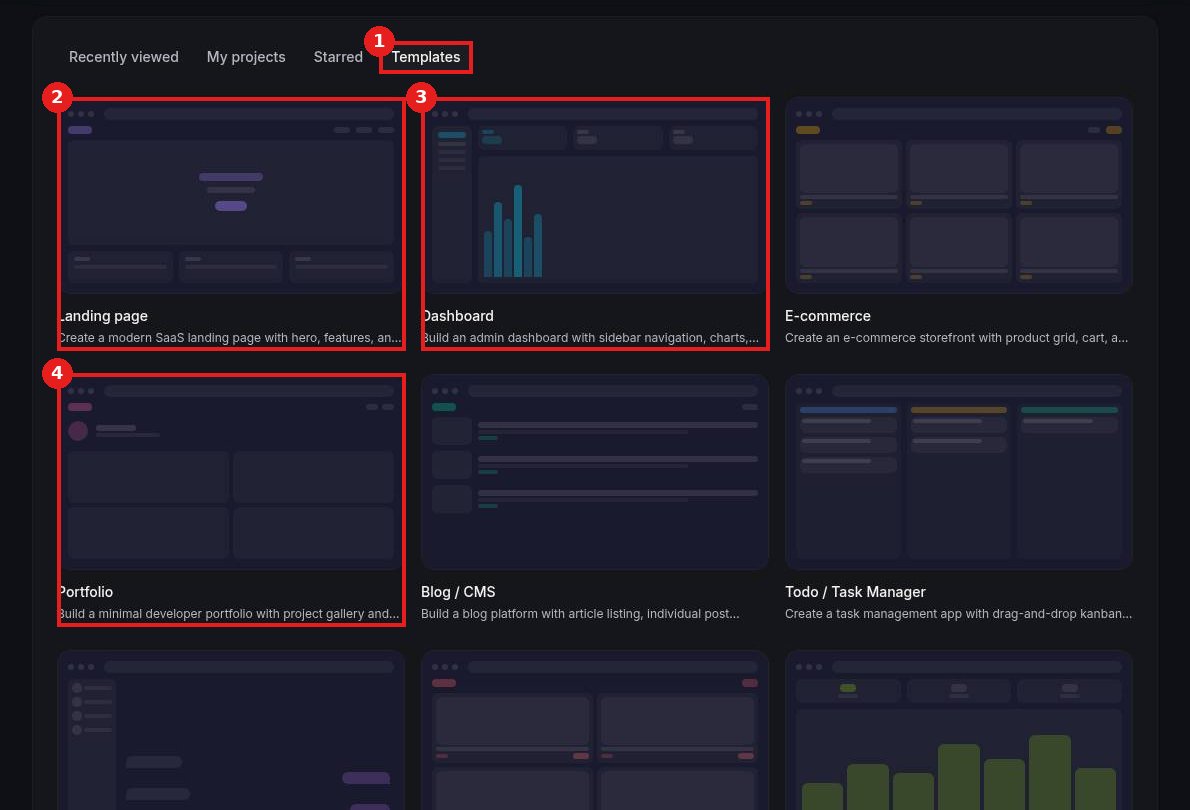
Click Templates (1). Choose Landing page (2), Dashboard (3), Portfolio (4) or another template.
Step 2: Make it yours
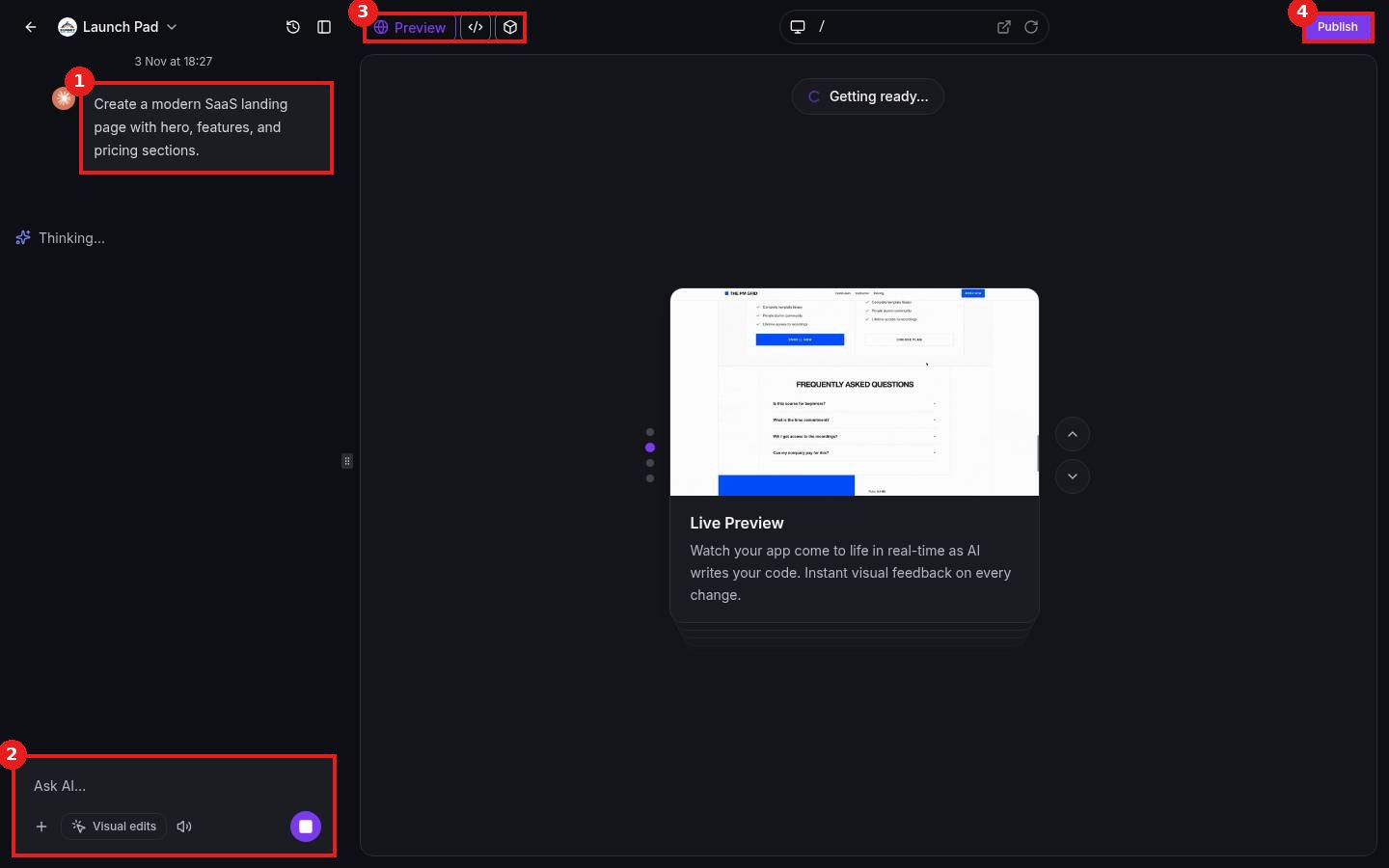
The template opens as a new project. Its starting prompt shows in the chat (1). Use Ask AI (2) to change text, sections and colors. Check Preview (3) and click Publish (4).
FAQ
Will the template change my live site?
No. It creates a separate project until you publish it.
Can I start over?
Yes. Pick a template again to create a fresh project.
Can I use my own photos?
Yes. Attach them in the chat with the plus button and ask AI to use them.
Want us to handle it? Our team builds pages, apps and tools with AI Studio and connects them to your forms, payments and automations. Book a free strategy call and get a free quote.
Related articles
- How do I start a project in AI Studio?
- How do I build a website with AI?
- How do I create a new website?
Still stuck? Submit a ticket and our team will help. Need faster answers? See our support plans.
