
How do I start a project in AI Studio?
Quick answer: Click AI Studio in the left menu. On Home, type what you want in Describe what you want to build, such as a one page site for your business with a booking form, and press the arrow. AI builds it while you watch. Ask for changes in Ask AI, check Preview, then click Publish.
Before you start
- Be specific: name your business type, the pages or sections you want and the main action, such as book a call.
- AI Studio is in beta, so features may change.
Step 1: Open AI Studio
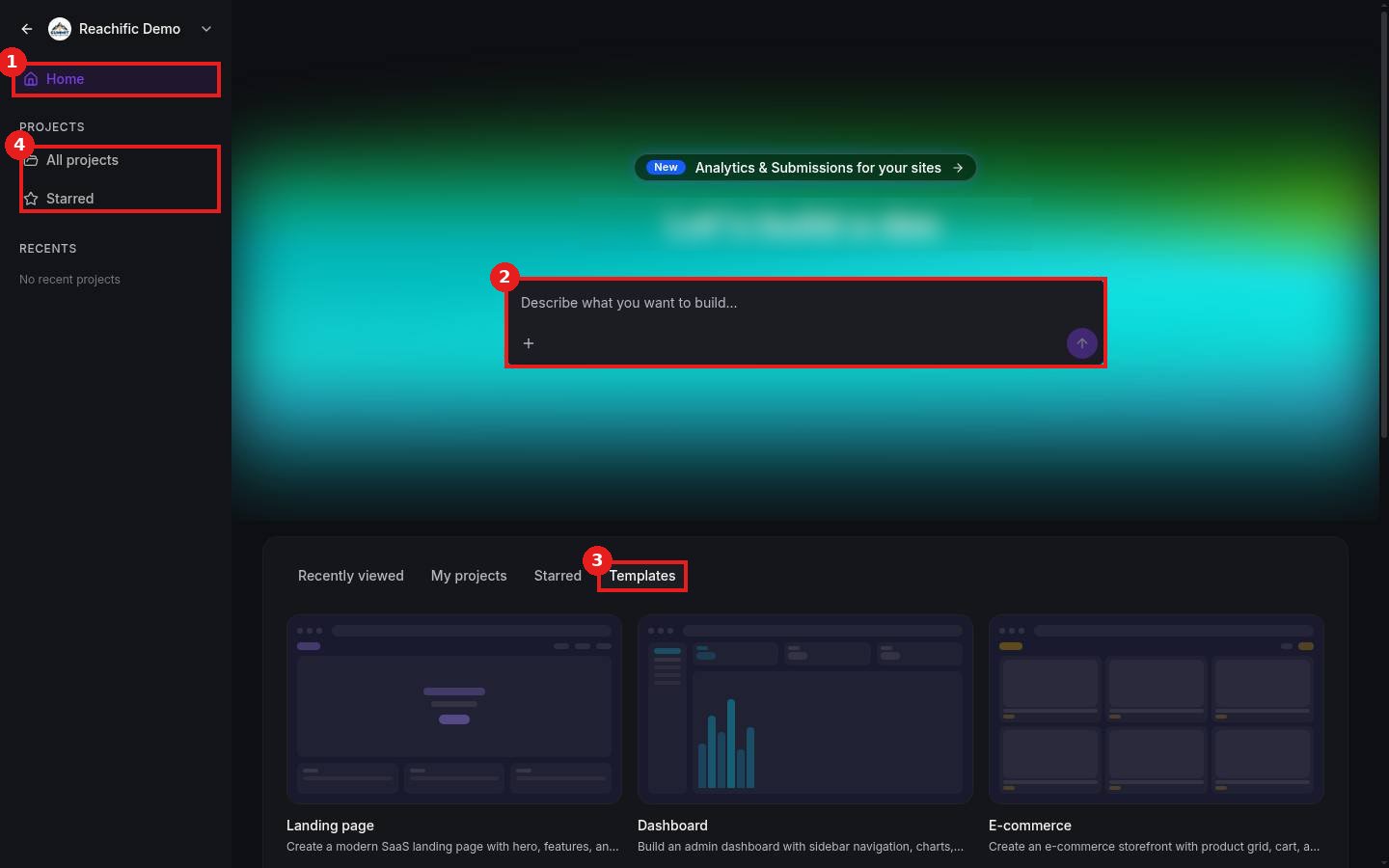
Click AI Studio in the left menu. Home (1) is where you start. Type in the prompt box (2), or browse Templates (3). All projects and Starred (4) hold your saved work.
Step 2: Describe what you want
Type your idea in the prompt box (1). Use the plus (2) to attach an image or file for reference. Press the arrow (3) to start.

Step 3: Refine, preview and publish
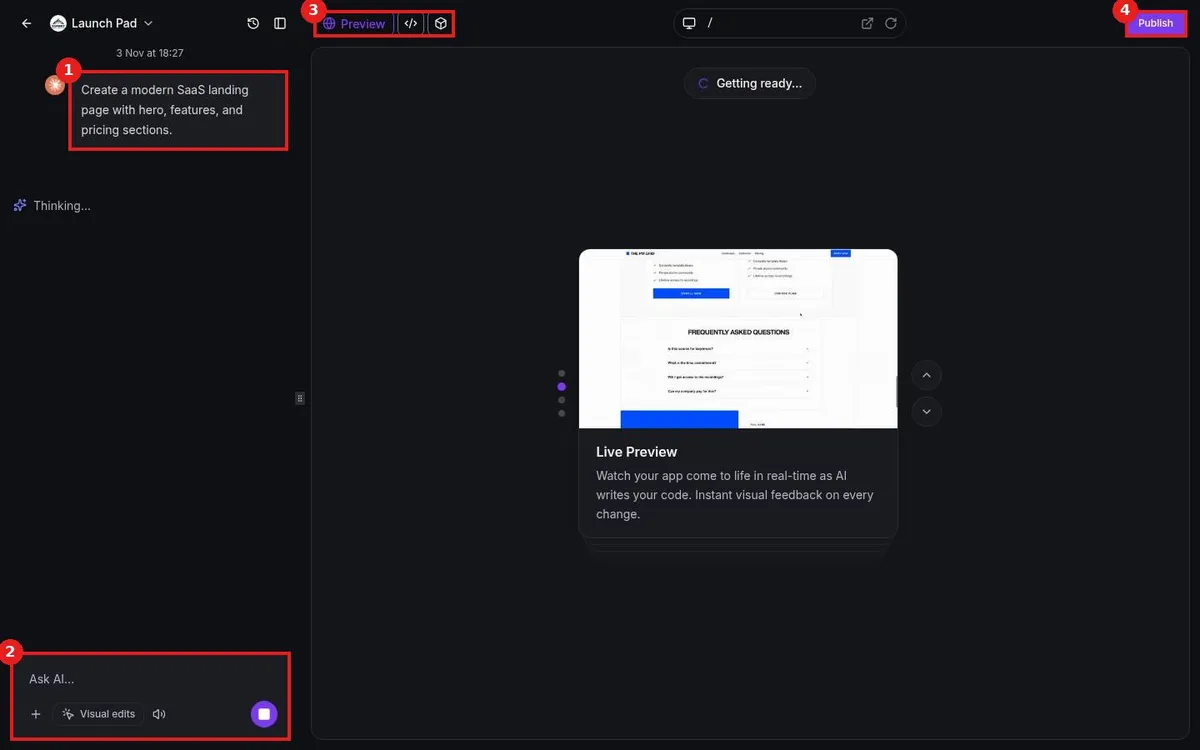
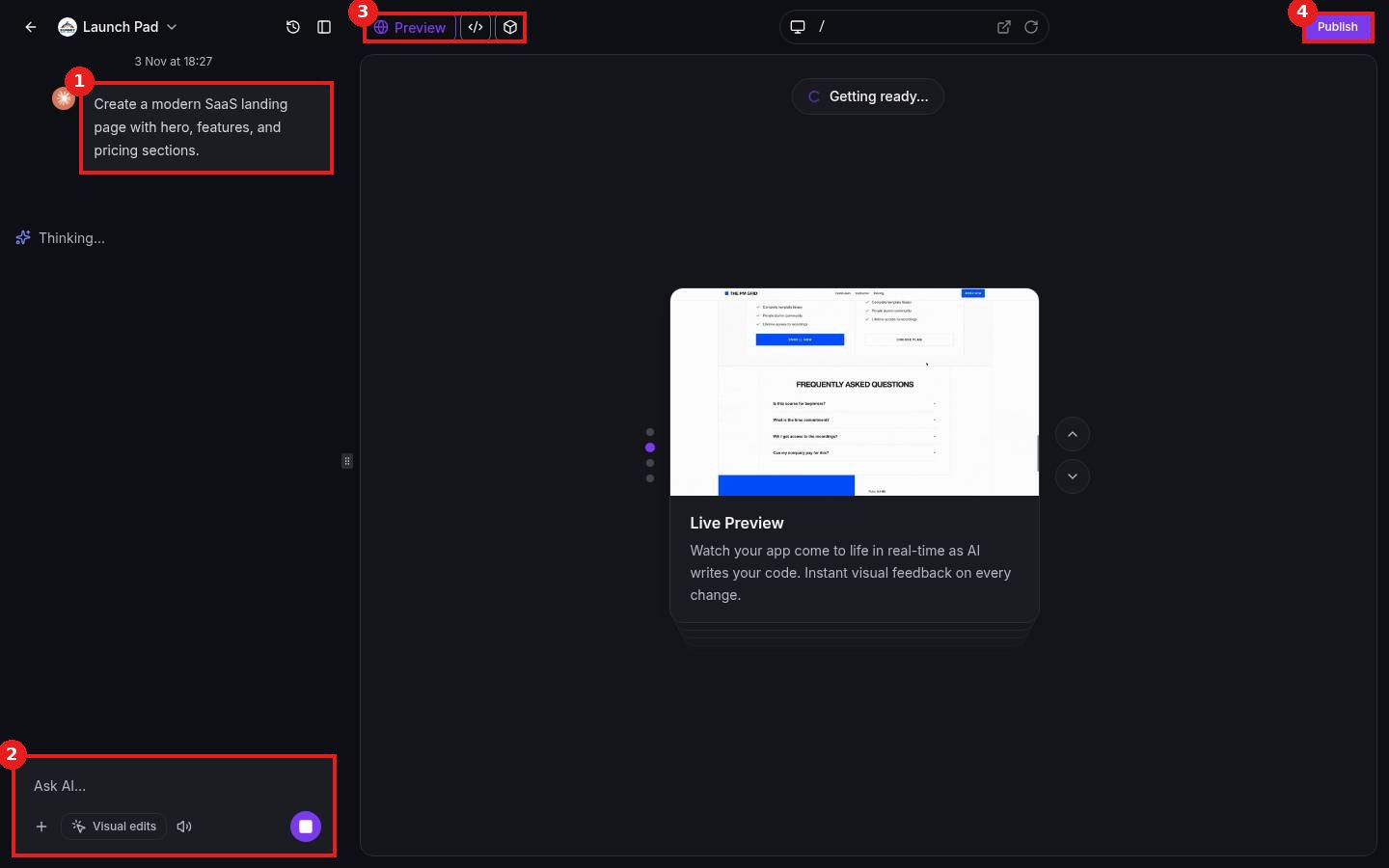
Your request shows in the chat (1). Ask for changes in Ask AI (2). Switch between Preview and code (3), then click Publish (4) when it looks right.
FAQ
Do I need to know how to code?
No. Describe changes in plain words. The code view is there if you want it.
Can I go back to an earlier version?
Yes. Use the history icon at the top of the chat panel.
Can my AI Studio app take payments?
Yes. Turn on payments when AI Studio suggests it, using products set up in Payments.
Want us to handle it? Our team builds pages, apps and tools with AI Studio and connects them to your forms, payments and automations. Book a free strategy call and get a free quote.
Related articles
- How do I build a page from an AI Studio template?
- How do I build a website with AI?
- How do I use Content AI to write emails, posts and pages?
Still stuck? Submit a ticket and our team will help. Need faster answers? See our support plans.
