
How do I fill in my business profile?
Quick answer: Click Settings at the bottom of the left menu, then Business Profile. Fill in your business name, email, phone, website, address and time zone, then click Update Information (or Update on the address card) to save each section.
Before you start
- Have your exact legal business name ready. It should match your tax records.
- Use a business email and phone your customers can reach. They can show up in emails, invoices and messages.
- Each card on the page has its own save button. Save one card before you move to the next.
Step 1: Enter your general information and address
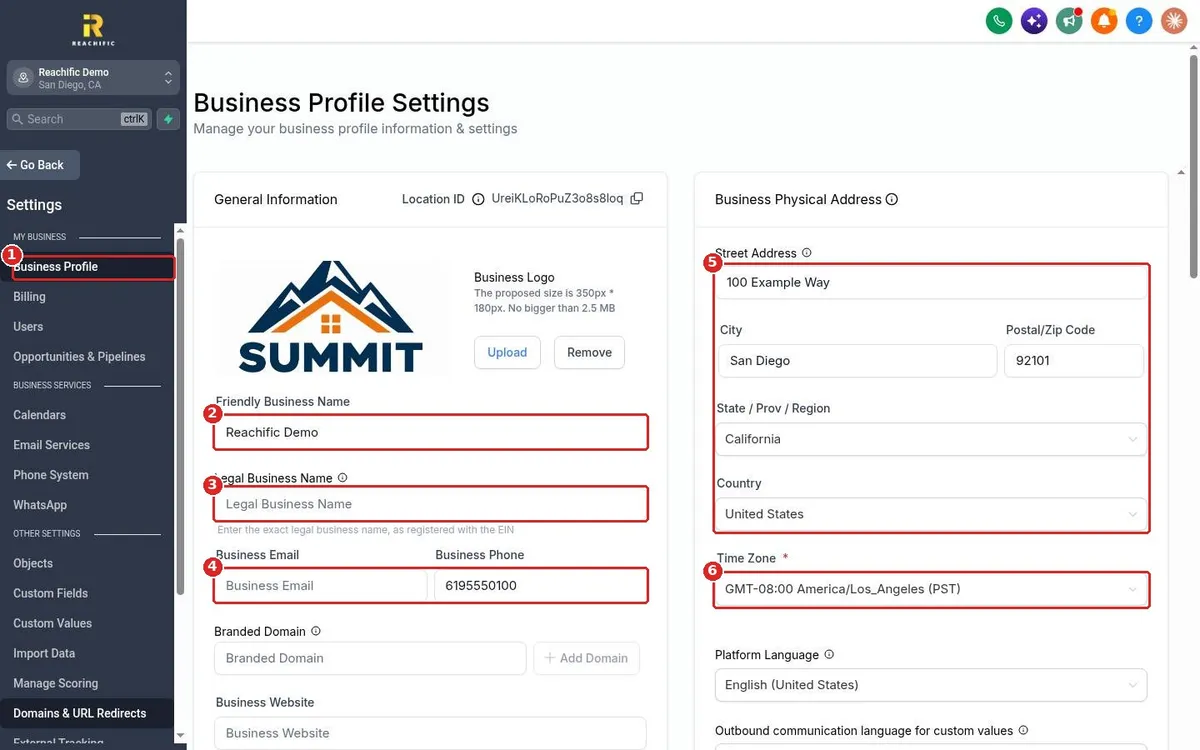
Click Settings, then Business Profile (1). Type your Friendly Business Name (2), the name customers know you by. Add your Legal Business Name (3), then your Business Email and Business Phone (4). On the right, fill in your Business Physical Address (5) and pick your Time Zone (6).
Step 2: Add your website, niche and currency, then save
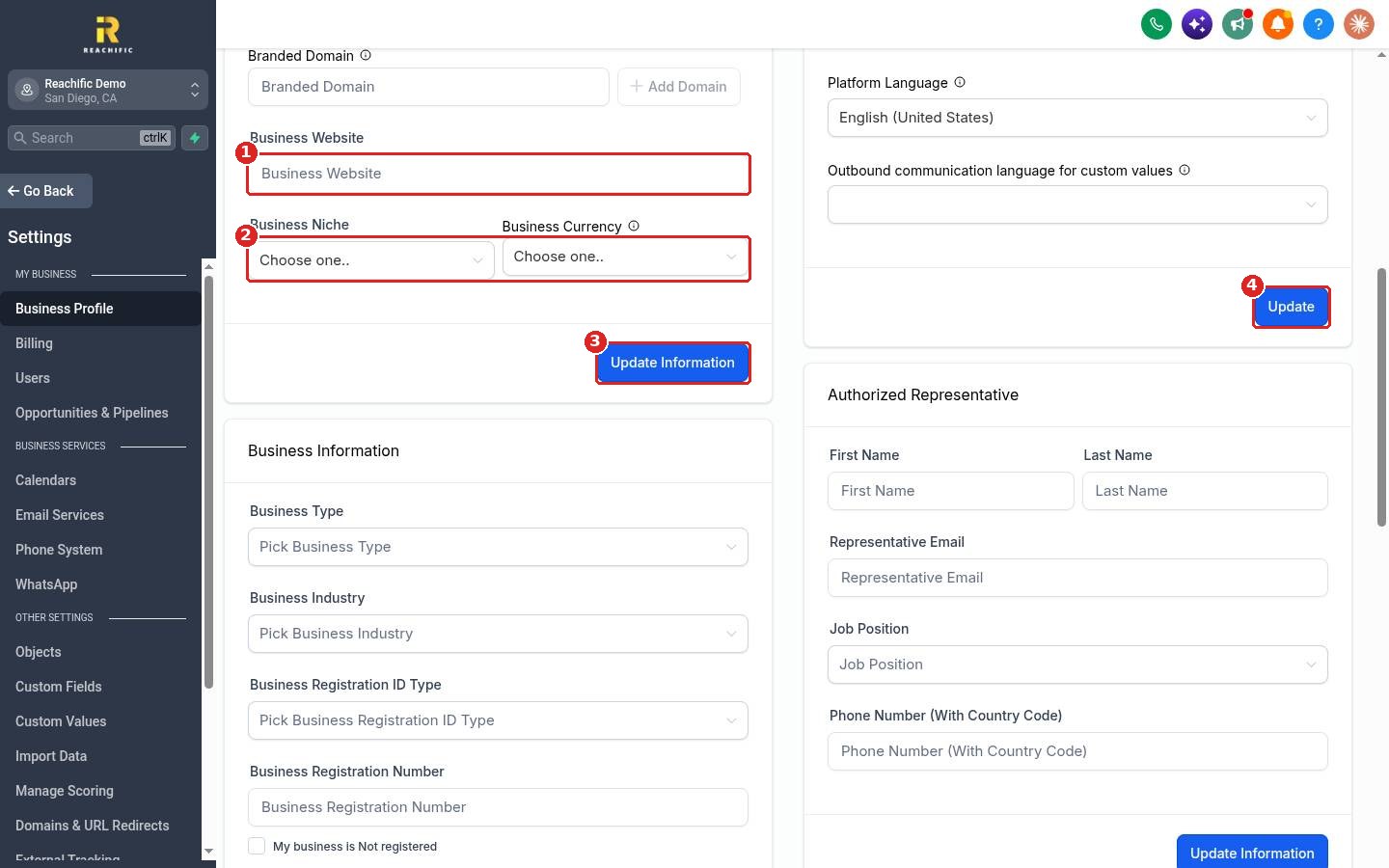
Scroll down. Enter your Business Website (1). Choose your Business Niche and Business Currency (2). Click Update Information (3) to save the General Information card. Click Update (4) on the address card to save your address, time zone and language.
Reload the page to confirm your changes stuck.
FAQ
What is the difference between the friendly name and the legal name?
The friendly name is what customers see, like your shop name. The legal name is the exact name registered with your EIN and is used for things like texting registration.
Why does my time zone matter?
Your time zone sets when appointments, scheduled messages and reports run. A wrong time zone can make reminders go out at the wrong hour.
Where do I find my Location ID?
It shows at the top of the General Information card. Click the copy icon next to it if our support team asks for it.
Do I have to fill in every field?
No. Only Time Zone is required. Filling in the rest makes your emails, invoices and listings look complete and professional.
Want us to handle it? Our team can set up your business profile, branding and phone so your account is ready on day one. Book a free strategy call and get a free quote.
Related articles
- How do I start my 14 day Reachific free trial?
- How do I add a team member?
- How do I get a business phone number?
Still stuck? Submit a ticket and our team will help. Need faster answers? See our support plans.
