
How do I start my 14 day Reachific free trial?
Quick answer: Go to reachific.com/get-started (or click Start your 14 day trial at the top of any reachific.com page). Pick monthly or annual billing, choose the Basic, Business or Enterprise plan, fill in your company name, your name, email and phone, click Go To Step #2, then finish the Trial Details step. Your trial gives you full platform access for 14 days, and no subscription charge is made until day 15.
Before you start
- Have your business name, a work email you check often and a mobile number ready. Your login details are sent to that email.
- Decide which plan fits you best. You can upgrade or downgrade later from your billing settings.
- Usage tools such as text messages, phone calls, email sends, a phone number and AI features are billed to your account wallet as you use them, including during the trial.
Step 1: Open the trial page
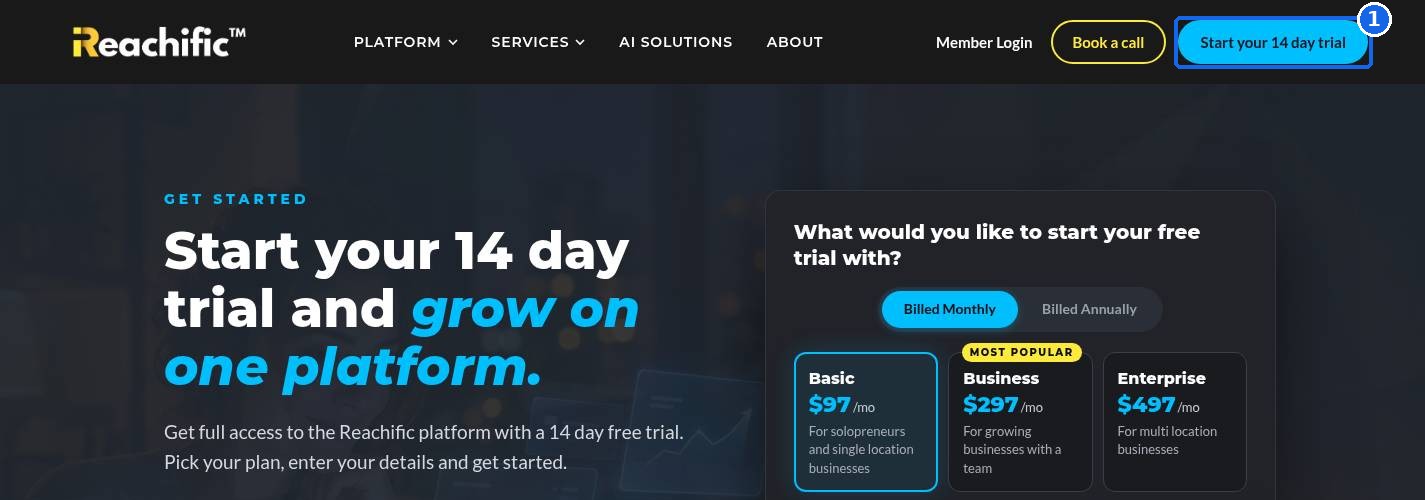
On any page of reachific.com, click Start your 14 day trial in the top right corner (1). This opens the Get Started page.
Step 2: Choose your billing and plan
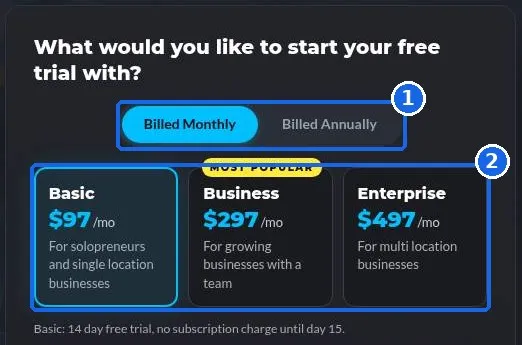
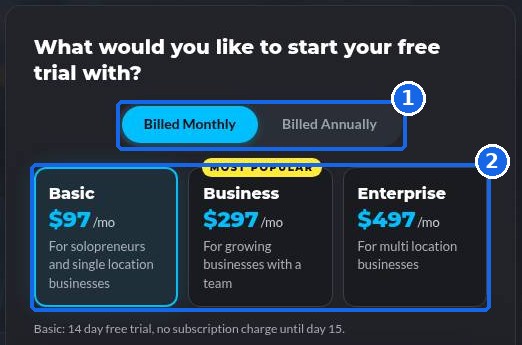
Under What would you like to start your free trial with?, pick Billed Monthly or Billed Annually (1). Then click the plan you want (2):
- Basic, starting at $97/mo, for solopreneurs and single location businesses.
- Business, starting at $297/mo, for growing businesses with a team.
- Enterprise, starting at $497/mo, for multi location businesses.
The selected plan gets a highlighted border, and the line under the cards confirms your trial terms.
Step 3: Tell us about your business
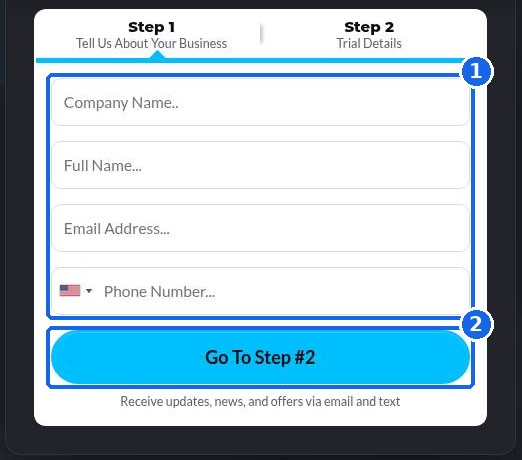
In Step 1, Tell Us About Your Business, enter your company name, full name, email address and phone number (1). Double check the email, because that is where your login details go. Click Go To Step #2 (2).
Step 4: Complete your trial details
In Step 2, Trial Details, review your plan and complete the remaining fields, then submit the form to start your trial. Your 14 day clock starts right away.
Step 5: Log in and start setting up
Watch your inbox for your welcome email, then log in to your new account. A good first hour looks like this: fill in your business profile, upload your logo, connect your domain and book a test appointment on your calendar.
FAQ
Will I be charged during the free trial?
No subscription charge is made until day 15. Usage tools such as texts, calls, email sends, a phone number and AI features are billed to your wallet as you use them, even during the trial.
Can I change my plan after I sign up?
Yes. You can move to a different plan later from your billing settings.
Is there a setup fee or a contract?
No. There is no setup fee and no contract, and you can cancel anytime.
What if I never got my welcome email?
Check your spam or promotions folder first. If it is not there, submit a support ticket with the email you signed up with and we will help you get in.
Which plan should I pick if I am not sure?
Most single location businesses start on Basic. If you have a team that needs their own logins, Business is a common choice. You can book a free strategy call and we will help you decide.
Want us to handle it? Our team can set up your account for you, from your website and calendar to your automations. Book a free strategy call and get a free quote for done for you setup.
Related articles
Still stuck? Submit a ticket and our team will help. Need faster answers? See our support plans.
