
How do I connect Stripe to take payments?
Quick answer: Go to Payments > Integrations, click Connect on the Stripe card, then click Connect with Stripe and sign in to your Stripe account (or create one) to approve the connection. When you return to Reachific, Stripe shows as connected and you can start collecting card payments on invoices, payment links, forms and checkouts.
Before you start
- You need a Stripe account in your business name, or the details to create one (business info and the bank account where payouts should land).
- Log in to Reachific as a user who can manage payments.
- Until a payment provider is connected, you will see the note Connect at least one payment gateway to start receiving payments on your invoices.
Step 1: Open Payment Integrations
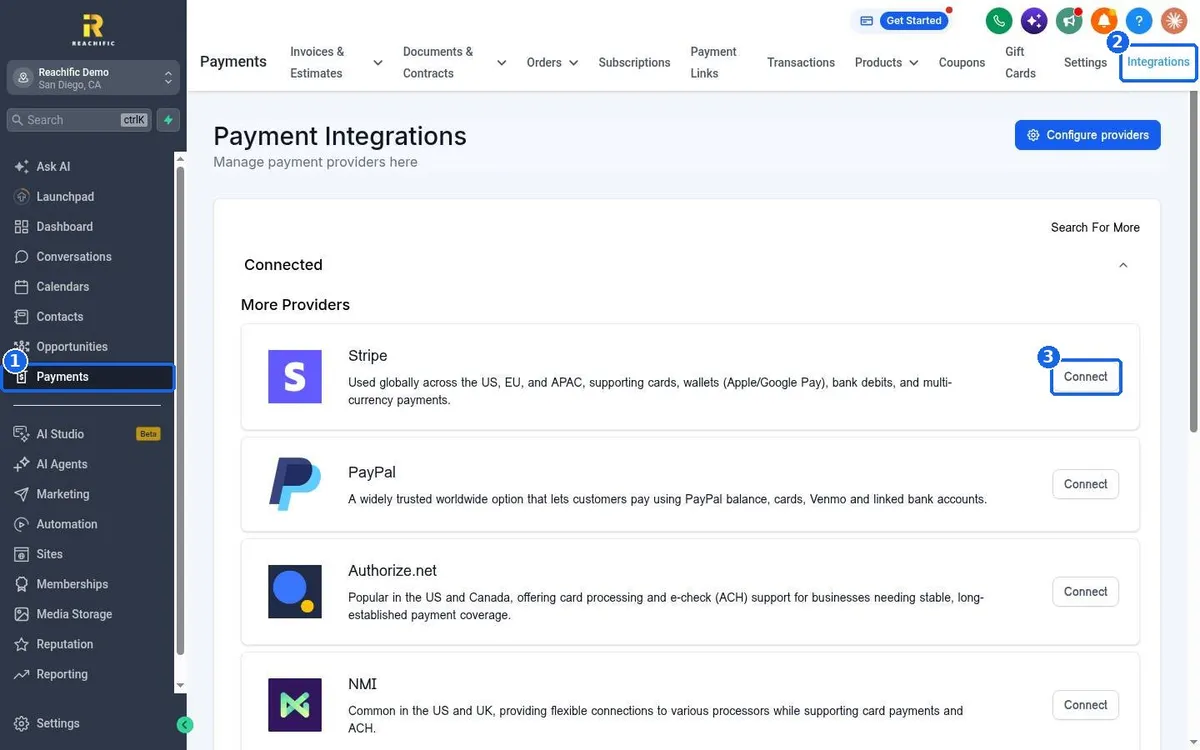
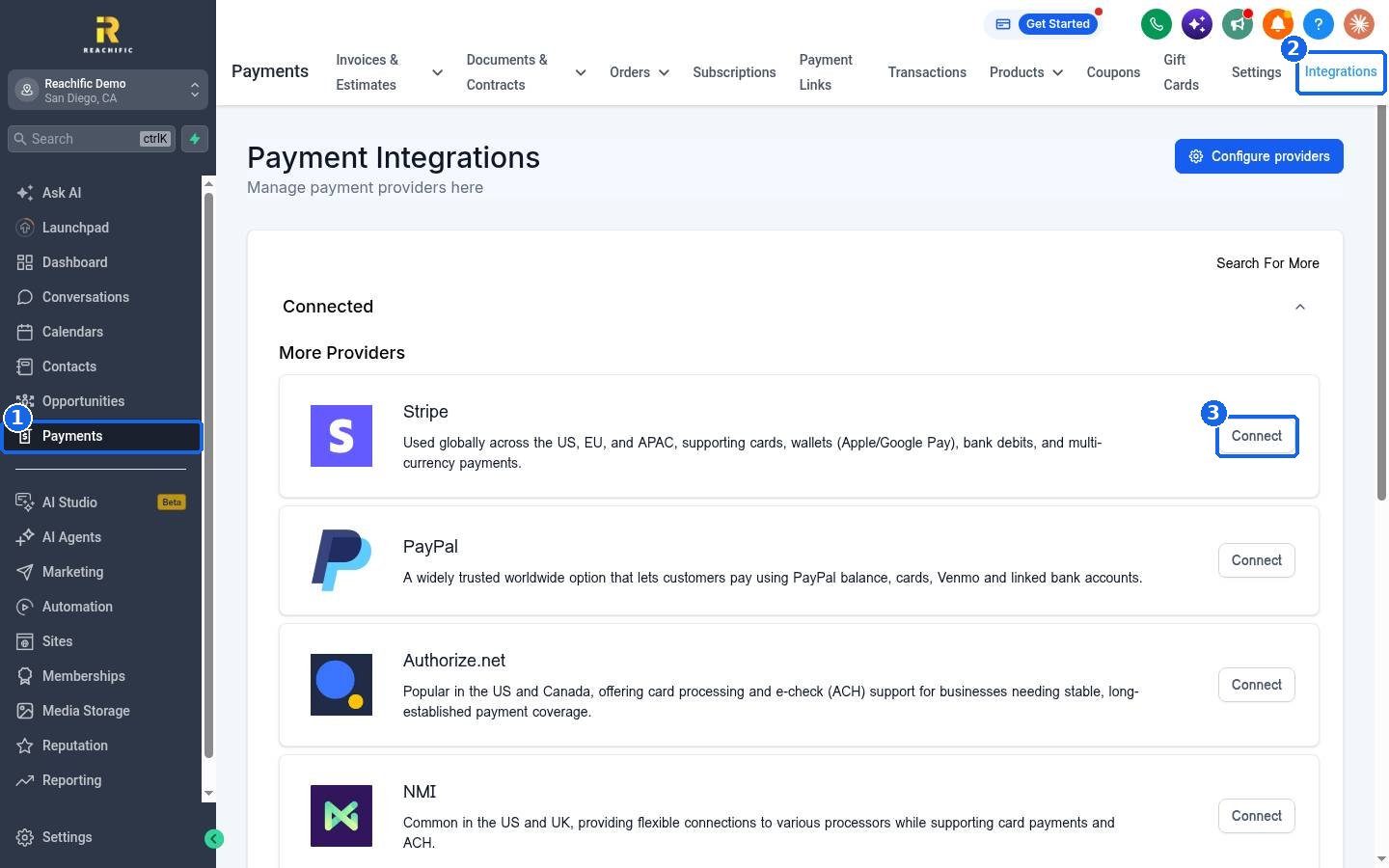
Click Payments in the left menu (1), then the Integrations tab at the top right (2). Under More Providers you will see Stripe, PayPal, Authorize.net, NMI and others. Click Connect on the Stripe card (3).
Step 2: Connect with Stripe
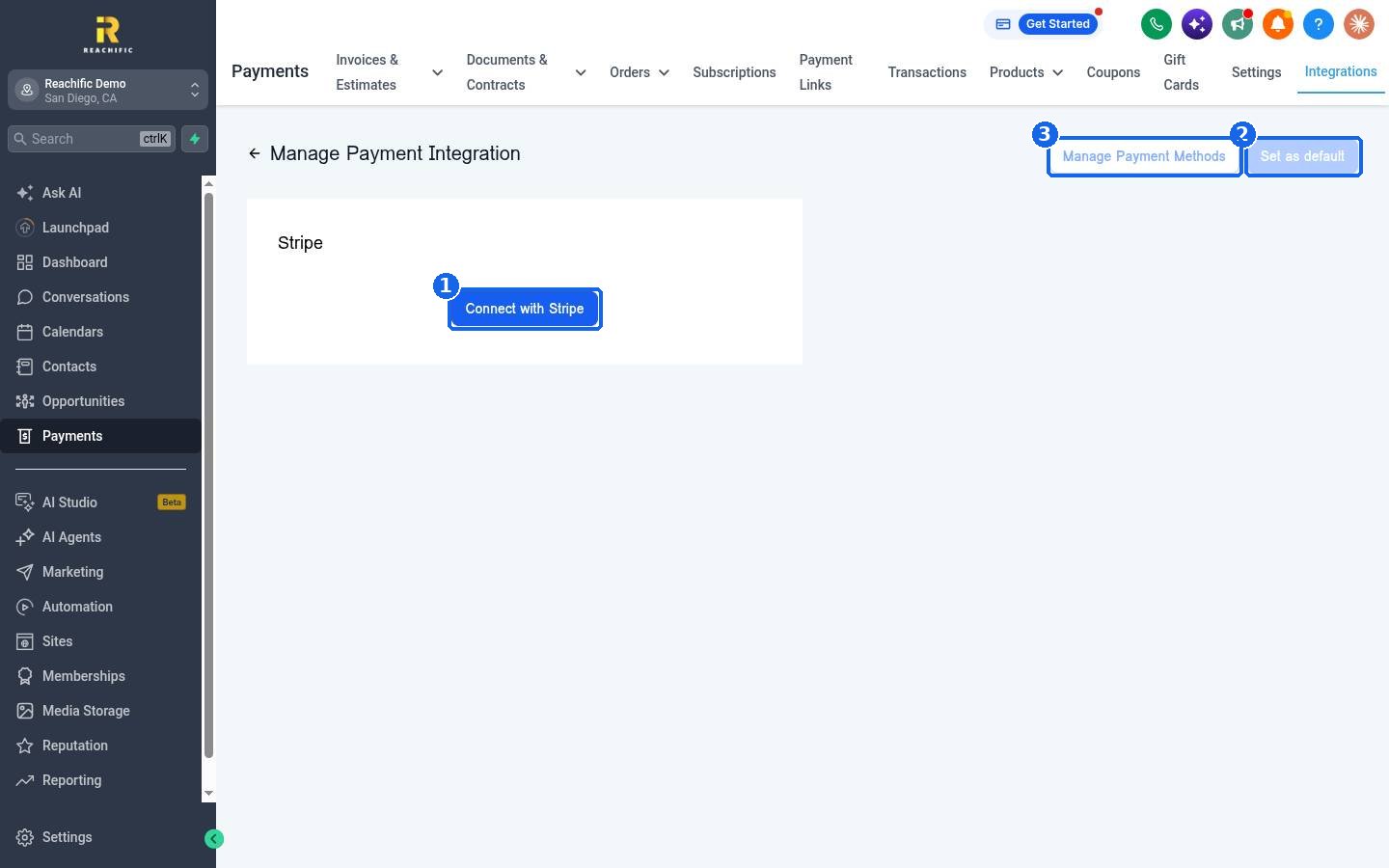
On the Manage Payment Integration page, click Connect with Stripe (1). A Stripe window opens. Sign in to your Stripe account, or follow the prompts to create one, and approve the connection to Reachific. When you finish, Stripe sends you back to this page.
Step 3: Make Stripe your default and pick payment methods
If you connect more than one provider, click Set as default (2) so new invoices and checkouts use Stripe. Click Manage Payment Methods (3) to choose which ways customers can pay through Stripe, such as cards and digital wallets.
Step 4: Check that it works
Go back to Payments > Integrations. Stripe now appears under Connected. Create a small test invoice to yourself, open the payment link and confirm the card form loads. Then void or delete the test invoice.
FAQ
Do I need a separate Stripe account for Reachific?
No. You connect your own Stripe account, and the money goes from Stripe to your bank on your normal Stripe payout schedule.
Who charges the card processing fees?
Stripe charges its own processing fees on each payment, according to your Stripe account terms. Check your Stripe dashboard for your rates.
Can I use PayPal or another provider instead?
Yes. The same Integrations page lists PayPal, Authorize.net, NMI and more. Click Connect on the provider you use.
I see Connect at least one payment gateway on my invoices. What does that mean?
No payment provider is connected yet, so customers cannot pay online. Connect Stripe or another provider and the note goes away.
How do I disconnect Stripe?
Open Payments > Integrations, click Stripe under Connected and use the disconnect option on the manage page. Open invoices will no longer accept card payments until a provider is connected again.
Want us to handle it? Our team can connect your payment provider, set up your products and test your first invoice and checkout so you are ready to get paid. Book a free strategy call and get a free quote.
Related articles
Still stuck? Submit a ticket and our team will help. Need faster answers? See our support plans.
