
How do I see who is enrolled in a workflow?
Quick answer: Open the workflow from Automation > Workflows and click Enrollment history at the top. You see each contact who entered, why, when, their current step and status. Use the date and event filters or search a contact. Click Execution logs to see what each step did.
Before you start
- The Workflows list also shows Total enrolled and Active enrolled counts for each workflow.
- Enrollment history covers the last 60 days.
Step 1: Open Enrollment history
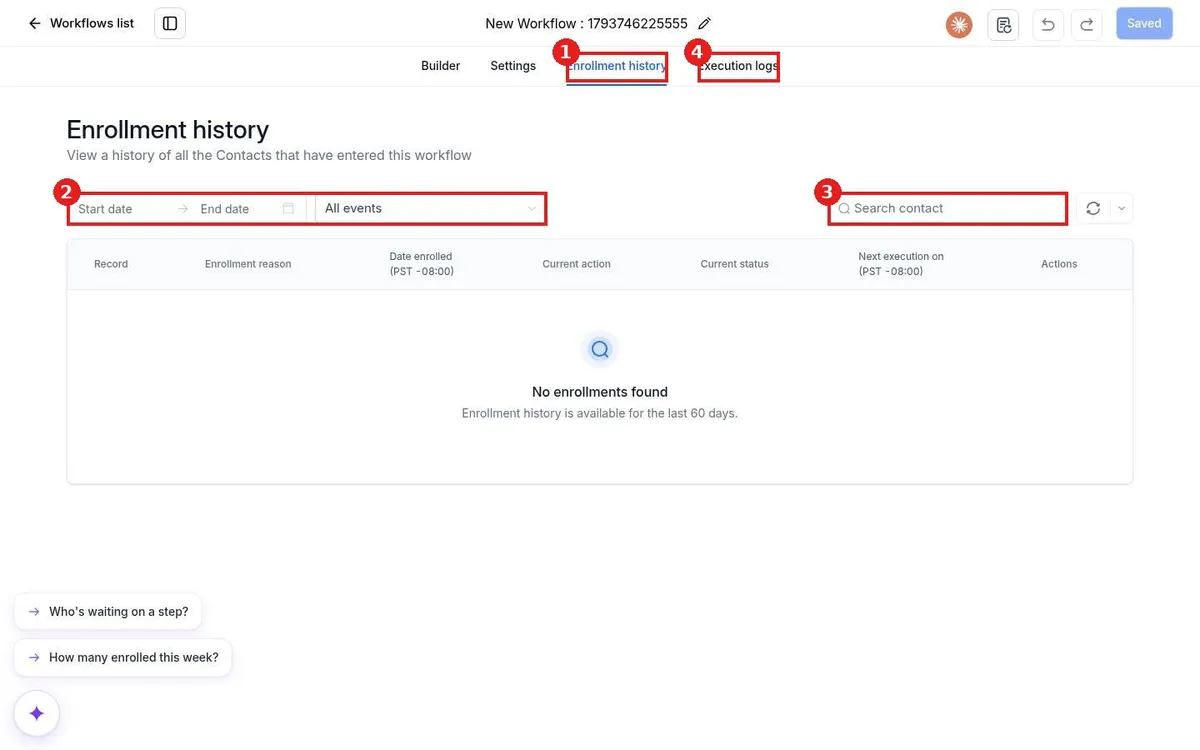
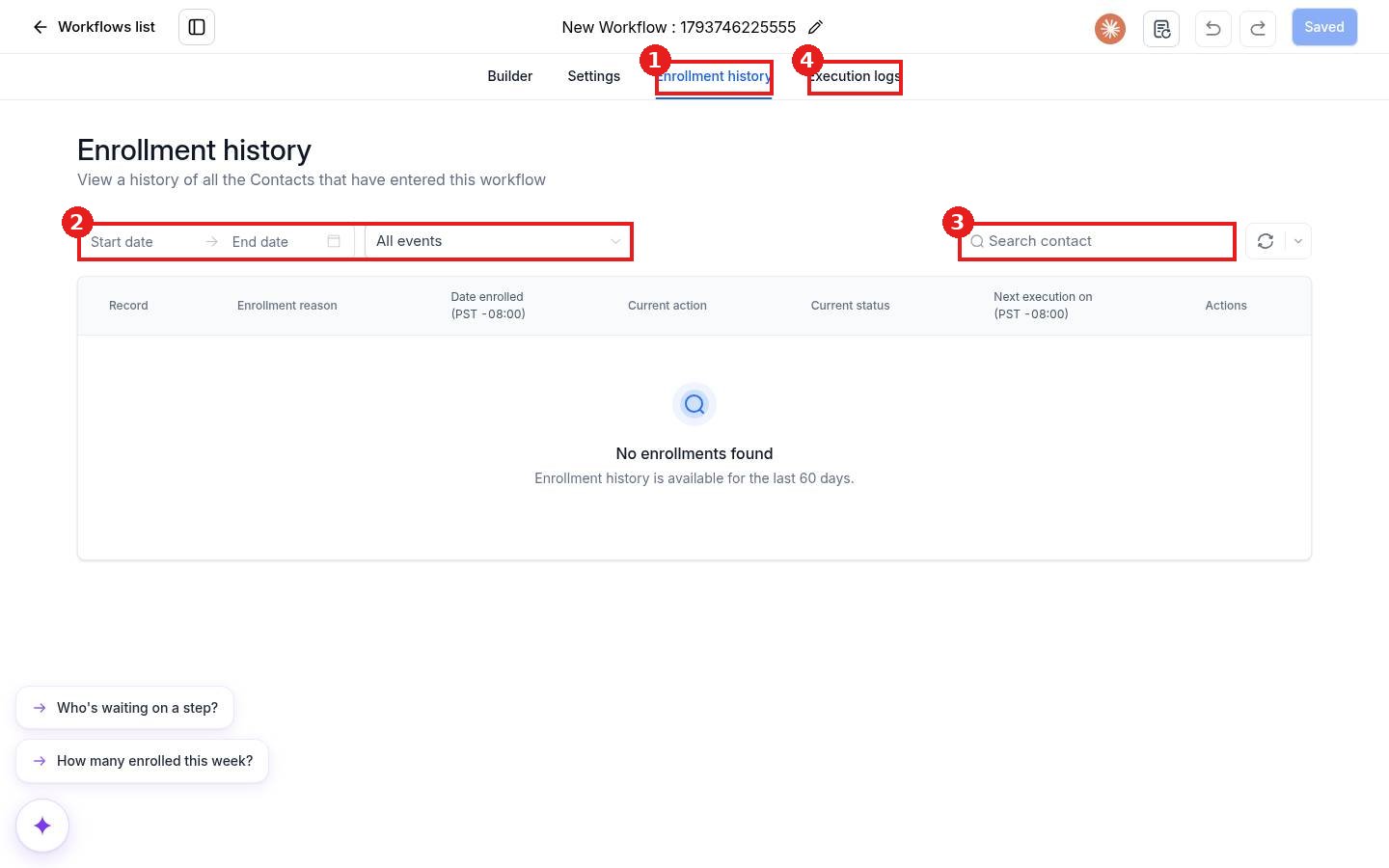
Open the workflow and click Enrollment history (1). Narrow the list with the date range and event filter (2), or search for one contact (3).
Step 2: Read each row
- Enrollment reason: which trigger added the contact.
- Current action and Current status: where the contact is now.
- Next execution on: when their next step runs, for example after a wait.
Step 3: Check step details
Click Execution logs (4) to see each step that ran, when, and any error, such as a text that could not send.
FAQ
How far back does enrollment history go?
The screen notes that enrollment history is available for the last 60 days.
Why is a contact not in the list?
They may not have met the trigger filters, or the workflow was in Draft at the time. Check the trigger and Execution logs.
Where do I see totals for all workflows?
The Workflows list shows Total enrolled and Active enrolled for each workflow.
Want us to handle it? Our team builds and tests the automations that matter most, like missed call text back, speed to lead and review requests, so they run correctly from day one. Book a free strategy call and get a free quote.
Related articles
- How do I publish and test a workflow?
- How do I create my first workflow?
- How do I add a trigger to a workflow?
Still stuck? Submit a ticket and our team will help. Need faster answers? See our support plans.
