
How do I try beta features in Labs?
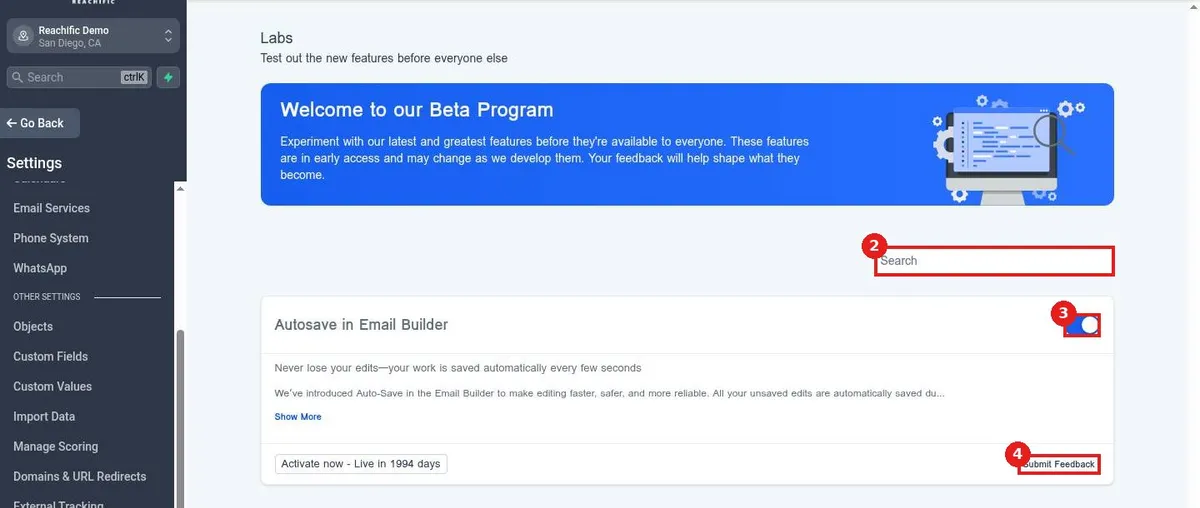
Quick answer: Go to Settings > Labs. Find a feature with Search, turn it on with its toggle, and click Submit Feedback to share what works and what does not.
Before you start
- Beta features can change or be removed. Test them before you rely on them for clients.
- Turn a feature off again with the same toggle.
Step 1: Turn on a Labs feature
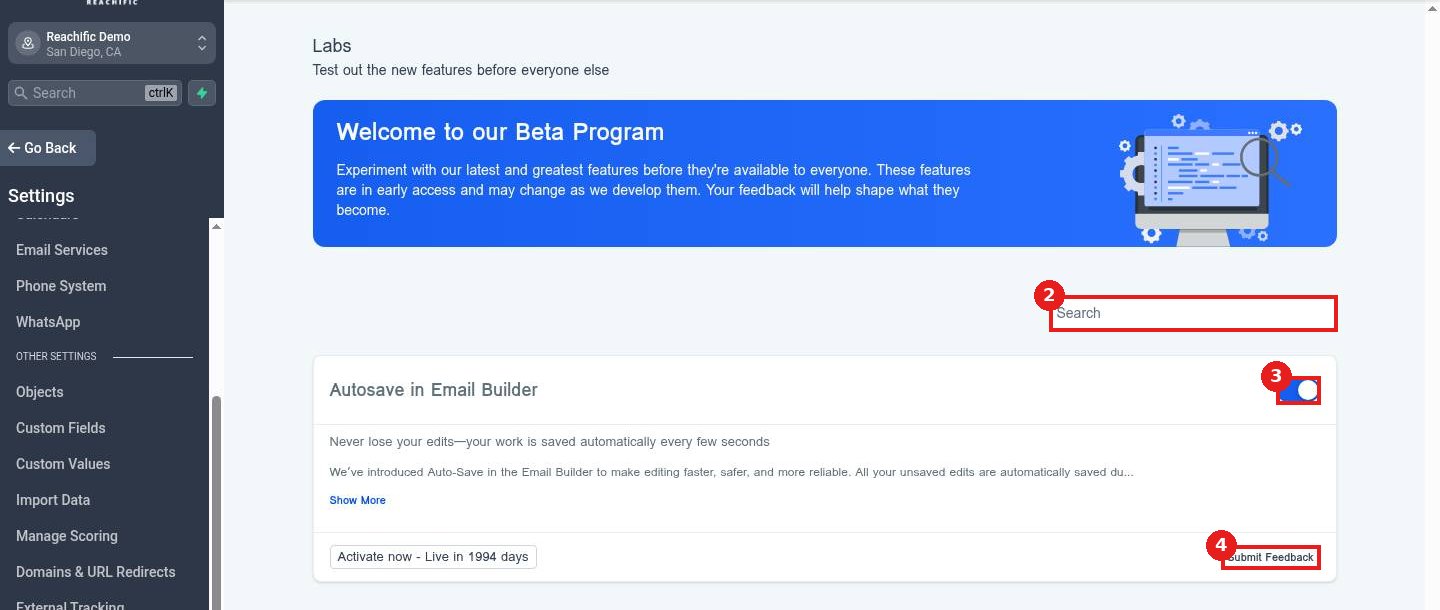
Click Labs (1). Use Search (2) to find a feature. Turn it on with the toggle (3). Click Submit Feedback (4) to send your thoughts.
FAQ
Will a Labs feature affect my whole account?
Usually yes. Test it in a quiet moment and turn it off if needed.
What does Live in a number of days mean?
It shows when the feature becomes standard for everyone.
How do I turn a feature off?
Switch the same toggle off. You can turn it back on any time while it is in Labs.
Want us to handle it? Our team sets up your account settings, data and tracking so everything matches how your business really works. Book a free strategy call and get a free quote.
Related articles
- How do I submit a support ticket?
- How do I set what a team member can see and do?
- How do I see who changed what with audit logs?
Still stuck? Submit a ticket and our team will help. Need faster answers? See our support plans.
