
How do I see who changed what with audit logs?
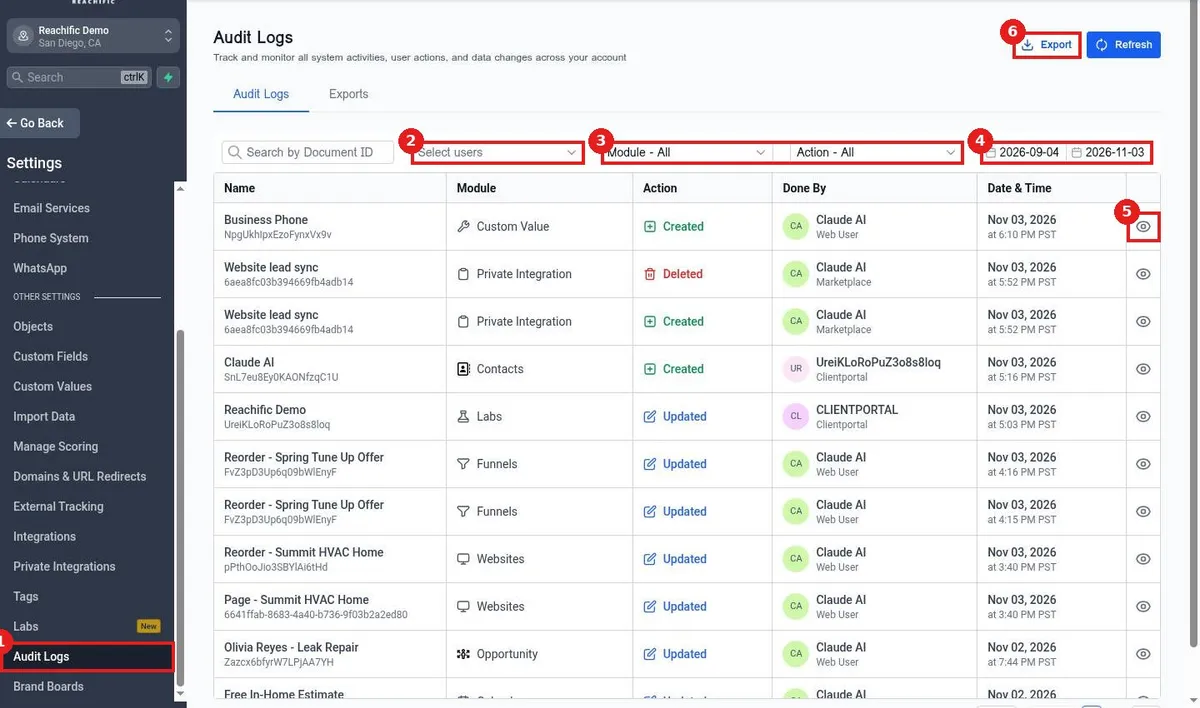
Quick answer: Go to Settings > Audit Logs. Filter with Select users, Module, Action and the date range. Each row shows the item, module, action, who did it and when. Click the eye icon for details, or Export to download.
Before you start
- Audit logs help you find who deleted or changed something and when.
- Pick a tight date range to find changes faster.
Step 1: Filter the log
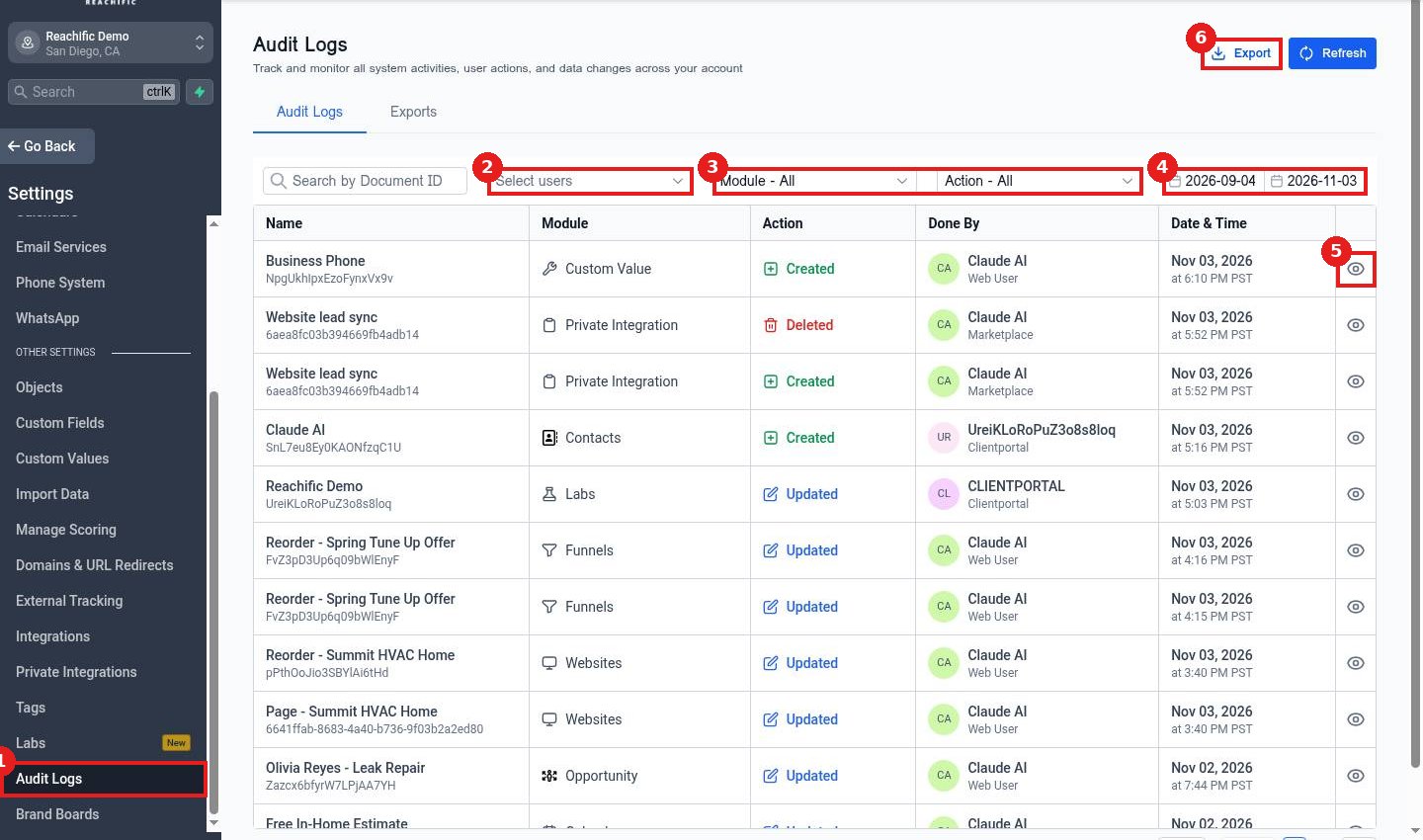
Click Audit Logs (1). Use Select users (2), Module and Action (3), and the date range (4). Click the eye icon (5) to see the change, or Export (6).
FAQ
How far back do audit logs go?
Use the date range to look back. Older entries may be limited by your plan.
Can I see what a value was before?
Yes. Open the row to see before and after details.
Who can see audit logs?
Users with the Audit Logs permission.
Want us to handle it? Our team sets up your account settings, data and tracking so everything matches how your business really works. Book a free strategy call and get a free quote.
Related articles
- How do I set what a team member can see and do?
- How do I add a team member?
- How do I import data in settings?
Still stuck? Submit a ticket and our team will help. Need faster answers? See our support plans.
