
How do I set what a team member can see and do?
Quick answer: Go to Settings > Users and click the edit icon next to the person, or Add user for someone new. Open Roles & permissions, choose a User role, turn on Restrict data visibility to only assigned data if they should only see their own records, switch each area on or off, then click Save.
Before you start
- List what each person needs, such as Contacts and Calendars for office staff, before you start.
- Keep Account Billing and Account Settings off for anyone who does not manage the account.
Step 1: Open Roles and permissions
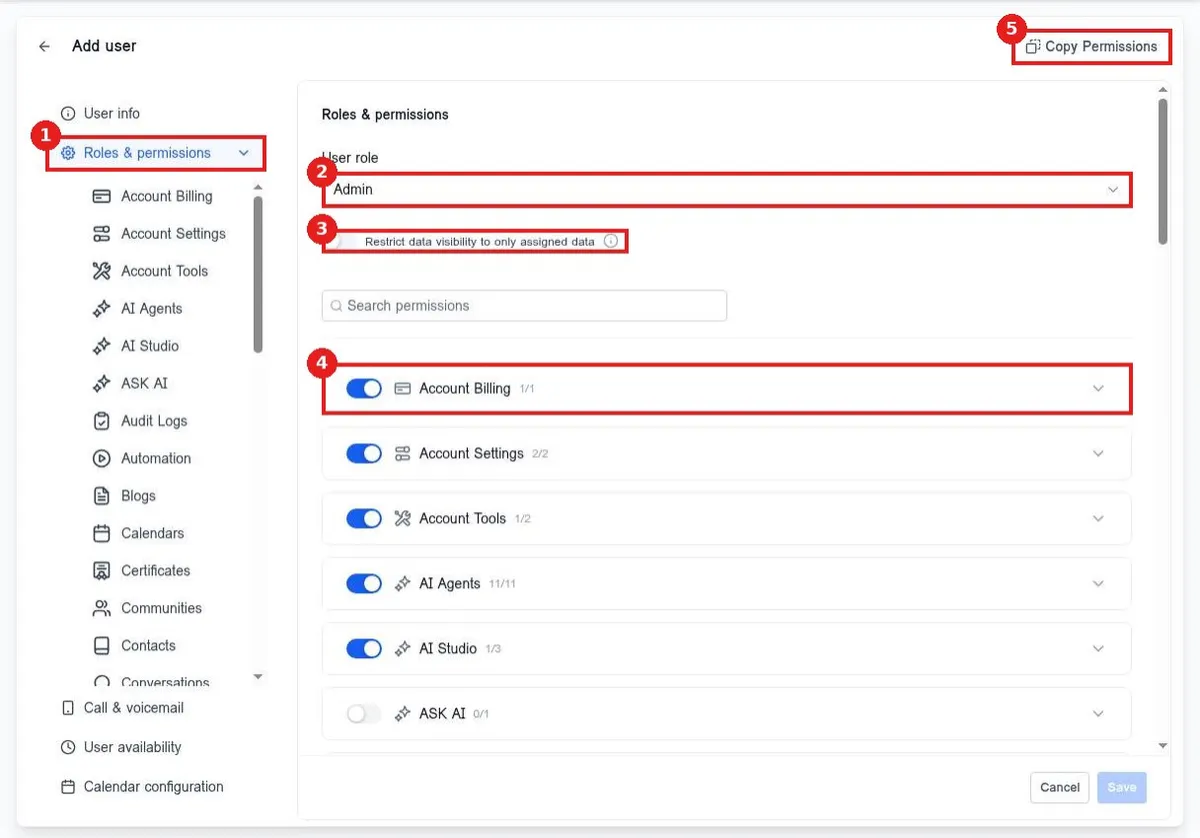
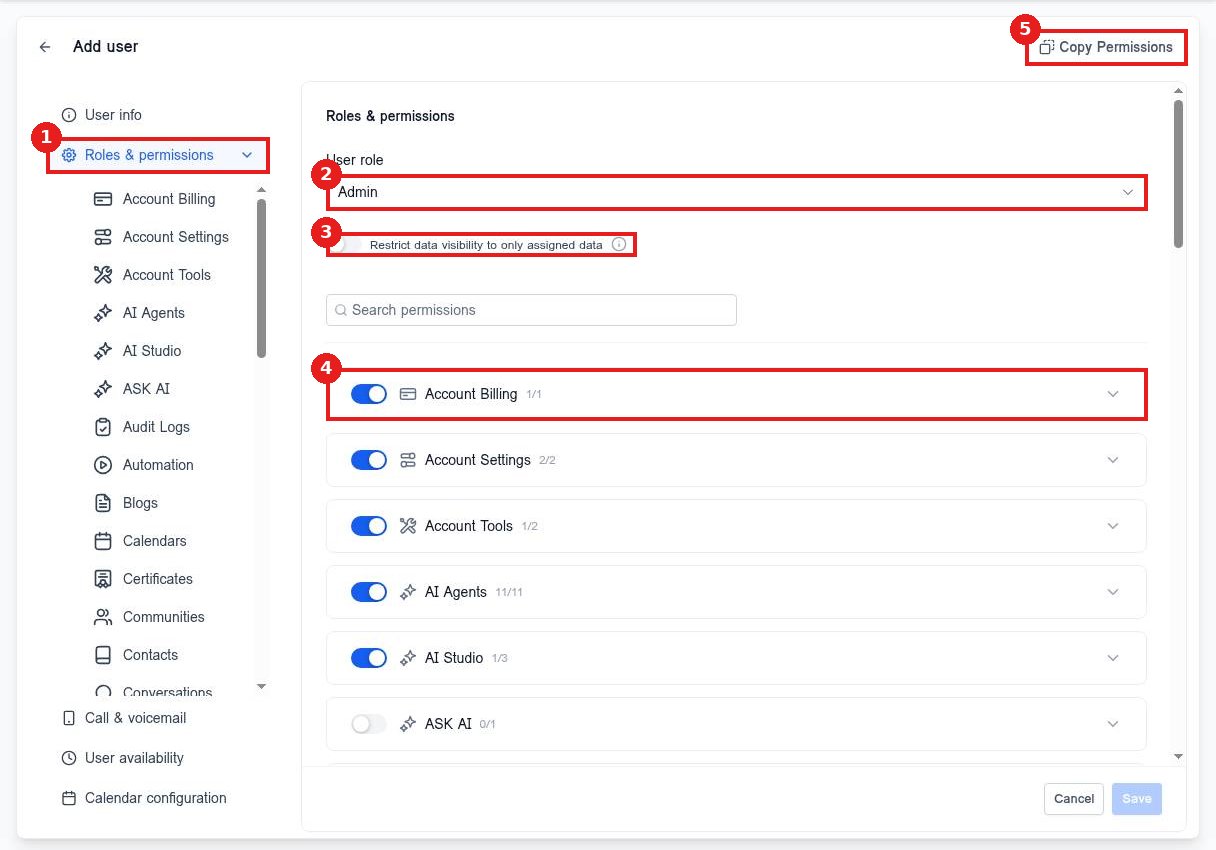
In the user screen click Roles & permissions (1). Pick the User role (2). Turn on Restrict data visibility to only assigned data (3) to limit them to contacts and deals assigned to them. Each area has its own switch (4). Copy Permissions (5) starts from another team member's setup.
Step 2: Pick Admin or User
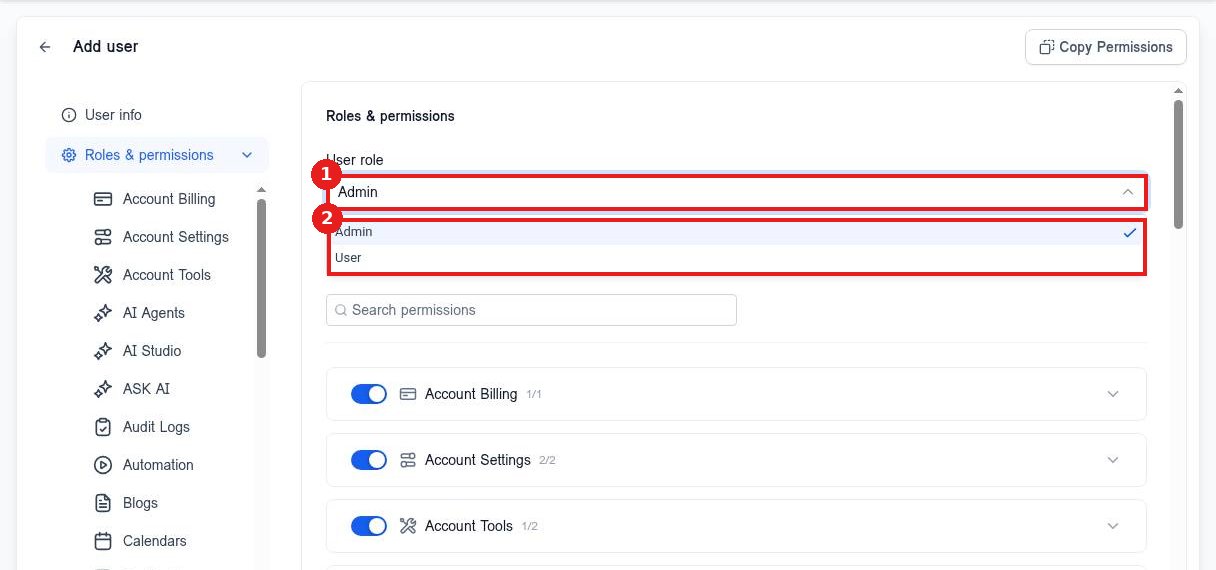
Open the User role list (1) and choose Admin or User (2). Admins can change settings. Users get only the areas you turn on.
Step 3: Fine tune each area
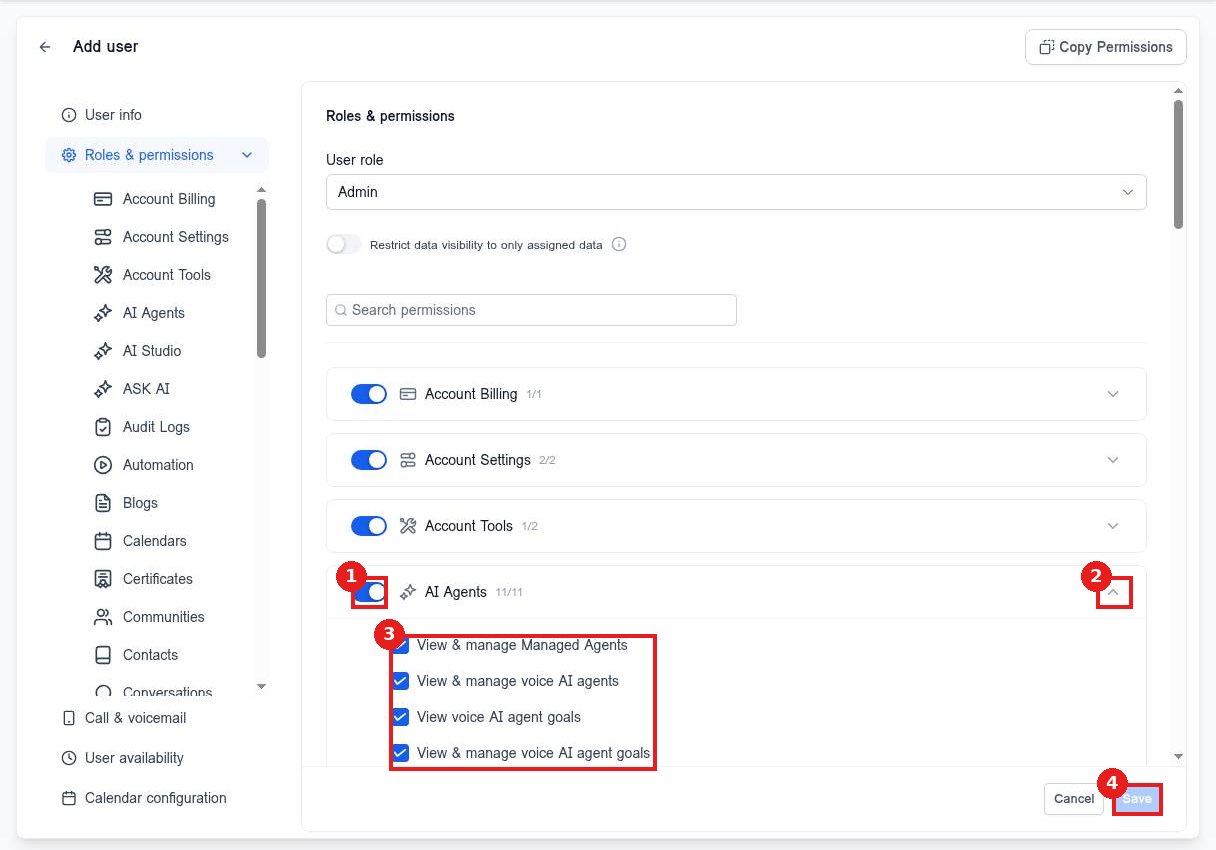
Use the switch (1) to turn a whole area on or off. Click the arrow (2) to open it and tick only the actions they need (3). Click Save (4).
FAQ
What is the difference between Admin and User?
Admins can manage settings and other users. Users see only the areas you switch on.
Can I hide other people's contacts from a user?
Yes. Turn on Restrict data visibility to only assigned data.
Do changes apply right away?
Yes. The person sees the new access the next time the page loads.
Want us to handle it? Our team sets up your account settings, users and pipelines so everything matches how your business really works. Book a free strategy call and get a free quote.
Related articles
- How do I add a team member?
- How do I give my team access to the AI Assistant?
- How do I set my contact deduplication preference?
Still stuck? Submit a ticket and our team will help. Need faster answers? See our support plans.
