
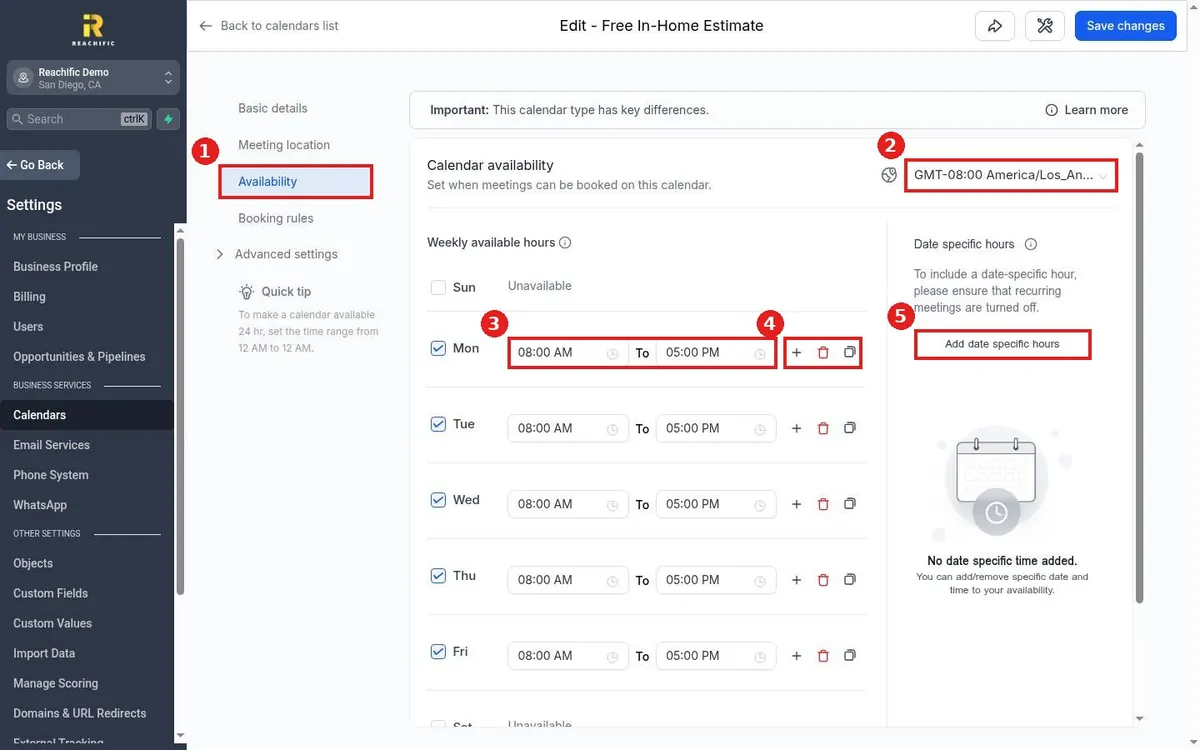
How do I set my available hours on a calendar?
Quick answer: Go to Settings, then Calendars, and click the pencil on your calendar. Open Availability, check each day you take bookings, set the start and end times, confirm the time zone and click Save changes.
Before you start
- You need a calendar first. If you do not have one yet, see How do I create a booking calendar?
- Customers only see open slots inside these hours, so set them to the times you really want jobs or calls.
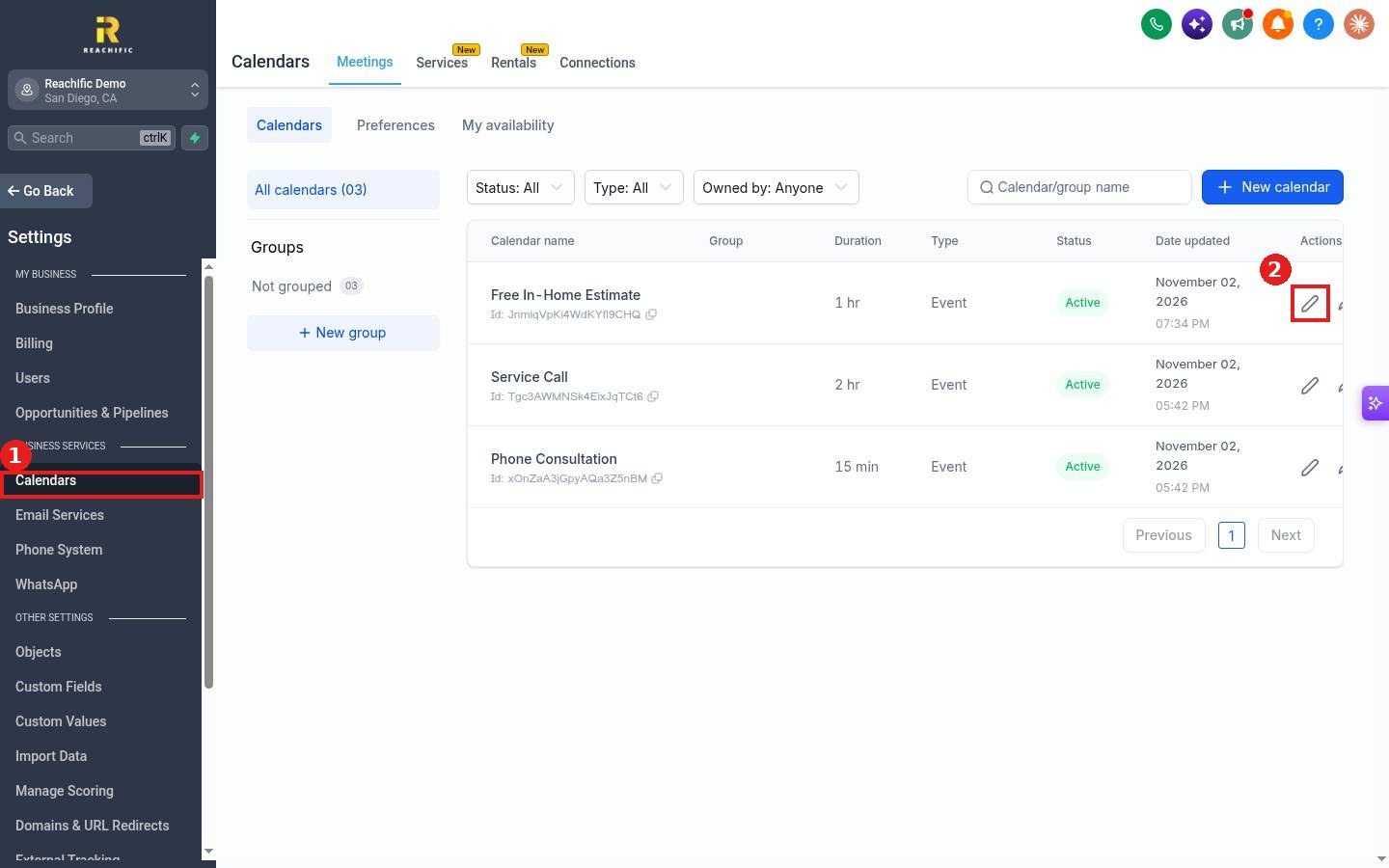
Step 1: Open the calendar
Click Calendars in Settings (1), then click the pencil on the calendar you want to change (2).
Step 2: Set your weekly hours
Click Availability (1). Check the time zone at the top right (2). For each day, check the box to open it and set the start and end times (3). Use the plus (4) to add a second block on the same day, for example a lunch break split, or the copy icon to copy one day's hours to other days.
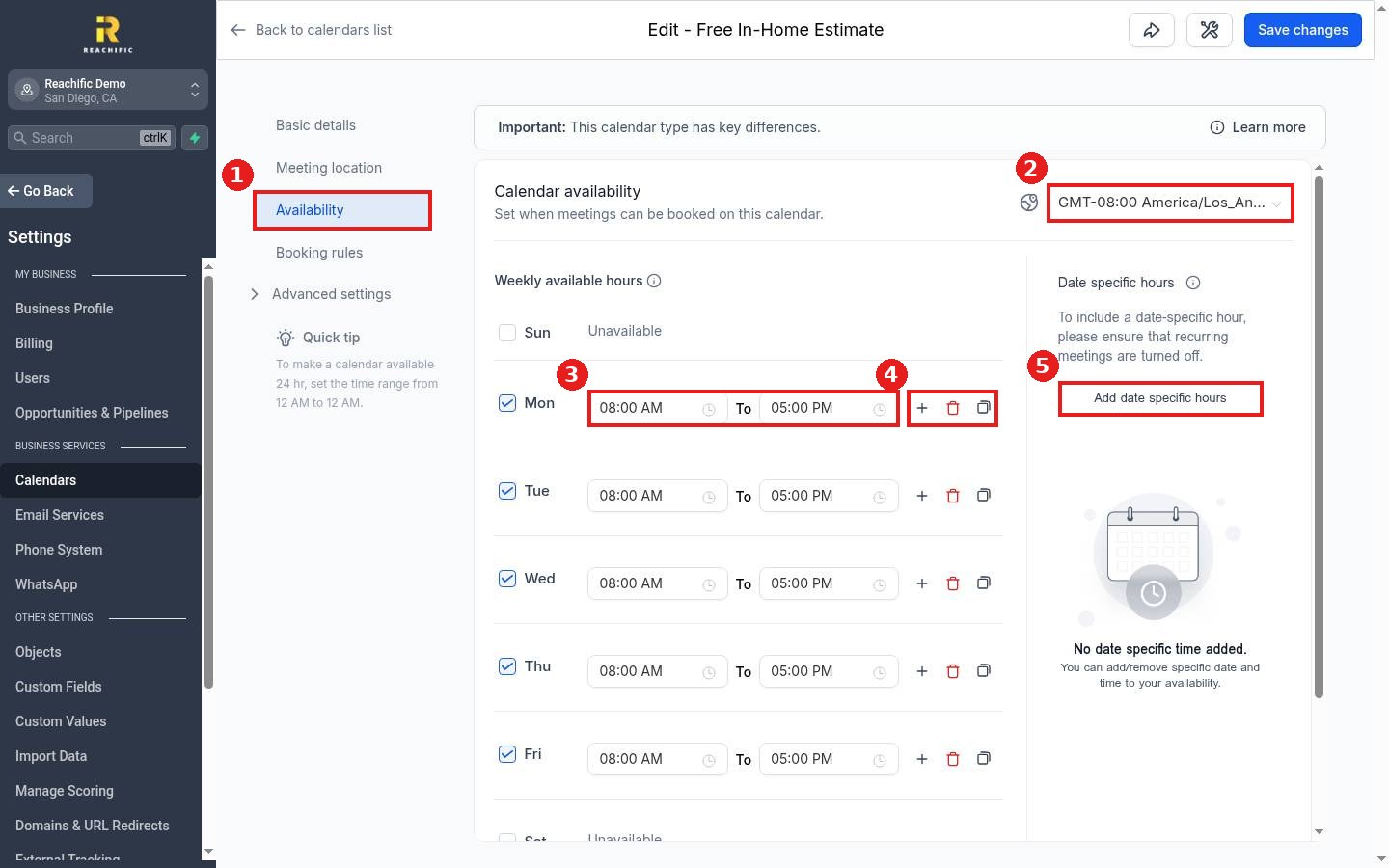
Step 3: Add special dates and save
For a holiday or a one off Saturday, click Add date specific hours (5) and pick the date and times. Then click Save changes at the top right.
FAQ
How do I close a day completely?
Uncheck the day. It will show as Unavailable and no slots will appear on that day.
Can I make a calendar available 24 hours?
Yes. Set the time range from 12:00 AM to 12:00 AM on each day you want open.
Why do customers see the wrong times?
Check the time zone on the Availability tab and your business time zone. Customers see slots converted to their own time zone.
Want us to handle it? Our team can set up your calendars, hours and reminders for you. Book a free strategy call and get a free quote.
Related articles
- How do I create a booking calendar?
- How do I change my business time zone?
- How do I set up missed call text back?
Still stuck? Submit a ticket and our team will help. Need faster answers? See our support plans.
