
How do I send a text message to a contact?
Quick answer: Open Conversations and click the contact's conversation. In the message box, choose SMS as the channel, type your text and click the send button. You need a business phone number before you can text.
Before you start
- Get a business phone number. See How do I get a business phone number?
- Only text people who agreed to hear from you. Contacts marked DND for SMS will not get texts.
- Keep texts short. Long texts are split into several segments, and each one counts toward usage.
Step 1: Choose SMS
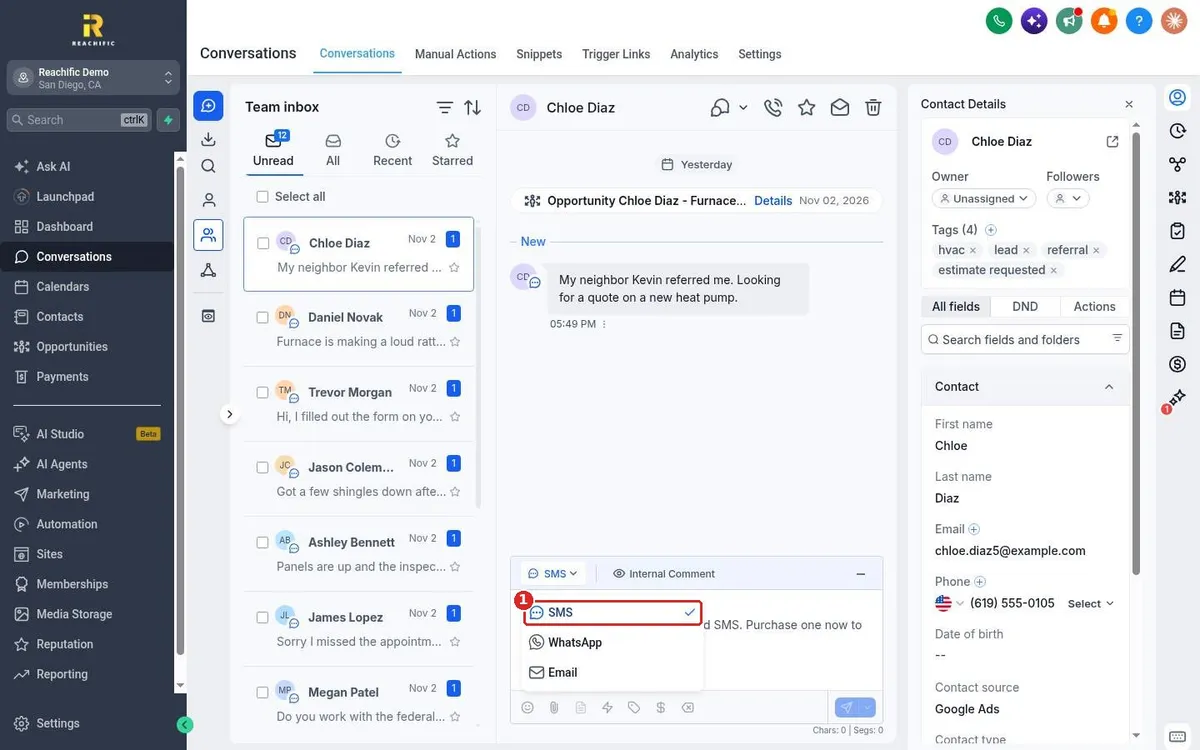
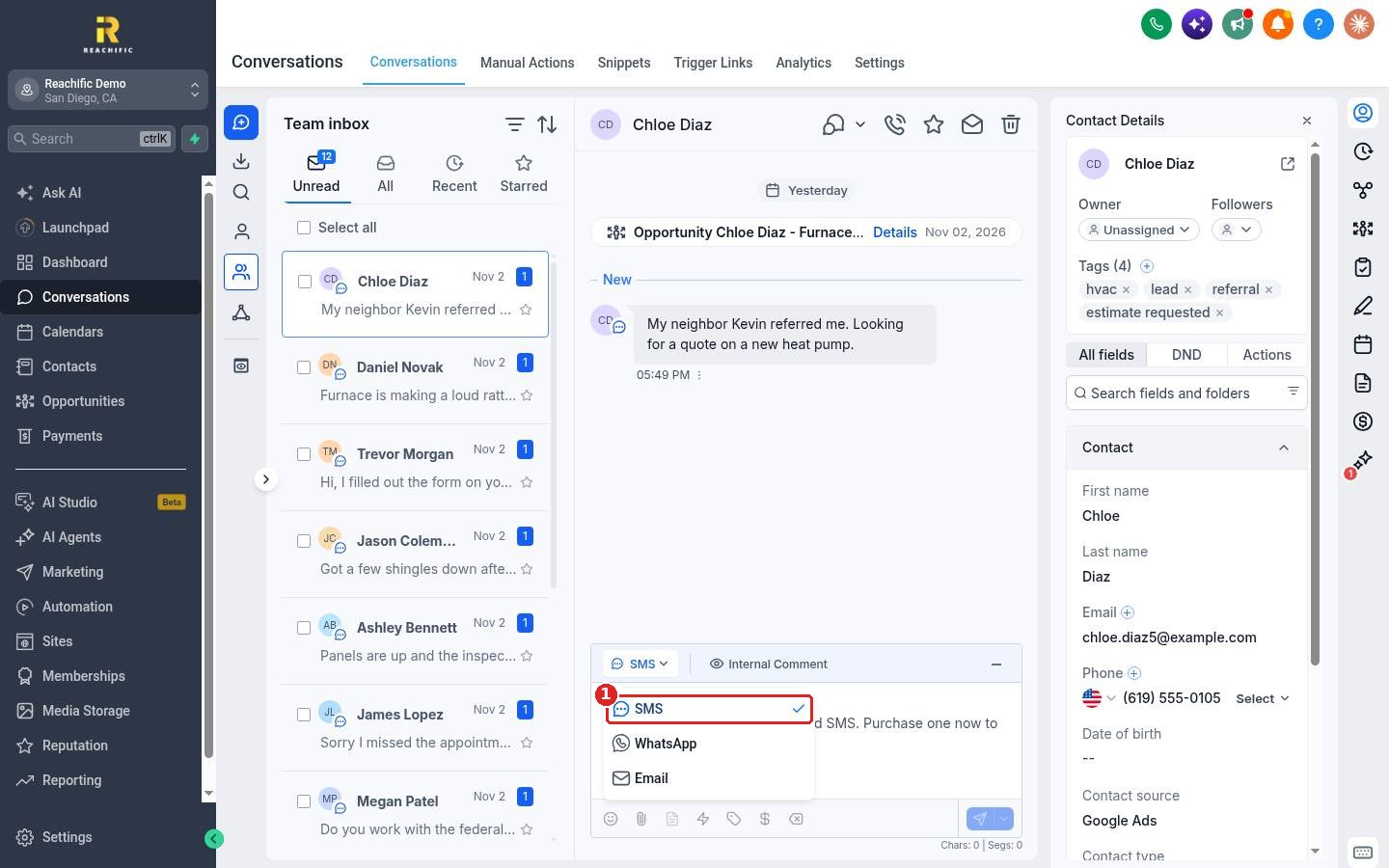
Open the conversation and click the channel button in the message box. Choose SMS (1).
Step 2: Type and send
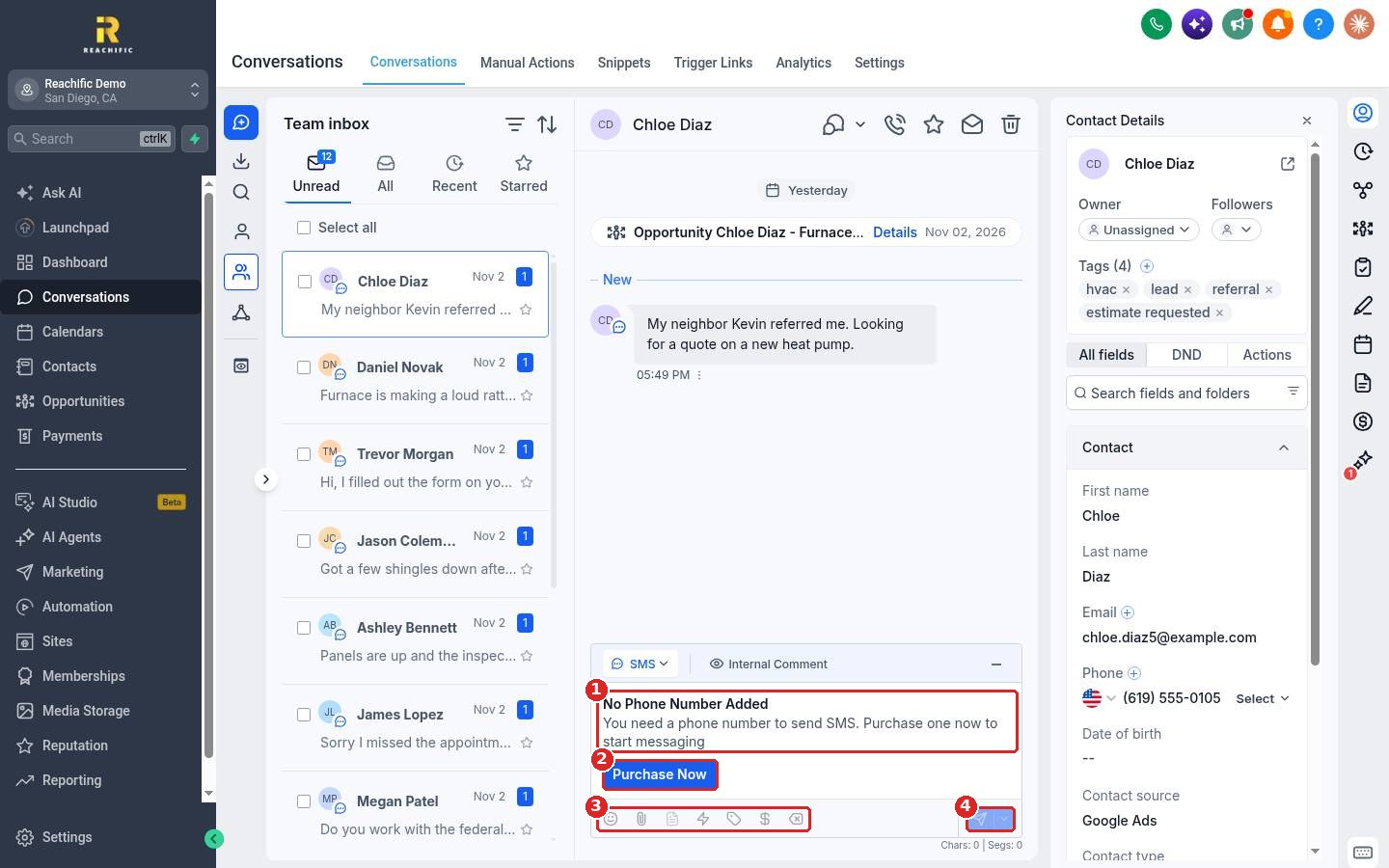
If you see No Phone Number Added (1), click Purchase Now (2) to get a number first. Once you have a number, type your text. Use the toolbar (3) to add emojis, attachments, snippets, custom values or a payment link. Click the send button (4). The character and segment count shows under the box.
FAQ
Why does my text say No Phone Number Added?
Your account has no texting number yet. Buy or port a number, then come back to the conversation.
Can I text someone who is not a contact yet?
Add them as a contact first, or start a new conversation and enter their number.
Do I need to register before texting?
Carriers in the US require business texting registration (A2P 10DLC). Add your legal business details first. See How do I add my legal business information and EIN?
Can I send a text later?
Yes. Use the arrow next to the send button to pick a send time.
Want us to handle it? Our team can set up your number and texting registration so your texts get delivered. Book a free strategy call and get a free quote.
Related articles
- How do I reply to texts, emails and chats from one inbox?
- How do I send a bulk text or email to a list?
- How do I set up missed call text back?
Still stuck? Submit a ticket and our team will help. Need faster answers? See our support plans.
