
How do I reply to texts, emails and chats from one inbox?
Quick answer: Click Conversations in the left menu. Pick a conversation from the list to open the thread. In the box at the bottom, choose the channel (SMS, WhatsApp or Email), type your reply and click the send button. Texts, emails and website chats from the same person all land in one thread.
Before you start
To text, you need a business phone number. See How do I get a business phone number?
To email from the inbox, your email sending should be set up in Settings.
Each thread shows the contact's details on the right, so you can check their info while you reply.
Step 1: Open a conversation
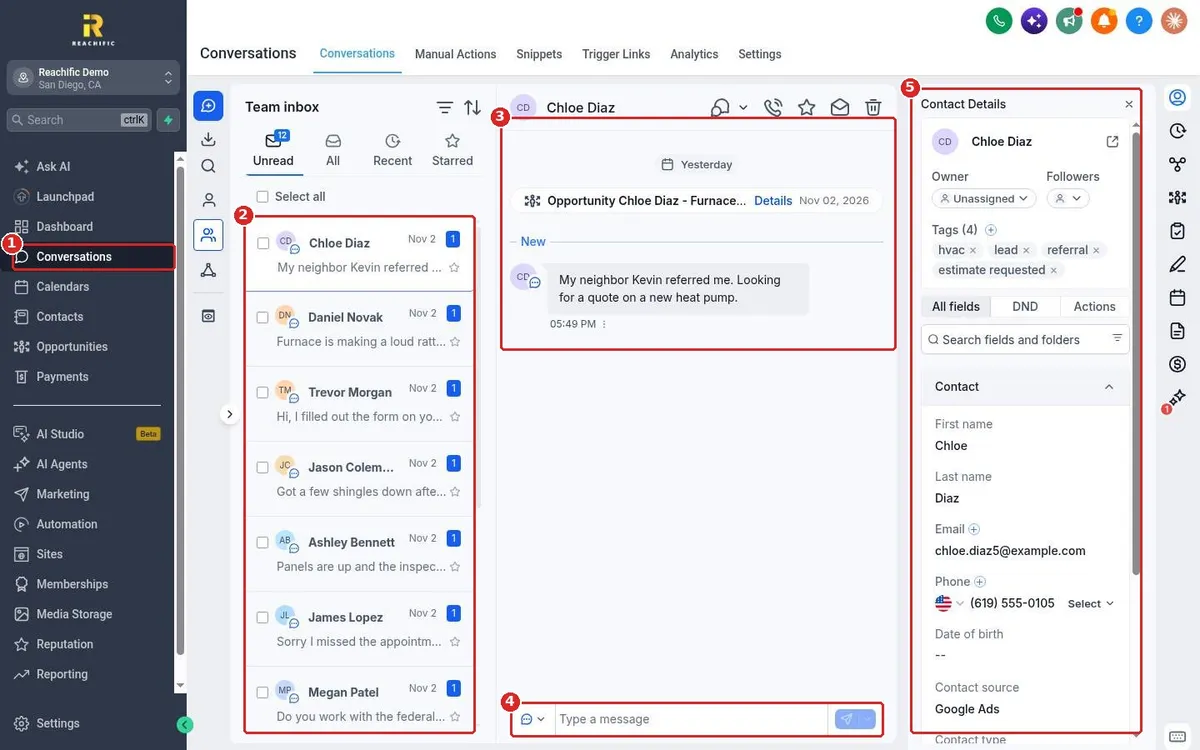
Click Conversations (1). Your conversations show in the list (2), newest first, with a blue count for unread messages. Click one to open the thread (3). Type in the message box (4) at the bottom. The contact's details, tags and owner show on the right (5).
Step 2: Pick the channel and send
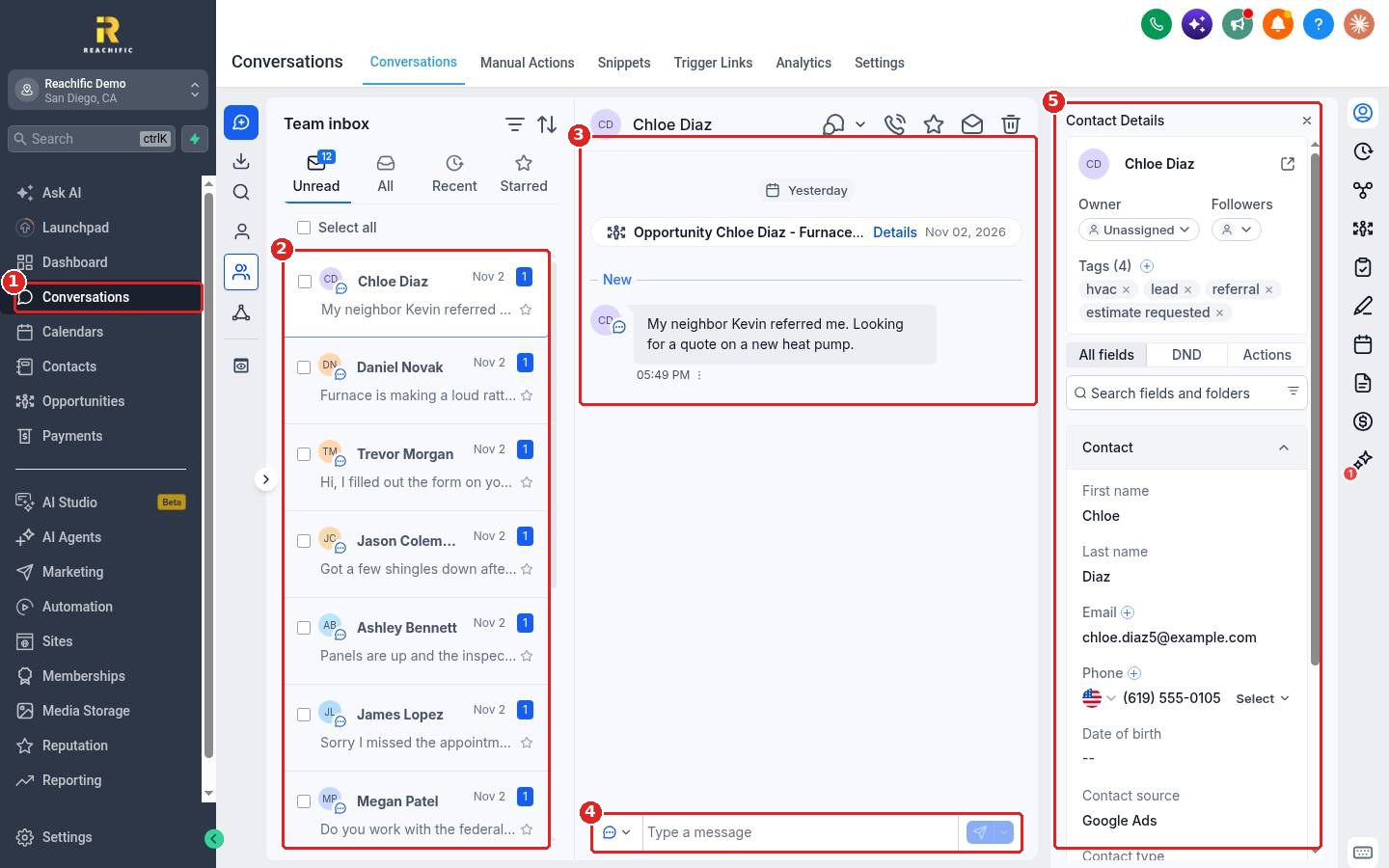
Click the channel button in the message box and choose SMS, WhatsApp or Email (1). Use Internal Comment (2) for a note only your team can see. Type your reply and click the send button (3).
FAQ
Do website chat messages show up here too?
Yes. Chats from your website chat widget land in the same inbox as texts and emails.
Will the customer see my internal comment?
No. Internal comments are only visible to your team inside Reachific.
Why can I not send a text?
You need a business phone number first. Without one, the SMS box shows No Phone Number Added.
Can I reply from my phone?
Yes. The Reachific mobile app has the same inbox.
Related articles
Still stuck? Submit a ticket and our team will help. Need faster answers? See our support plans.
