
How do I see all trigger links and triggers?
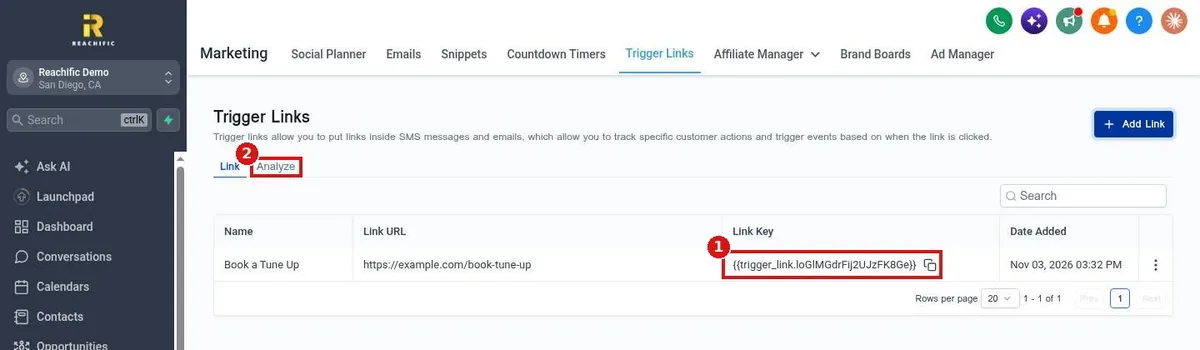
Quick answer: Go to Marketing > Trigger Links to see every trigger link with its URL, Link Key and date added. Click Analyze to see who clicked. To act on a click, add the Trigger link clicked trigger to a workflow. To see what starts a workflow, open it: its triggers sit at the top of the builder.
Before you start
- A trigger link is a tracked link you put in a text or email. When a contact clicks it, Reachific records the click and can start a workflow.
- Use them for actions you want to follow up on, like Book now or Get a quote.
Step 1: Open Trigger Links
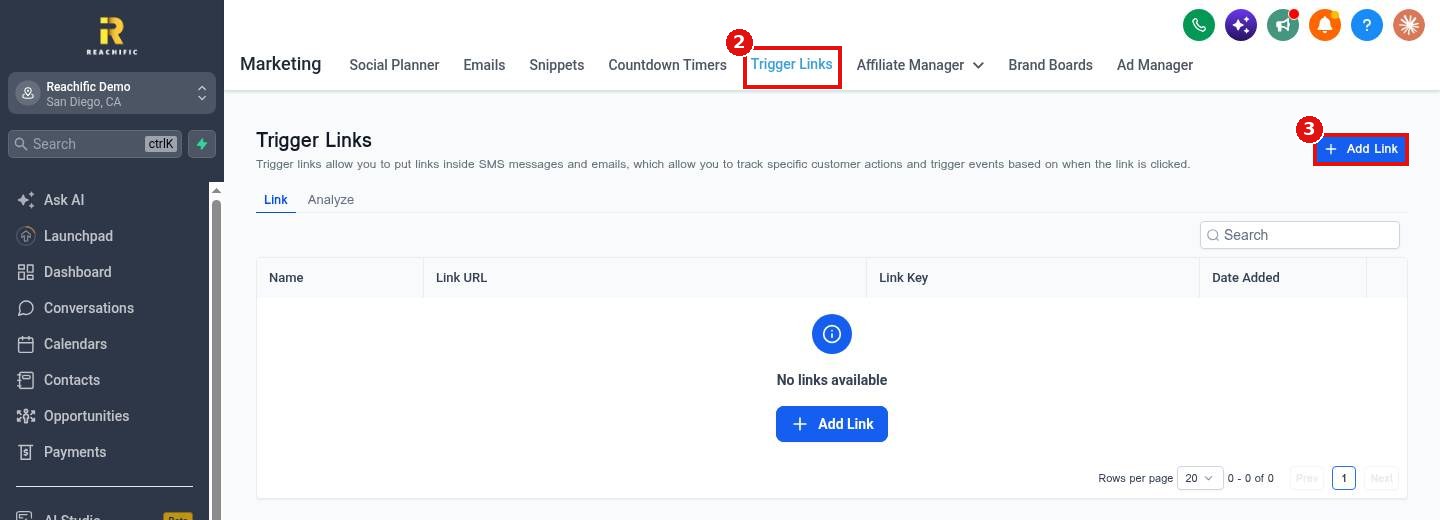
Click Marketing (1) in the left menu, then the Trigger Links tab (2). Click Add Link (3) to make a new one.
Step 2: Add a link
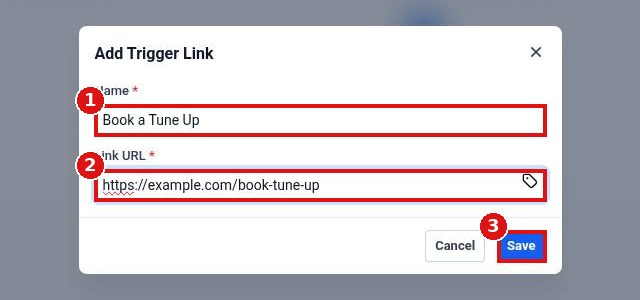
Give it a clear Name (1), paste the page address in Link URL (2) and click Save (3).
Step 3: Copy the Link Key and check clicks
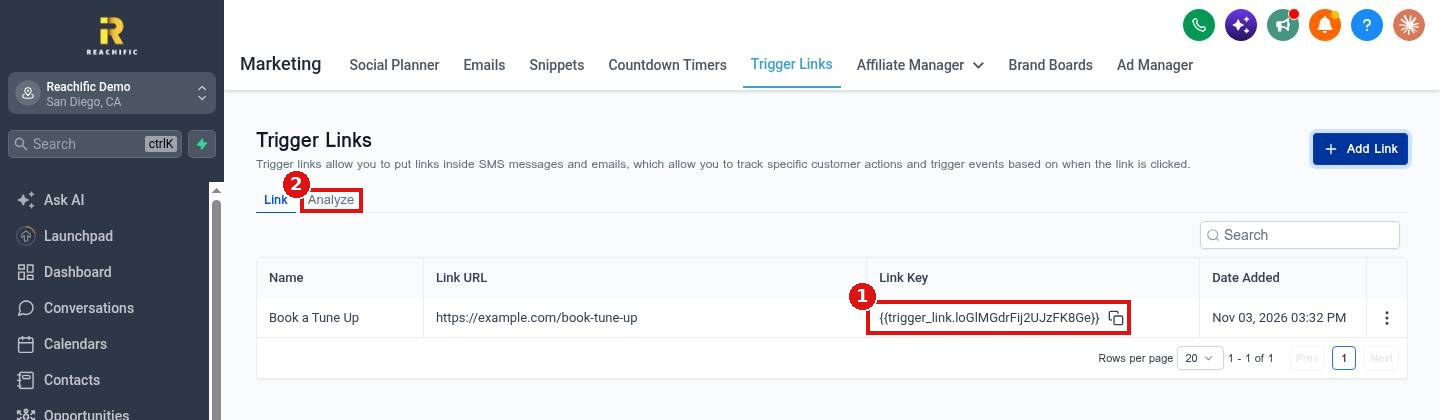
Each link has a Link Key (1). Click the copy icon and paste the key into a text or email in place of a normal link. Open the Analyze tab (2) to see clicks.
Step 4: Start a workflow when someone clicks
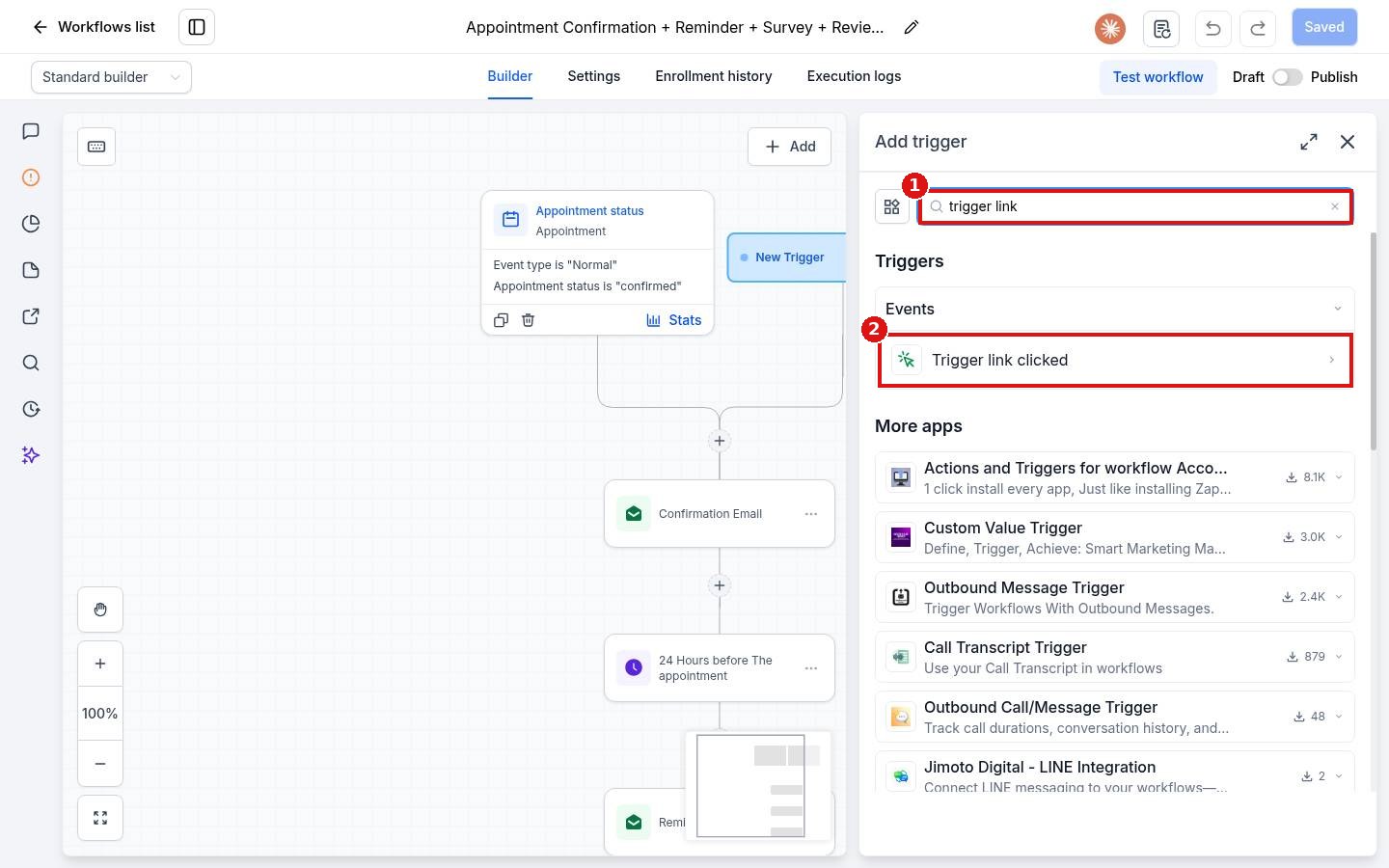
Open a workflow, click Add new trigger, search for trigger link (1) and pick Trigger link clicked (2). Choose your link in the filter and save the trigger.
FAQ
Where do I see the triggers a workflow uses?
Open the workflow from Automation > Workflows. Every trigger shows as a card at the top of the builder, with its filters listed under it.
Can I use a trigger link in an email and a text?
Yes. Paste the same Link Key into either one.
What does the contact see?
A normal link. After the click they land on the Link URL you saved.
Want us to handle it? Our team builds and tests the automations that matter most, like missed call text back, speed to lead and review requests, so they run correctly from day one. Book a free strategy call and get a free quote.
Related articles
- How do I add a trigger to a workflow?
- How do I create my first workflow?
- How do I see who is enrolled in a workflow?
Still stuck? Submit a ticket and our team will help. Need faster answers? See our support plans.
