
How do I see email open and click stats?
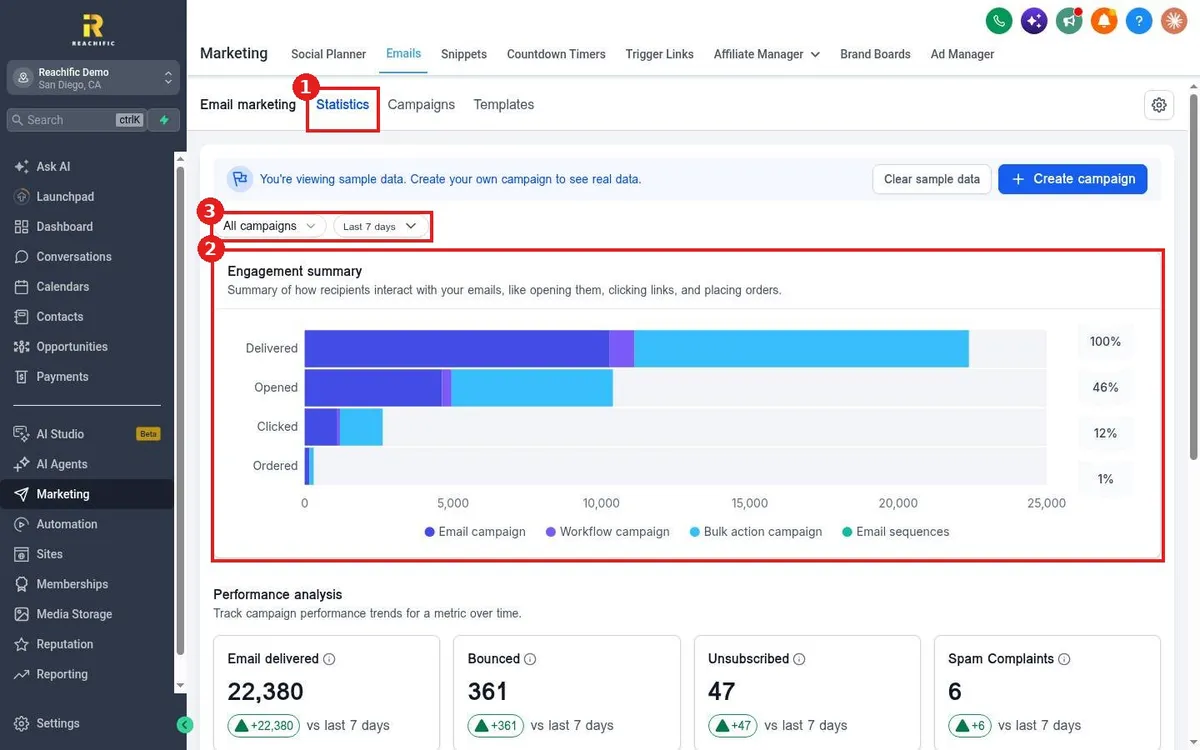
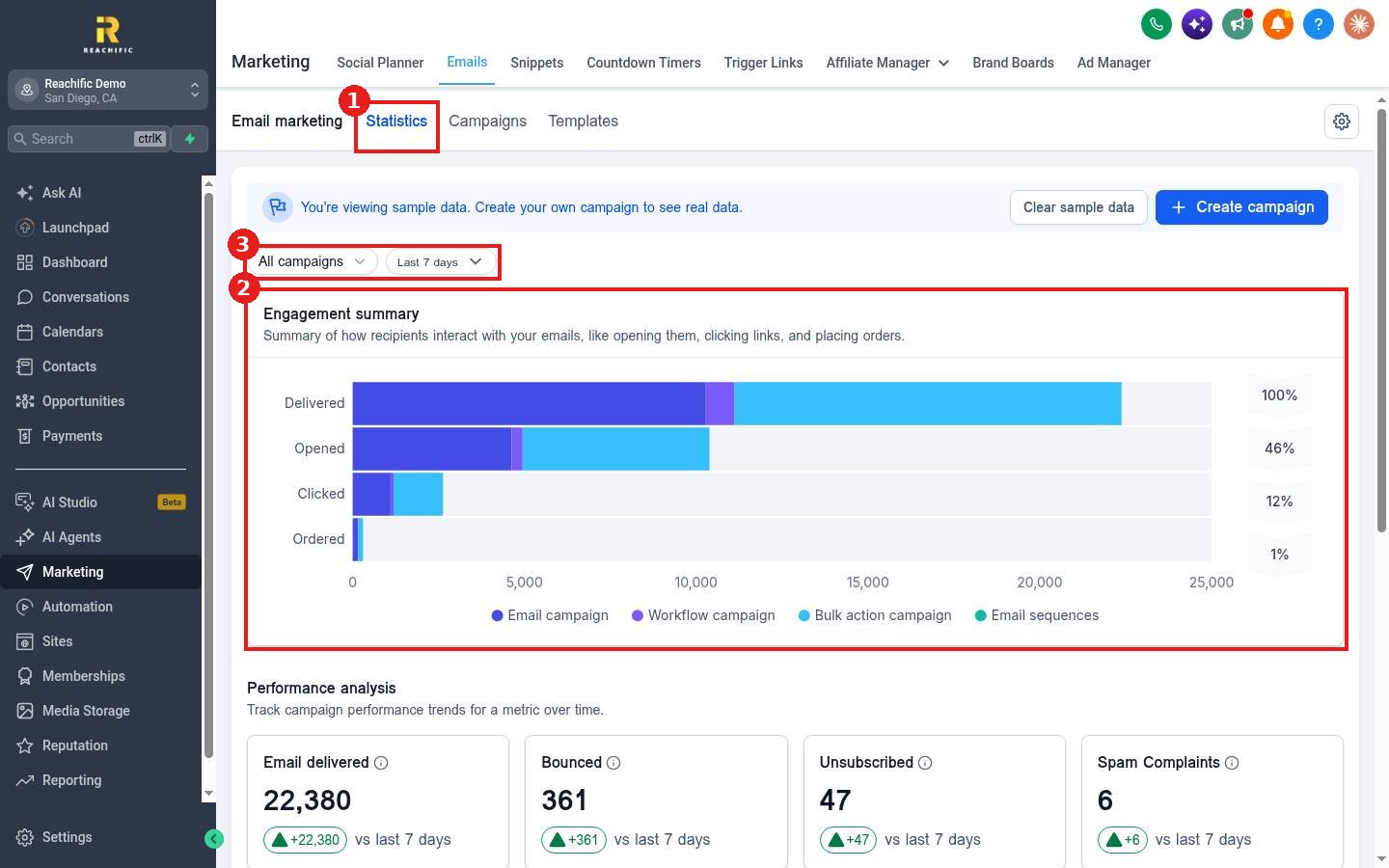
Quick answer: Go to Marketing > Emails > Statistics. Pick a campaign and date range at the top. The Engagement summary shows delivered, opened, clicked and ordered, and Performance analysis shows delivered, bounced, unsubscribed and spam complaints.
Before you start
- A new account shows sample data until you send your own campaign. Click Clear sample data to hide it.
Step 1: Open Statistics
- Click Marketing, then Emails, then Statistics (1).
- Use the filters (3) to choose All campaigns or one campaign, and a date range such as Last 7 days.
Step 2: Read the numbers
The Engagement summary (2) compares email campaigns, workflow emails, bulk action emails and email sequences, with the percent at each step. Below it, Performance analysis tracks each metric over time against the previous period.
FAQ
Why are opens lower than I expect?
Some email apps block tracking images, so open rates are an estimate. Clicks are a more reliable signal.
What should I do about bounces and spam complaints?
Clean old or bad addresses from your lists and only email people who opted in.
Want us to handle it? Our team can review your email results and improve open and click rates. Book a free strategy call and get a free quote.
Related articles
- How do I send an email campaign to a list?
- How do I schedule an email campaign?
- How do I read my Reachific dashboard?
Still stuck? Submit a ticket and our team will help. Need faster answers? See our support plans.
