
How do I manage calendar preferences in settings?
Quick answer: Go to Settings > Calendars and click Preferences. Set Week starts on, turn on the Services you use, choose the widget Language and Time format, then click Save preferences.
Before you start
- These settings apply to every calendar in the account.
- Personal working hours live under My availability, not Preferences.
Step 1: Open calendar settings
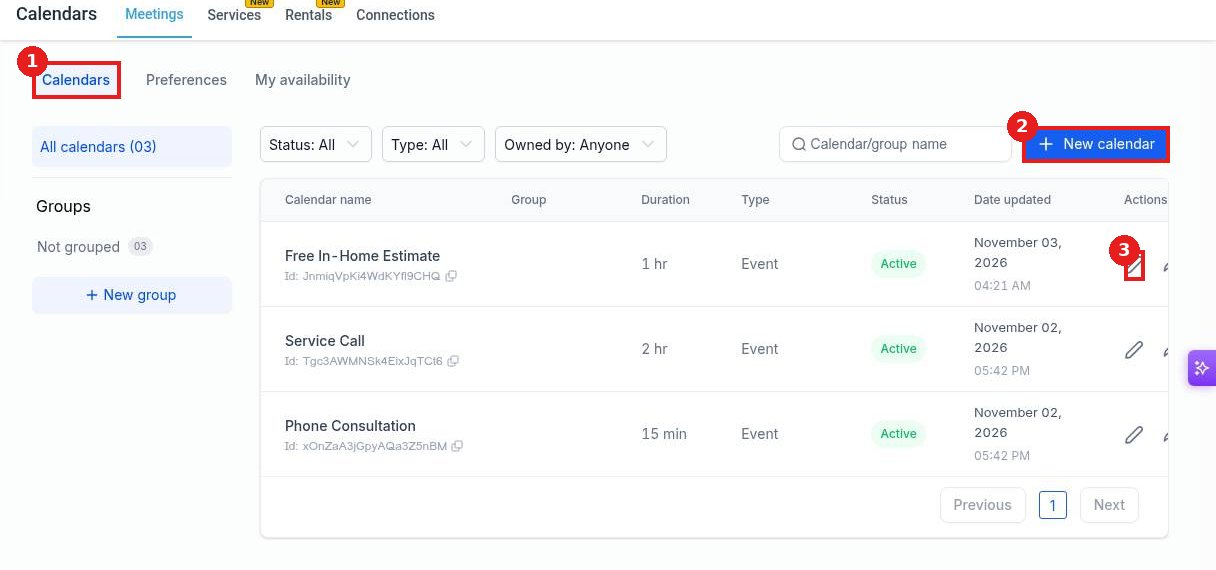
The Calendars tab (1) lists every calendar. New calendar (2) adds one, and the pencil (3) edits it.
Step 2: Set in app preferences
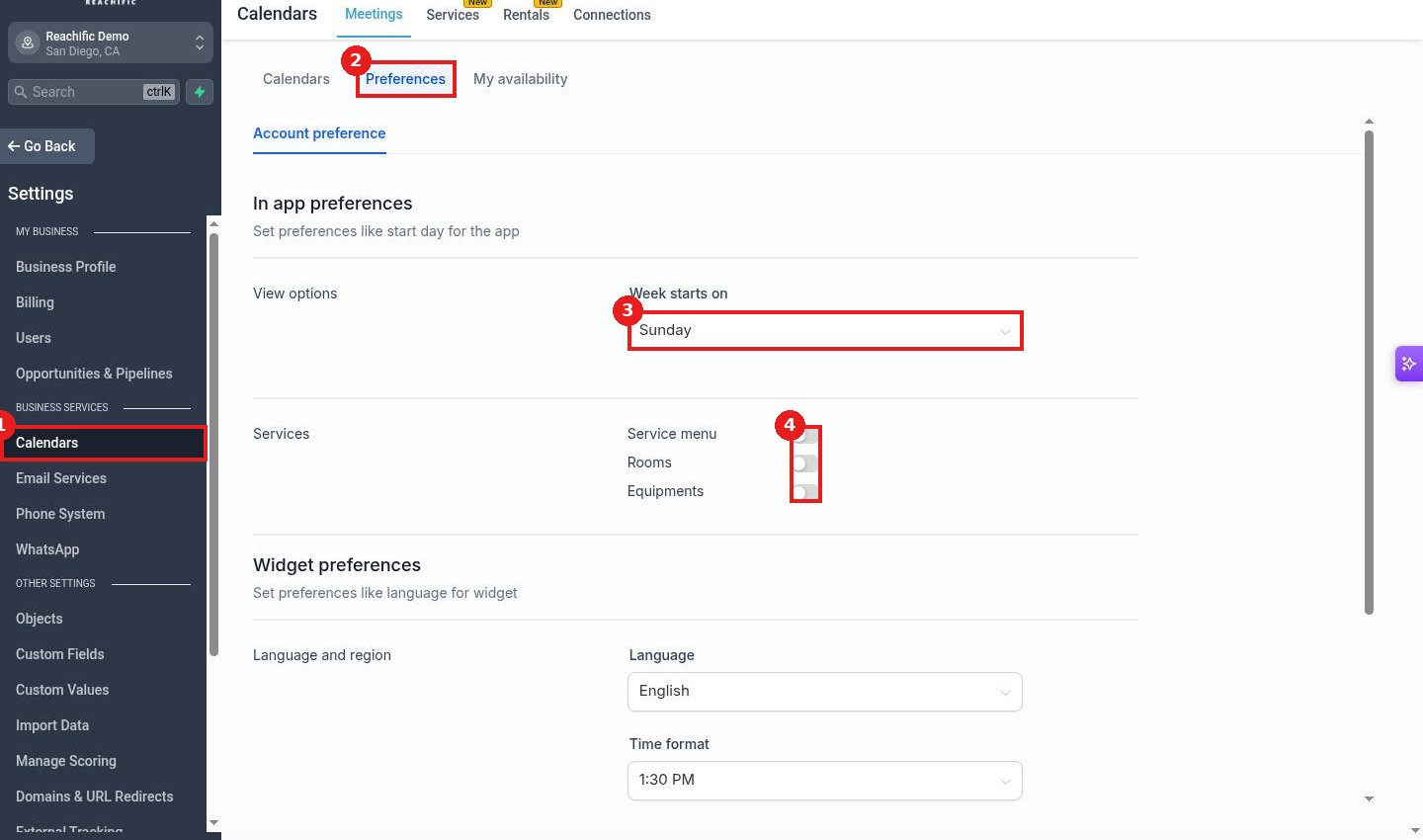
Click Calendars (1) in Settings, then Preferences (2). Choose Week starts on (3) and turn on Service menu, Rooms or Equipments (4) if you book them.
Step 3: Set widget preferences and save
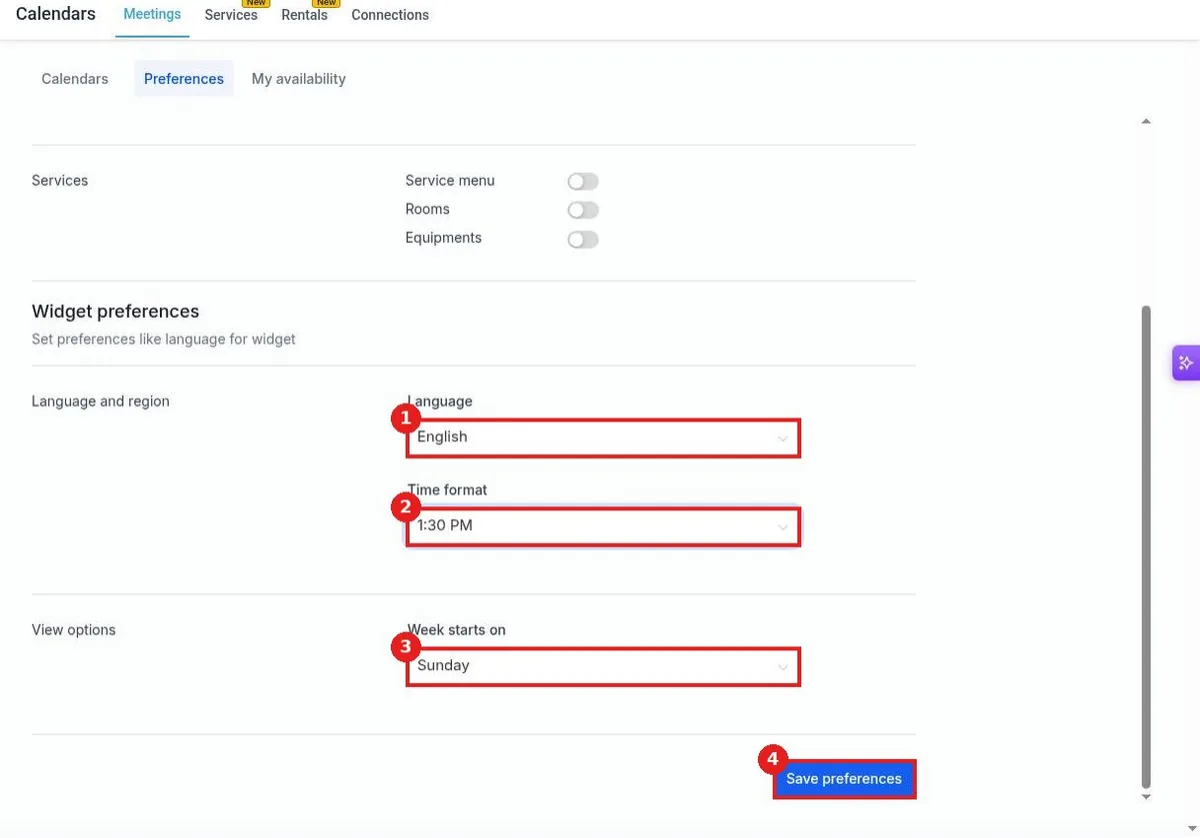
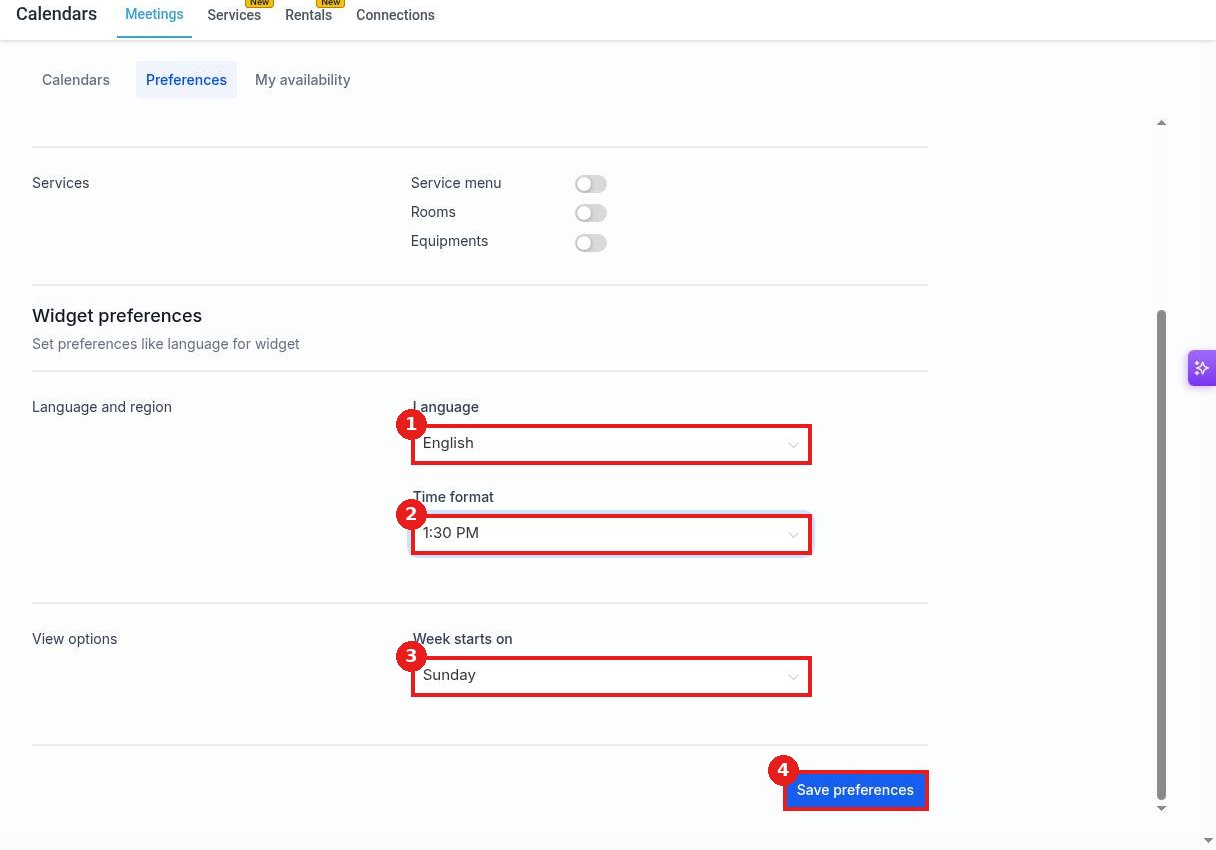
Pick the booking widget Language (1) and Time format (2), and its Week starts on (3). Click Save preferences (4).
FAQ
Where do I set my own working hours?
Open My availability on the same page, or see the article on setting available hours.
Can the booking widget show another language?
Yes. Pick it under Language in Widget preferences and save.
Will this change existing appointments?
No. It only changes how calendars and the booking widget display.
Want us to handle it? Our team sets up your account settings, users and pipelines so everything matches how your business really works. Book a free strategy call and get a free quote.
Related articles
- How do I set my available hours on a calendar?
- How do I create a booking calendar?
- How do I block time off on my calendar?
Still stuck? Submit a ticket and our team will help. Need faster answers? See our support plans.
