
How do I let contacts manage their email preferences?
Quick answer: Go to Settings, then Preference Management. Click Create subscription type to add each kind of email you send, such as Newsletter or Promotions. Turn on Add preference management link to email footer so every marketing email gives contacts a way to pick what they want instead of unsubscribing from everything.
Before you start
- Preference Management must be turned on for your account. If you do not see it under Settings, submit a ticket and our team will check it for you.
- Preferences apply to marketing emails only. Transaction and notification emails, like receipts and appointment reminders, still go out.
Step 1: Open the Preference Management hub
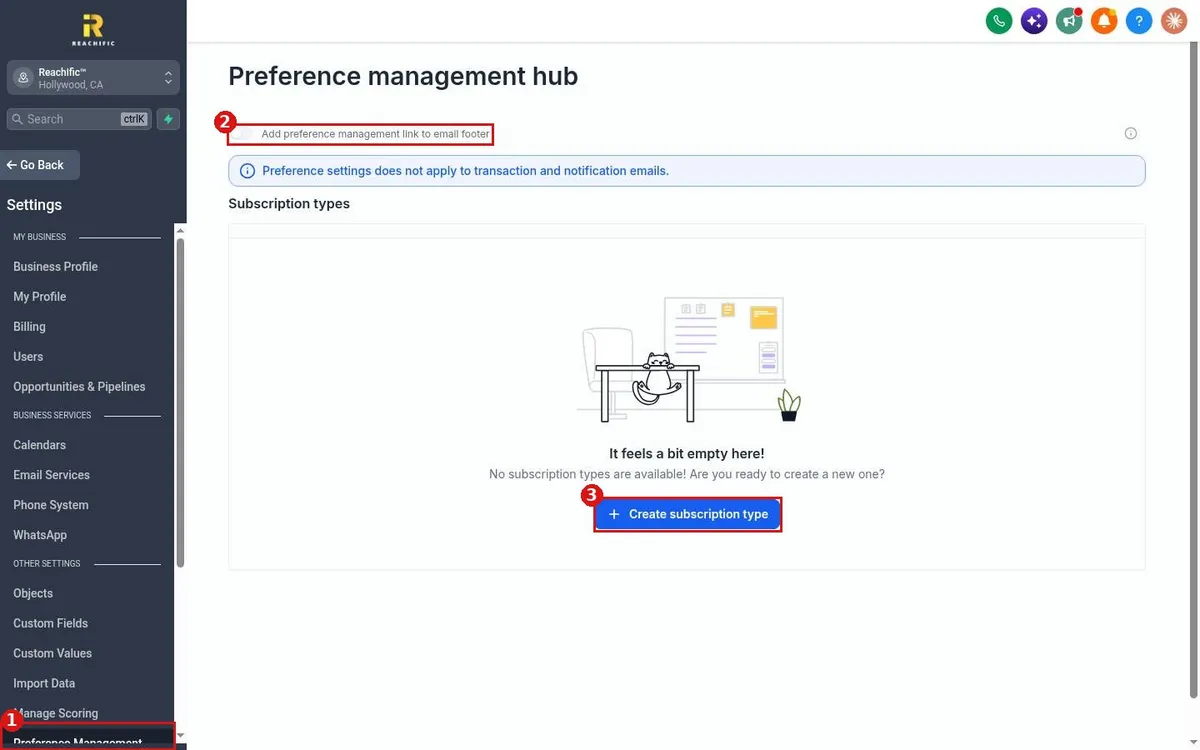
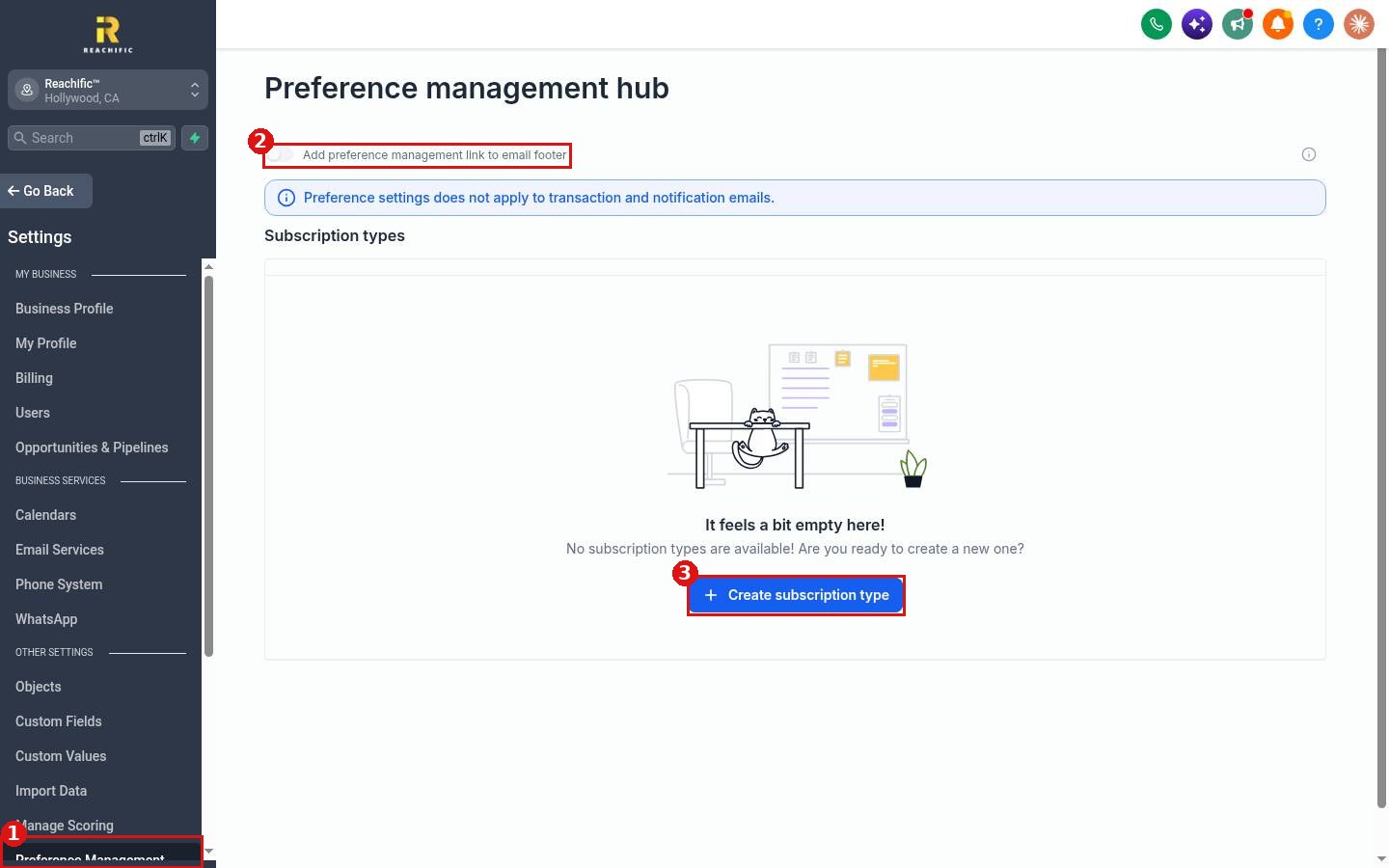
Click Settings, then Preference Management (1) near the bottom of the settings menu. The hub shows the footer link switch (2) and your list of subscription types. When the list is empty, click Create subscription type (3).
Step 2: Create a subscription type
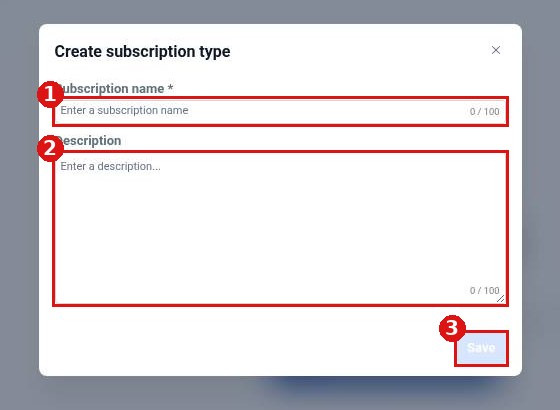
Give the type a clear name (1) that your contacts will recognize, such as Monthly Newsletter. Add a short description (2) of what they will get and how often. Click Save (3). Repeat for each kind of email you send.
Step 3: Turn on the footer link
Back in the hub, switch on Add preference management link to email footer. Your marketing emails now include a link where each contact can choose the subscription types they want to keep.
FAQ
Will contacts still be able to unsubscribe from everything?
Yes. The preference page lets them keep only the emails they want or opt out of all marketing emails.
Does this stop receipts and reminders?
No. Preference settings do not apply to transaction and notification emails.
How long can a subscription type name be?
Up to 100 characters for the name and 100 for the description.
Want us to handle it? Our team can set up your subscription types and email templates so contacts stay on your list. Book a free strategy call and get a free quote.
Related articles
- How do I send an email campaign to a list?
- How do I see email open and click stats?
- How do I manage tags in settings?
Still stuck? Submit a ticket and our team will help. Need faster answers? See our support plans.
