
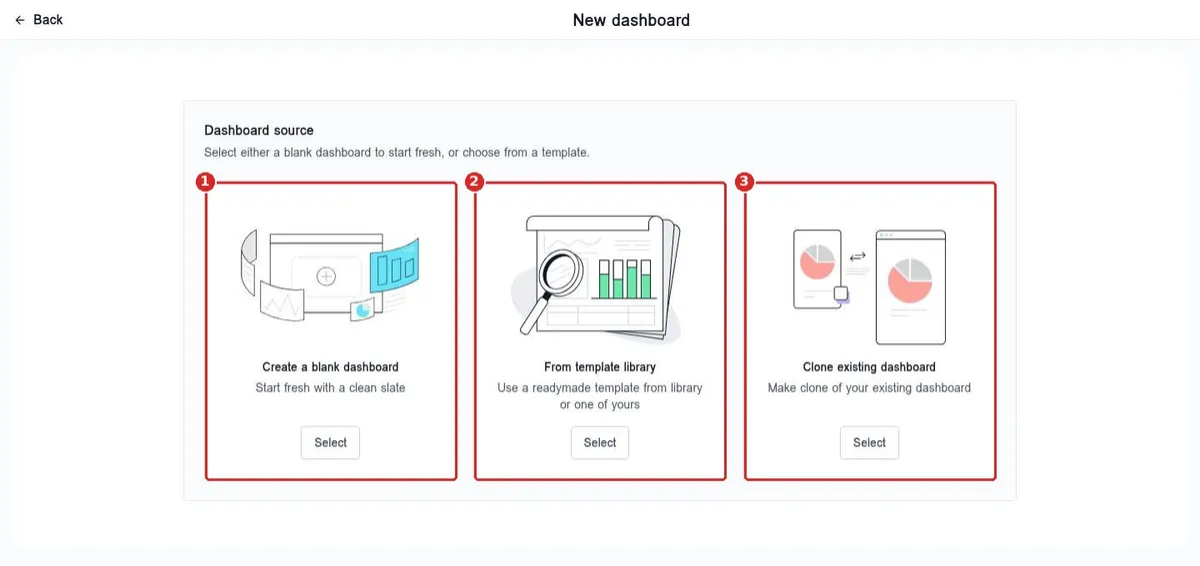
How do I create a second dashboard for my team?
Quick answer: Open Dashboard and click New at the top left. Choose Create a blank dashboard, From template library or Clone existing dashboard, then add the widgets your team needs. Use the Dashboard dropdown to switch between dashboards.
Before you start
- Cloning is the fastest way to start. You keep your current layout and change only what the team needs.
- Give each dashboard a clear name, like Sales Team or Front Desk, so people pick the right one.
Step 1: Find your dashboards
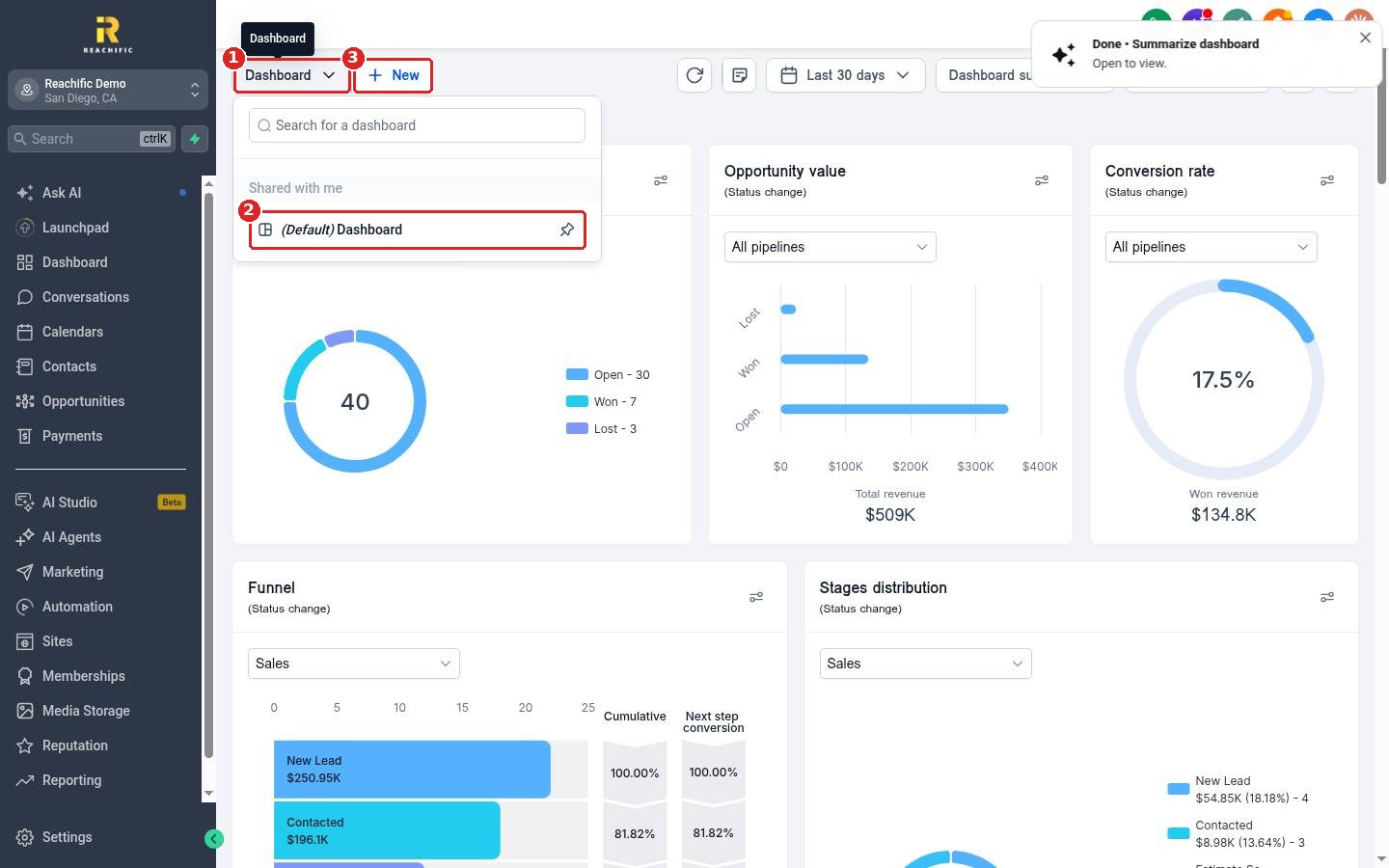
Click the Dashboard dropdown (1) to see every dashboard you can open (2). Your default dashboard is marked. Click New (3) to make another one.
Step 2: Choose how to start
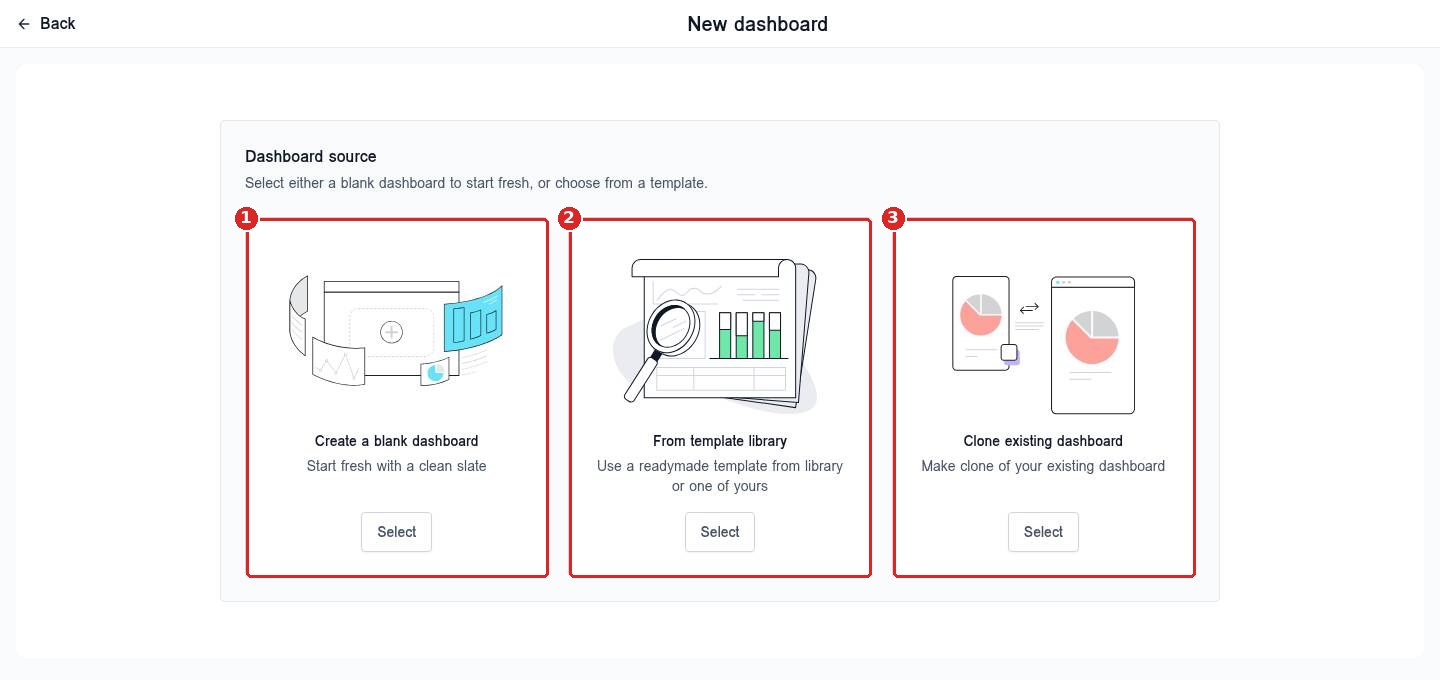
On New dashboard, click Select under one option: Create a blank dashboard (1) to start fresh, From template library (2) to use a ready made template, or Clone existing dashboard (3) to copy one you already have. Then name it and add widgets.
To add and arrange widgets, see How do I add, remove or move dashboard widgets?
FAQ
How many dashboards can I have?
You can make several, for example one per team or role. Keep the list short so it stays easy to find the right one.
Will a new dashboard change my default one?
No. Your default dashboard stays as it is. Changes in the new dashboard only affect that dashboard.
How do I go back to my main dashboard?
Open the Dashboard dropdown and click the one marked Default.
Want us to handle it? Our team can build a dashboard for each role so everyone sees what they need. Book a free strategy call and get a free quote.
Related articles
- How do I read my Reachific dashboard?
- How do I add, remove or move dashboard widgets?
- How do I add a team member?
Still stuck? Submit a ticket and our team will help. Need faster answers? See our support plans.
