
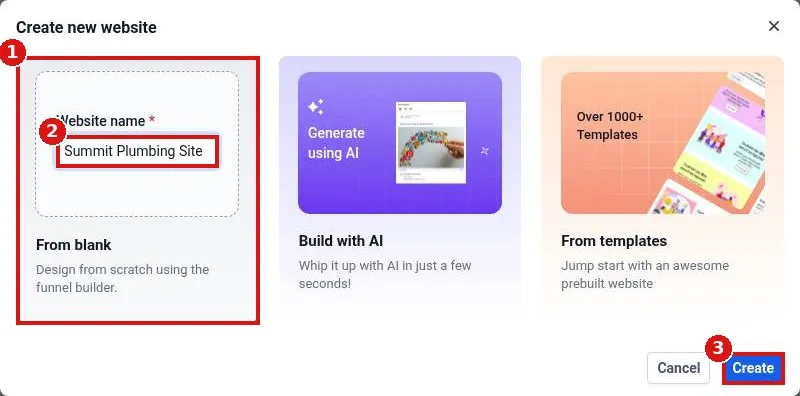
How do I create a new website?
Quick answer: Go to Sites > Websites and click New website. Choose From blank, Build with AI or From templates. For a blank site, type a website name and click Create. Then click Add new page, name your first page and open it in the builder.
Before you start
- Pick a clear internal name, such as your business name plus Website. Visitors do not see it.
- Not sure where to start? Build with AI or a template gives you a finished layout to edit.
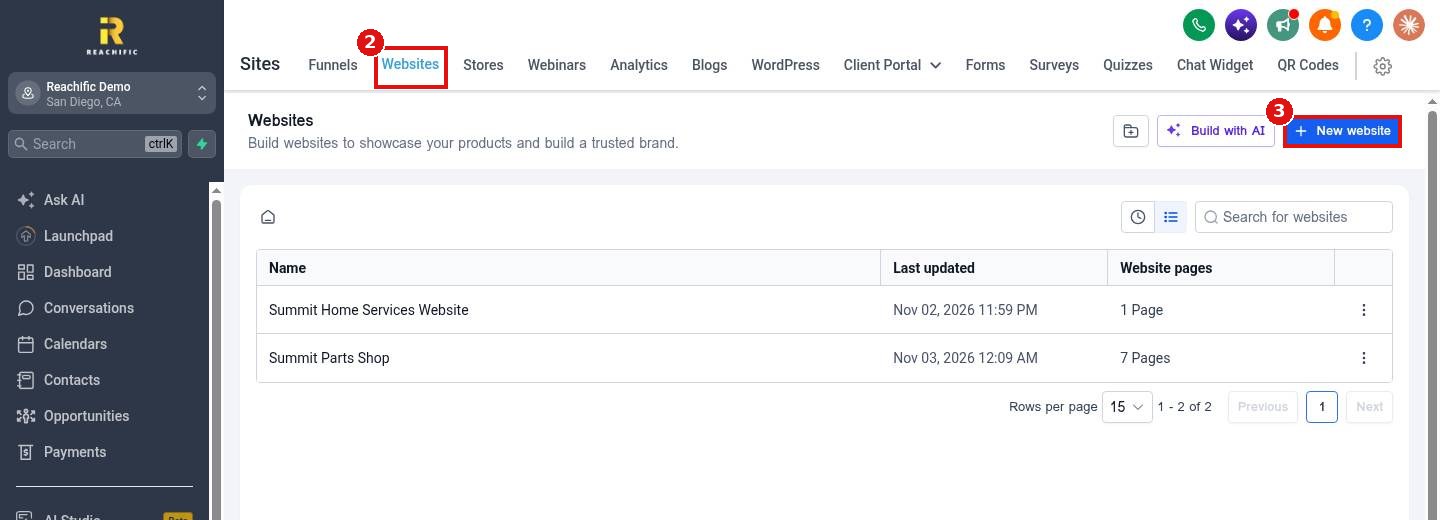
Step 1: Click New website
Click Sites (1) in the left menu, open the Websites tab (2) and click New website (3).
Step 2: Pick how to start and name it
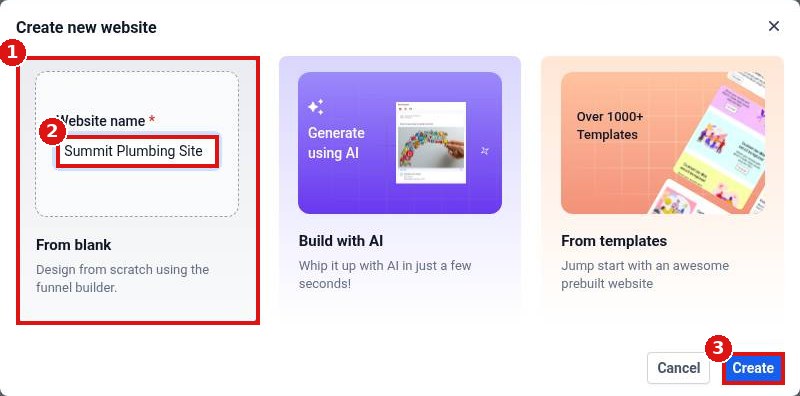
Select From blank (1), type the Website name (2) and click Create (3). Choose Build with AI or From templates instead if you want a ready made layout.
Step 3: Get to know the website screen
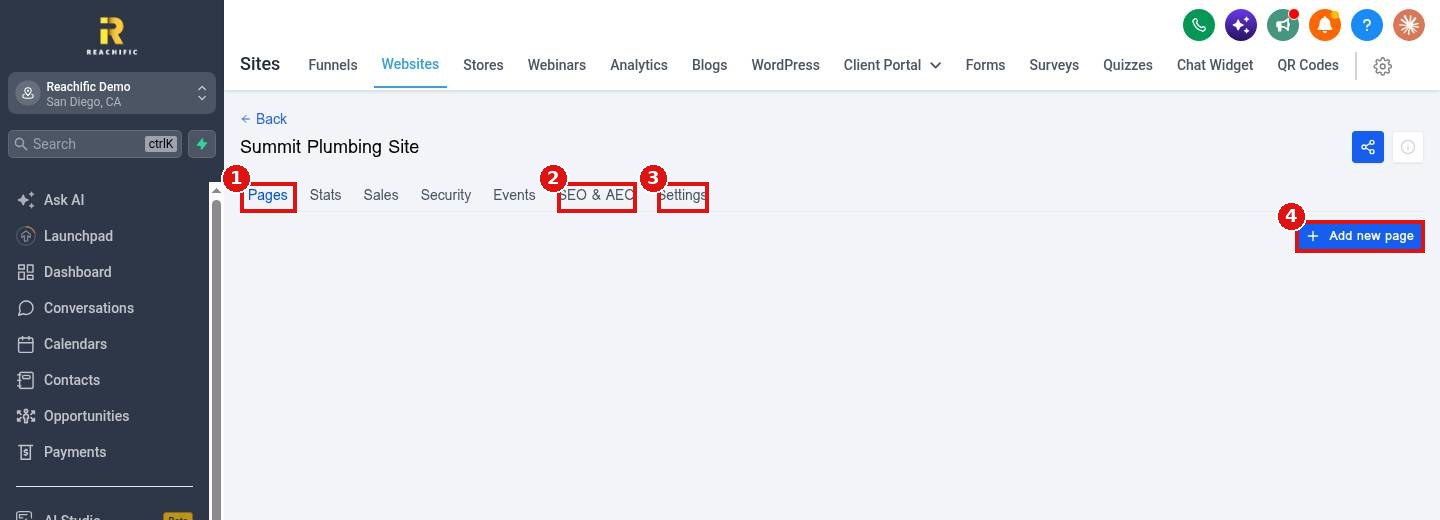
Your new website opens on the Pages tab (1). SEO & AEO (2) and Settings (3) hold site wide options such as the domain, favicon and tracking code. Click Add new page (4), type a page name and path, then click Create new page.
Step 4: Design the page
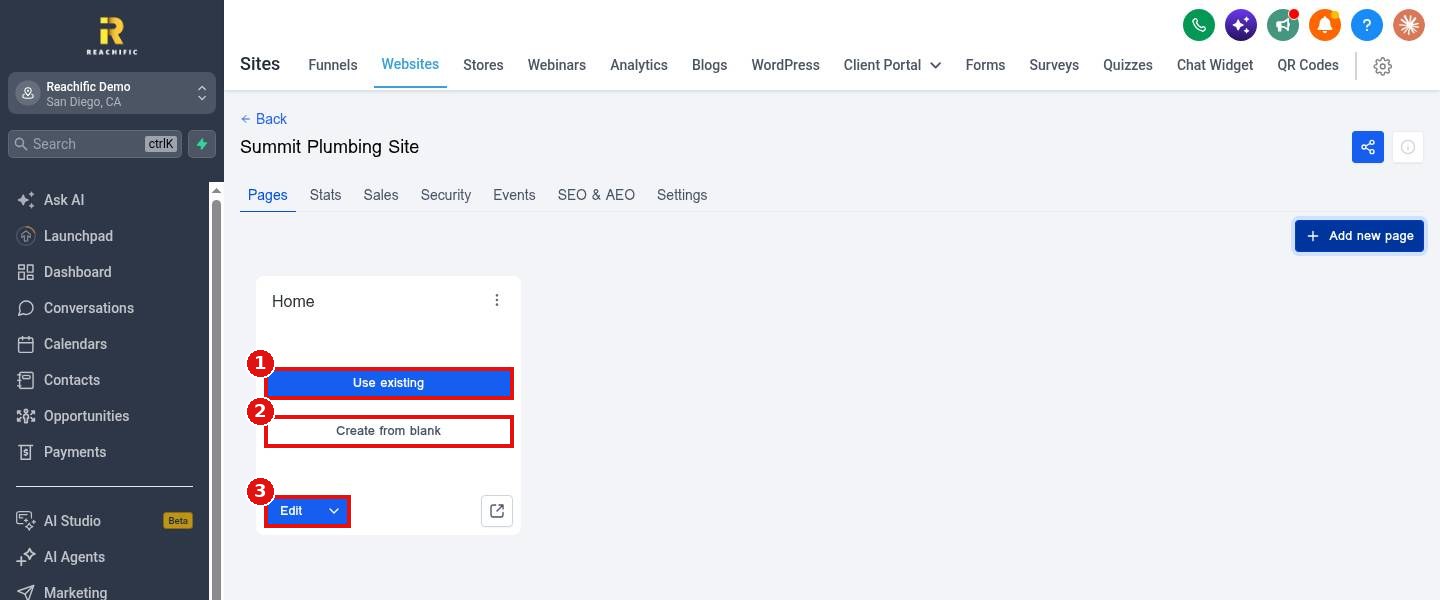
On the page card, click Use existing (1) to start from a saved template or Create from blank (2) for an empty page. Click Edit (3) any time to open the page in the builder.
FAQ
How many pages can a website have?
Add as many as you need with Add new page. Each page gets its own path, such as /about or /contact.
Is my website live right away?
No. Publish each page in the builder and connect your domain so visitors can find it.
Can I rename the website later?
Yes. Open the website and change the name in its Settings tab.
Want us to handle it? Our team designs and builds fast, mobile friendly websites that turn visitors into leads, then connects your domain and forms for you. Book a free strategy call and get a free quote.
Related articles
- How do I build a website with AI?
- How do I connect my domain to my Reachific website?
- How do I edit my header and footer on every page?
Still stuck? Submit a ticket and our team will help. Need faster answers? See our support plans.
