
How do I create a brand board for my colors and fonts?
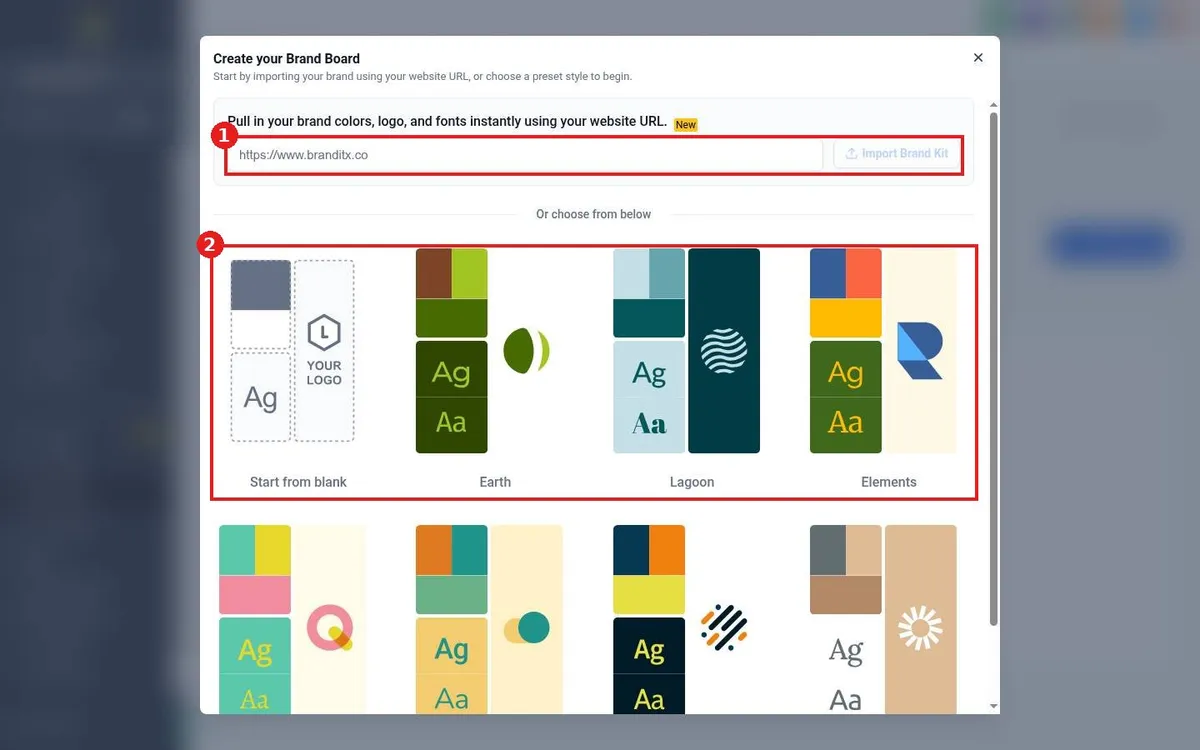
Quick answer: Go to Marketing > Brand Boards and click Add Design Kit. Paste your website address and click Import Brand Kit to pull in your colors, logo and fonts, or choose a preset or Start from blank. Adjust anything and save.
Before you start
- Have your logo file and brand color codes if your website does not show them clearly.
Step 1: Open Brand Boards
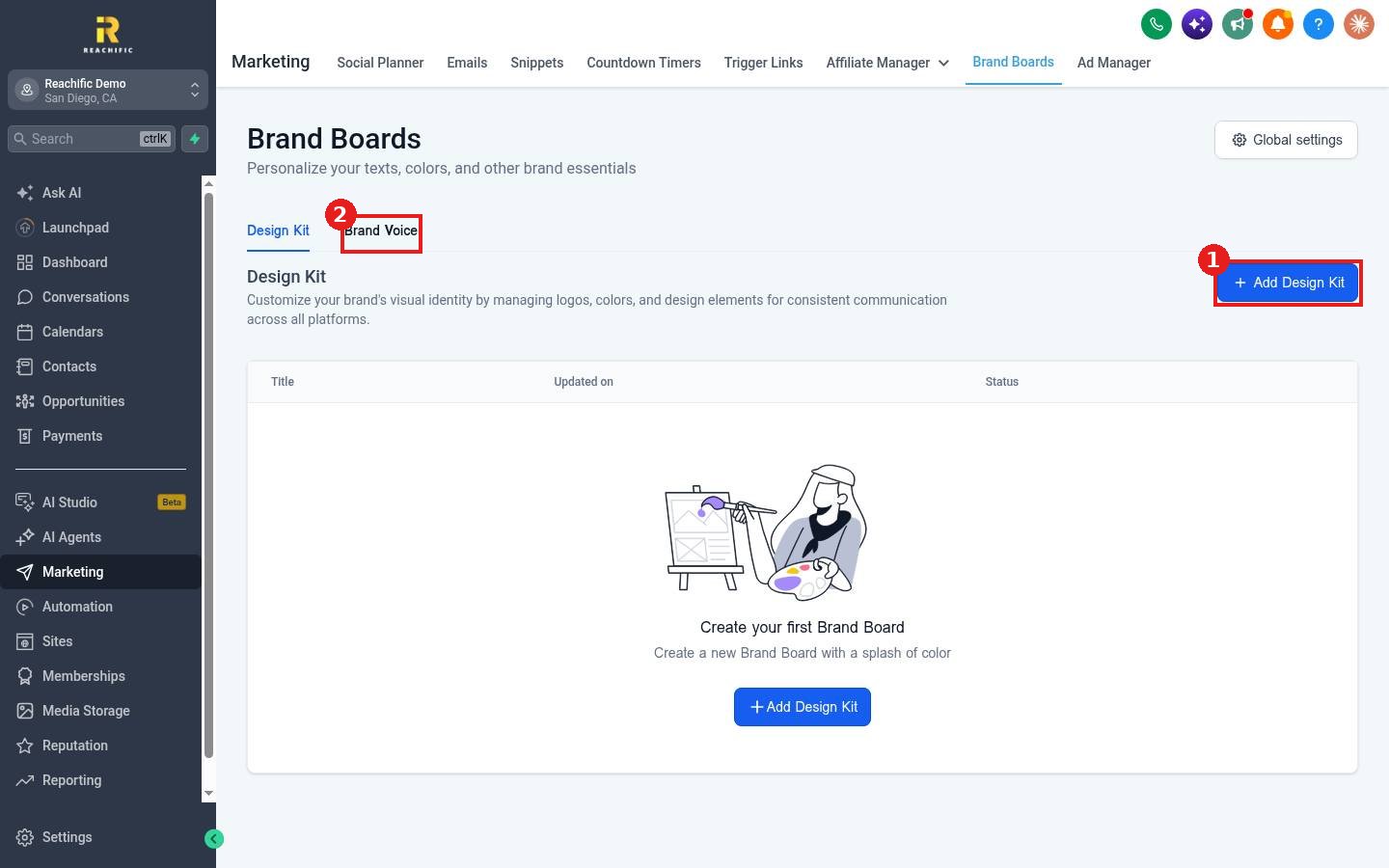
- Click Marketing, then Brand Boards.
- On the Design Kit tab, click Add Design Kit (1). The Brand Voice tab (2) holds how you want your writing to sound.
Step 2: Import or pick a style
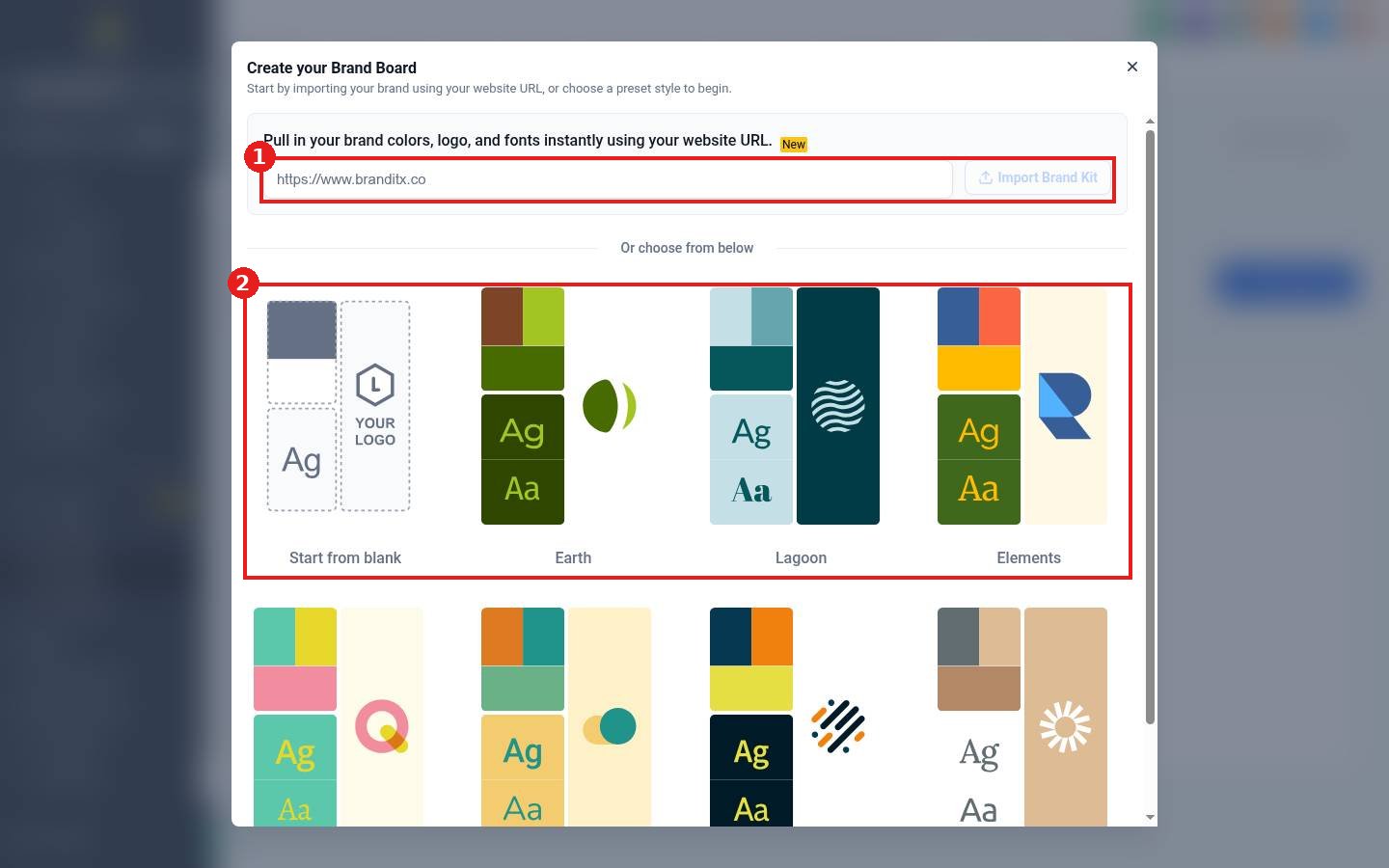
- Paste your website address in the import box (1) and click Import Brand Kit.
- Or choose a preset (2) such as Earth, Lagoon or Elements, or Start from blank.
- Update the logo, colors and fonts, then save.
FAQ
Where is the brand board used?
Builders such as emails can pull your saved colors, fonts and logo so your materials stay consistent.
Can I have more than one?
Yes. Add a design kit for each brand or campaign style.
Want us to handle it? Our team can set up your brand kit and use it across your site, emails and social posts. Book a free strategy call and get a free quote.
Related articles
- How do I build an email template?
- How do I upload my business logo?
- How do I use Content AI to write emails, posts and pages?
Still stuck? Submit a ticket and our team will help. Need faster answers? See our support plans.
