
How do I build an email template?
Quick answer: Go to Marketing > Emails > Templates, click New and choose Blank template or Email marketing templates. Pick the Design editor, drag in text, images, buttons and your logo, then save. Use the template for any campaign or workflow email.
Before you start
- Have your logo and brand colors ready. A brand board fills them in for you. See How do I create a brand board?
Step 1: Start a template
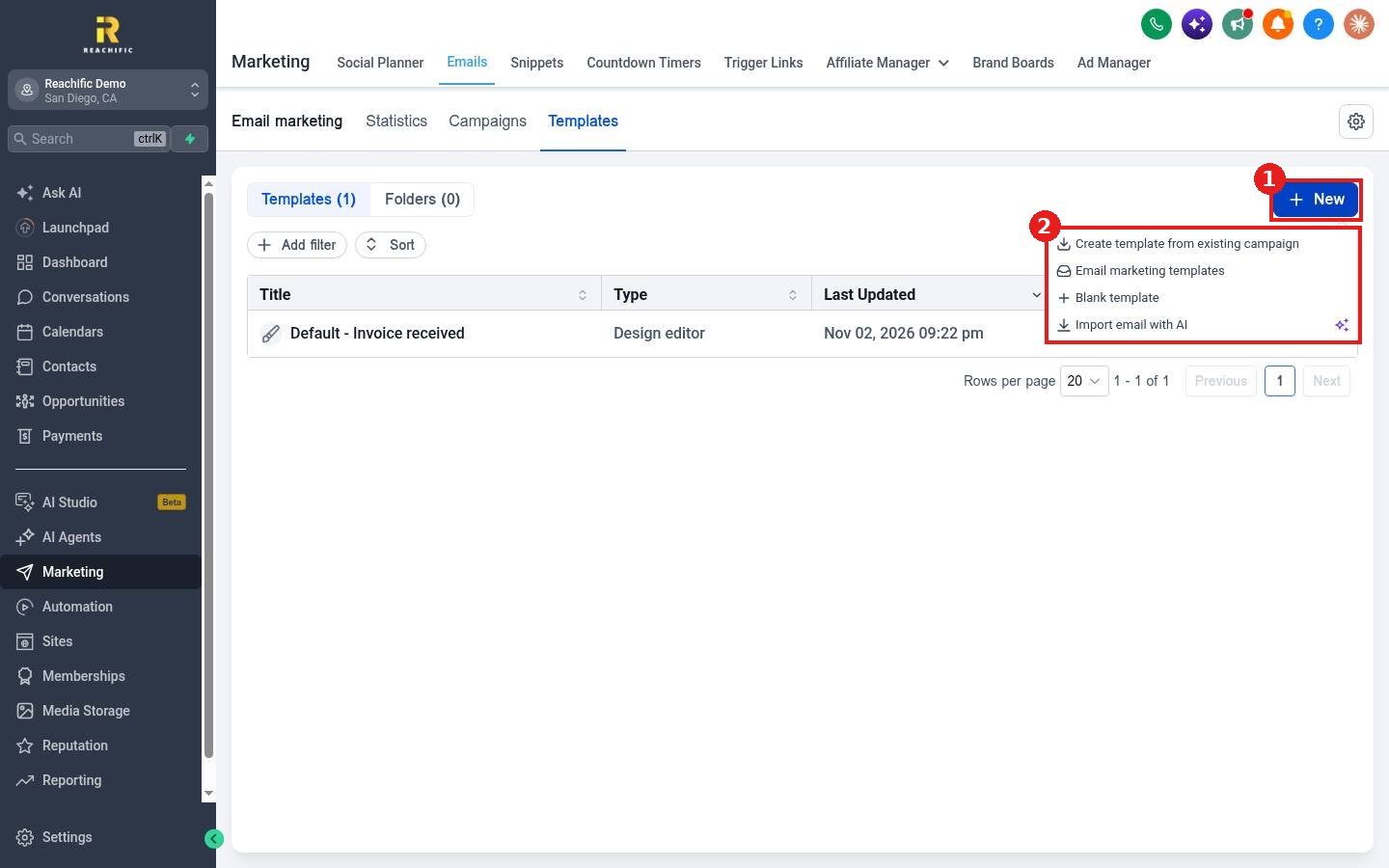
- Click Marketing in the left menu, then Emails, then the Templates tab.
- Click New (1) and pick an option (2): Create template from existing campaign, Email marketing templates, Blank template or Import email with AI.
Step 2: Choose the editor
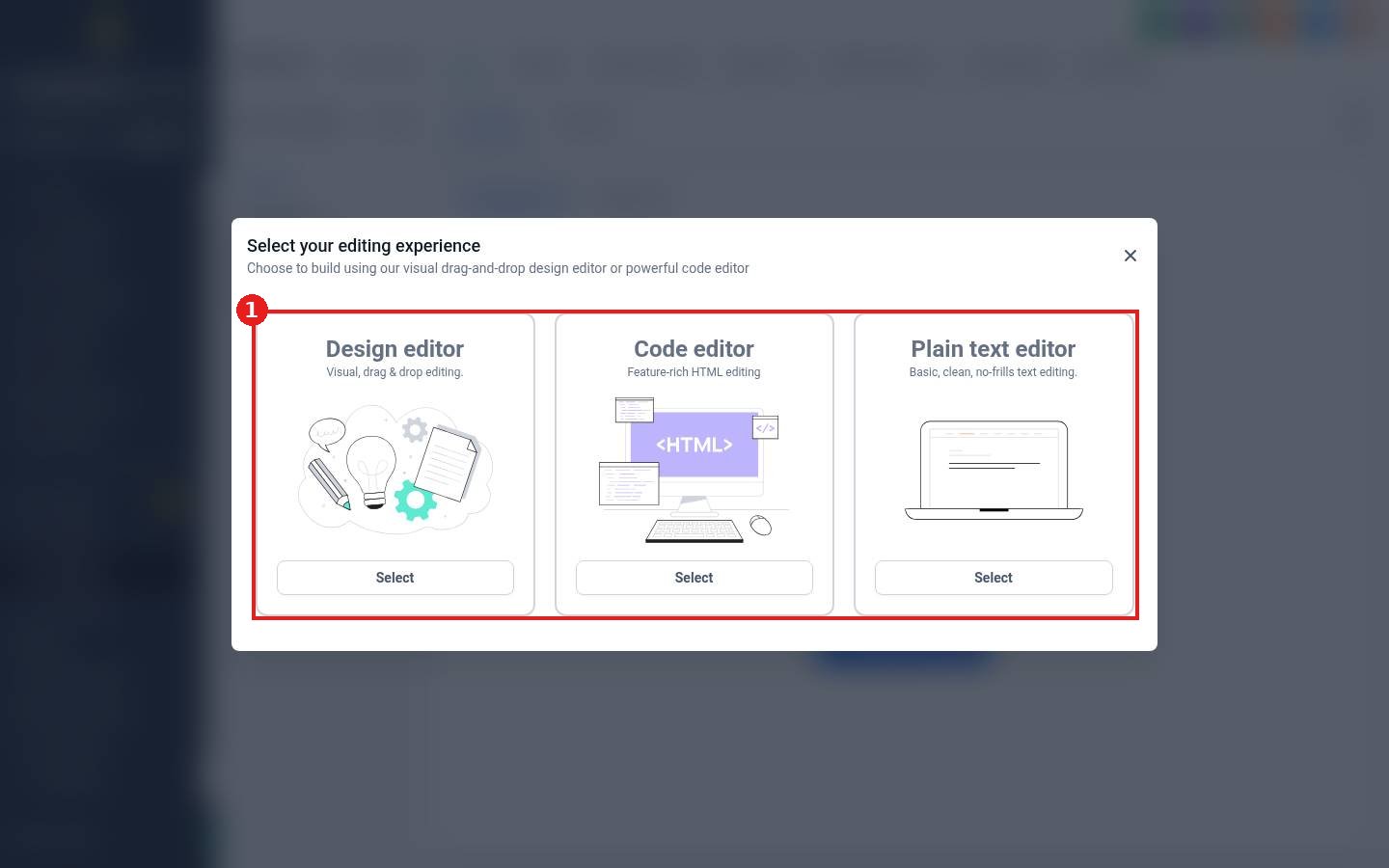
Pick Design editor for drag and drop, Code editor for HTML, or Plain text editor for a simple personal looking email.
Step 3: Build the email
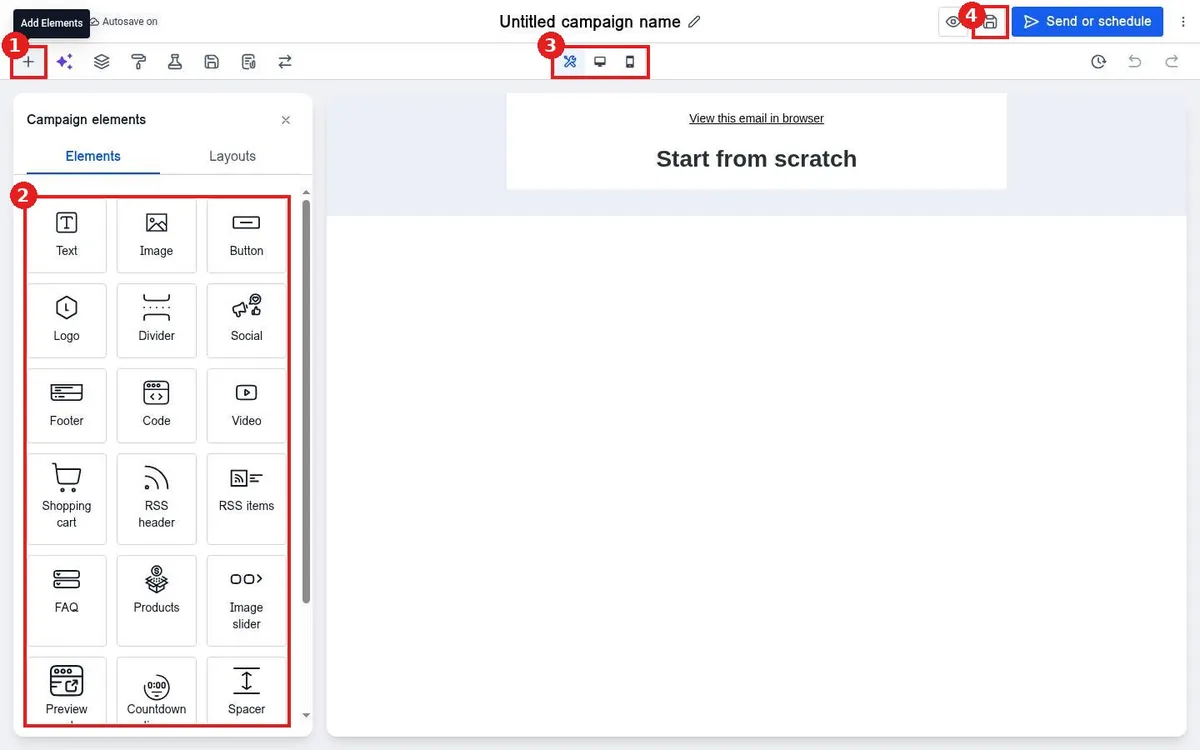
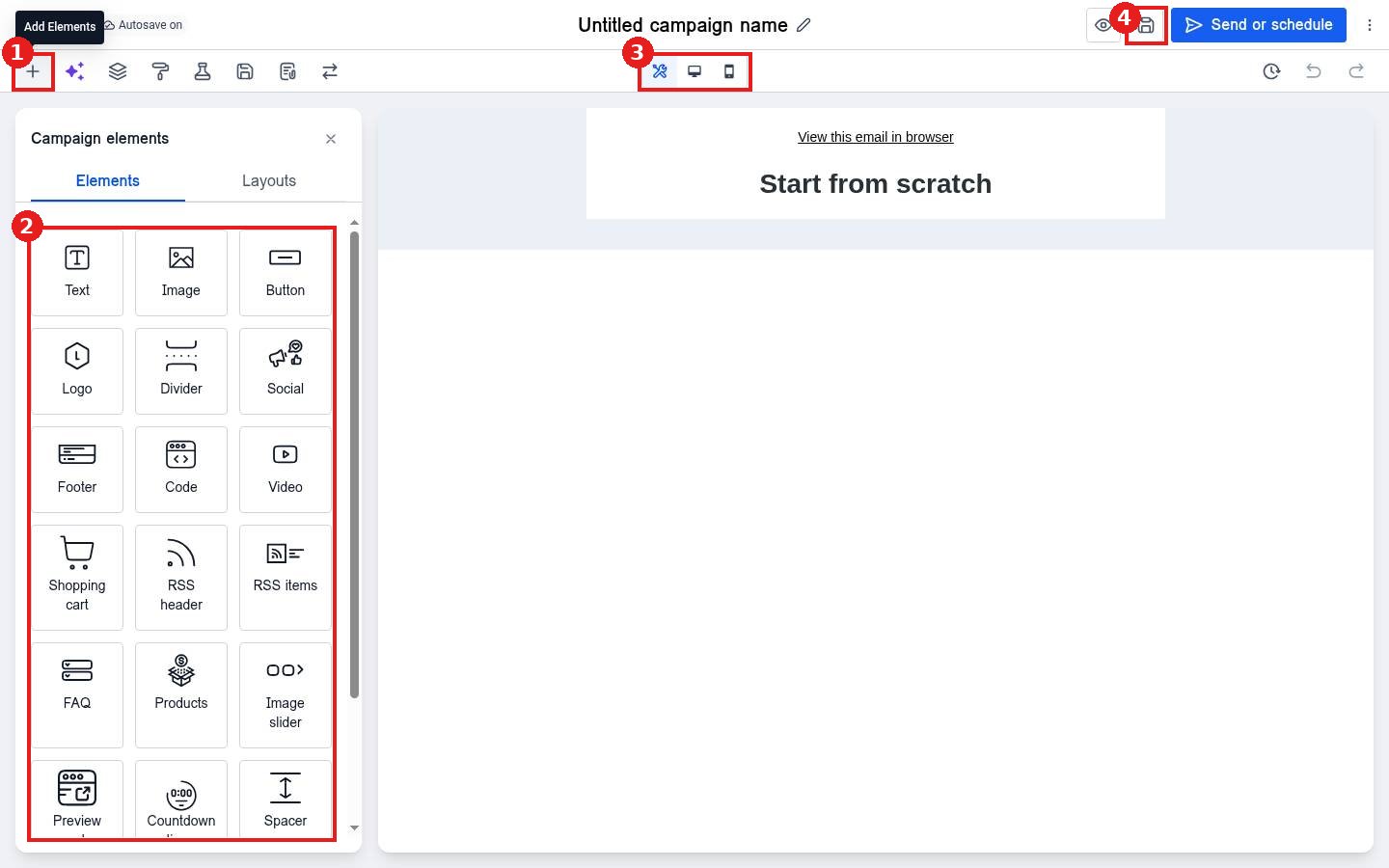
- Click + (1) to open Campaign elements.
- Drag elements (2) onto the email: Text, Image, Button, Logo, Divider, Social, Footer, Code, Video, Products, FAQ, Countdown and more. The Layouts tab adds column layouts.
- Use the device toggle (3) to check desktop and mobile.
- Click the save icon (4).
FAQ
Can AI write the email for me?
Yes. The builder has an Email AI panel that can draft and change content. Always review before sending.
Does autosave work?
Yes, the builder shows Autosave on. Still click save before you leave.
Want us to handle it? Our team can design branded email templates and write campaigns that bring customers back. Book a free strategy call and get a free quote.
Related articles
- How do I send an email campaign to a list?
- How do I add a countdown timer to an email?
- How do I create a brand board for my colors and fonts?
Still stuck? Submit a ticket and our team will help. Need faster answers? See our support plans.
