
How do I add tracking code like Google Analytics or Meta Pixel?
Quick answer: For Reachific sites and funnels, open the site Settings and paste your Google Analytics or Meta Pixel code in Head tracking code. To track visitors and forms on an outside site, go to Settings > External Tracking, click Copy code and paste it before the closing body tag.
Before you start
- Get your GA4 tag or Meta Pixel code from Google or Meta first.
- Use one install per site so visits are not counted twice.
Step 1: Add GA4 or Meta Pixel to your site
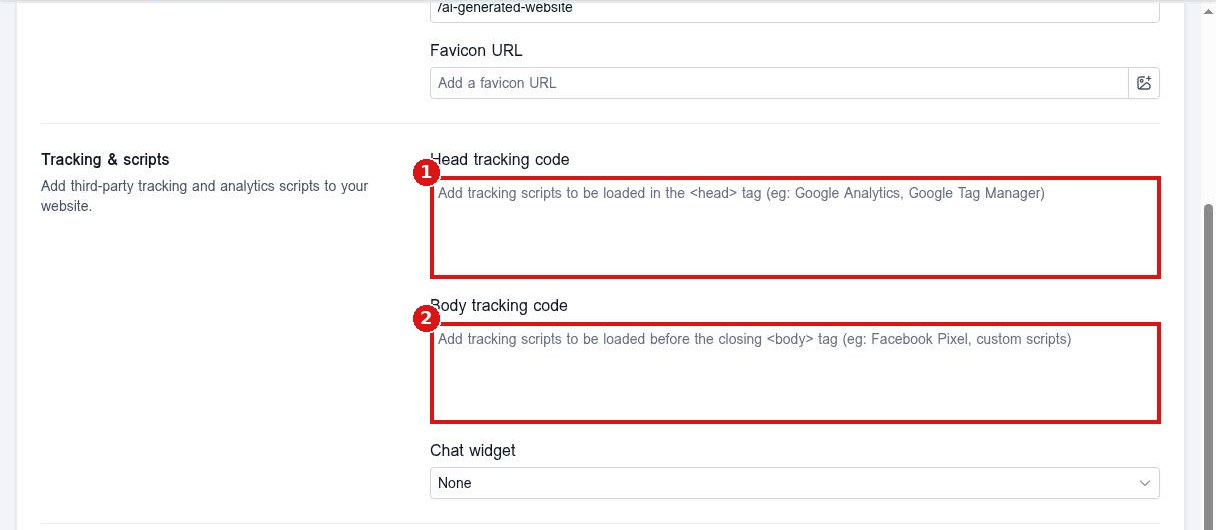
Open Sites, pick the site, open Settings and paste the code in Head tracking code (1). Use Body tracking code (2) only if the code says so. Save and publish.
Step 2: Track an outside website
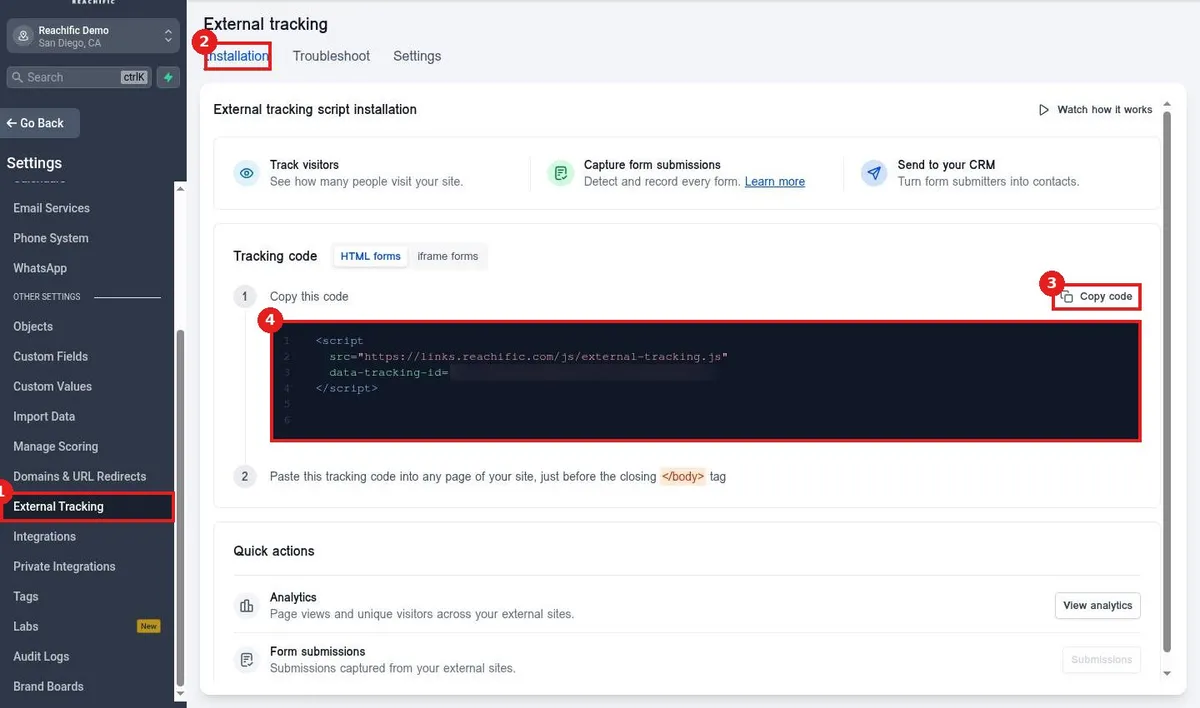
Click External Tracking (1). On Installation (2), click Copy code (3) to copy the script (4). Paste it into the outside site before the closing body tag.
FAQ
Will this capture forms on my outside site?
Yes. External tracking records form submissions and turns them into contacts.
Where do I see the results?
In External Tracking, use View analytics and Submissions.
Can I add tracking to one page only?
Yes. Use the page level tracking code or a Code element on that page.
Want us to handle it? Our team sets up your account settings, data and tracking so everything matches how your business really works. Book a free strategy call and get a free quote.
Related articles
- How do I add custom code to a page?
- How do I see site and funnel analytics?
- How do I create a trigger link to track clicks?
Still stuck? Submit a ticket and our team will help. Need faster answers? See our support plans.
