
How do I create a trigger link to track clicks?
Quick answer: Go to Conversations, click Trigger Links, then Add Link. Enter a name and the URL, click Save, and put the link in your texts or emails. Each click is tracked per contact and can start an automation.
What is a trigger link?
A trigger link is a tracked link you put inside SMS messages and emails. When a contact clicks it, Reachific records the click so you can see who is interested and start a follow up.
Step 1: Open Trigger Links
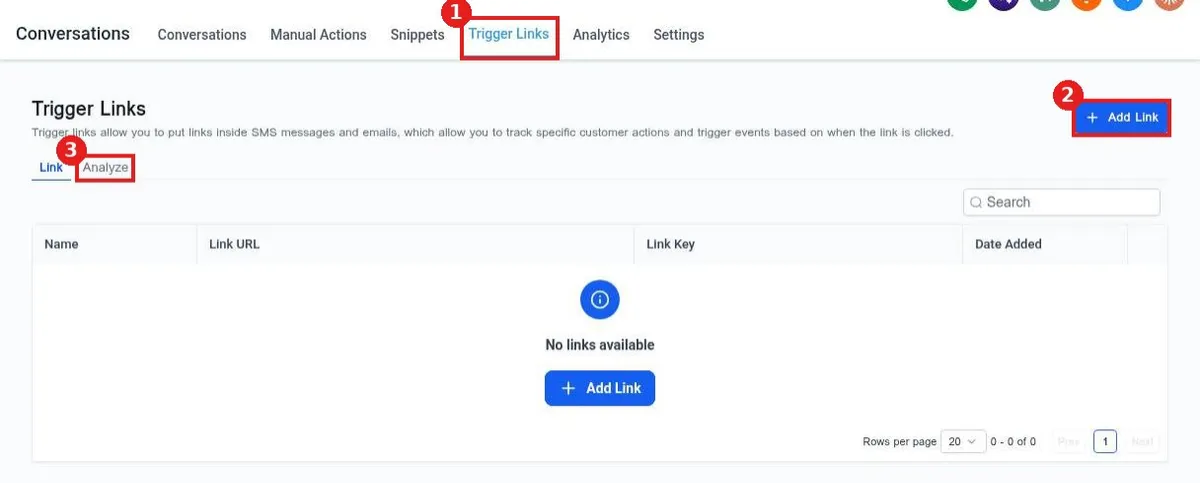
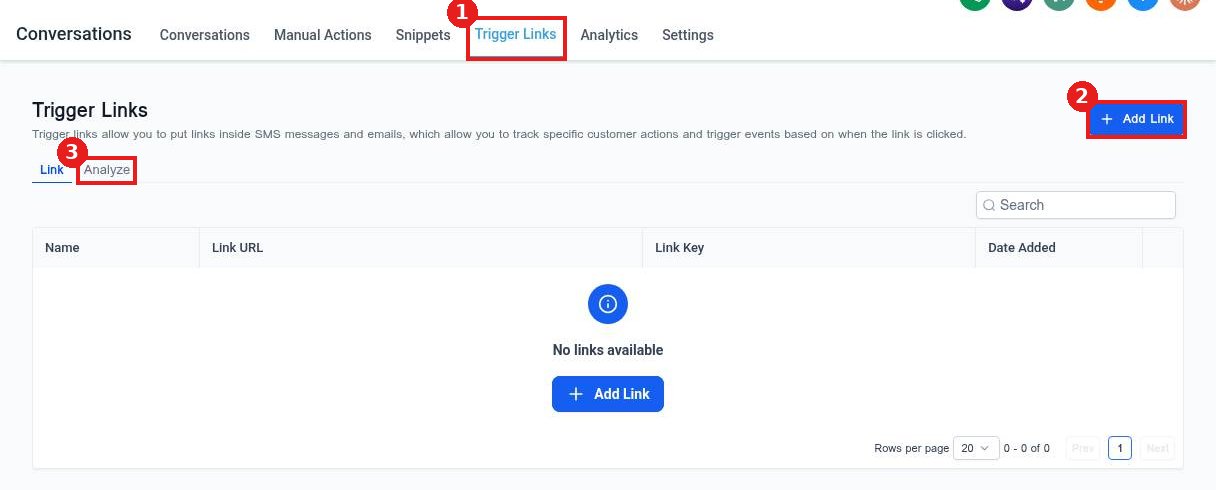
Click the Trigger Links tab at the top of Conversations (1), then click Add Link (2). The Analyze tab (3) shows click results later.
Step 2: Name the link and add the URL
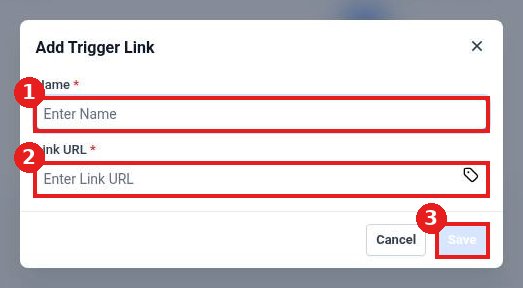
Enter a name you will recognize, such as Spring promo page (1). Paste the full web address in Link URL (2). The tag icon lets you add custom values to the URL. Click Save (3).
Step 3: Use it and track clicks
Add the link to a message, email or campaign. Open the Analyze tab to see how many people clicked.
FAQ
Why is Save greyed out?
Both Name and Link URL are required. Fill in both and Save turns on.
Can a click start a workflow?
Yes. Use the trigger link clicked trigger in an automation to tag the contact or send a follow up.
Does the link show my real web address?
The contact lands on your page as normal. The tracked link records the click on the way.
Want us to handle it? Our team can build click based follow ups that turn interest into booked jobs. Book a free strategy call and get a free quote.
Related articles
- How do I send a text message to a contact?
- How do I send an email from a conversation?
- How do I save reply templates with snippets?
Still stuck? Submit a ticket and our team will help. Need faster answers? See our support plans.
