
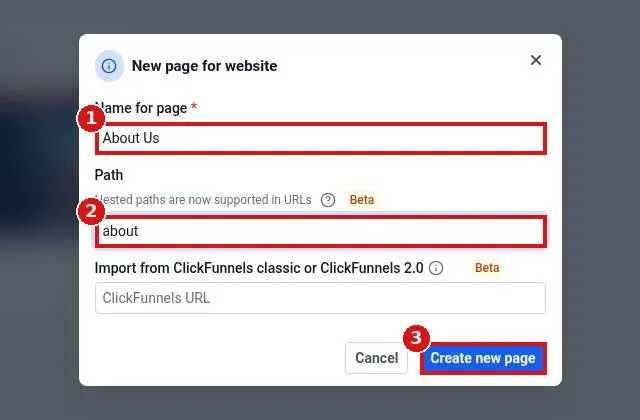
How do I add a new page to my website?
Quick answer: Go to Sites > Websites and open your website. On the Pages tab click Add new page. Type a Name for page and a Path such as about, then click Create new page. On the new page card pick Use existing or Create from blank and click Edit to design it.
Before you start
- Pick a short, lowercase path with dashes, such as about or water-heater-repair. It becomes the end of the page URL.
- Your header and footer appear on new pages automatically when they are saved as global sections.
Step 1: Click Add new page
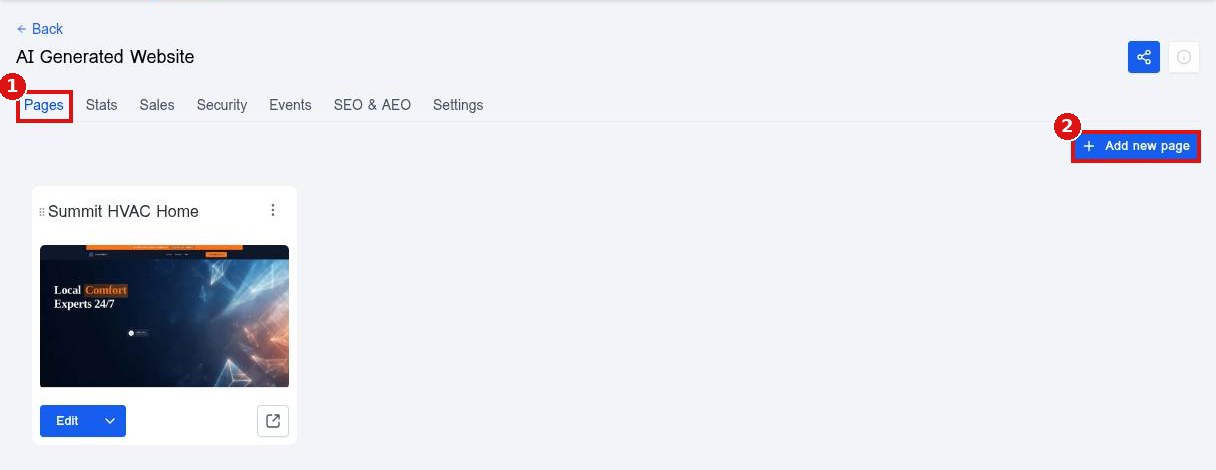
Open your website on the Pages tab (1) and click Add new page (2).
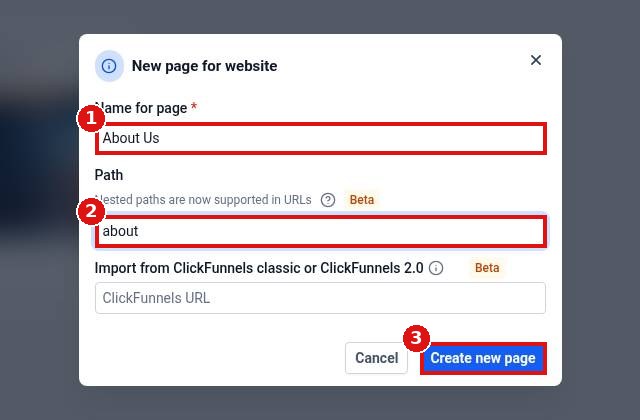
Step 2: Name the page and set its path
Type the Name for page (1) and the Path (2), then click Create new page (3).
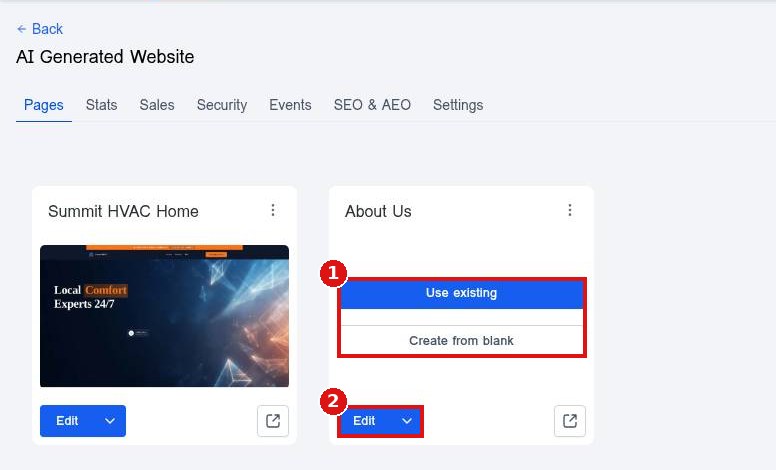
Step 3: Choose a starting point
The new page card appears. Click Use existing or Create from blank (1) to start the design, or Edit (2) to open it in the builder.
Step 4: Manage pages inside the builder
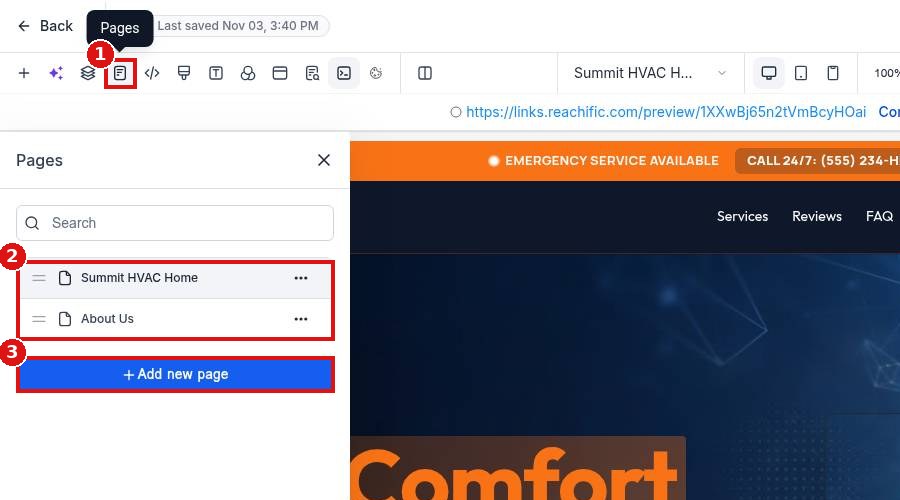
In the builder, the Pages icon (1) lists every page of the site (2). Click a page to switch to it, or Add new page (3) to add another without leaving the builder.
Step 5: Clone, rename or delete a page
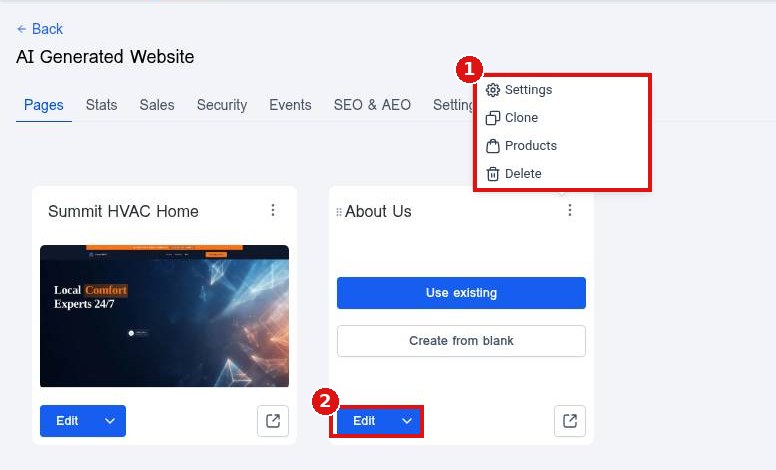
Use the three dot menu on a page card (1) for Settings (path and name), Clone and Delete. Click Edit (2) to keep designing.
FAQ
How do I change the page order?
Drag pages by the handle in the builder Pages panel or on the Pages tab.
Can I copy a page I already built?
Yes. Open the three dot menu on the page card and click Clone.
Why is my new page not on my site yet?
Publish the page and add it to your menu so visitors can find it.
Want us to handle it? Our team designs and builds fast, mobile friendly websites that turn visitors into leads, then keeps them updated for you. Book a free strategy call and get a free quote.
Related articles
- How do I create a new website?
- How do I edit text and images on a page?
- How do I edit my header and footer on every page?
Still stuck? Submit a ticket and our team will help. Need faster answers? See our support plans.
