
How do I add a form or calendar to a page?
Quick answer: In the builder click Add Elements (the plus icon). Drag the Form element onto the page, or open Forms, Surveys And Quizzes to create or add an existing form. For bookings, search calendar and drag the Calendar element in. Choose which form or calendar it shows, then save and publish.
Before you start
- Build the form under Sites > Forms, or the calendar under Calendars, before you add it.
- Form entries and bookings land in Contacts, so you can follow up or trigger a workflow.
Step 1: Open Add Elements
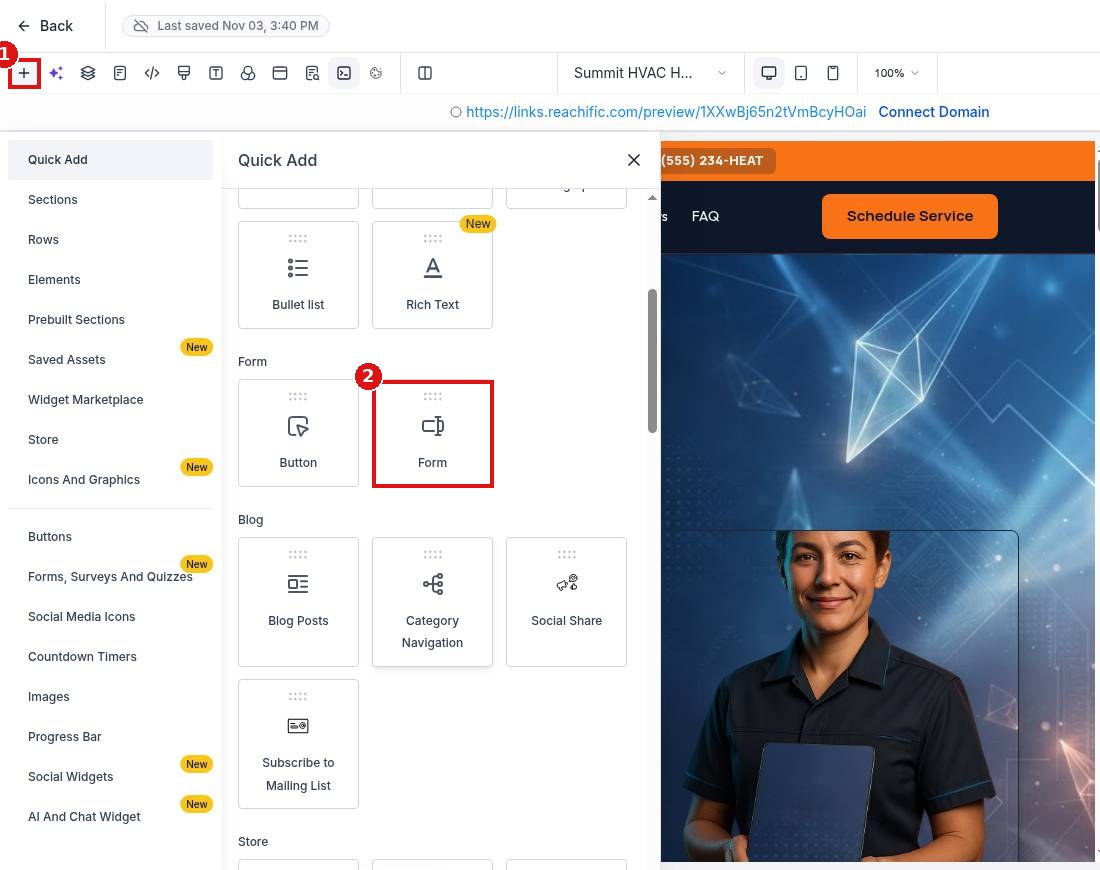
Click the plus icon (1). In Quick Add, drag the Form element (2) onto the page where you want it.
Step 2: Pick or create a form
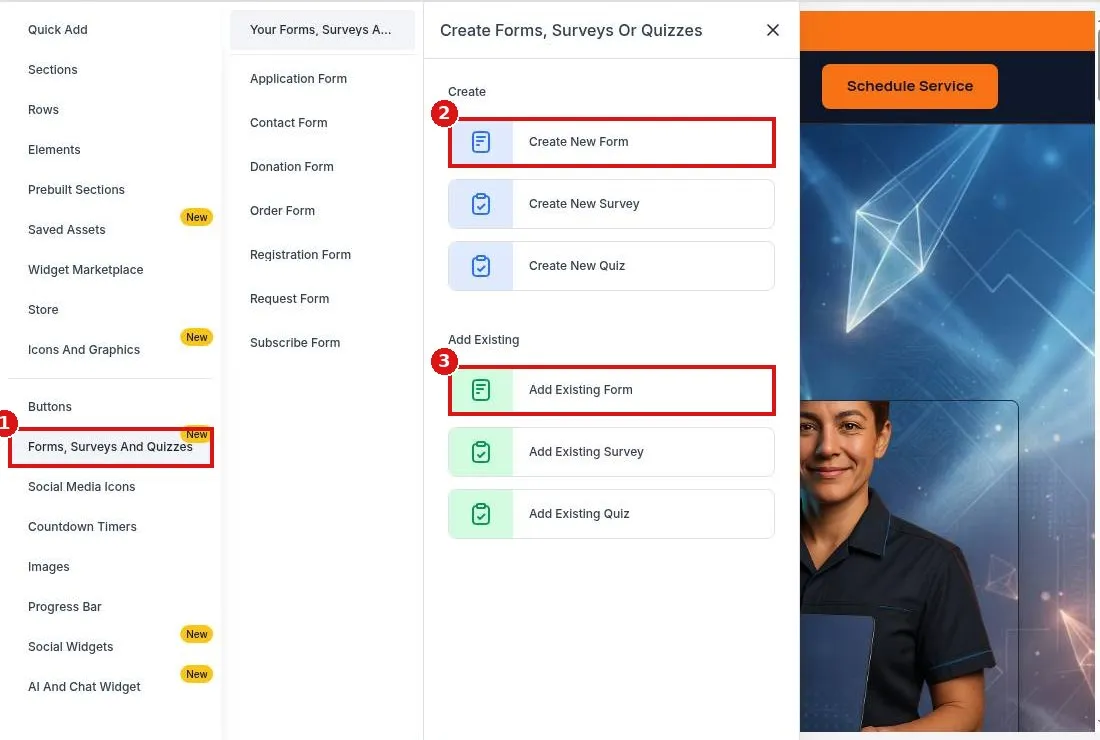
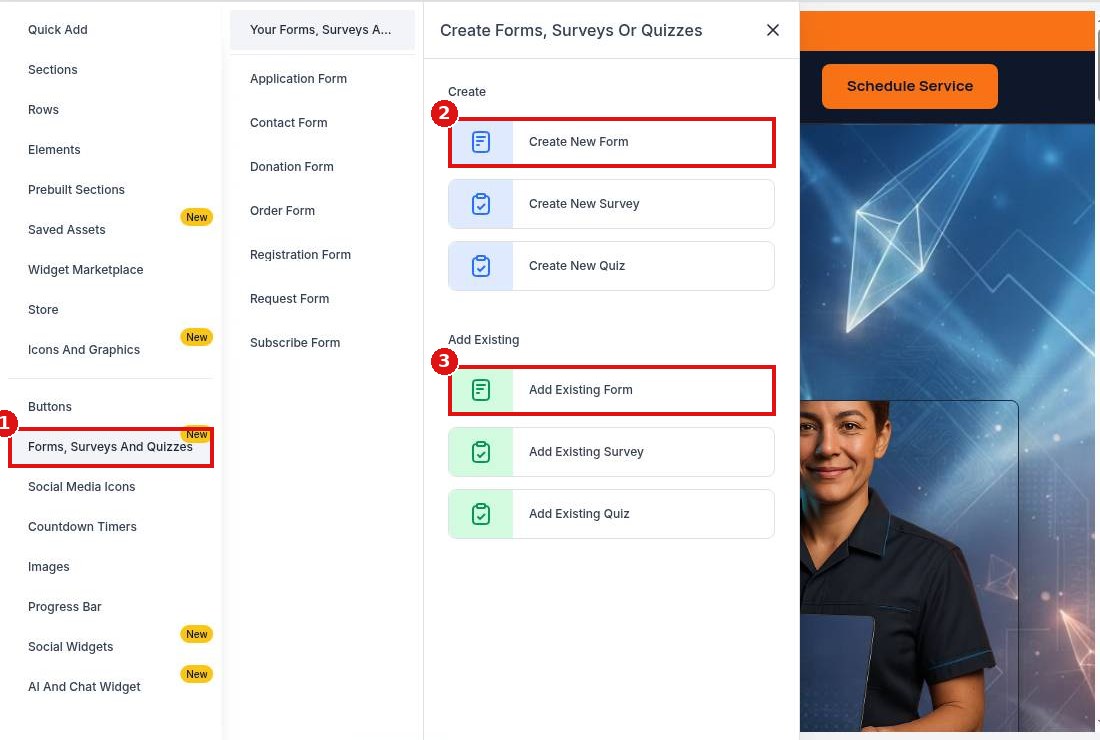
Open Forms, Surveys And Quizzes (1). Click Create New Form (2) to build one now or Add Existing Form (3) to use one you already built.
Step 3: Add a booking calendar
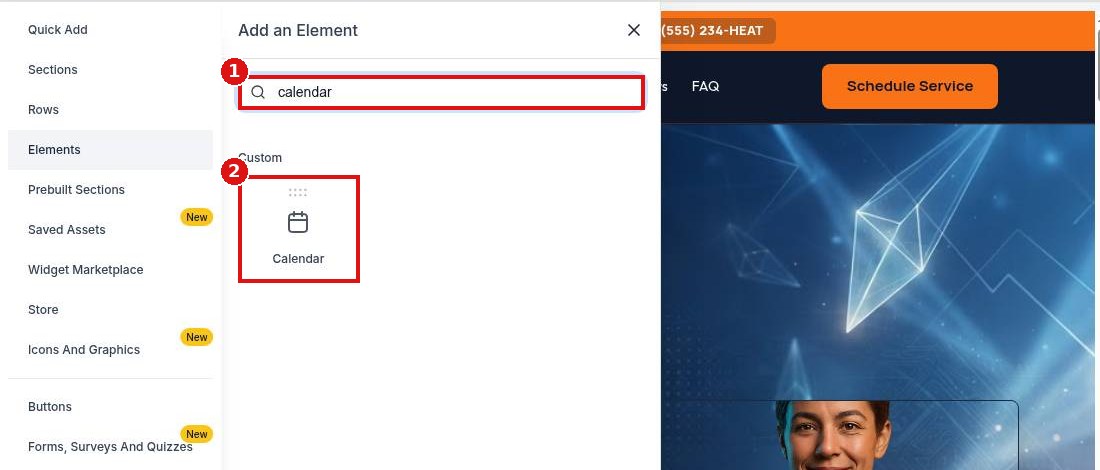
Open Elements, type calendar in the search (1) and drag the Calendar element (2) onto the page. Choose your calendar in its settings, then save and publish.
FAQ
Where do form submissions go?
Each submission creates or updates a contact and shows in the form submissions list.
Can I add a survey or quiz the same way?
Yes. Use Create New Survey, Create New Quiz or the Add Existing options.
Can I style the form to match my site?
Yes. Style it in the form builder, and adjust spacing in the element settings.
Want us to handle it? Our team builds forms, booking calendars and follow up automations that turn visitors into booked jobs. Book a free strategy call and get a free quote.
Related articles
- How do I add my calendar to my website?
- How do I edit text and images on a page?
- How do I publish my website changes?
Still stuck? Submit a ticket and our team will help. Need faster answers? See our support plans.
