
How do I send an email from a conversation?
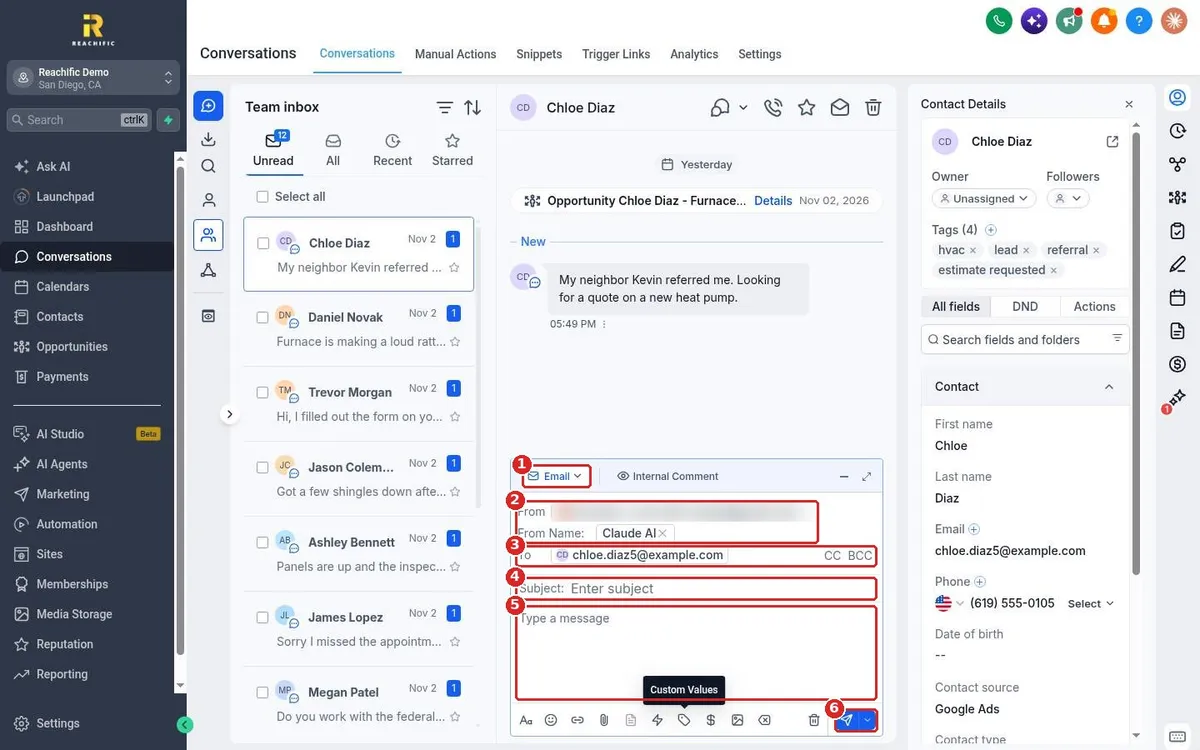
Quick answer: Open Conversations and click the contact's conversation. In the message box, choose Email. Check the From address and name, confirm the To address, add a Subject, write your message and click the send button.
Before you start
- The contact needs an email address on their record.
- For the best delivery, set up a dedicated sending domain for your business email.
- Contacts marked DND for email will not get your message.
Step 1: Write the email
Open the conversation, click the channel button and choose Email (1). The composer opens. Check the From address and From Name (2). Confirm the To address, and click CC or BCC to copy someone (3). Add a Subject (4) and type your message (5). Click the send button (6).
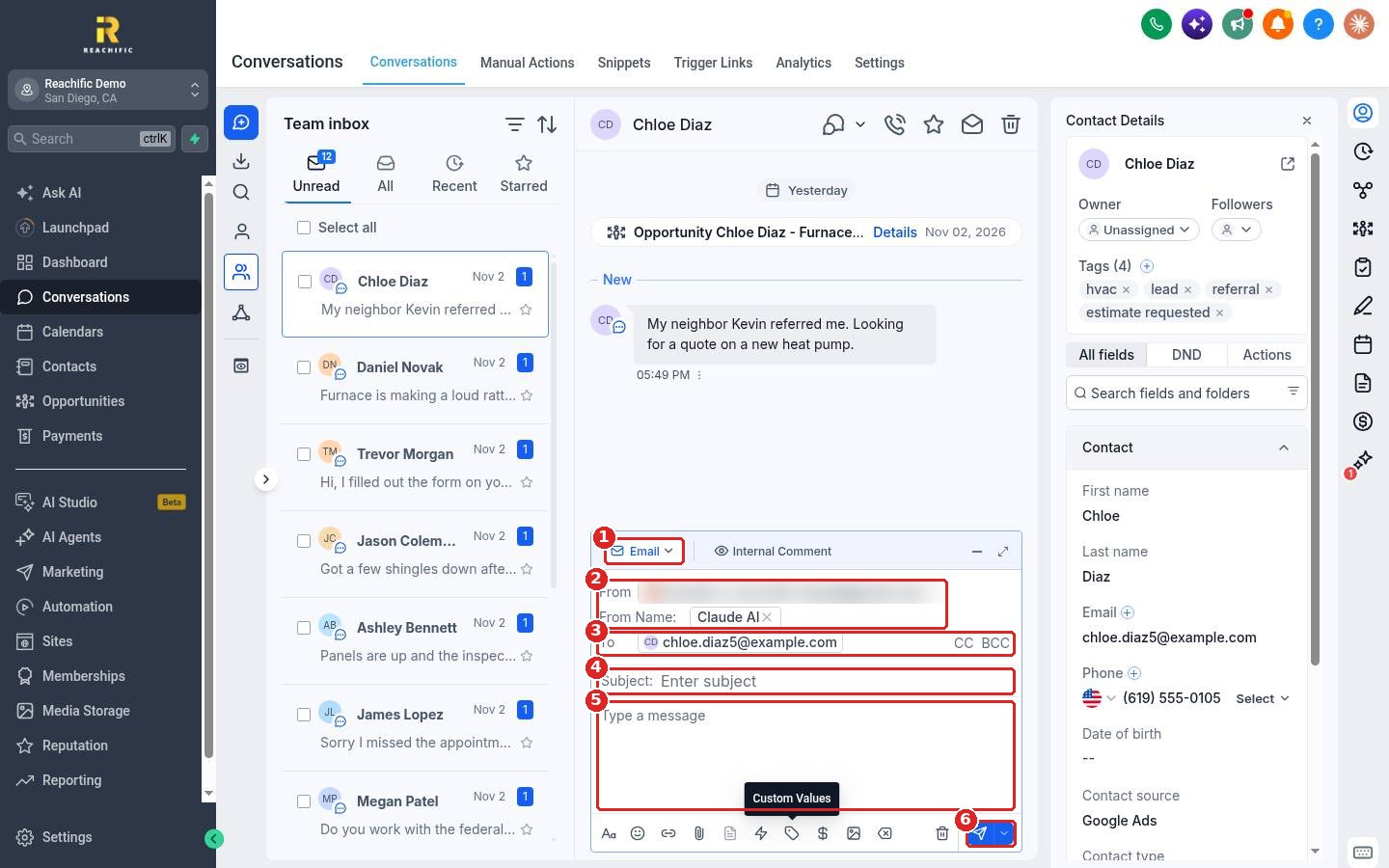
Use the toolbar under the message to format text, add links, attach files, insert snippets or custom values, and add images. Click the expand icon at the top right of the composer for a bigger writing area.
FAQ
Can I schedule the email for later?
Yes. Click the arrow next to the send button and pick a time.
Where do replies go?
Replies land in the same conversation, so the whole history stays in one place.
Can I use a saved template?
Yes. Use the snippet button in the toolbar to insert a saved reply.
Why did my email go to spam?
Set up a dedicated sending domain and keep your subject lines clear and personal. Avoid sending large blasts from the inbox.
Want us to handle it? Our team can set up your sending domain and email templates so your emails reach the inbox. Book a free strategy call and get a free quote.
Related articles
- How do I reply to texts, emails and chats from one inbox?
- How do I send a text message to a contact?
- How do I send a bulk text or email to a list?
Still stuck? Submit a ticket and our team will help. Need faster answers? See our support plans.
