
How do I register for A2P 10DLC texting?
Quick answer: Go to Settings > Phone System and open Trust Center. On A2P Messaging (SMS), click Start Registration. Fill in Business details (profile, business info, address and contact), then Campaign details (messaging volume, use case and how customers opt in), and submit. Track status under Brand & Campaigns.
Before you start
- US carriers require A2P 10DLC registration to send business texts from local numbers.
- Have your legal business name, EIN and website ready. They must match your tax records exactly.
- Your website needs a privacy policy and a clear SMS opt in, or carriers may reject the campaign.
Step 1: Open Trust Center
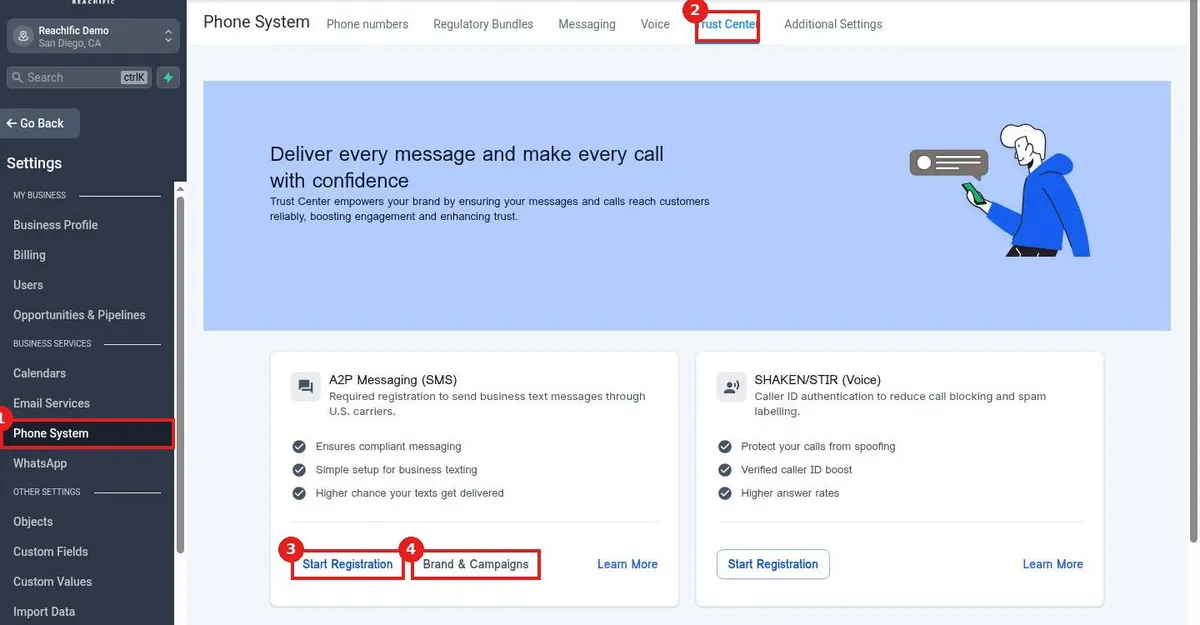
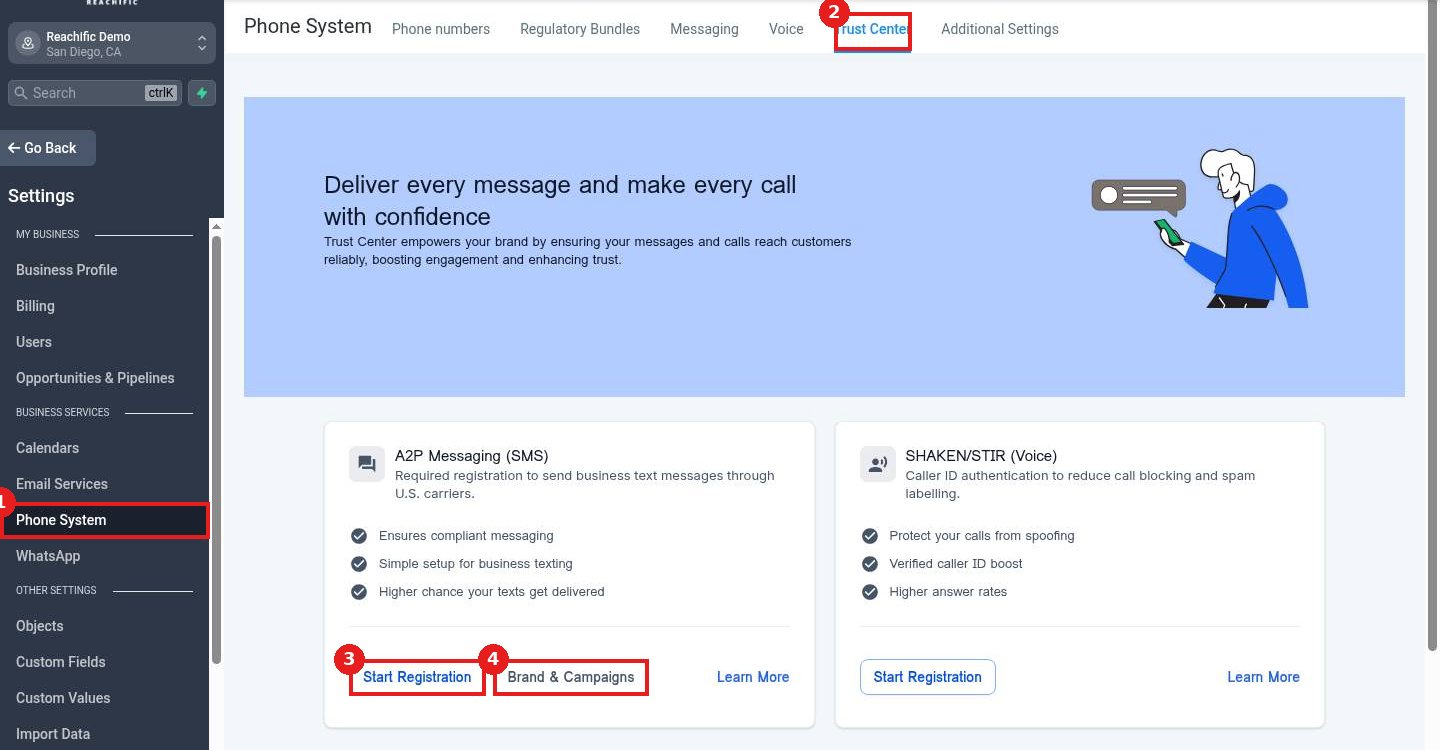
Click Phone System (1) in Settings, then the Trust Center tab (2). On the A2P card click Start Registration (3). Brand & Campaigns (4) shows the status of past submissions.
Step 2: Enter business and campaign details
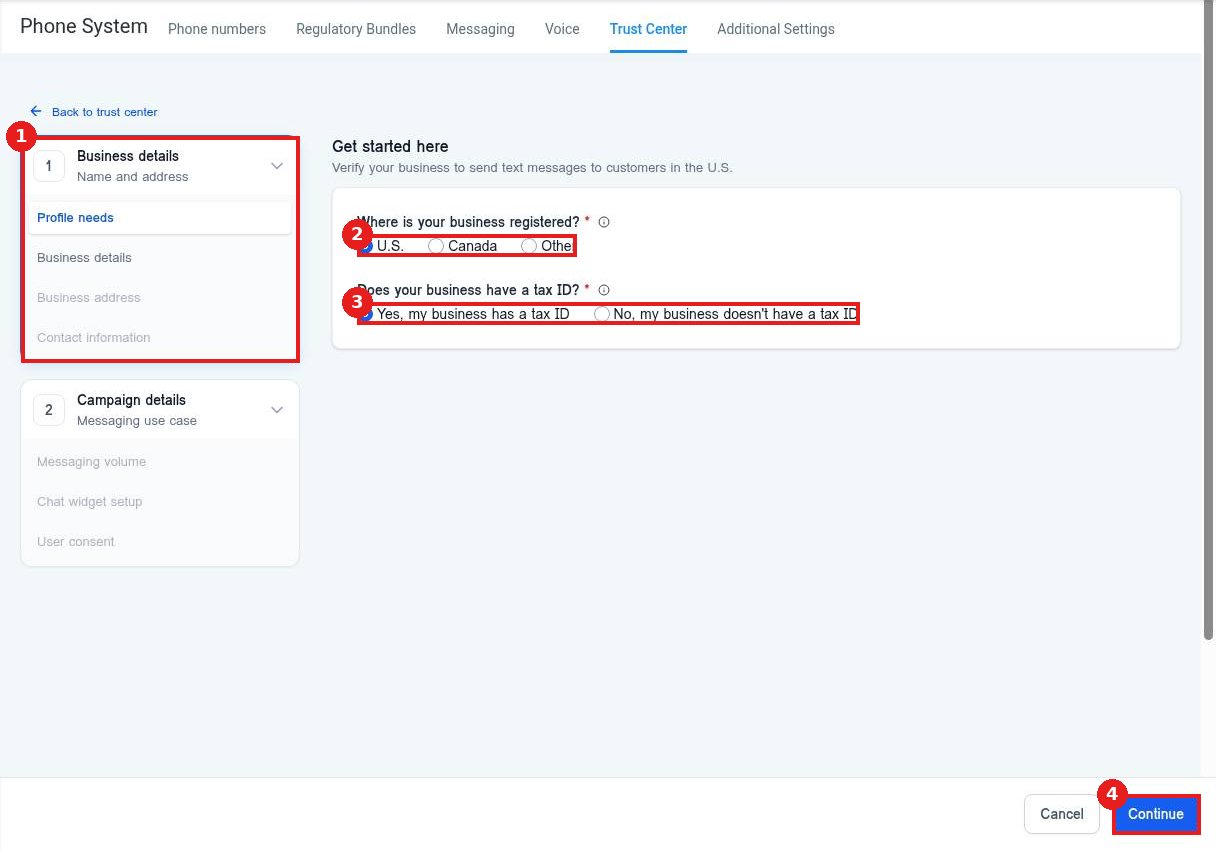
Work through Business details (1). Answer where the business is registered (2) and whether it has a tax ID (3). Click Continue (4), then finish the business, address, contact and campaign steps.
Step 3: Wait for approval
Carriers review the brand and campaign. Approval often takes a few days. Check Brand & Campaigns for updates and fix anything they flag.
FAQ
Is there a fee to register?
Carriers charge brand and campaign registration fees. Check the amounts shown in the form before you submit.
Why was my campaign rejected?
Common reasons are a mismatched business name or EIN, a missing privacy policy or no clear opt in on your site.
Can I text before I am approved?
Texts from unregistered numbers may be blocked or filtered, so wait for approval.
Want us to handle it? Our team handles phone numbers, texting registration and email setup so your messages reach customers. Book a free strategy call and get a free quote.
Related articles
- How do I get a business phone number?
- How do I send a bulk text or email to a list?
- How do I set up missed call text back?
Still stuck? Submit a ticket and our team will help. Need faster answers? See our support plans.
