
How do I read my Reachific Pulse report?
Quick answer: Pulse lands in your inbox every Monday. Start with the health score and executive summary, then work the top burning fires in order, using the recommended fix on each. Finish with the KPI trends, team follow up, where deals stall and automation health.
Before you start
- Pulse is an add on app with read only access to your account. It never changes your data. Plans start at $297/month; see Reachific Pulse.
- The screenshots below are from a sample report. All names and numbers are invented.
Step 1: Read the score, summary and top fires
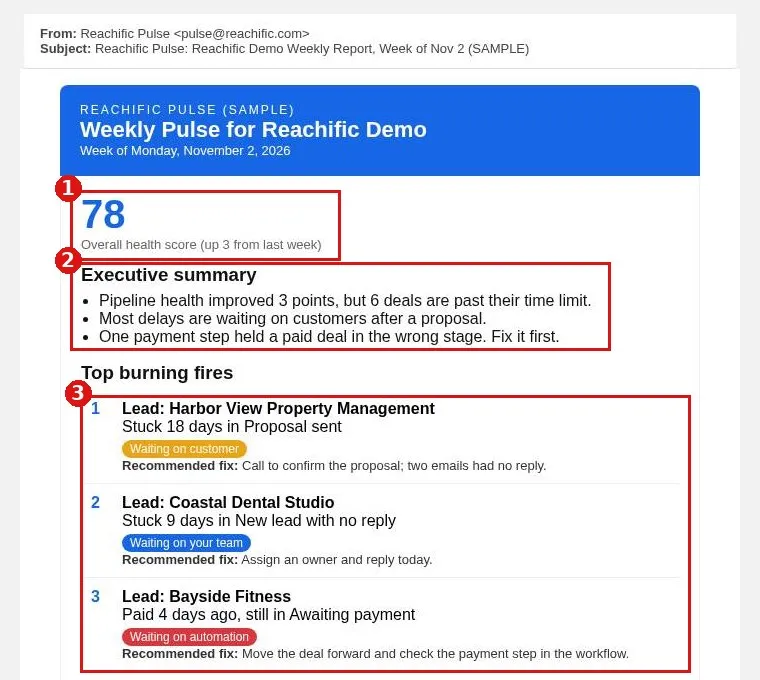
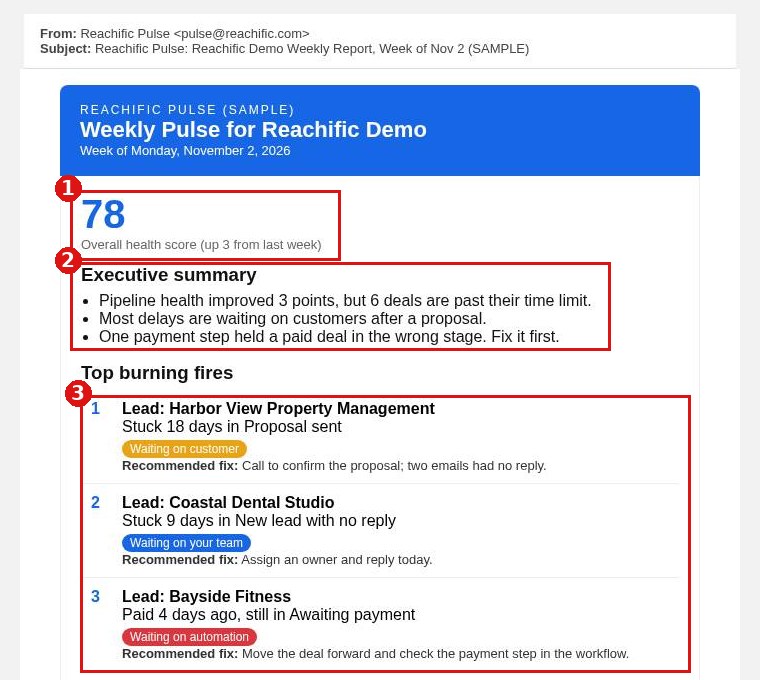
The health score (1) is your overall pipeline health with the change from last week. The executive summary (2) gives the week in plain English. Top burning fires (3) are ranked, so fix number 1 first. Each fire shows the deal, how long it has been stuck, a color tag for who it is waiting on, and a Recommended fix.
What the color tags mean
- Waiting on customer: the customer needs a nudge, such as an unaccepted proposal or unpaid invoice.
- Waiting on your team: your staff can clear it, such as a stage that never moved or a missed call.
- Waiting on vendor: outside work with no date. Ask for one.
- Waiting on automation: an email never sent or a step that never moved. Something needs fixing.
Step 2: Check trends, team and stalls
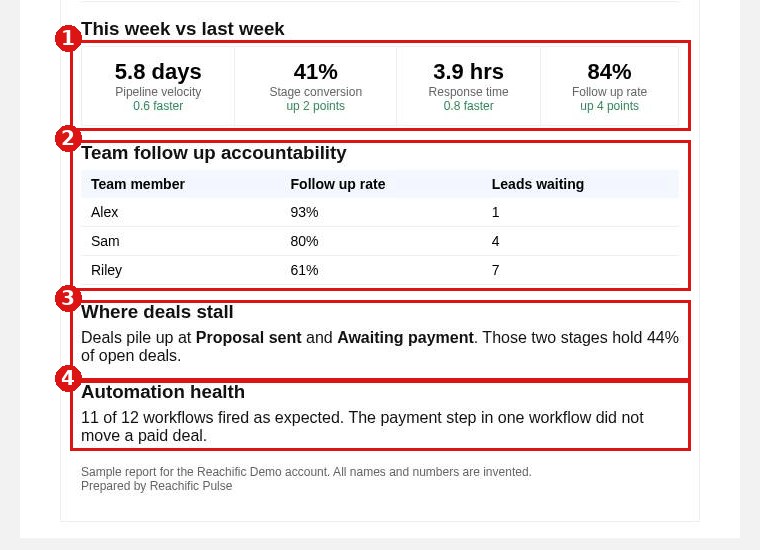
This week vs last week (1) compares pipeline velocity, stage conversion, response time and follow up rate with last week. Team follow up accountability (2) shows each team member and how many leads are waiting on them. Where deals stall (3) names the stages holding the most open deals. Automation health (4) tells you if a workflow stopped firing.
Step 3: Assign the fires
Forward the report or assign each fire to an owner in your team meeting. Next Monday, check that the fires you worked dropped off the list and the trends moved the right way.
FAQ
When does Pulse arrive?
Every Monday morning, by email.
How many fires will I see?
It depends on your plan. Pulse Core shows your top 3 fires and Pulse Pro shows your top 5.
Does Pulse change anything in my account?
No. Pulse has read only access.
Want us to handle it? Our team can work your Pulse fires for you and fix the automations it flags. Book a free strategy call and get a free quote.
Related articles
- How do I read my Reachific dashboard?
- How do I see my sales forecast?
- How do I edit pipeline stages in settings?
Still stuck? Submit a ticket and our team will help. Need faster answers? See our support plans.
