
How do I port my existing number to Reachific?
Quick answer: Go to Settings > Phone System, click Add Number and pick Port-In Numbers. Tick the agreement checklist, enter the number, add your current carrier account number and PIN, upload a recent bill and submit. Track progress on the Port-In Numbers tab.
Before you start
- Only US local and mobile numbers can be ported.
- Keep the number active with your current carrier until the port finishes.
- Have your carrier account number, PIN and a recent bill ready.
Step 1: Open Port-In Numbers
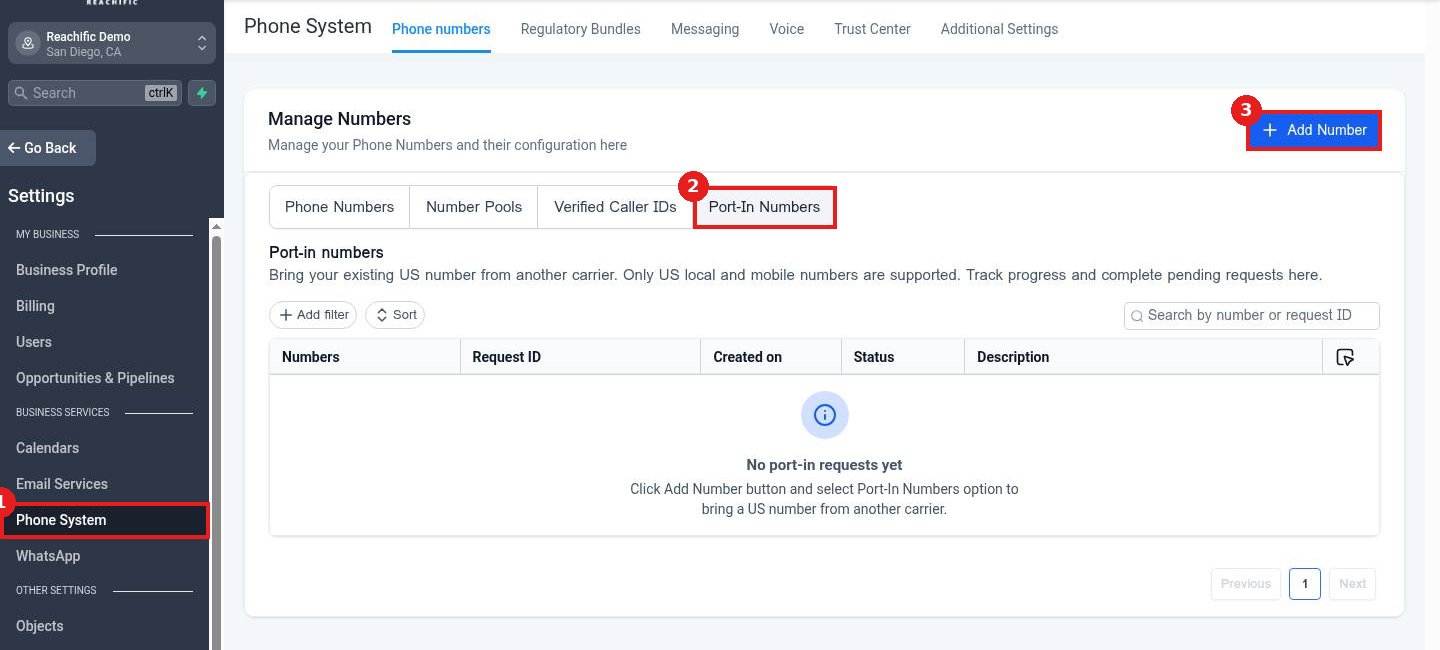
Click Phone System (1). The Port-In Numbers tab (2) tracks requests. Click Add Number (3) to start.
Step 2: Choose Port-In Numbers
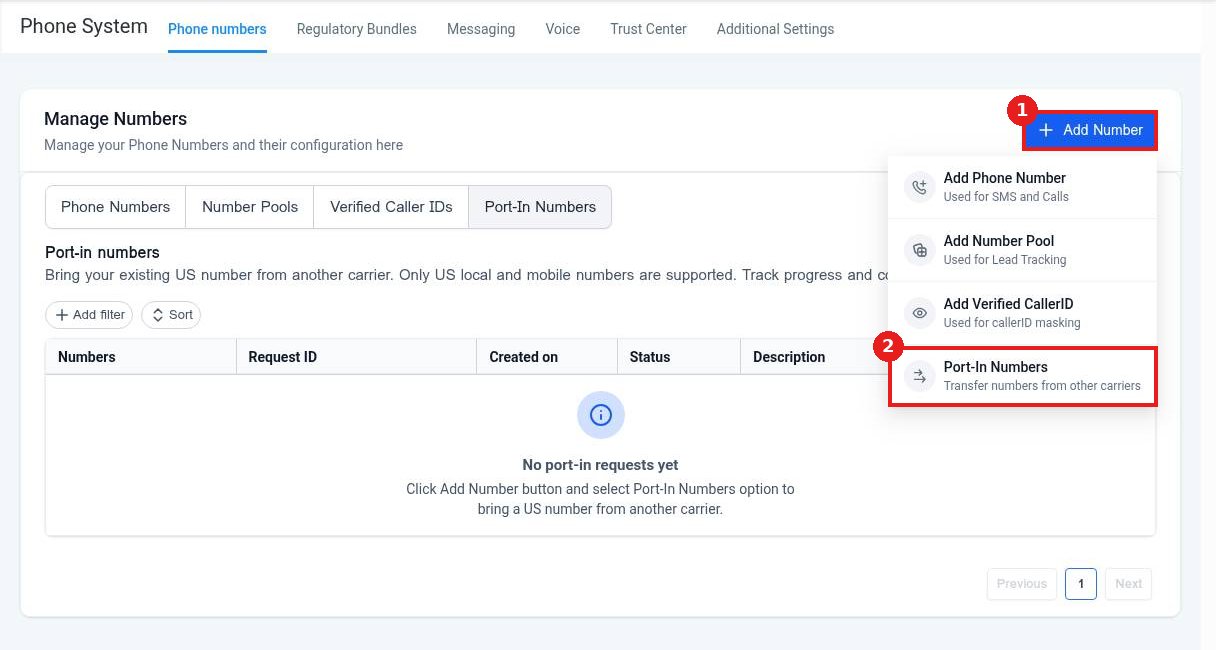
From Add Number (1), pick Port-In Numbers (2).
Step 3: Complete the port request
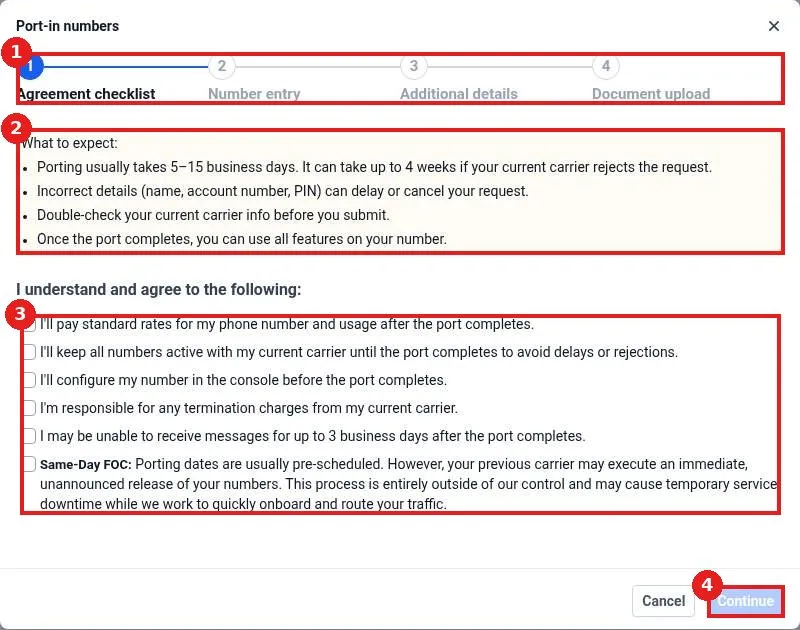
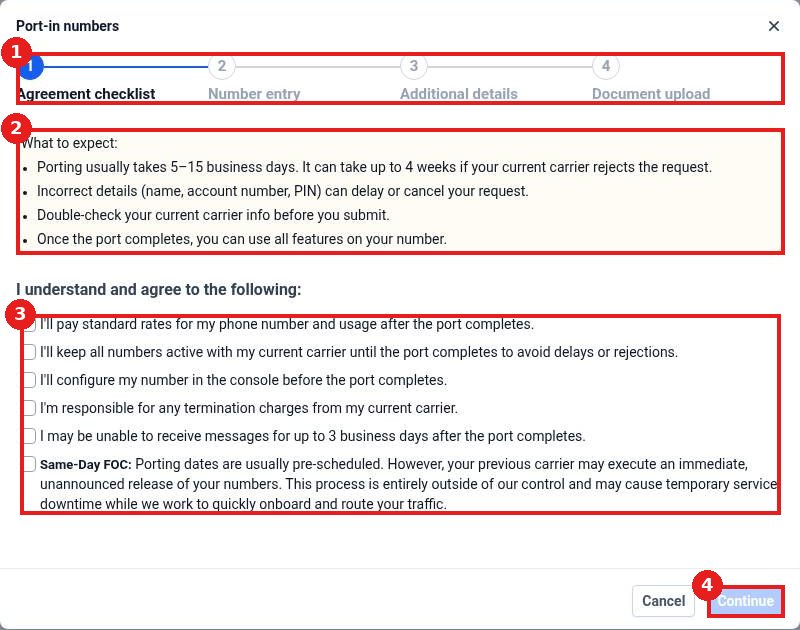
Follow the steps (1): agreement, number entry, details and documents. Read what to expect (2), tick each agreement (3) and click Continue (4).
FAQ
How long does porting take?
Usually 5 to 15 business days, and up to 4 weeks if your carrier rejects the first request.
Will my number stop working during the port?
It keeps working with your old carrier until the switch. Texts may pause for up to 3 business days after.
Can I port a toll free number?
This flow supports US local and mobile numbers. Contact support for other number types.
Want us to handle it? Our team handles phone numbers, texting registration and email setup so your messages reach customers. Book a free strategy call and get a free quote.
Related articles
- How do I get a business phone number?
- How do I register for A2P 10DLC texting?
- How do I submit a support ticket?
Still stuck? Submit a ticket and our team will help. Need faster answers? See our support plans.
