
How do I install an app from the App Marketplace?
Quick answer: Click App Marketplace in the left menu. Search for the app or browse Categories, then click the app card. Read the Overview, Pricing and Permissions tabs, click Install, check the permissions and click Allow & install. Installed apps show on the Installed Apps tab.
Before you start
- Check the Pricing tab. Some apps are free to install but charge for use, and paid apps bill you separately.
- You need admin access to install apps.
Step 1: Open the App Marketplace
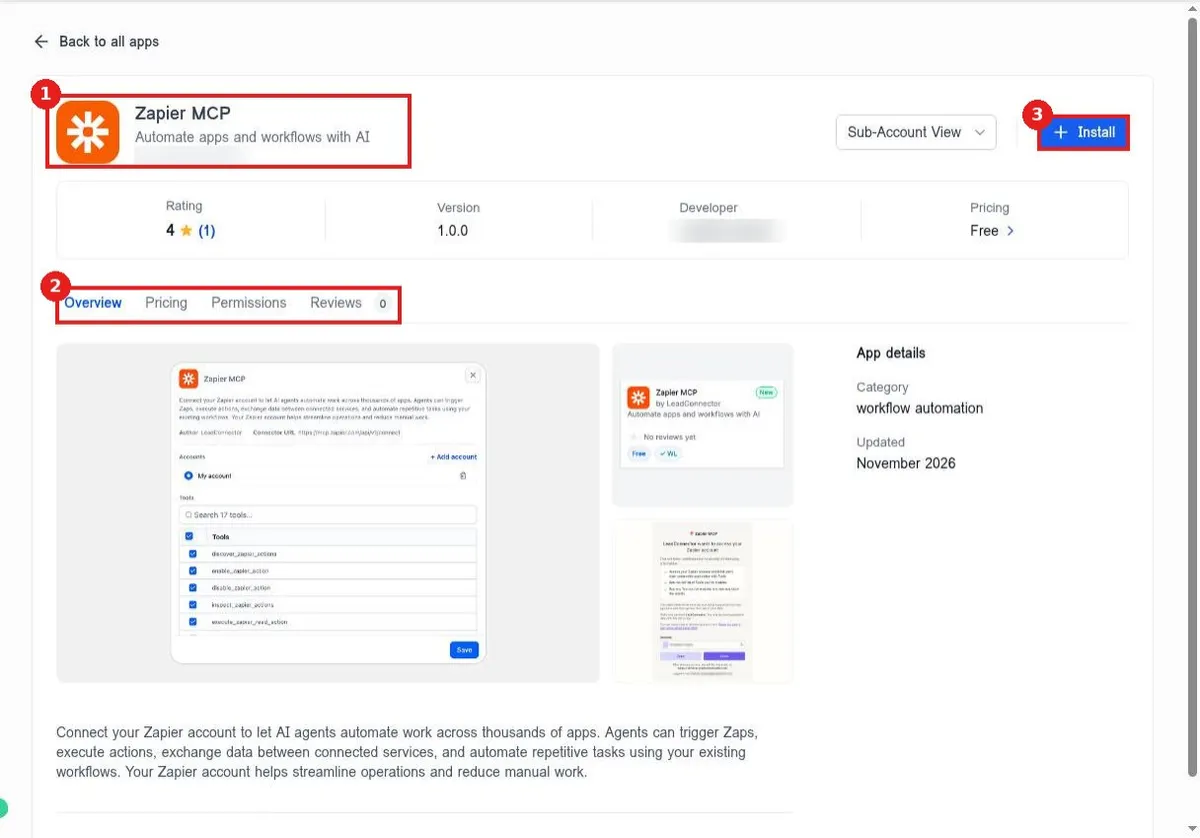
Stay on All Apps (1). Use Categories (2) in the left column to filter, or type in Search Apps (3). Click any app card (4) to open it.
Step 2: Search for the app
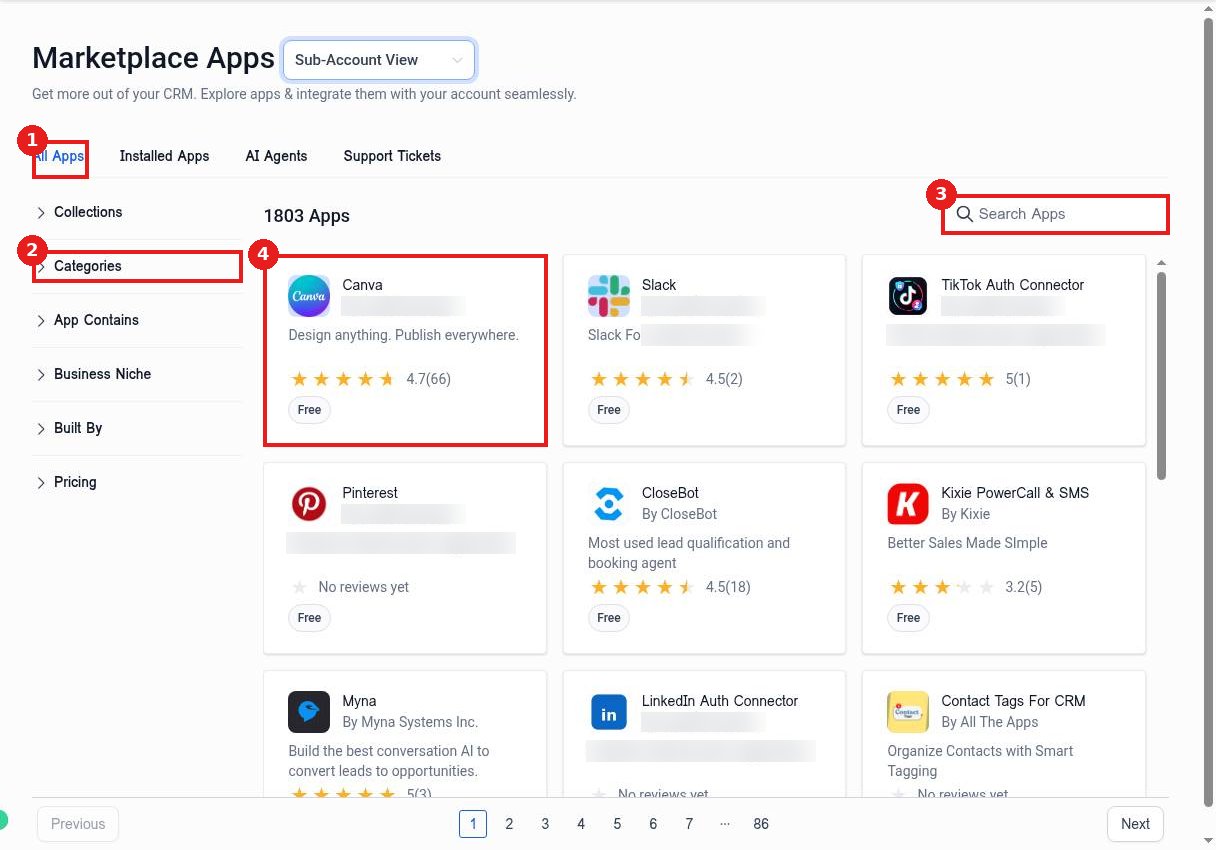
Type the app name in Search Apps (1). Matching apps show as cards (2). Click the one you want.
Step 3: Review the app
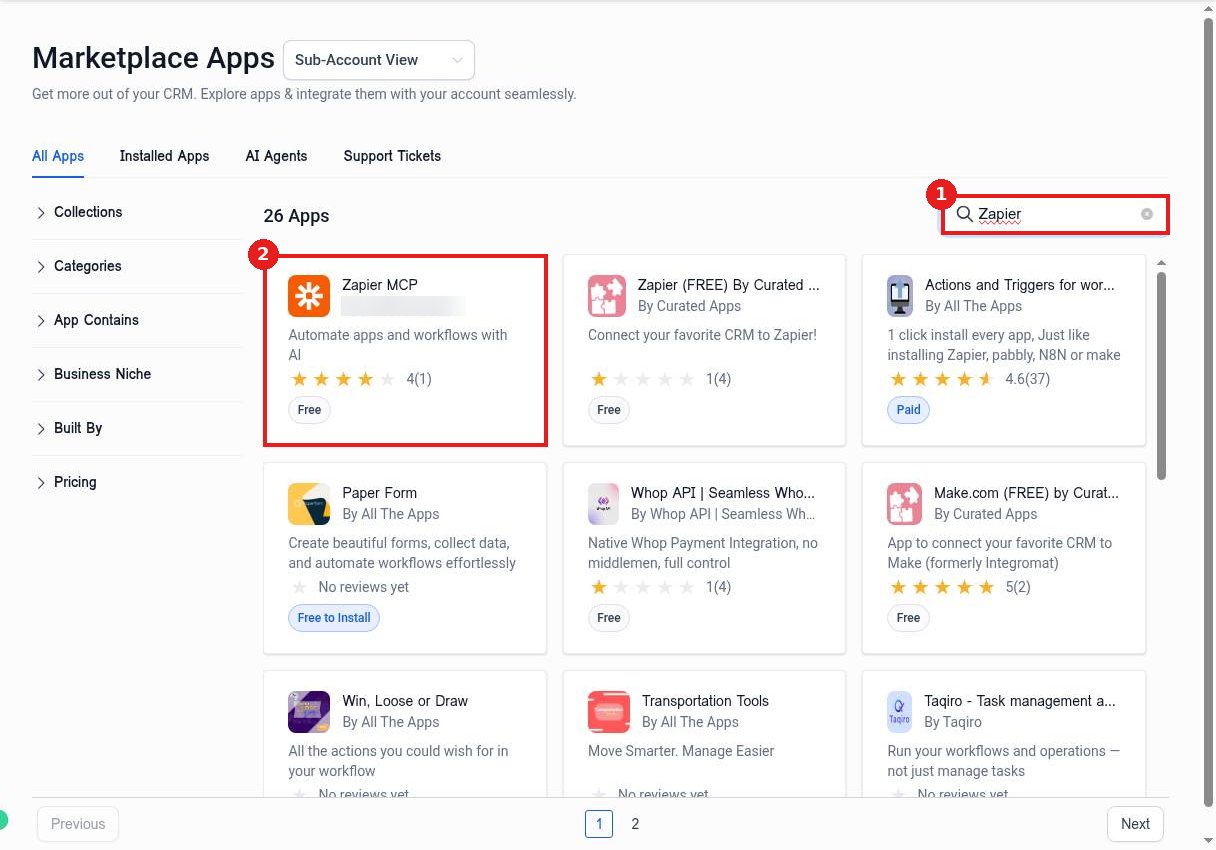
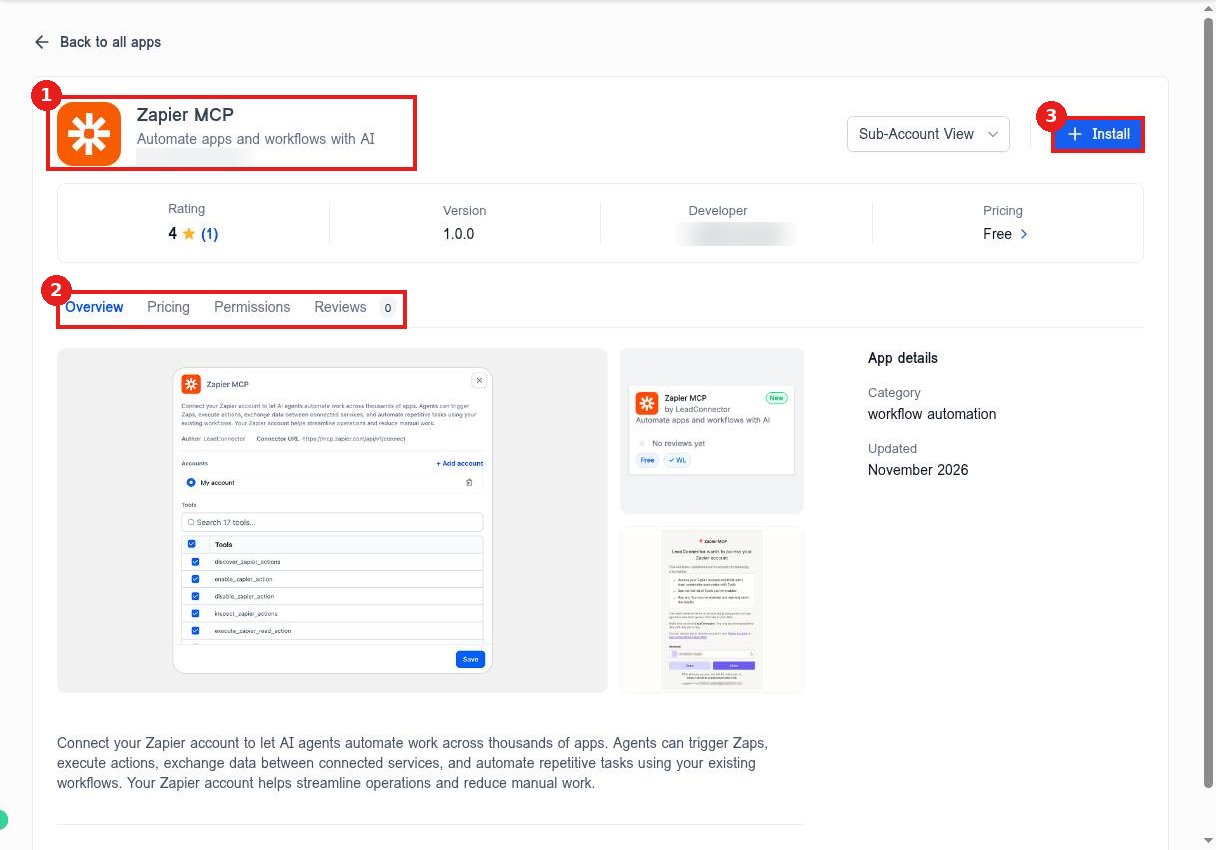
Check the app name and developer (1) and the Overview, Pricing, Permissions and Reviews tabs (2). When you are ready, click Install (3).
Step 4: Allow and install
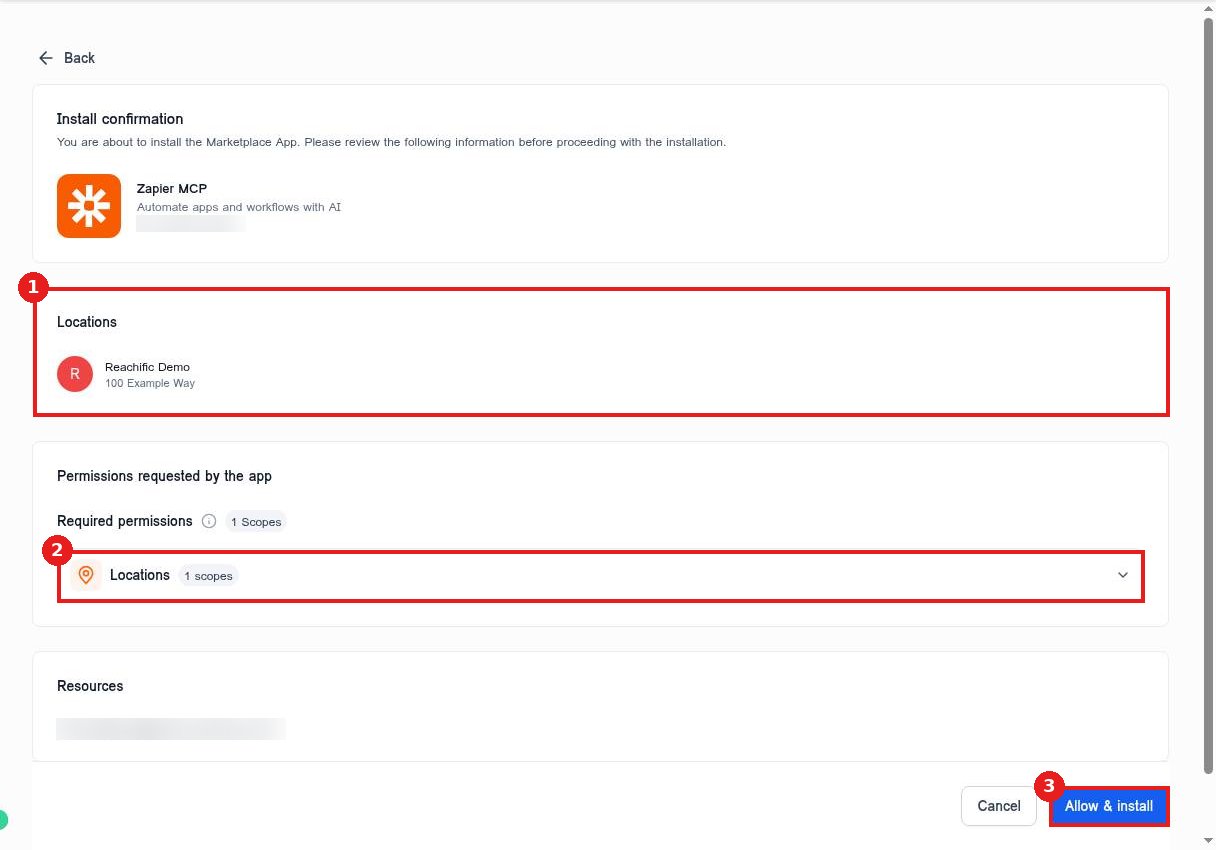
Confirm the account it installs into (1) and review the Permissions requested by the app (2). Click Allow & install (3) to finish, or Cancel to stop.
Step 5: Manage installed apps
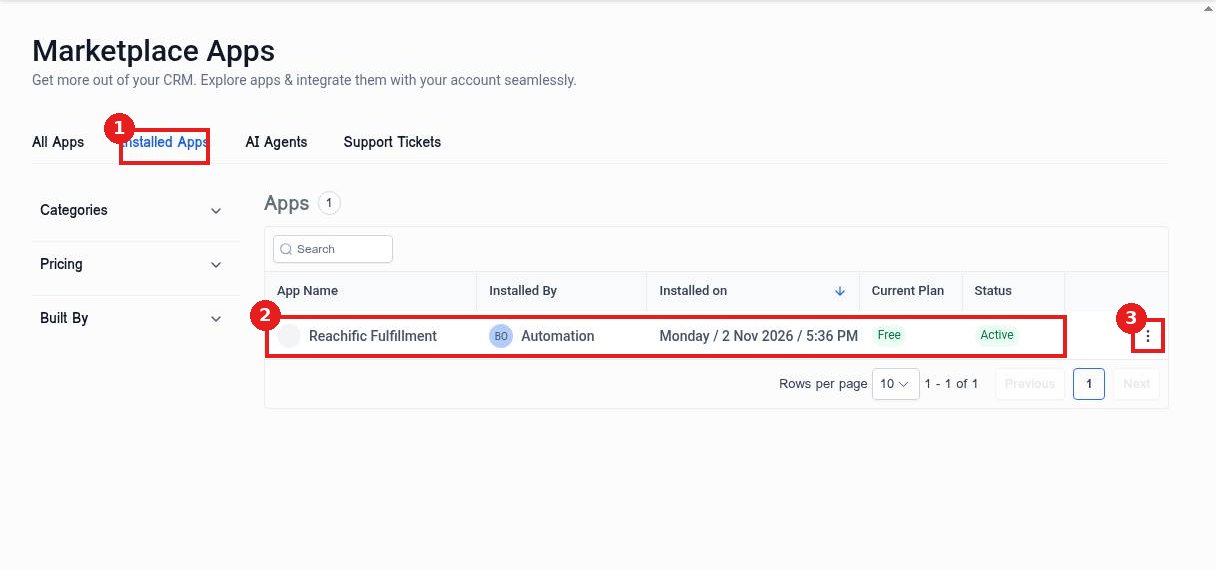
Open the Installed Apps tab (1) to see every app (2), who installed it and its plan. Use the three dot menu (3) to open settings or uninstall.
FAQ
Do apps cost extra?
Many are free. Paid apps show their price on the Pricing tab and bill through the app.
Can I remove an app later?
Yes. Open Installed Apps, use the three dot menu on the app and uninstall it.
What if the app I need is not listed?
Check Settings, Integrations for built in connections, or use Zapier or Make to connect it.
Want us to handle it? Our team connects your tools, sets up the automations between them and tests every step so leads never slip through. Book a free strategy call and get a free quote.
Related articles
- How do I connect Google, Facebook and other integrations?
- How do I connect Zapier or Make?
- How do I create a private integration API key?
Still stuck? Submit a ticket and our team will help. Need faster answers? See our support plans.
