
How do I create a private integration API key?
Quick answer: Go to Settings > Private Integrations and click Create new integration. Enter a Name and Description, click Next, choose the scopes the other app needs, then click Create. Copy the token from the success window and store it safely.
Before you start
- Grant as few scopes as possible. A token can read or change your account data.
- Never post a token in email, chat or a public page. Share it only with the developer who needs it.
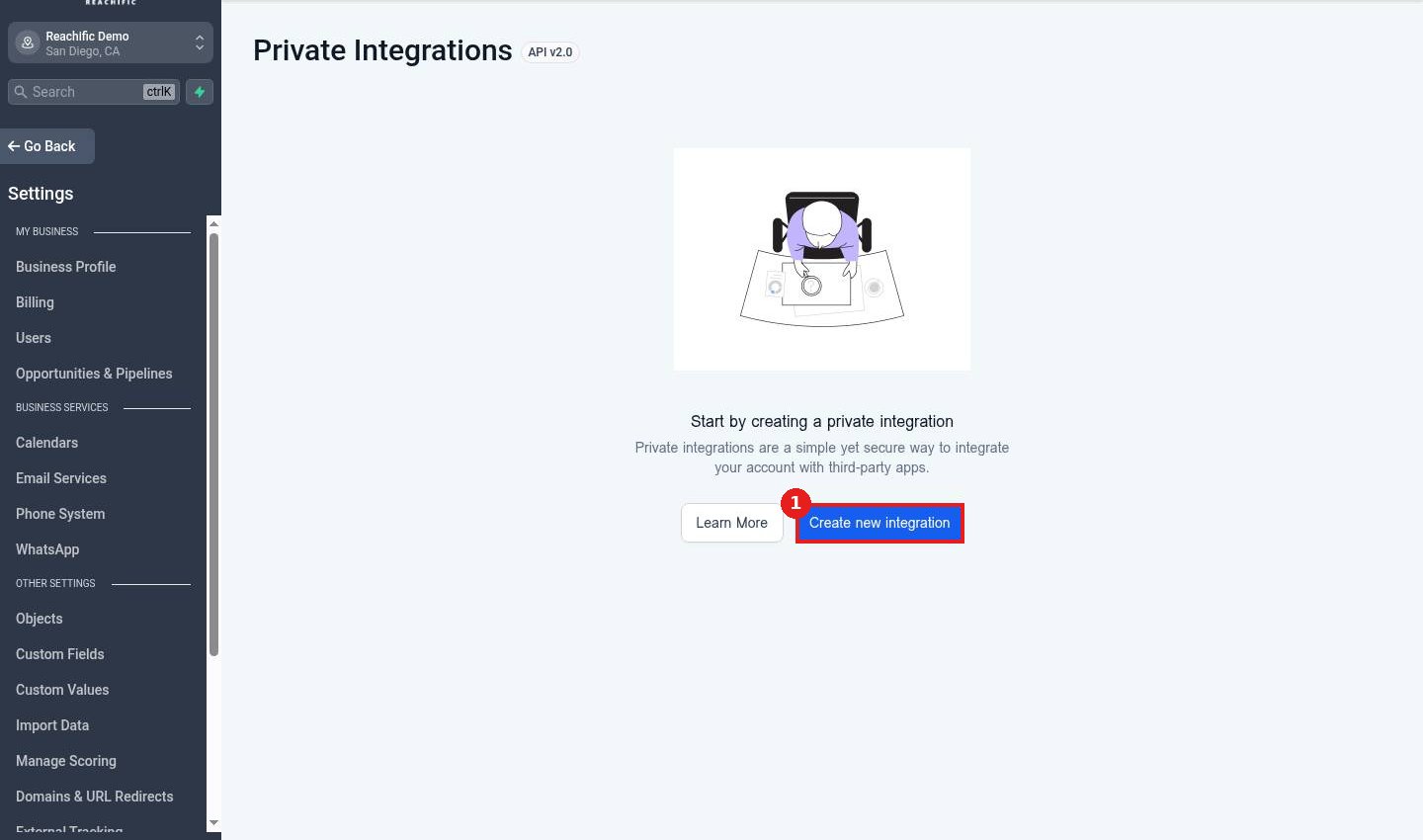
Step 1: Start a new integration
Open Private Integrations and click Create new integration (1).
Step 2: Name it
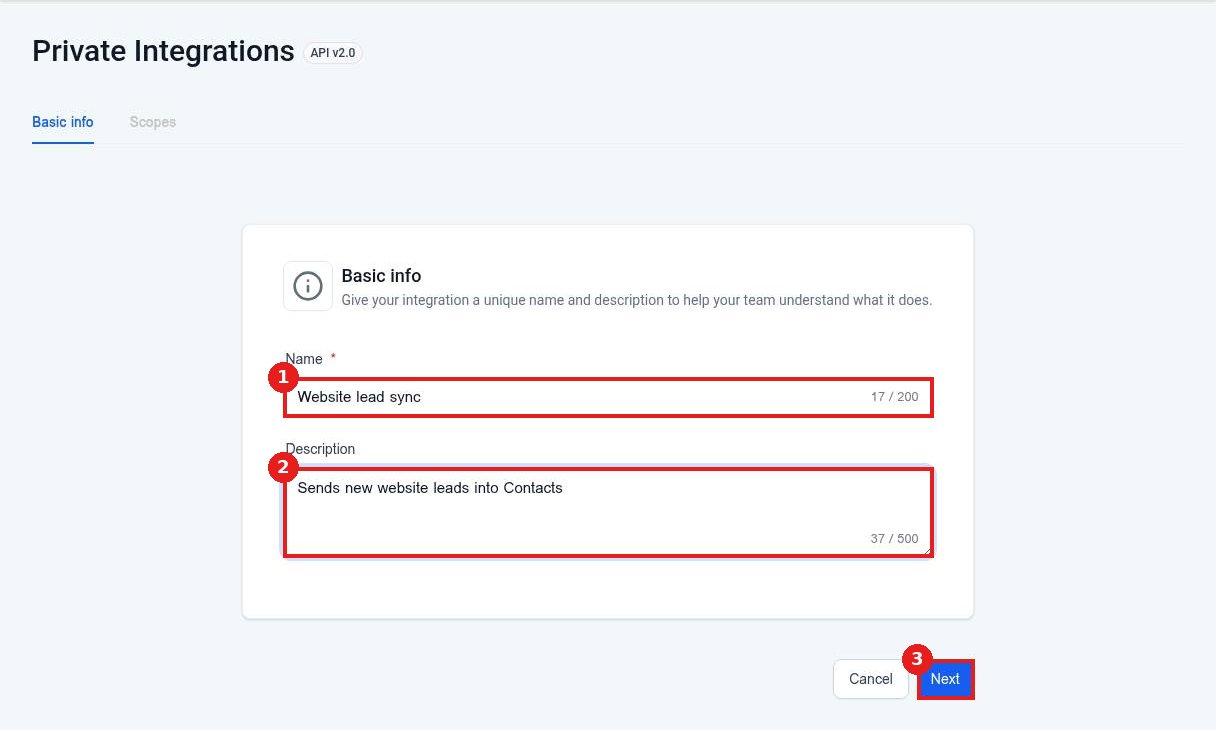
Type a Name (1) and a short Description (2) so your team knows what it is for. Click Next (3).
Step 3: Choose scopes
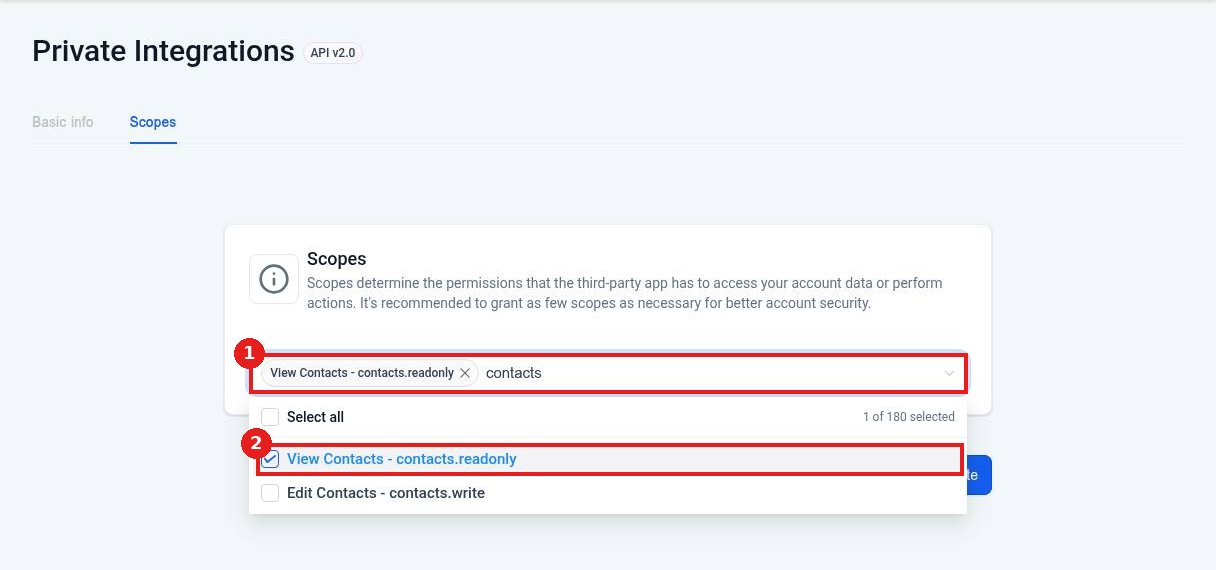
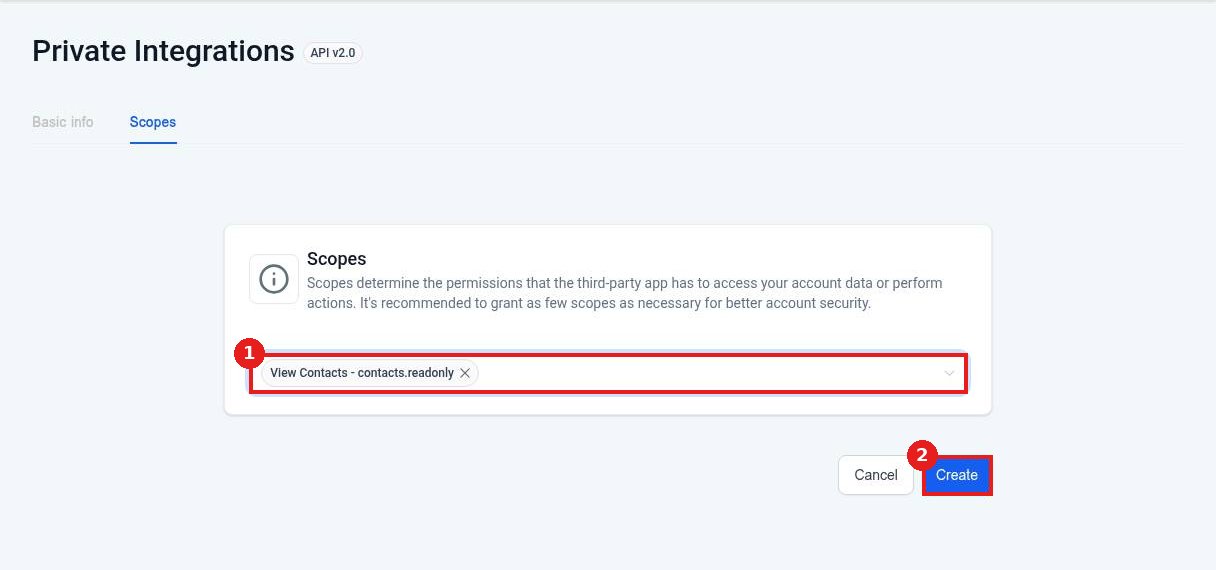
Click Select scopes (1) and search for what you need, such as contacts. Tick only the scopes required (2), for example View Contacts.
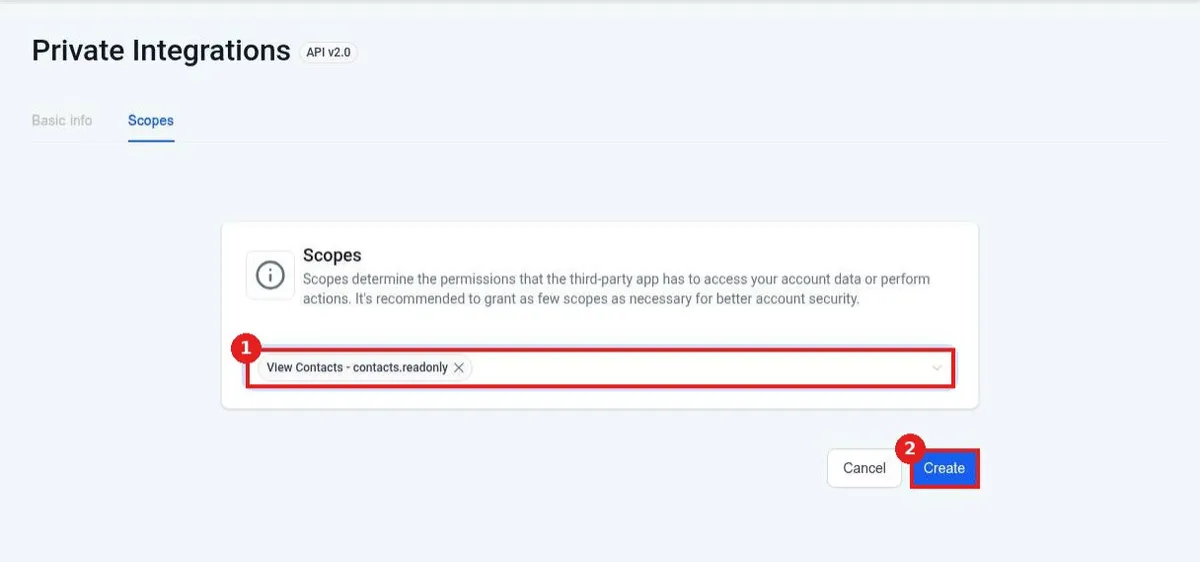
Step 4: Create and copy the token
Check the selected scopes (1) and click Create (2). Copy the token from the success window right away and store it safely.
Step 5: Rotate or delete it later
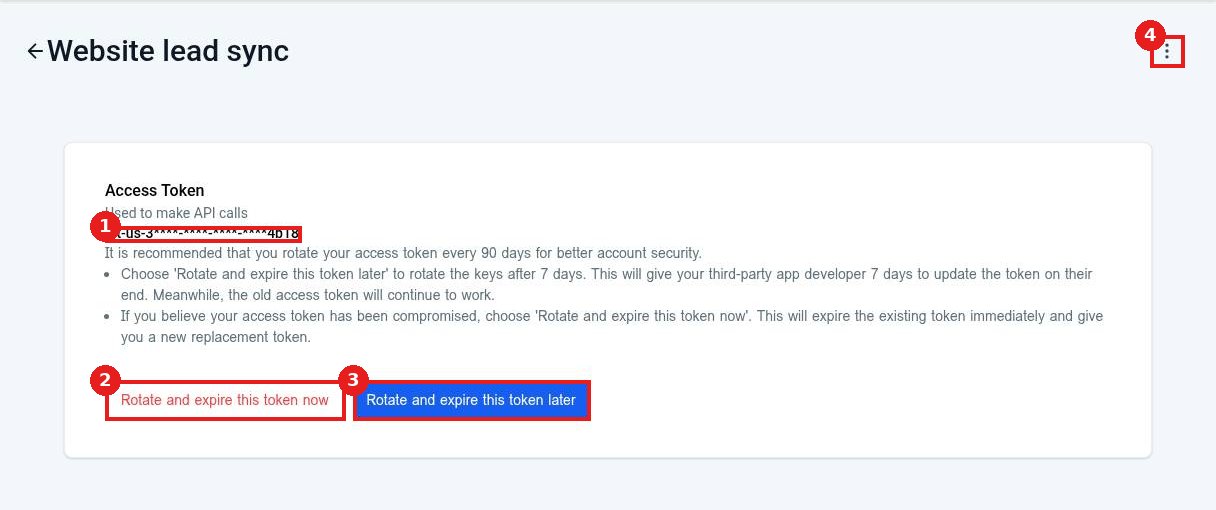
Open the integration to see the masked Access Token (1). Use Rotate and expire this token now (2) if it may be exposed, or Rotate and expire this token later (3) to give the developer 7 days to switch. The three dot menu (4) has Edit and Delete.
FAQ
Can I see the full token again later?
No. The full token shows once. If you lose it, rotate it to get a new one.
How often should I rotate it?
Every 90 days is recommended, or right away if you think it leaked.
Can I change the scopes after creating it?
Yes. Use Edit in the three dot menu.
Want us to handle it? Our team connects your tools, sets up the automations between them and tests every step so leads never slip through. Book a free strategy call and get a free quote.
Related articles
- How do I install an app from the App Marketplace?
- How do I connect Zapier or Make?
- How do I add a team member?
Still stuck? Submit a ticket and our team will help. Need faster answers? See our support plans.
