
How do I add an internal comment to a conversation?
Quick answer: Open the conversation, click the channel picker at the bottom left of the message box and choose Internal Comment. Type your note, use @ to tag a teammate, and click send. Only your team sees it.
Step 1: Switch the channel
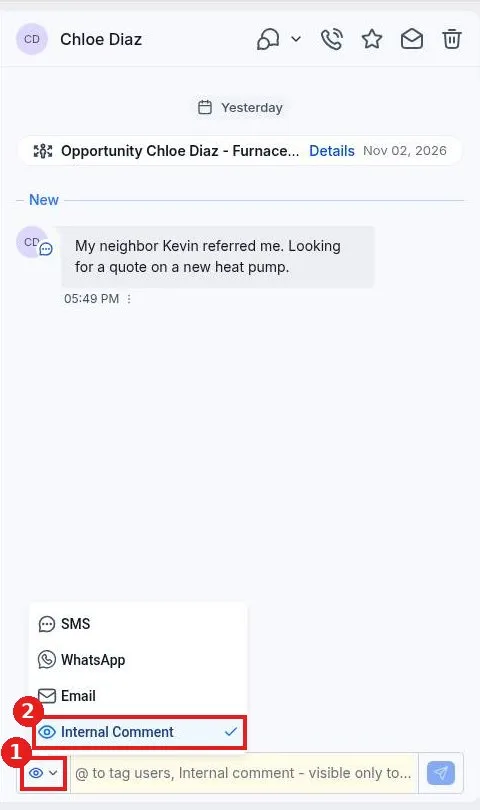
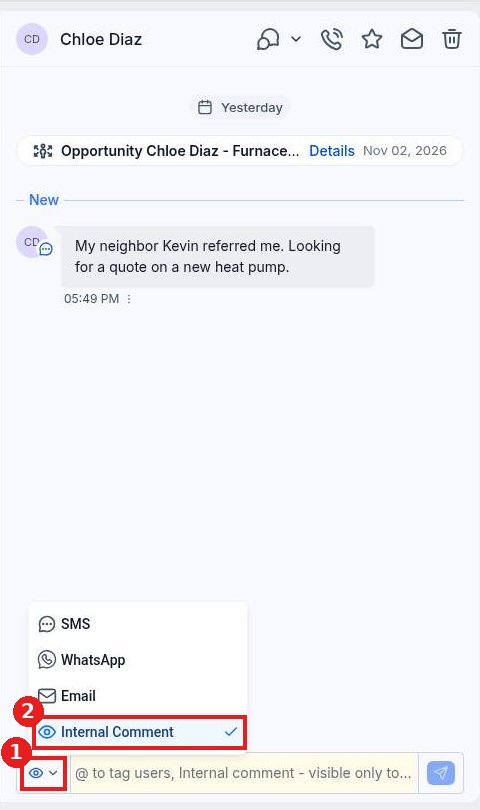
Go to Conversations and open the contact. Click the channel picker at the bottom left of the message box (1) and choose Internal Comment (2).
Step 2: Write and post the note
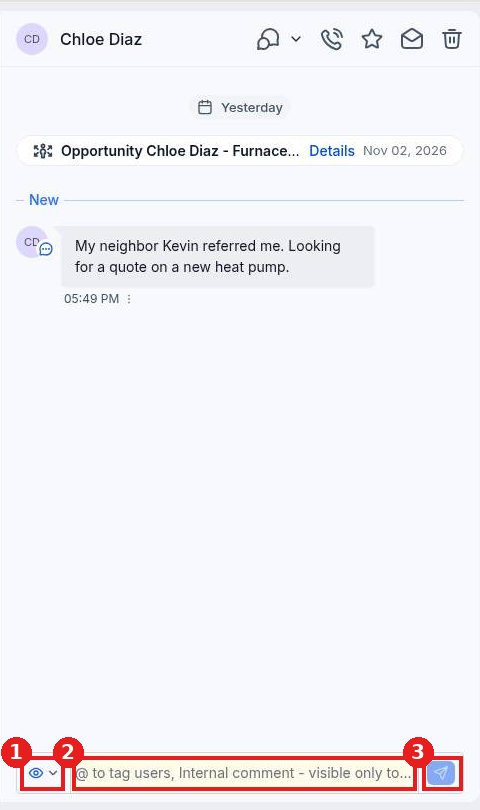
The message box turns yellow so you know it is internal (2). Type your note and type @ to tag a teammate so they get notified. Click send (3). The eye icon (1) shows you are in internal mode.
FAQ
Can the customer see internal comments?
No. Internal comments are visible only to your team inside Reachific.
How do I go back to messaging the customer?
Click the channel picker again and choose SMS, WhatsApp or Email before you type.
When should I use a comment instead of a message?
Use comments for hand offs, quotes in progress or anything your team should know before replying.
Want us to handle it? Our team can set up your inbox and team hand offs for you. Book a free strategy call and get a free quote.
Related articles
- How do I reply to texts, emails and chats from one inbox?
- How do I mark a conversation as read, unread or starred?
- How do I filter my inbox by unread, starred or assigned to me?
Still stuck? Submit a ticket and our team will help. Need faster answers? See our support plans.
